
Strong SRT427
STRONG 4K UHD Box SRT 427 User Manual
Уводзіны
This manual provides comprehensive instructions for the installation, operation, and maintenance of your STRONG 4K UHD Box SRT 427. Please read this manual carefully before using the device to ensure proper functionality and to prevent damage. Keep this manual for future reference.
Змест пакета
Перад тым, як працягнуць наладу, пераканайцеся, што ў камплекце ёсць усе неабходныя рэчы:
- STRONG 4K UHD Box SRT 427
- Пульт дыстанцыйнага кіравання (батарэі не ўключаны)
- Адаптар сілкавання
- Кабель HDMI
- Кіраўніцтва па хуткай ўстаноўцы
Настройка
Follow these steps to set up your STRONG 4K UHD Box SRT 427:
- Падключэнне да тэлевізара: Connect one end of the HDMI cable to the HDMI OUT port on the SRT 427 and the other end to an available HDMI IN port on your television.
- Падключэнне да сілкавання: Plug the power adapter into the DC IN port on the SRT 427, then plug the adapter into a wall outlet.
- Падключэнне да Інтэрнэту (неабавязкова): For internet-based features, connect an Ethernet cable to the LAN port on the SRT 427, or configure Wi-Fi settings after initial boot-up.
- Устаўце батарэйкі ў пульт: Open the battery compartment on the remote control and insert 2x AAA batteries (not included), ensuring correct polarity.
- Уключэнне: Turn on your TV and select the correct HDMI input source. The SRT 427 should power on automatically. If not, press the power button on the remote control.
- Майстар пачатковай налады: Выконвайце інструкцыі на экране, каб завяршыць пачатковую наладу, у тым ліку выбар мовы, канфігурацыю сеткі і пошук каналаў.
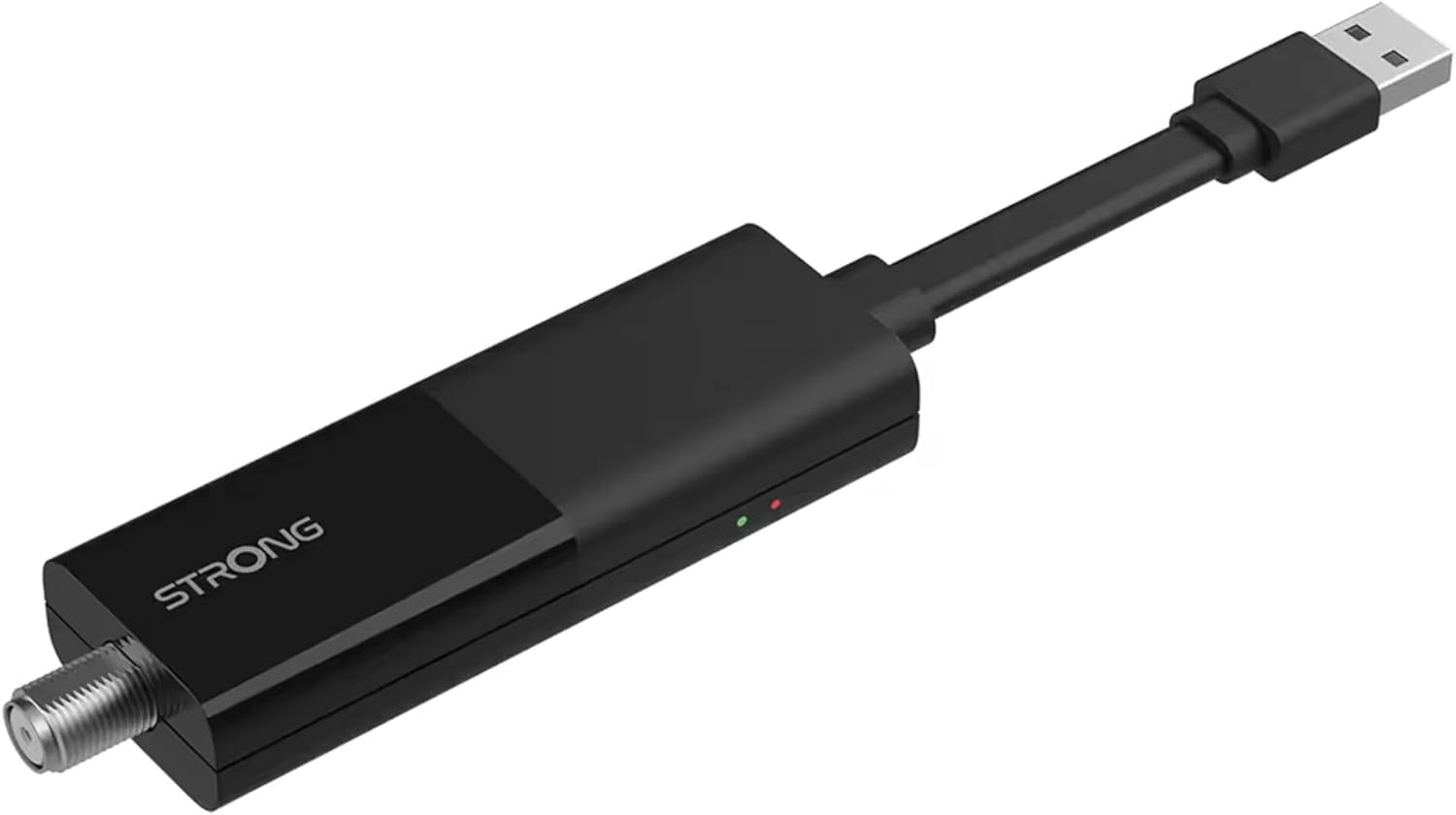
Image: The STRONG 4K UHD Box SRT 427, a compact black USB dongle-style device with a USB connector on one end and an F-type coaxial antenna input on the other, featuring the 'STRONG' logo and small indicator lights.
Інструкцыя па эксплуатацыі
Once the initial setup is complete, you can begin using your SRT 427. Use the remote control to navigate the user interface.
- Галоўны экран: Націсніце ДОМ button to access the main menu, where you can find applications, settings, and media options.
- Навігацыя: Выкарыстоўвайце клавішы са стрэлкамі (УГОРУ, ДОЛУ, НАЛЕВА, НАПРАВА) to move through menus and options. Press OK для пацверджання выбару.
- Рэгулятар гучнасці: Выкарыстоўвайце ГУЧНАСЦЬ+ і ГУЧ- buttons to adjust the audio volume.
- Выбар канала: If connected to an antenna, use the CH+ і CH- buttons to change channels, or enter channel numbers directly using the numeric keypad.
- Налады: Access the settings menu to customize display, audio, network, and system preferences.
- Прайграванне мультымедыя: Connect a USB storage device to the USB port to play media files (photos, videos, music) through the built-in media player.
Тэхнічнае абслугоўванне
Proper maintenance ensures the longevity and optimal performance of your SRT 427.
- Уборка: Disconnect the device from power before cleaning. Use a soft, dry cloth to wipe the exterior. Do not use liquid cleaners or abrasive materials.
- Вентыляцыя: Пераканайцеся, што прылада размешчана ў добра вентыляваным месцы. Не блакуйце вентыляцыйныя адтуліны.
- тэмпература: Пазбягайце ўздзеяння на прыладу экстрэмальных тэмператур, прамых сонечных прамянёў або высокай вільготнасці.
- Абнаўленні прашыўкі: Periodically check for firmware updates through the system settings to ensure you have the latest features and bug fixes.
Ліквідацыю непаладак
If you encounter issues with your SRT 427, refer to the following common problems and solutions:
| праблема | Рашэнне |
|---|---|
| Няма ўлады | Check if the power adapter is securely connected to the device and the wall outlet. Ensure the outlet is functional. |
| Няма выявы на тэлевізары | Verify the HDMI cable is correctly connected to both the SRT 427 and the TV. Ensure the TV is set to the correct HDMI input source. |
| Няма гуку | Check the volume level on both the SRT 427 and your TV. Ensure audio settings in the SRT 427 menu are correct. |
| Пульт дыстанцыйнага кіравання не працуе | Check and replace the batteries. Ensure there are no obstructions between the remote and the device's IR sensor. |
| Немагчыма падключыцца да Wi-Fi | Ensure your Wi-Fi router is on and within range. Re-enter the Wi-Fi password in the network settings. Try restarting both the SRT 427 and your router. |
Тэхнічныя характарыстыкі
Technical specifications for the STRONG 4K UHD Box SRT 427:
- Нумар мадэлі: SRT427
- Памеры прадукту: 5.91 х 7.87 х 5.91 цалі
- Вага прадмета: 1.76 фунта
- батарэі: 1 AAAA batteries required (for remote control, typically)
- вытворца: Моцны
- Language (Default): Italian (may vary by region, user configurable)
- ASIN: B0FDPX7PRQ
- Дата першай даступнасці: 21 жніўня 2025 г
Гарантыя і падтрымка
For warranty information and technical support, please refer to the warranty card included in your product packaging or visit the official Strong website. Do not attempt to repair the device yourself, as this may void your warranty.
Афіцыйны Webсайт: www.strong.tv
Ask a question about this manual
Ask about setup, troubleshooting, compatibility, parts, safety, or missing instructions. Manuals+ will review the question and use this page’s manual context to help answer it.