
Уводзіны
Thank you for choosing the GEEZER AK96 Mechanical Gaming Keyboard. This keyboard features a compact 96-key layout, pre-lubed red mechanical switches, and vibrant LED backlighting. Designed for both gaming and productivity, it offers a responsive typing experience and multi-system compatibility. This manual provides detailed instructions for setup, operation, maintenance, and troubleshooting to ensure optimal performance.
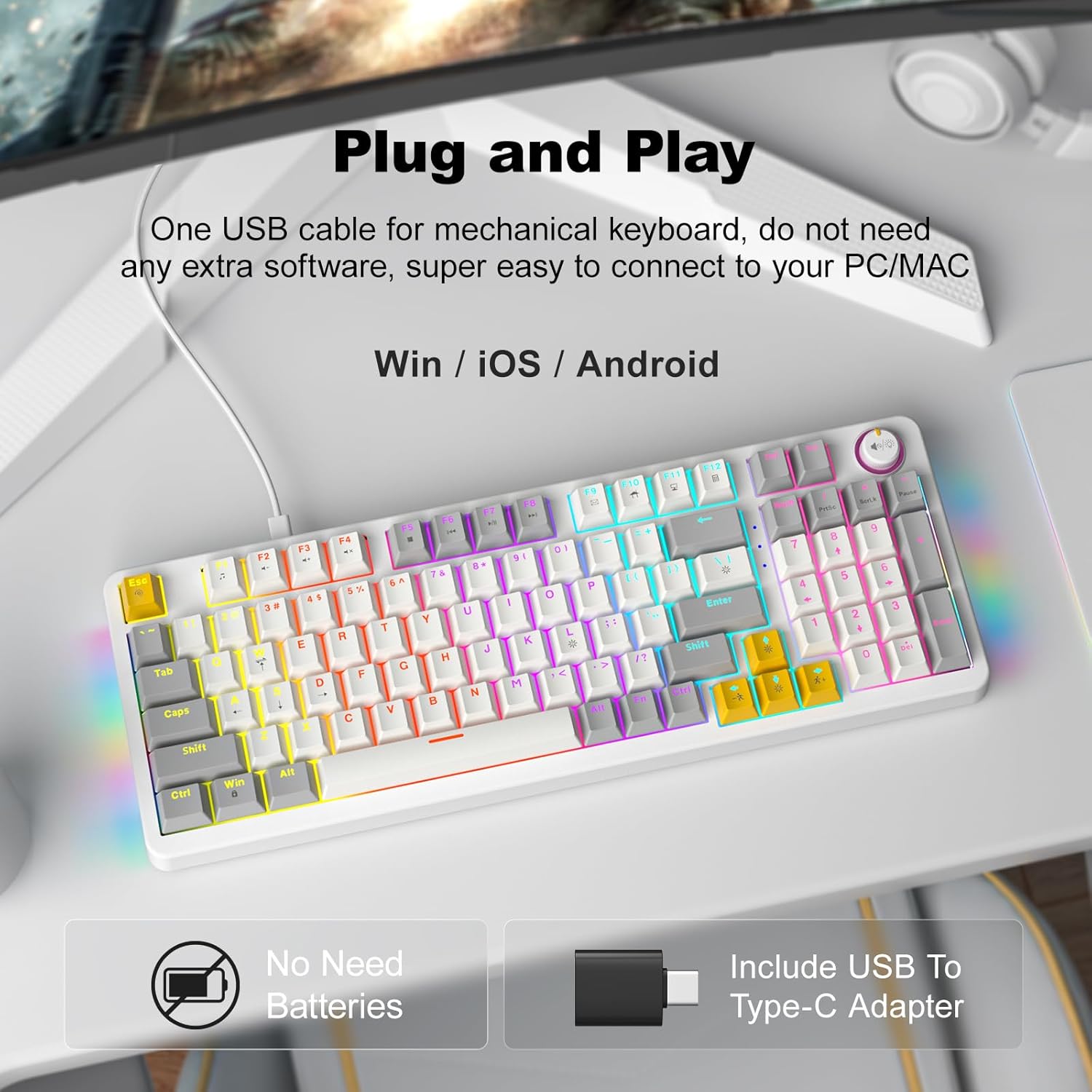
Image: The GEEZER AK96 Mechanical Gaming Keyboard, showcasing its compact layout and colorful backlighting.
Інструкцыя па наладзе
Змест пакета:
- GEEZER AK96 Mechanical Gaming Keyboard
- USB Cable (Type-C to USB-A)
- USB to Type-C Adapter
- Кіраўніцтва карыстальніка (гэты дакумент)
Падключэнне клавіятуры:
- Locate the USB Type-C port on the keyboard, typically on the top edge.
- Connect the USB Type-C end of the provided cable to the keyboard.
- Connect the USB-A end of the cable to an available USB port on your PC or Mac. If your device only has Type-C ports, use the included USB to Type-C adapter.
- The keyboard is plug-and-play and should be recognized automatically by your operating system (Windows or Mac) without requiring additional drivers.

Image: Diagram showing the GEEZER AK96 keyboard connected to a PC, Laptop, and Mac using the USB cable and Type-C adapter.
Відэа: Оверview of the GEEZER AK96 Mechanical Gaming Keyboard, demonstrating its features and backlighting.
Інструкцыя па эксплуатацыі
Кіраванне падсветкай:
The AK96 keyboard features 17 built-in lighting modes and multi-color options, along with side lights for enhanced visual effects. Use the following key combinations to control the backlighting:
- Fn + |: Switch between 17 different backlight modes.
- Fn + Enter: Turn the backlight On/Off.
- Fn + ↑ / ↓: Рэгуляванне яркасці падсветкі.
- Fn + ← / →: Change backlight speed.
- Fn + L: Control side atmosphere lights.

Image: The GEEZER AK96 keyboard displaying various LED backlight effects and key combinations for control.
Video: A demonstration of the GEEZER AK96 Mechanical Gaming Keyboard's various LED lighting modes and effects.
Media Control and Volume Knob:
The keyboard is equipped with a dedicated volume knob and quick-access media keys for convenient control over your audio and media playback.
- Ручка гучнасці: Rotate to adjust volume. Press to mute/unmute audio.
- Fn + F1: Медыяплэер
- Fn + F2: Памяншэнне гучнасці
- Fn + F3: Павялічыць гучнасць
- Fn + F4: Прыглушыць
- Fn + F5: Play to Suspend
- Fn + F6: Папярэдні трэк
- Fn + F7: Прайграванне / паўза
- Fn + F8: наступны трэк
- Fn + F9: Email
- Fn + F10: Web дадому
- Fn + F11: Мой кампутар
- Fn + F12: Калькулятар
- Fn + PrtSc: PrtSc (Print Screen)
- Fn + SCRLK: SCRLK (Scroll Lock)
- Fn + Паўза: Паўза
- Fn + W: Swap W, A, S, D and ↑, ↓, ←, → keys.
- Fn+Win: Клавіша блакавання/разблакавання Windows.
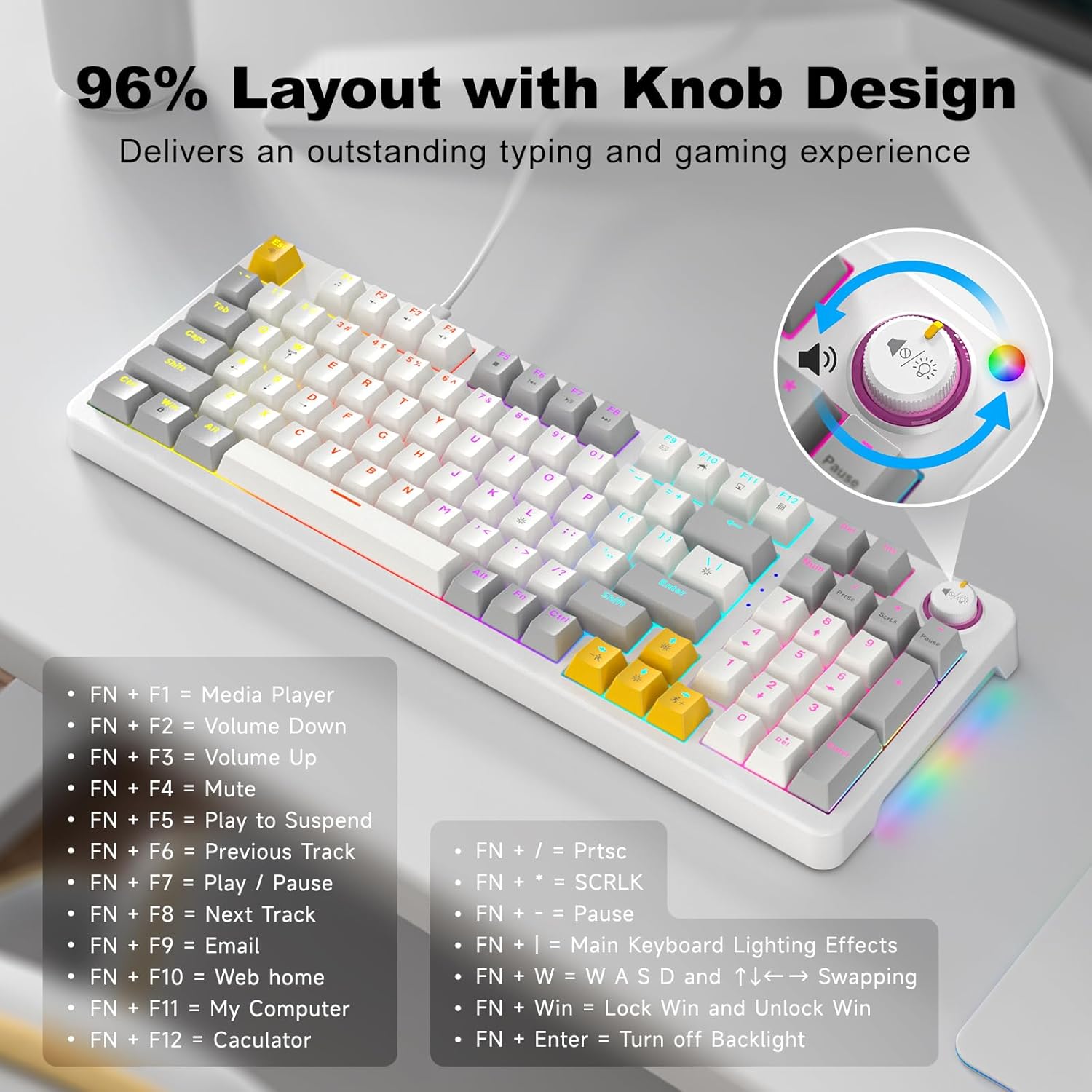
Image: The GEEZER AK96 keyboard highlighting the volume knob and a list of shortcut key functions.
Эрганамічныя налады:
The keyboard features two adjustable-height kickstands on the underside. Flip these kickstands out to adjust the typing angle for maximum comfort during extended use. The non-slip rubber pads ensure stability.
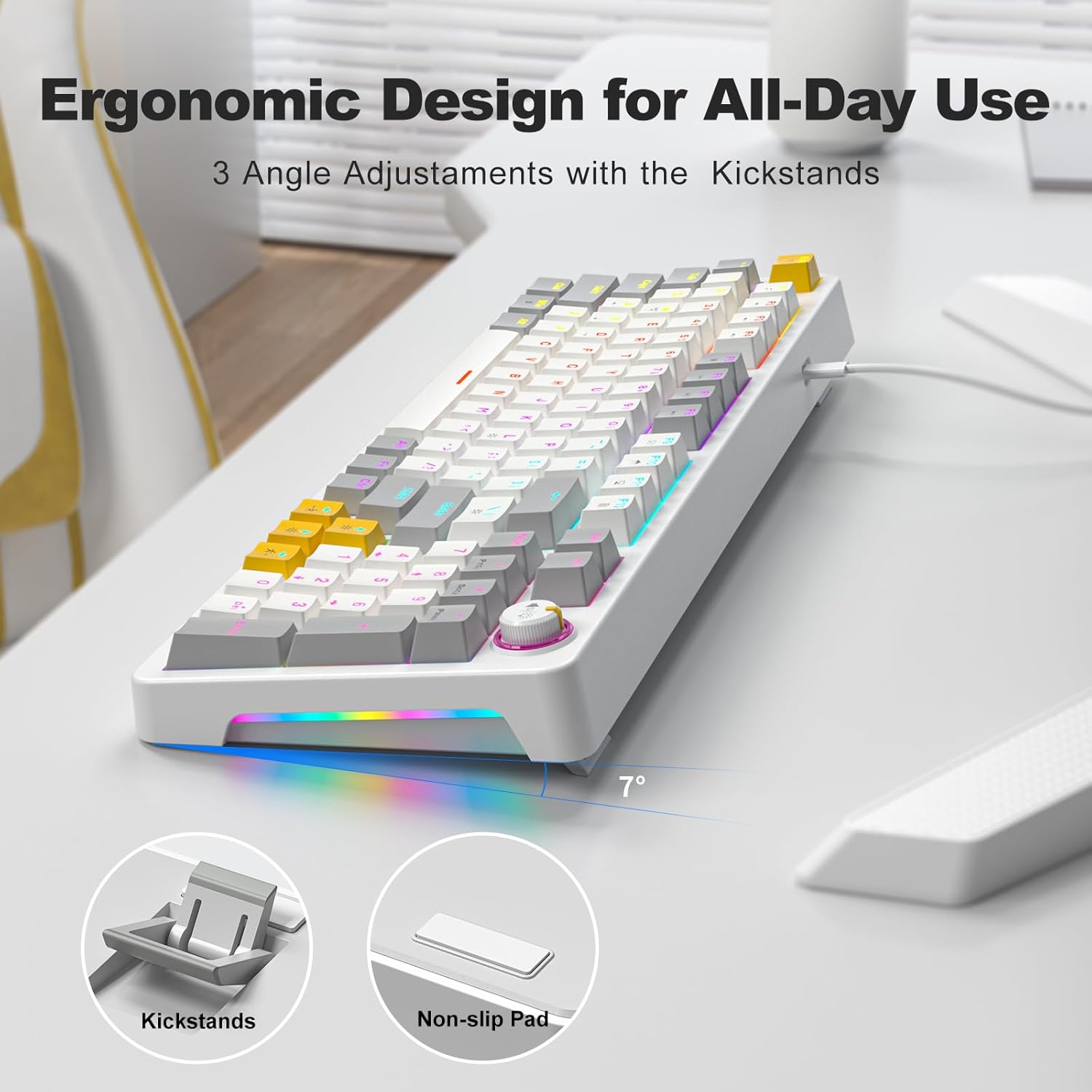
Image: The underside of the GEEZER AK96 keyboard, illustrating the adjustable kickstands and non-slip rubber pads.
Тэхнічнае абслугоўванне
To ensure the longevity and optimal performance of your GEEZER AK96 Mechanical Gaming Keyboard, follow these maintenance guidelines:
- Cleaning Keycaps: Выкарыстоўвайце мяккі, damp cloth to wipe down the keycaps. For deeper cleaning, you may carefully remove keycaps (using a keycap puller, if available) and clean them with mild soap and water. Ensure they are completely dry before reattaching.
- Cleaning Switches: Use compressed air to remove dust and debris from between the keycaps and around the switches. Avoid spraying liquids directly into the switches.
- Сыход за кабелем: Avoid sharp bends or kinks in the USB cable. Store the cable neatly when not in use to prevent damage.
- Агульны догляд: Keep the keyboard away from excessive moisture, extreme temperatures, and direct sunlight. Avoid dropping the keyboard or subjecting it to strong impacts.
Ліквідацыю непаладак
If you encounter any issues with your GEEZER AK96 Mechanical Gaming Keyboard, please refer to the following common troubleshooting steps:
- Клавіятура не адказвае:
- Пераканайцеся, што USB-кабель надзейна падключаны як да клавіятуры, так і да кампутара.
- Паспрабуйце падключыць клавіятуру да іншага USB-порта на вашым кампутары.
- If using the USB to Type-C adapter, ensure it is properly connected and try a different adapter if possible.
- Перазагрузіце кампутар.
- Backlight Not Working or Incorrect:
- Прэса Fn + Enter to toggle the backlight On/Off.
- Прэса Fn + | to cycle through different lighting modes.
- Адрэгулюйце яркасць з дапамогай Fn + ↑ / ↓.
- Пераканайцеся, што USB-порт вашага кампутара забяспечвае дастатковую магутнасць.
- Клавішы не рэгіструюцца або ўводзяцца два разы:
- Ачысціце пашкоджаны перамыкач сціснутым паветрам, каб выдаліць любыя смецце.
- Пераканайцеся, што каўпачок клавішы правільна ўсталяваны на перамыкачы.
- Праверце клавіятуру на іншым кампутары, каб выключыць праблемы з праграмным забеспячэннем або драйверамі.
- Volume Knob Not Functioning:
- Пераканайцеся, што клавіятура правільна падключана.
- Check your computer's audio settings to ensure the volume is not controlled by another device or software.
If the issue persists after trying these steps, please contact GEEZER customer support for further assistance.
Тэхнічныя характарыстыкі
| Асаблівасць | Дэталь |
|---|---|
| Нумар мадэлі | АК-96 |
| Макет | 96-Key (96% layout) |
| Тып перамыкача | Red Mechanical Switches (Pre-lubed) |
| Матэрыял клавішы | PBT |
| Падсвятленне | LED Colorful Backlit (17 modes) & 2-Side LED |
| Сувязь | USB Wired (USB-A to Type-C) |
| Сумяшчальнасць | PC, Mac, Windows, Laptop, Smart TV, Tablet |
| Асаблівасці | Volume Knob, Full Key Rollover, Ergonomic Design, Adjustable-height Kickstands, Hotkeys and Media Keys |
| Памеры прадукту | 15.35 х 5.51 х 1.18 цалі |
| Вага прадмета | 1.9 фунта |
| Колер | Белы |
| Матэрыял | Пластыкавыя |
Гарантыя і падтрымка
The GEEZER AK96 Mechanical Gaming Keyboard comes with a standard manufacturer's warranty. For detailed information regarding warranty coverage, terms, and conditions, please refer to the product packaging or contact GEEZER customer support directly.
For technical support, troubleshooting assistance, or any product-related inquiries, please visit the official GEEZER website or contact their customer service team. Contact information can typically be found on the product packaging or on the brand's official online store.