
1. Уводзіны
Thank you for choosing the YESIMOM Baby Monitor Indoor WiFi Camera 8SM. This device is designed to provide reliable monitoring of your baby or indoor space with advanced features such as 360° pan-tilt-zoom, two-way audio, and app control. This manual will guide you through the setup, operation, and maintenance of your camera to ensure optimal performance and safety.
2. Змесціва ўпакоўкі
Калі ласка, праверце змесціва ўпакоўкі пасля распакавання. Калі якія-небудзь прадметы адсутнічаюць або пашкоджаныя, звярніцеся ў службу падтрымкі кліентаў.
- 1 × YESIMOM Baby Monitor Camera
- 1 × Адаптар сілкавання
- 1 × кабель сілкавання
- 3 × Шрубы
- 3 × Wall Plugs
- 1 × Reset Pin
- 1 × Multilingual Instruction Manual (this document)
- 1 × Video Guide Card
3. Прадукт скончыўсяview і Асаблівасці
The YESIMOM 8SM camera offers a range of features for comprehensive indoor monitoring.
3.1 Асноўныя магчымасці
- Раздзяленне Full HD 1080p: Забяспечвае выразнае і падрабязнае відэа footage.
- 360° Pan-Tilt-Zoom (PTZ): Horizontal 355° and vertical 60° rotation for complete room coverage.
- Двухбаковы аўдыё: Communicate with your baby or family members through the camera.
- Выяўленне руху і гуку: Receive instant notifications on your smartphone for detected activity.
- Invisible Night Vision: Monitor in low-light conditions without disturbing sleep.
- Гнуткае захоўванне: Supports local TF card storage (up to 256GB, not included) and cloud storage options.
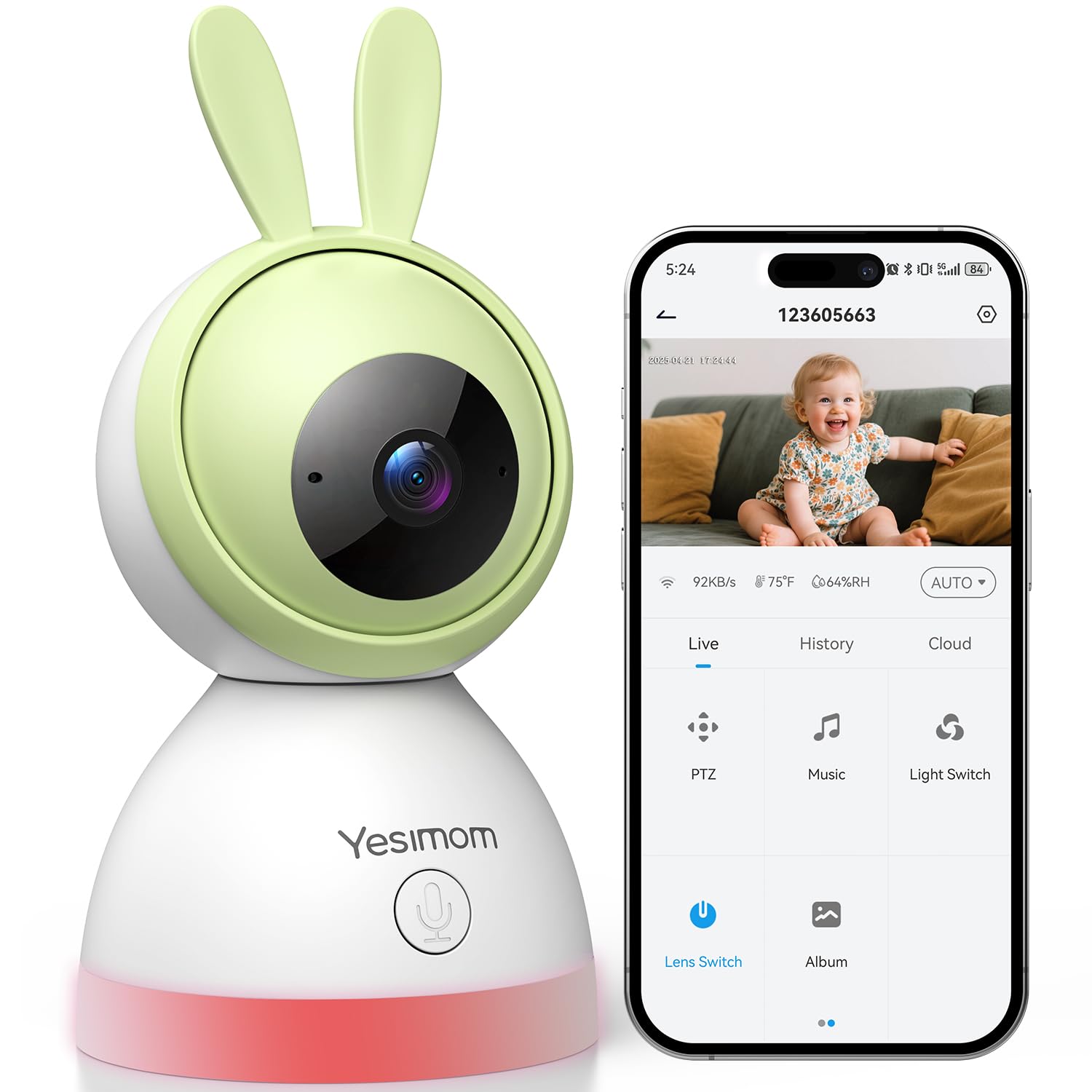
- Кіраванне праграмамі: Кіраваць і view live feed from your iOS or Android device.
- One-Click Call Function: Initiate a call directly from the camera.
3.2 Кампаненты камеры
Азнаёмцеся з фізічнымі кампанентамі камеры.

выява: Фронт view of the YESIMOM Baby Monitor Camera. This image displays the camera's lens, microphone, and speaker, along with its distinctive rabbit ear design.
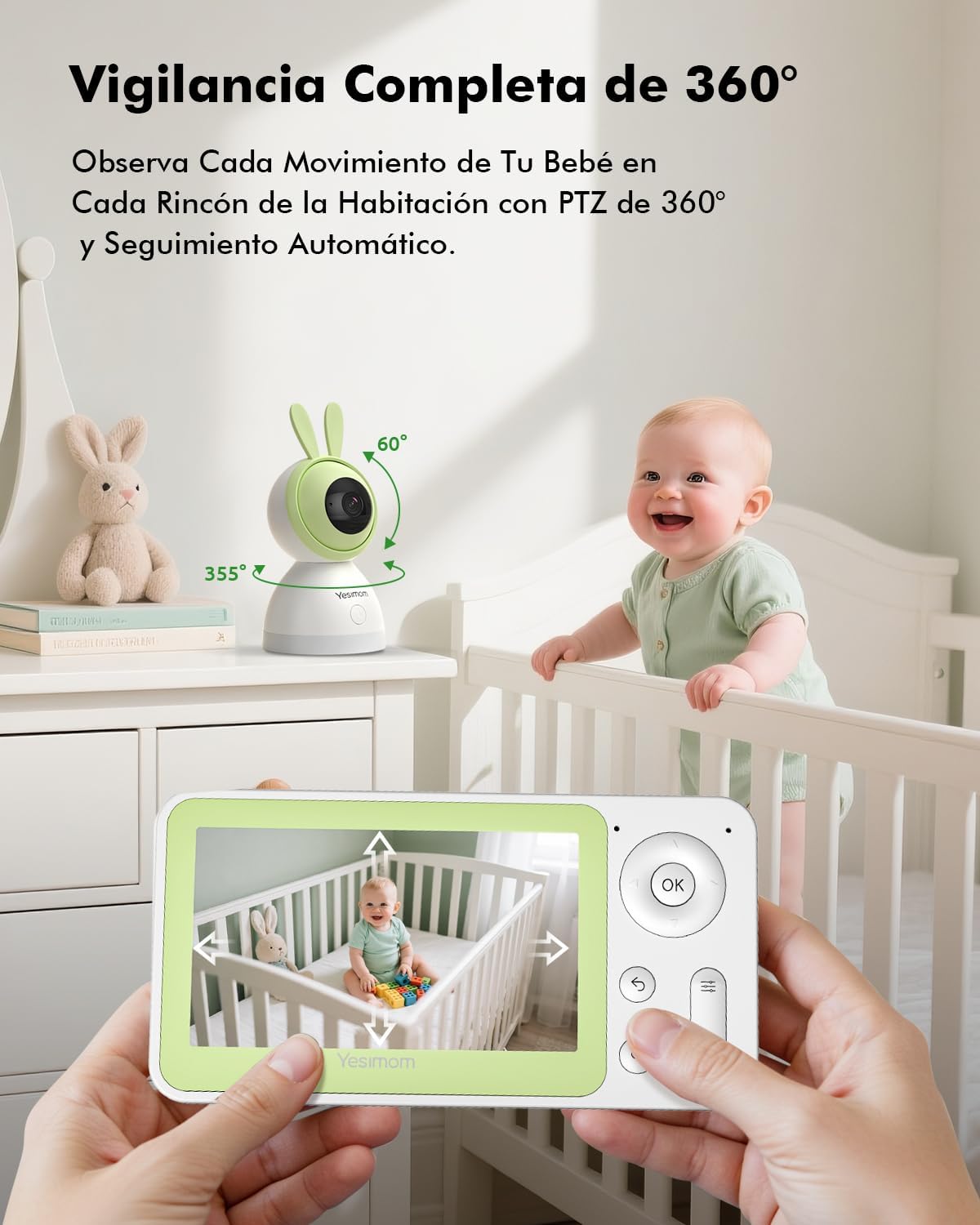
выява: Illustration of the camera's 360-degree pan and tilt capabilities. The image shows arrows indicating 355 degrees horizontal rotation and 60 degrees vertical tilt, demonstrating the camera's wide coverage.

выява: Depiction of the camera's flexible storage options, including a visible TF card slot. This image highlights the ability to record and store footage locally or via cloud services.

выява: Visual representation of the camera's 4X digital zoom capability. The image shows a zoomed-in section of a larger scene, illustrating the clarity maintained even when magnified.
4. Кіраўніцтва па наладцы
Follow these steps to set up your YESIMOM Baby Monitor.
4.1 Фізічная ўстаноўка
- Выберыце месца: Place the camera on a flat surface like a table or shelf, or mount it to a wall using the provided screws and wall plugs. Ensure it has a clear view вобласці, якую вы хочаце кантраляваць.
- Падключэнне сілкавання: Connect the power cable to the camera's power port and plug the adapter into a power outlet. The camera will power on and initiate its startup sequence.
- Устаўце карту TF (неабавязкова): If you plan to use local storage, gently insert a TF card (up to 256GB, not included) into the designated slot on the camera.
4.2 Загрузка праграмы і рэгістрацыя ўліковага запісу
- Спампаваць прыкладанне: Пошук the official YESIMOM app in the Apple App Store (for iOS devices) or Google Play Store (for Android devices).
- Рэгістрацыя/Уваход: Адкрыйце праграму і выконвайце інструкцыі на экране, каб зарэгістраваць новы ўліковы запіс або ўвайсці ў сістэму, калі ў вас ужо ёсць уліковы запіс.
4.3 Падключэнне Wi-Fi
Камера падтрымлівае 2.4GHz Wi-Fi networks only. It is not compatible with 5GHz Wi-Fi networks. Ensure your router is configured to use 2.4GHz or has a mixed mode enabled.
- Дадаць прыладу: У дадатку націсніце значок «+» або «Дадаць прыладу», каб пачаць працэс спалучэння.
- Выберыце тып камеры: Choose the appropriate camera model from the list.
- Спалучэнне праз Bluetooth: The camera uses Bluetooth for initial setup. Ensure Bluetooth is enabled on your smartphone. The app will guide you through connecting to the camera via Bluetooth.
- Канфігурацыя Wi-Fi: Once connected via Bluetooth, the app will prompt you to select your 2.4GHz Wi-Fi network and enter the password.
- Пацверджанне: Follow any further on-screen instructions to complete the connection. The camera will indicate a successful connection (e.g., a specific LED light pattern or voice prompt).
5. Інструкцыя па эксплуатацыі
Once set up, you can utilize the camera's features through the YESIMOM app.
5.1 У прамым эфіры View і кіраванне PTZ
- Доступ да жывой стужкі: Адкрыйце праграму і абярыце камеру са спісу прылад, каб view жывая відэатрансляцыя.
- Панарамаванне і нахіл: Use the directional controls within the app to remotely rotate the camera horizontally (355°) and vertically (60°) to adjust the viewкут нахілу.
- Лічбавае павелічэнне: Pinch to zoom in or out on the live feed to get a closer look (up to 4X digital zoom).
5.2 Двухбаковае аўдыё
- Слухай: The camera's microphone captures audio from the monitored area, which you can hear through the app.
- гаварыць: Tap the microphone icon in the app to speak. Your voice will be transmitted through the camera's speaker, allowing you to communicate with your baby or anyone near the camera.
5.3 Выяўленне руху і гуку
- Уключыць абвесткі: In the app settings, navigate to "Detection Settings" to enable motion and sound detection.
- Адчувальнасць: Adjust the detection sensitivity to minimize false alarms.
- Апавяшчэнні: When motion or sound is detected, you will receive instant push notifications on your smartphone.
- Аўтаматычнае адсочванне: The camera can automatically track detected movement within its field of view.
5.4 Запіс і захоўванне
- TF Card Recording: If a TF card is inserted, the camera will automatically record events or continuous footage based on your settings. You can review запісы непасрэдна з прыкладання.
- Воблачнае сховішча: The app offers optional cloud storage services (subscription may be required). Refer to the app for details on plans and activation.
- Прайграванне падзеі: Access recorded events and playback history through the app's timeline or event list.
5.5 One-Click Call
The camera features a physical button that can be configured for a one-click call function. This allows a person near the camera to initiate a call to a pre-set contact via the app.
- Канфігурацыя: In the app settings, locate the "One-Click Call" or similar option.
- Set Contact: Assign a contact from your app's contact list to the one-click call button.
- выкарыстанне: Press the button on the camera to initiate a call to the configured contact.
выява: Illustration of the camera's one-click call button and its interaction with a smartphone app. The image shows a finger pressing the button on the camera and a phone screen displaying an incoming call, demonstrating the ease of communication.
6. Тэхнічнае абслугоўванне
Правільнае абслугоўванне забяспечвае даўгавечнасць і аптымальную працу вашай камеры.
- Уборка: Выкарыстоўвайце мяккую сухую тканіну для чысткі аб'ектыва і корпуса камеры. Пазбягайце выкарыстання агрэсіўных хімічных рэчываў або абразіўных матэрыялаў.
- Абнаўленні праграмнага забеспячэння: Regularly check the app for firmware updates for your camera. Updates often include performance improvements and security enhancements.
- Размяшчэнне: Ensure the camera is placed in a stable environment, away from direct sunlight, extreme temperatures, and moisture.
7. Выпраўленне непаладак
Калі ў вас узнікнуць праблемы, звярніцеся да наступных распаўсюджаных рашэнняў.
| праблема | Магчымае рашэнне |
|---|---|
| Камера не падключаецца да Wi-Fi |
|
| Няма жывой відэатрансляцыі |
|
| Дэтэктар руху/гуку не працуе |
|
| Праблемы з двухбаковым гукам |
|
8. Тэхнічныя характарыстыкі
| Асаблівасць | Дэталь |
|---|---|
| Назва мадэлі | 8SM |
| Марка | YESIMOM |
| Тэхналогія падлучэння | Wired (Power), Bluetooth & 2.4G WiFi (Data) |
| Дазвол відэазахопу | 1080p |
| Фармат захопу відэа | MPEG-4 |
| Асаблівасці | Two-way audio, Motion Detection, Sound Detection, Automatic Tracking, Invisible Night Vision, 360° PTZ, App Control, One-Click Call |
| Выкарыстанне ў памяшканні/на вуліцы | У памяшканні |
| Тып мацавання | Tabletop (with wall mounting option) |
| Патрабуюцца батарэі | няма |
| Памеры прадмета | 16.2 х 8 х 8 см |
| Параметры захоўвання | TF-карта (да 256 ГБ), воблачнае сховішча |
| UPC | 658215565984 |
9. Гарантыя і падтрымка
The YESIMOM Baby Monitor Indoor WiFi Camera 8SM comes with a standard manufacturer's warranty. For detailed warranty information, please refer to the warranty card included in your package or visit the official YESIMOM webсайт.
If you require technical assistance, have questions about your product, or need to report an issue, please contact YESIMOM customer support through the contact information provided on the official website or within the app. Please have your model number (8SM) and purchase details ready when contacting support.