
Уводзіны
This manual provides essential instructions for setting up, operating, and maintaining your Agreago Projector V3. Please read it thoroughly before use to ensure proper functionality and to maximize your viewвопыту.
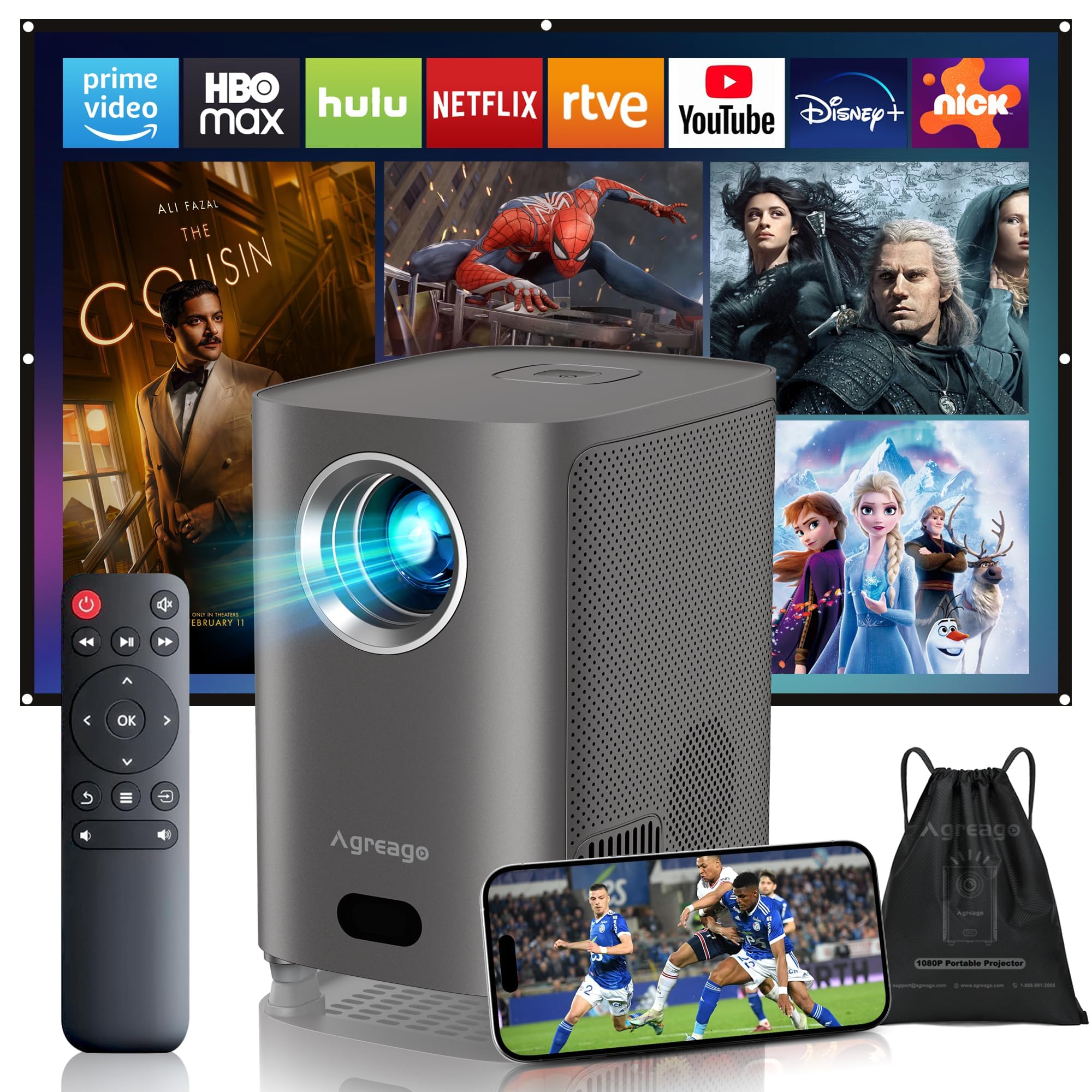
Figure 1: Agreago Projector V3 and accessories.
Што ў скрынцы
Пасля распакавання пераканайцеся, што ўсе кампаненты наяўныя:
- Agreago Projector V3
- Пульт дыстанцыйнага кіравання
- Сілавы кабель
- Кабель HDMI
- AV-кабель
- Кіраўніцтва карыстальніка
- Сумка для пераноскі на шнурках
Video 1: Unboxing the Agreago Projector V3, showing included accessories.
Прадукт скончаныview
Familiarize yourself with the projector's components and connection ports.
Парты злучэння

Figure 2: Rear panel with audio, AV, HDMI, and USB ports.
- Аўдыёвыхад (3.5 мм): Падключыце знешнія дынамікі або навушнікі.
- AV-уваход: Падключыце старыя прылады з дапамогай AV-кабеля, які ўваходзіць у камплект.
- HDMI (x2): Connect devices like TV sticks, laptops, gaming consoles (Xbox, PS5).
- USB (x2): Падключыце USB-назапашвальнікі для прайгравання медыяфайлаў.
- ІЧ-прыёмнік: Для сігналаў дыстанцыйнага кіравання.
Пульт дыстанцыйнага кіравання

Figure 3: Remote control for easy navigation and function access.
The remote control provides convenient access to all projector functions, including power, navigation, volume, focus adjustment, and direct access to popular streaming applications.
Відэа 2: Оверview of the Agreago Projector V3's features and design.
Настройка
Размяшчэнне
Position the projector on a stable, flat surface. The integrated stand allows for flexible angle adjustments. For larger screen sizes, increase the distance between the projector and the projection surface.

Малюнак 4: Рэкамендаваныя адлегласці праекцыі для розных памераў экрана.
Уключэнне
Connect the power cable to the projector and a power outlet. Press the power button on the projector or the remote control to turn it on.
Рэгуляванне фокусу
The projector features electric focus. Use the dedicated focus buttons on the remote control (F+ / F-) to achieve a clear and sharp image. The auto-focus feature will also assist in initial setup.

Figure 5: Adjusting electric focus using the remote control.
Карэкцыя Keystone
The projector supports automatic keystone correction to ensure a rectangular image even when projected at an angle. Manual adjustments can also be made via the settings menu if needed.
Network Connection (WiFi & Bluetooth)
Connect the projector to your home Wi-Fi network for online streaming and screen mirroring. Use Bluetooth 5.2 to pair with external audio devices for enhanced sound.
Video 3: Demonstrating Wi-Fi and Bluetooth connectivity for the Agreago Projector V3.
Падключэнне прылад
Праектар прапануе некалькі варыянтаў падключэння:
- HDMI: Connect TV sticks, laptops, gaming consoles (Xbox, PS5).
- USB: Устаўце USB-назапашвальнікі для непасрэднага прайгравання медыяфайлаў.
- АВ: Use the provided AV cable for older devices.
- Screen Mirroring (iOS/Android): Wirelessly display content from your smartphone or tablet.
Інструкцыя па эксплуатацыі
Навігацыя
Use the remote control's directional buttons and 'OK' button to navigate the projector's interface. Dedicated buttons for streaming services provide quick access.
Прайграванне мультымедыя
Select the desired input source (HDMI, USB, Screen Mirroring) from the home screen. Navigate to your media files or streaming app to begin playback.
Налады гуку
The projector features built-in dual stereo speakers. Adjust volume using the remote. For a private listening experience, connect headphones via the 3.5mm audio jack or pair Bluetooth headphones.
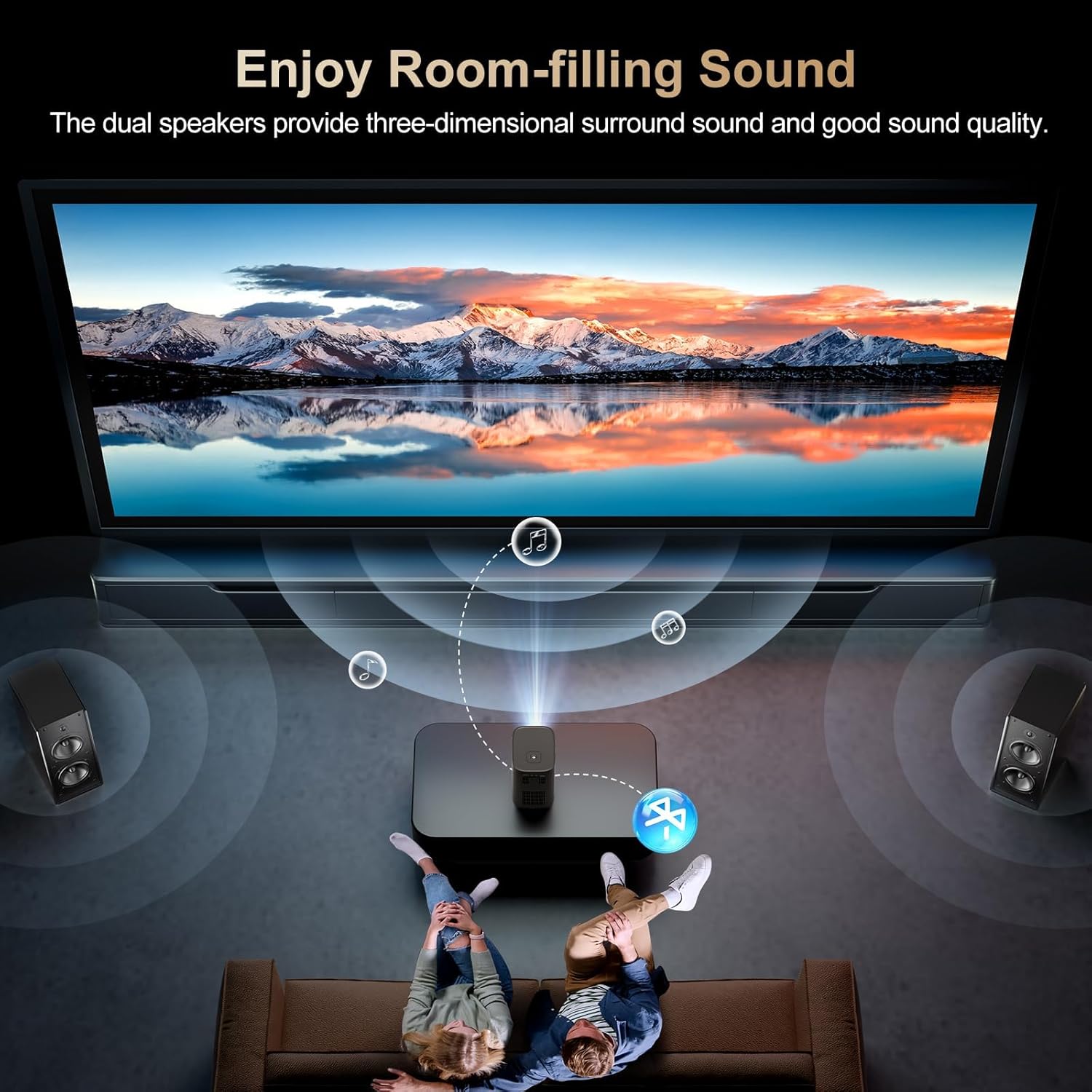
Figure 6: Dual stereo speakers provide immersive sound.
Налады выявы
Access the settings menu to adjust image parameters such as brightness, contrast, color temperature, and projection mode for optimal viewўмовы.
Тэхнічнае абслугоўванне
Ачыстка аб'ектыва
Gently wipe the projector lens with a soft, lint-free cloth. Avoid abrasive materials or harsh chemicals that could damage the lens coating.
Пылавы фільтр
Regularly check and clean the dust filter to maintain optimal airflow and prevent overheating. Refer to the full user manual for specific instructions on accessing and cleaning the filter.
Ліквідацыю непаладак
- Няма выявы: Ensure the power cable is securely connected and the projector is turned on. Verify the input source is correctly selected.
- Размытая выява: Adjust the electric focus using the remote control. Ensure the projection surface is flat and the projector is stable.
- Няма гуку: Check the volume settings on the projector and the connected device. Ensure external speakers/headphones are properly connected or paired via Bluetooth.
- Праблемы з люстраным адлюстраваннем экрана: Confirm both the projector and your device are connected to the same Wi-Fi network. Ensure your device supports the mirroring protocol (iOS/Android).
Тэхнічныя характарыстыкі
| Марка | Агрэга |
| Нумар мадэлі | V3 |
| Дазвол дысплея | 1920 x 1080 (арыгінальнае 1080P) |
| Яркасць | 15,000 люмен |
| Каэфіцыент кантраснасці | 15,000:1 |
| Тэхналогія падлучэння | HDMI, USB, AV, 3.5mm Audio, WiFi 6, Bluetooth 5.2 |
| Асаблівасці | Auto Focus, Electric Focus, 50%-100% Zoom, Dual Stereo Speakers |
| Памеры прадукту | 5.5 х 6.1 х 4.2 цалі |
| Вага прадмета | 2.94 фунта |
Гарантыя і падтрымка
For warranty information and customer support, please refer to the contact details provided in the included user manual or visit the official Agreago webсайт. Даступныя планы абароны для пашыранага пакрыцця.