
SVITOO PL002
Кіраўніцтва карыстальніка планшэта SVITOO PL002 Android 15
Мадэль: PL002
1. Уводзіны
This manual provides essential information for setting up, operating, and maintaining your SVITOO PL002 Android 15 Tablet. Please read this guide thoroughly to ensure optimal performance and longevity of your device. Keep this manual for future reference.
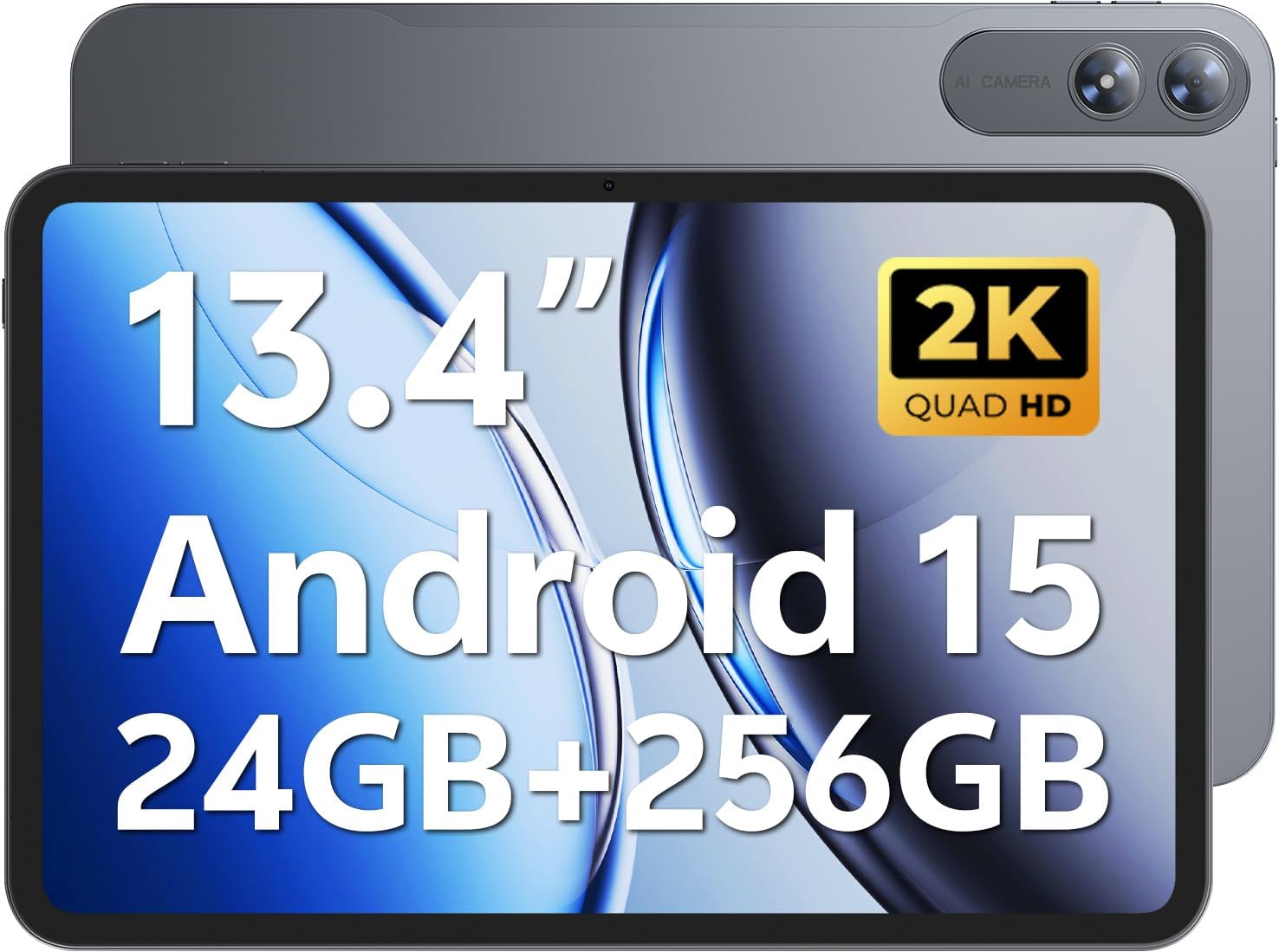
Image 1.1: SVITOO PL002 Android 15 Tablet, showcasing its sleek design and dual cameras.
Змест пакета
- SVITOO PL002 Android 15 Tablet
- Protective Case with Magnetic Bracket
- Зарадны кабель USB-C
- Адаптар харчавання (хуткая зарадка 18 Вт)
- Кіраўніцтва карыстальніка (гэты дакумент)
2. Прадукт скончыўсяview
The SVITOO PL002 tablet features a 13.4-inch FHD IPS display, an Octa-Core processor, 24GB RAM, 256GB internal storage, and runs on Android 15. It is designed for versatile use, from entertainment to productivity.

Выява 2.1: Канецview of the SVITOO PL002 tablet's main features.
Фізічныя кампаненты
While a detailed diagram is not available, the tablet typically includes:
- Кнопка харчавання: Размешчаны збоку, выкарыстоўваецца для ўключэння/выключэння або абуджэння/пераводу прылады ў рэжым сну.
- Кнопкі гучнасці: Размешчаны побач з кнопкай харчавання, служыць для рэгулявання ўзроўню гучнасці.
- Порт USB Type-C: Для зарадкі і перадачы дадзеных.
- Гняздо для навушнікаў 3.5 мм: Для праваднога аўдыёвыхаду.
- Слот для карты MicroSD: For storage expansion.
- Пярэдняя камера: Для відэазванкоў і сэлфі.
- Заднія камеры: Для здымкі фота і відэа.
- Дакладчыкі: Два дынамікі для вываду гуку.
3. Настройка
3.1 Першапачатковая зарадка
Before first use, fully charge your tablet using the provided USB-C cable and power adapter. The tablet supports 18W fast charging.
3.2 Уключэнне/выключэнне сілкавання
- Каб уключыць: Press and hold the Power button until the SVITOO logo appears.
- Каб выключыць: Націсніце і ўтрымлівайце кнопку харчавання, затым абярыце «Выключыць харчаванне» з опцый на экране.
- Каб заснуць/прачнуцца: Каротка націсніце кнопку харчавання.
3.3 Protective Case and Screen Protector
The tablet comes with a pre-installed screen protector and a protective case. The case features a magnetic bracket that automatically wakes the tablet when opened and puts it to sleep when closed.

Image 3.1: The smart wake-up case and pre-installed screen protector for convenience.
3.4 Падключэнне Wi-Fi
- Перайсці да Налады > Сетка і інтэрнэт > Wi-Fi.
- Уключыць/выключыць Wi-Fi On.
- Выберыце патрэбную сетку са спісу.
- Увядзіце пароль, калі будзе прапанавана, а затым націсніце Злучыцца. The tablet supports dual-band Wi-Fi (2.4GHz/5GHz).
3.5 Google Mobile Services (GMS) Setup
Your SVITOO PL002 tablet is GMS certified, providing full access to the Google ecosystem. During initial setup, follow the on-screen prompts to sign in with your Google account or create a new one. This enables access to Google Play Store, Gmail, YouTube, Google Maps, and other Google applications.

Image 3.2: GMS certification ensures access to a wide range of Google applications.
4. Інструкцыя па эксплуатацыі
4.1 Асноўная навігацыя (Android 15)
The tablet runs on Android 15, offering an intuitive user interface. Swipe gestures are commonly used for navigation:
- Дом: Правядзіце па экране знізу ўверх.
- Назад: Правядзіце пальцам ад левага або правага краю экрана.
- Апошнія праграмы: Правядзіце пальцам знізу ўверх і ўтрымлівайце.
- Апавяшчэнні/Хуткія налады: Правядзіце пальцам уніз ад верхняга краю экрана.
4.2 Функцыі дысплея
The 13.4-inch IPS Incell display provides a 1920x1200 resolution with a 16:10 aspect ratio and a 178° viewing angle. It features a smooth 60Hz refresh rate for fluid visuals.

Image 4.1: The 13.4-inch 2K IPS display offers vibrant colors and sharp details.
4.3 Прадукцыйнасць і захоўванне
The tablet is powered by a Unisoc T7250 Octa-Core processor, ensuring smooth multitasking. It comes with 24GB RAM (6GB physical + 18GB virtual) and 256GB internal storage, expandable up to 1TB via a MicroSD card (sold separately).

Image 4.2: The Unisoc T7250 Octa-Core processor provides efficient performance.

Малюнак 4.3: Ample storage and expansion options for your files і прыкладанняў.
4.4 Камеры
The tablet features a 13MP rear camera for high-quality photos and videos, and an 8MP front camera for clear video calls and selfies.

Image 4.4: Capture moments with the tablet's dual cameras.
4.5 Кіраванне батарэяй
Equipped with a 10,000mAh battery, the tablet provides extended usage times. It supports USB-PD 18W fast charging for quick recharges.

Image 4.5: The 10,000mAh battery provides long-lasting power.
4.6 Аўдыё
The tablet features dual speakers for immersive sound and includes a 3.5mm headphone jack for private listening.
4.7 Спецыяльныя магчымасці
- Сертыфікаваны Widevine L1: Enjoy full HD streaming on platforms like Netflix, Disney+, Prime Video, and Hulu.
- Распазнаванне асобы: Securely and quickly unlock your tablet using facial recognition.
- Шматзадачнасць на падзеленым экране: Run two applications side-by-side for enhanced productivity.
- Wireless Casting (Screen Mirroring): Cast your tablet's screen to compatible smart TVs for a larger viewвопыту.
- Рэжым аховы вачэй: Reduces blue light emission to minimize eye strain during prolonged use.
- Бацькоўскі кантроль: Manage usage time and app access for children.
- Убудаваны GPS: Provides navigation capabilities for travel and location services.

Image 4.6: Widevine L1 certification enables high-definition content streaming.

Image 4.7: Key operational features including multitasking, casting, security, and navigation.
5. Тэхнічнае абслугоўванне
5.1 Ачыстка
Для чысткі планшэта выкарыстоўвайце мяккую тканіну без ворса. Для выдалення ўстойлівых плям злёгкуampПрацярыце тканіну вадой або сродкам для чысткі экранаў, спецыяльна прызначаным для электронікі. Пазбягайце выкарыстання агрэсіўных хімічных рэчываў, абразіўных матэрыялаў або празмернай вільгаці.
5.2 Захоўванне
Store the tablet in a cool, dry place away from direct sunlight and extreme temperatures. If storing for an extended period, ensure the battery is charged to approximately 50% to preserve battery health.
5.3 Абнаўленне праграмнага забеспячэння
Рэгулярна правярайце наяўнасць абнаўленняў сістэмы і ўсталёўвайце іх, каб пераканацца, што ваш планшэт мае найноўшыя функцыі, патчы бяспекі і паляпшэнні прадукцыйнасці. Перайдзіце па спасылцы Налады > сістэма > Абнаўленне сістэмы.
6. Выпраўленне непаладак
This section addresses common issues you might encounter with your SVITOO PL002 tablet.
6.1 Планшэт не ўключаецца
- Ensure the battery is charged. Connect the tablet to the charger and wait a few minutes before attempting to power it on again.
- Націсніце і ўтрымлівайце кнопку харчавання не менш за 10-15 секунд, каб выканаць прымусовы перазапуск.
6.2 Не ўдаецца падключыцца да Wi-Fi
- Verify that Wi-Fi is enabled in Налады > Сетка і інтэрнэт > Wi-Fi.
- Пераканайцеся, што вы ўводзіце правільны пароль Wi-Fi.
- Перазагрузіце Wi-Fi-роўтар і планшэт.
- Try connecting to a different Wi-Fi network to determine if the issue is with the tablet or your network.
6.3 Applications Freeze or Crash
- Зачыніце і зноў адкрыйце праблемнае прыкладанне.
- Ачысціце кэш і дадзеныя праграмы ў Налады > Праграмы > [Назва праграмы] > Сховішча і кэш.
- Пераканайцеся, што праграма абноўлена да апошняй версіі з Google Play Store.
- Перазапусціце планшэт.
6.4 Павольная праца
- Зачыніце непатрэбныя фонавыя праграмы.
- Clear cached data from apps and the system.
- Ensure sufficient storage space is available. Delete unused apps or files.
- Перыядычна перазагружайце планшэт.
7. Тэхнічныя характарыстыкі
| Асаблівасць | Спецыфікацыя |
|---|---|
| мадэль | PL002 |
| Аперацыйная сістэма | Android 15 |
| Памер дысплея | 13.4 цалі |
| Дазвол экрана | 1920 x 1200 Pixels (FHD IPS Incell) |
| Працэсар | Васьміядзерны працэсар Unisoc T7250 (1.8 ГГц) |
| Графічны супрацэсар | Малі-G57 |
| АЗП | 24 ГБ (6 ГБ + 18 ГБ віртуальнай памяці) |
| Унутраная памяць | 256 ГБ |
| Сховішча з магчымасцю пашырэння | Up to 1TB via MicroSD (sold separately) |
| Задняя камера | 13 МП |
| Пярэдняя камера | 8 МП |
| Ёмістасць батарэі | 10,000 мАг |
| Зарадка | USB-C, 18W Fast Charging |
| Бесправоднае падключэнне | 802.11ax (Dual-Band Wi-Fi 2.4GHz/5GHz), Bluetooth 5.0 |
| Памеры (ДхШхВ) | 9.7 х 6.4 х 0.4 цалі |
| Вага прадмета | 3.58 фунта (прыблізна 1.62 кг) |
8. Гарантыя і падтрымка
8.1 Інфармацыя аб гарантыі
The SVITOO PL002 tablet comes with a One Year Protection warranty from the date of purchase. This warranty covers manufacturing defects and ensures quality assurance. Please note that the warranty does not cover damage caused by misuse, accidents, natural disasters, or other force majeure events.

Image 8.1: SVITOO's commitment to quality and customer support.
8.2 Падтрымка кліентаў
For any questions, technical assistance, or warranty claims, please contact SVITOO customer support through your Amazon order details. Navigate to your order history on Amazon and select the option to "Contact Seller" for assistance.