
Уводзіны
Thank you for choosing the ODK L-Shaped Gaming Desk. This manual provides essential information for the safe assembly, operation, and maintenance of your new desk. Please read these instructions carefully before beginning assembly and retain them for future reference.

Figure 1: ODK L-Shaped Gaming Desk in a typical gaming environment.
Інфармацыя па бяспецы
- Перад зборкай пераканайцеся, што ўсе дэталі ў наяўнасці і не пашкоджаныя. Не выкарыстоўвайце, калі якія-небудзь дэталі адсутнічаюць або пашкоджаныя.
- Збірайце стол на мяккай, чыстай паверхні, каб пазбегнуць драпін.
- Не перацягвайце шрубы падчас зборкі, каб не пашкодзіць матэрыял.
- Трымайце дробныя дэталі далей ад дзяцей, каб прадухіліць небяспеку ўдушша.
- Не сядзіце і не стойце на стале.
- Раўнамерна размеркуйце вагу па паверхні стала.
Змест пакета
Перад зборкай пераканайцеся, што ўсе пералічаныя ніжэй кампаненты ўваходзяць у камплект. Калі якія-небудзь дэталі адсутнічаюць або пашкоджаныя, звярніцеся ў службу падтрымкі кліентаў.
| Кампанент | Колькасць |
|---|---|
| Desk Panels (L-shaped sections) | 2 |
| Metal Frame Legs (X-support) | Розныя |
| Рэгуляваныя ножкі | 4-6 |
| Падстаўка для манітора | 1 |
| Збортачныя крапежныя элементы (шрубы, балты, шасцігранны ключ) | 1 камплект |
| Кіраўніцтва па эксплуатацыі | 1 |
Ўстаноўка і зборка
The ODK L-Shaped Gaming Desk is designed for easy assembly. All necessary tools and clear instructions are provided. Follow these steps carefully:
- Распакаваць і вызначыць дэталі: Carefully remove all components from the packaging. Lay them out on a clean, soft surface. Refer to the parts list to ensure everything is present.
- Збярыце каркас: Attach the metal frame legs to the main support beams using the provided screws and Allen wrench. Ensure all connections are secure but do not fully tighten yet.
- Прымацаваць панэлі стала: Place the L-shaped desk panels onto the assembled frame. Align the pre-drilled holes with the frame. Secure the panels to the frame using the remaining screws.
- Усталюйце рэгуляваныя ножкі: Screw the adjustable feet into the bottom of the desk legs. These feet help stabilize the desk on uneven surfaces.
- Усталюйце падстаўку для манітора: Attach the monitor stand to the desired location on the desk surface, following the specific instructions for the stand.
- Канчатковая зацяжка: Once all components are in place, carefully tighten all screws to ensure maximum stability.

Малюнак 2: Памеры вырабу для планавання прасторы.

Figure 3: Detail of the robust X-shaped metal support and adjustable feet for stability.
Эксплуатацыя і выкарыстанне
The ODK L-Shaped Gaming Desk is designed to provide a spacious and organized workspace for gaming, home office, or study. Its L-shape optimizes corner space, offering ample room for multiple monitors, computers, and accessories.
- Аптымізацыя прасторы: Position the L-shaped desk in a corner to maximize your room's layout and create a generous work or gaming area.
- Прасторная паверхня: Utilize the large surface area for your computer, monitors, keyboard, mouse, and other peripherals. The carbon fiber texture provides a sleek and durable finish.
- Падтрымка манітора: The included monitor stand helps elevate your screen to an ergonomic viewing height, reducing neck strain.
- Кабельнае кіраванне: Consider using cable ties or clips (not included) to organize cables and maintain a tidy workspace.

Figure 4: Desk configured for telework or study, showcasinг яго ўніверсальнасць.
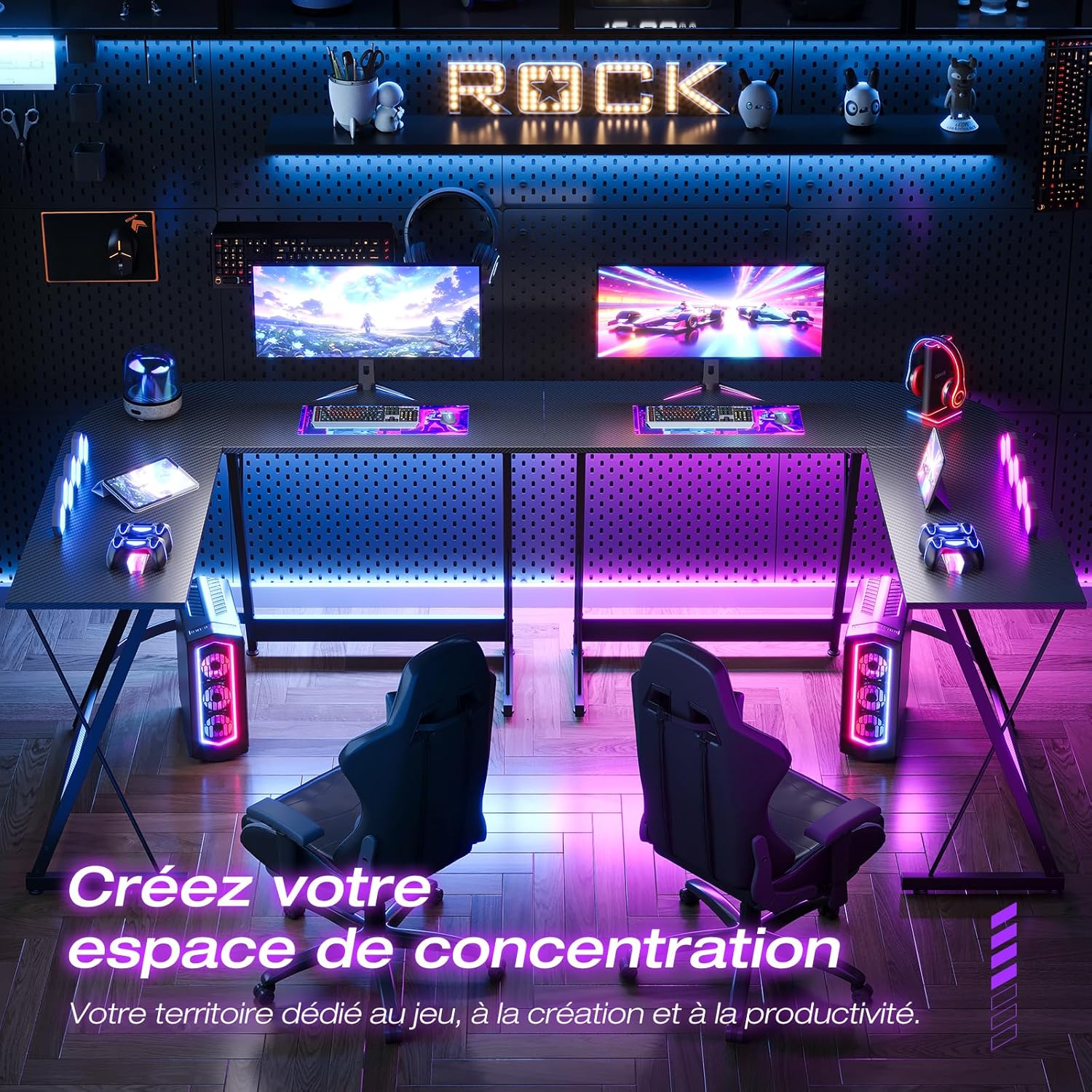
Малюнак 5: Выпample of creating a focused gaming or productivity space.
Тэхнічнае абслугоўванне
Proper maintenance will ensure the longevity and appearance of your ODK L-Shaped Gaming Desk.
- Уборка: Працярыце паверхню стала мяккай, damp cloth. Avoid abrasive cleaners or harsh chemicals that could damage the carbon fiber finish.
- Разлівы: Clean up spills immediately to prevent staining or damage to the surface.
- Зацягніце зашпількі: Periodically check and retighten all screws and bolts to maintain desk stability.
- Пазбягайце празмернага цяпла: Do not place hot items directly on the desk surface without protective padding.
Ліквідацыю непаладак
If you encounter any issues with your ODK L-Shaped Gaming Desk, refer to the following common problems and solutions:
- Стол хісткі:
- Пераканайцеся, што ўсе шрубы і балты надзейна зацягнуты.
- Адрэгулюйце выраўноўвальныя ножкі ўнізе, каб кампенсаваць няроўнасці падлогі.
- Дэталі адсутнічаюць або пашкоджаныя:
- Double-check the package contents against the parts list.
- Contact ODK customer support for replacement parts.
- Цяжкасці зборкі:
- Review уважліва прачытайце інструкцыю па зборцы, звяртаючы ўвагу на схемы.
- Пераканайцеся, што вы выкарыстоўваеце правільнае абсталяванне для кожнага кроку.
- Do not force parts together; if they don't fit, re-check the orientation.
Тэхнічныя характарыстыкі
| Асаблівасць | Дэталь |
|---|---|
| Нумар мадэлі | ZJZ-JJYJZ48 |
| Памеры (Д х Ш х У) | 120 х 120 х 77.5 см (47.2 х 47.2 х 30.5 цалі) |
| Вага | 13 кілаграмаў (28.6 фунта) |
| Матэрыял (каркас) | Метал |
| Матэрыял (верх) | Аздабленне з вугляроднага валакна |
| Колер | Чорны вугляроднае валакно |
| Асаблівасці | Monitor Stand, L-Shape Design, Adjustable Feet |
| Патрабуецца зборка | так |
Гарантыя і падтрымка
ODK provides a satisfaction guarantee for this product. If you have any questions, concerns, or require assistance with assembly or parts, please do not hesitate to contact our friendly customer service team.
For support, please visit the ODK official webсайт або звяжыцеся з прадаўцом непасрэдна праз вашу платформу для пакупак.