
1. Уводзіны
This manual provides essential information for setting up, operating, and maintaining your Samsung QE43Q7FAAU 43-inch QLED 4K Smart TV. Please read this manual thoroughly to ensure safe and optimal use of your television.
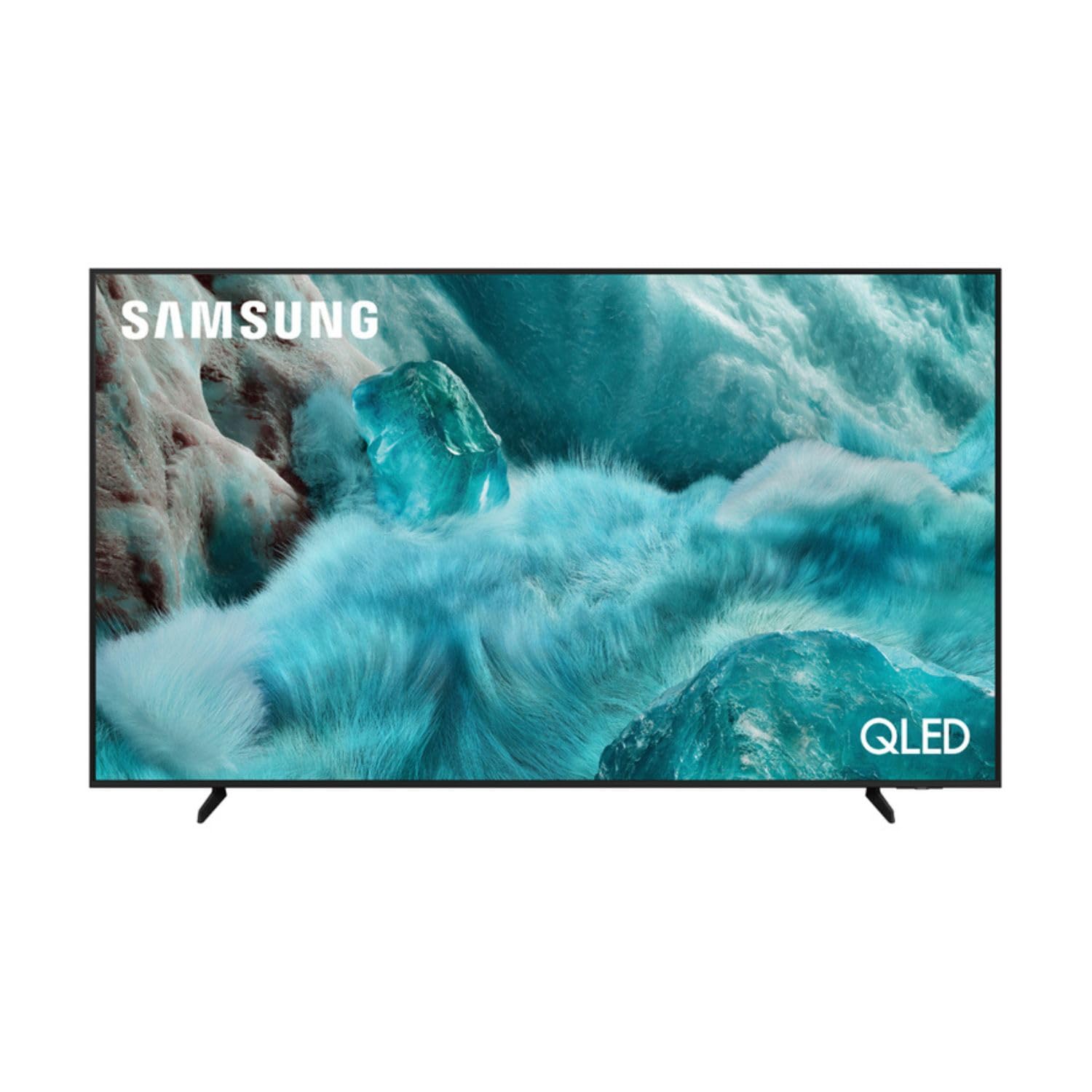
Выява: спераду view of the Samsung QE43Q7FAAU 43-inch QLED 4K Smart TV, showcasinяго тонкі дызайн і яркі дысплей.
2. Інфармацыя па бяспецы
Заўсёды выконвайце асноўныя меры бяспекі пры выкарыстанні гэтага тэлевізара, каб знізіць рызыку пажару, паражэння электрычным токам і траўмаў.
- Не падвяргайце тэлевізар уздзеянню дажджу або вільгаці.
- Не перакрывайце вентыляцыйныя адтуліны.
- Пераканайцеся, што шнур сілкавання не заціснуты і не наступае на яго.
- Выкарыстоўвайце толькі насадкі/аксэсуары, указаныя вытворцам.
- Адключайце тэлевізар ад сеткі падчас навальніцы або калі ён не выкарыстоўваецца працяглы час.
3. Што ў скрынцы
Verify that the following items are included with your television:
- Samsung QE43Q7FAAU 43-inch QLED 4K Smart TV
- Remote Control (Bluetooth with solar energy technology)
- Сілавы кабель
- Stand Components (if not wall-mounted)
- Кіраўніцтва карыстальніка (гэты дакумент)
4. Настройка
4.1 Фізічная ўстаноўка
Your TV can be placed on a stand or wall-mounted. Ensure proper ventilation around the TV.
- Ўстаноўка падстаўкі: Attach the provided stand components securely to the TV base. Refer to the separate stand assembly guide for detailed instructions.
- Насценны мантаж: The TV supports a VESA standard mount of 200 x 200 mm. Use appropriate wall-mounting hardware (not included) and consult a professional for installation if unsure.

Image: Diagram showing the dimensions of the Samsung QE43Q7FAAU TV, including height, width, and depth.
4.2 Пачатковае ўключэнне і падключэнне
- Падключыце кабель харчавання да тэлевізара, а затым да разеткі.
- Connect your external devices (e.g., cable box, game console, Blu-ray player) to the HDMI ports. The TV has 3 HDMI 2.0 ports.
- For USB devices, use the USB 2.0 port.
- Націсніце кнопку харчавання на пульце дыстанцыйнага кіравання, каб уключыць тэлевізар.
- Follow the on-screen instructions for initial setup, including language selection and channel scanning (DVB-T2/C/S2 tuner).
4.3 Налада сеткі
To access Smart TV features, connect your TV to the internet.
- Wi-Fi: Navigate to the TV's settings menu, select 'Network', then 'Network Settings'. Choose your Wi-Fi network and enter the password.
- Bluetooth: The TV supports Bluetooth 5.3 for connecting compatible devices like soundbars or headphones. Pair devices through the TV's settings menu.
5. Кіраванне тэлевізарам
5.1 Асноўныя функцыі
- Магутнасць: Выкарыстоўвайце пульт дыстанцыйнага кіравання, каб уключыць або выключыць тэлевізар.
- Аб'ём: Адрэгулюйце гучнасць з дапамогай кнопак гучнасці на пульце дыстанцыйнага кіравання.
- канал: Change channels using the channel buttons.
- Крыніца: Select input sources (HDMI 1, HDMI 2, USB, etc.) using the 'Source' button.
5.2 Функцыі Smart TV (One UI Tizen)
Your Samsung TV runs on the One UI Tizen operating system, offering a range of smart functionalities.
- Галасавое кіраванне: Integrated voice assistants include Bixby, Amazon Alexa, and Google Assistant. Use the voice control button on your remote to activate.
- SmartThings: Connect and control compatible smart home devices through the SmartThings app on your TV.
- МультыView: Адначасовае адлюстраванне некалькіх крыніц кантэнту на экране.
- Samsung TV Plus: Access a variety of free streaming channels.
- Apple AirPlay: Share content from your Apple devices to the TV.
5.3 Гульнявыя функцыі
The TV is equipped with features to enhance your gaming experience:
- Аўтаматычны гульнявы рэжым са штучным інтэлектам: Аўтаматычна аптымізуе налады для гульняў.
- Motion Xcelerator: Reduces motion blur for smoother gameplay.
- Супер звышшырокая гульняView: Забяспечвае пашыраны view for compatible games.
5.4 Налады выявы і гуку
Наладзьце свой viewгуку і праслухоўвання праз меню налад тэлевізара.
- Фота: Adjust brightness, contrast, sharpness, and color. Utilize features like Quantum HDR, HDR10+, HDR10+ Adaptive, HLG, Filmmaker Mode, and Eye Comfort Mode for optimized visuals.
- Гук: The TV features a 2.0 channel, 2x10W audio system with Dolby Atmos support. Enhance audio with Q-Symphony (when paired with compatible Samsung soundbars) and Adaptive Sound.
6. Тэхнічнае абслугоўванне
Правільнае абслугоўванне забяспечвае даўгавечнасць і прадукцыйнасць вашага тэлевізара.
- Ачыстка экрана: Акуратна працярыце экран мяккай сухой тканінай з мікрафібры. Для ўстойлівых плям злёгкуampПрацярыце тканіну вадой або спецыяльным сродкам для чысткі экранаў. Не распыляйце вадкасць непасрэдна на экран.
- Ачыстка рамы: Выкарыстоўвайце мяккую сухую тканіну для чысткі рамы тэлевізара.
- Вентыляцыя: Пераканайцеся, што вентыляцыйныя адтуліны чыстыя ад пылу і перашкод.
7. Выпраўленне непаладак
Калі ў вас узніклі праблемы з тэлевізарам, звярніцеся да наступных распаўсюджаных рашэнняў:
- Няма харчавання: Праверце, ці надзейна падключаны кабель сілкавання да тэлевізара і разеткі. Пераканайцеся, што разетка спраўная.
- Няма выявы/гуку: Пераканайцеся, што выбрана правільная крыніца ўваходнага сігналу. Праверце падключэнне кабеляў да знешніх прылад.
- Пульт дыстанцыйнага кіравання не працуе: Ensure the remote is charged (solar charging) or replace batteries if applicable. Check for obstructions between the remote and the TV.
- Праблемы з падключэннем да сеткі: Перазагрузіце маршрутызатар і мадэм. Зноў увядзіце пароль Wi-Fi у наладах сеткі тэлевізара.
- Праблемы з якасцю выявы: Adjust picture settings. Ensure your content source is providing a high-quality signal.
Па больш складаных пытаннях звярніцеся ў службу падтрымкі Samsung webсайт або звярніцеся ў службу падтрымкі.
8. Тэхнічныя характарыстыкі
| Асаблівасць | Спецыфікацыя |
|---|---|
| Памер экрана | 43 цалі (108 см) |
| Тэхналогія адлюстравання | QLED, Edge-LED Backlighting |
| дазвол | 4K Ultra HD (3840 x 2160 пікселяў) |
| Частата абнаўлення | 120 Гц |
| Падтрымка HDR | HDR10, HDR10+, HDR10+ Adaptive, HLG |
| Аперацыйная сістэма | Адзін карыстальніцкі інтэрфейс Tizen |
| Галасавое кіраванне | Bixby, Alexa, Google Assistant |
| Сувязь | Wi-Fi, Bluetooth 5.3, 3x HDMI 2.0 (eARC), 1x USB 2.0, Ethernet |
| Аўдыёвыхад | 2 x 10 W (2.0 Channel), Dolby Atmos |
| Спажыванне энергіі (SDR) | 53 Вт |
| Спажыванне энергіі (HDR) | 102 Вт |
| Памеры (Ш х У х Г) | 97 х 59.2 х 19.7 см (з падстаўкай) |
| Вага | 8.9 kg (with stand), 8.6 kg (without stand) |
| Стандарт мацавання VESA | 200 х 200 мм |
| Колер | Чорны |

Image: EU Energy Label for the Samsung QE43Q7FAAU TV, showing energy efficiency class G for SDR and HDR.
9. Гарантыя і падтрымка
Your Samsung QE43Q7FAAU TV comes with a 2-гадовая абмежаваная гарантыя. Spare parts are available for 7 years from the end of product availability.
For technical support, warranty claims, or further information, please visit the official Samsung support website or refer to the product information on the EPREL database:
- Афіцыйная падтрымка Samsung: Наведайце краму Samsung
- EPREL Product Information: Спасылка на базу дадзеных EPREL