
Уводзіны
Thank you for choosing the NUBWO HG03 USB Gaming Headset. This manual provides detailed instructions for setting up, operating, and maintaining your headset to ensure optimal performance and an immersive gaming experience. The HG03 headset features 7.1 surround sound, a dedicated FPS mode, and a noise-canceling microphone, designed for PC and console gaming.
Змест пакета
Калі ласка, пераканайцеся, што ўсе прадметы прысутнічаюць у вашай упакоўцы:
- 1 x NUBWO HG03 USB Gaming Headset
- 1 х Кіраўніцтва карыстальніка (гэты дакумент)

выява: The NUBWO HG03 USB Gaming Headset, showcasing its white and black design with the attached microphone and in-line controller.
Асаблівасці прадукту
- FPS 3D Spatial Sound: Experience precise directional audio, allowing you to identify in-game sounds like footsteps and gunfire from various angles. This feature is enabled via plug-and-play USB connectivity.
- One-Click FPS Mode: Activate a dedicated FPS mode with a single button press on the in-line controller. This mode enhances high frequencies to help pinpoint enemy movements.
- Мікрафон з шумапрыглушэннем: The directional microphone is designed to provide clear voice communication by suppressing background noise, such as keyboard clicks. Its memory-steel core boom allows for flexible positioning.
- Comfortable and Durable Design: Weighing approximately 280g, the headset features breathable fabric-wrapped memory foam ear cushions for extended wear. The lightweight aluminum headband offers flexibility and durability.
- Універсальная сумяшчальнасць USB: Connects via USB to PC (Windows 7/8/10), PS4/PS5 consoles, and laptops. Note: This headset connects via USB only and does not support direct connection to console controllers.
Інструкцыя па наладзе
- Падключыце гарнітуру: Plug the USB connector of the NUBWO HG03 headset into an available USB port on your PC, laptop, PS4, or PS5 console.
- Driver Installation (PC): For Windows 7/8/10, the necessary drivers should install automatically upon connection. If not, check your operating system's sound settings.
- Audio Output Configuration:
- Для ПК: Navigate to your sound settings (Right-click the speaker icon in the taskbar > Sound Settings or Playback Devices). Select "NUBWO HG03" as your default playback and recording device.
- For PS4/PS5: Go to Settings > Sound > Audio Output. Select "NUBWO HG03" as the output device. Ensure "Output to Headphones" is set to "All Audio".
- Настройка мікрафона:
- Adjust the flexible microphone boom to a comfortable position near your mouth.
- In your device's sound settings, ensure "NUBWO HG03" is selected as the default input device and adjust the microphone volume level.
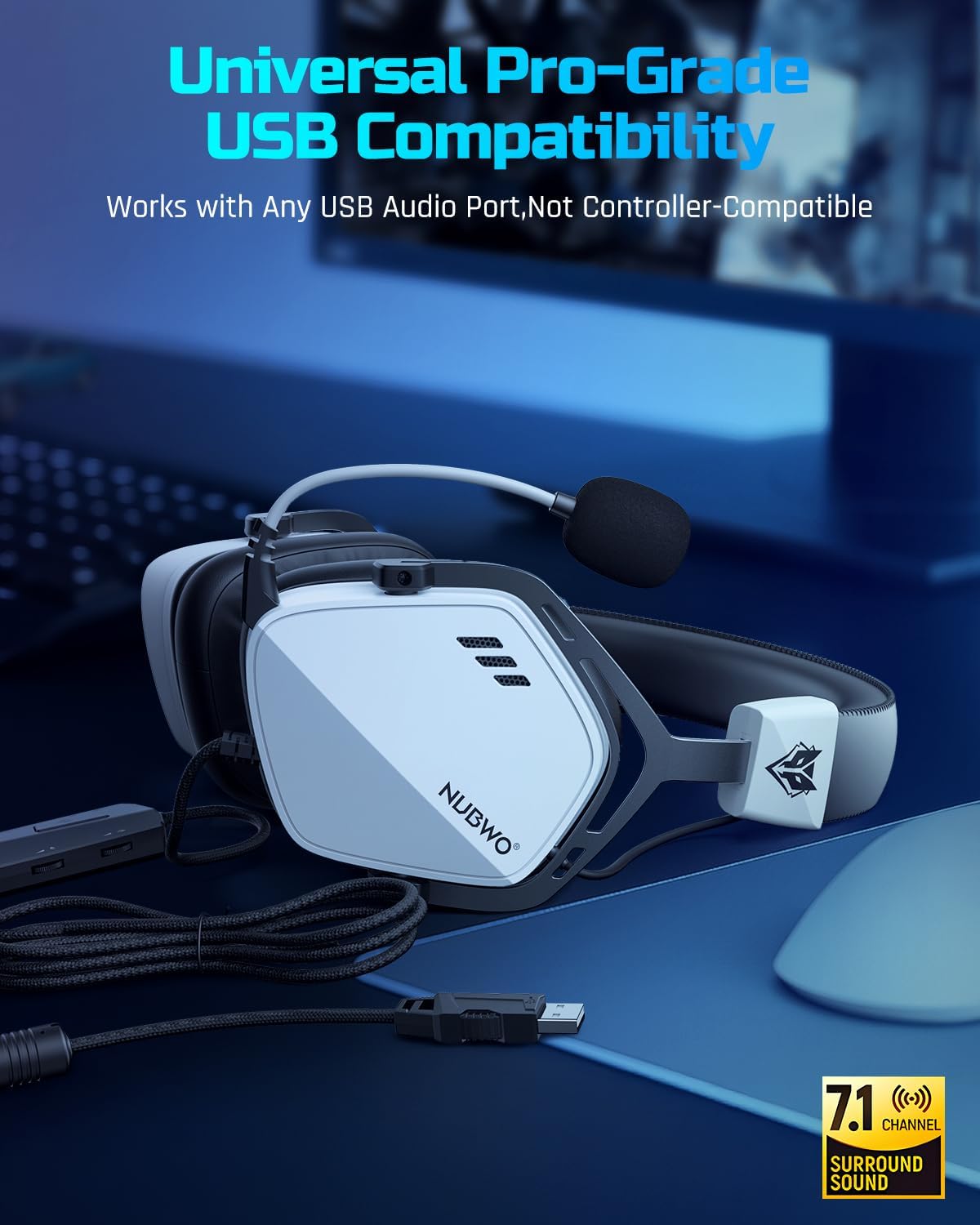
выява: The USB connector of the NUBWO HG03 headset, illustrating its plug-and-play compatibility with various devices.
Інструкцыя па эксплуатацыі
In-line Controller Functions

выява: Close-up of the NUBWO HG03 in-line controller, showing the volume scroll wheel, mic mute switch, and FPS mode button.
- Master Volume Scroll Wheel: Located on the side of the in-line controller, rotate it up or down to adjust the overall audio volume.
- Пераключальнік адключэння мікрафона: A physical switch on the controller allows you to quickly mute or unmute your microphone.
- FPS Mode Button: Press this button to toggle the dedicated FPS audio mode on or off. This mode enhances specific frequencies for improved positional audio in games.
FPS 3D Spatial Sound
The headset's 3D spatial audio technology provides enhanced directional sound. When active, this feature helps you perceive the location of in-game sounds with greater accuracy, which is particularly beneficial in first-person shooter (FPS) games.

выява: A visual representation of the FPS 3D Spatial Sound feature, showing how sound cues are enhanced for positional awareness in gaming.
Выкарыстанне мікрафона
The flexible microphone can be adjusted to your preferred position. Ensure it is close to your mouth for optimal voice clarity. The noise-canceling feature works to reduce ambient sounds, focusing on your voice for clear communication with teammates.

выява: A user wearing the NUBWO HG03 headset, demonstrating the adjustable noise-canceling microphone positioned for clear communication.
Сумяшчальнасць
The NUBWO HG03 USB Gaming Headset is compatible with the following devices:
- PC (Windows 7, Windows 8, Windows 10)
- Ноўтбукі
- PlayStation 4 (PS4)
- PlayStation 5 (PS5)
Важная заўвага:
This headset connects exclusively via USB. It does not support direct connection to console controllers via a 3.5mm audio jack.
Тэхнічнае абслугоўванне
To ensure the longevity and optimal performance of your NUBWO HG03 headset, follow these maintenance guidelines:
- Уборка: Выкарыстоўвайце мяккую сухую тканіну, каб працерці гарнітуру і амбушуры. Для выдалення ўстойлівага бруду злёгкуamp cloth can be used, but ensure no moisture enters the speaker grilles or USB port.
- захоўванне: Захоўвайце гарнітуру ў прахалодным, сухім месцы, удалечыні ад прамых сонечных прамянёў і экстрэмальных тэмператур. Не кладзіце на гарнітуру цяжкія прадметы.
- Сыход за кабелем: Avoid sharp bends or excessive pulling on the USB cable. Do not wrap the cable too tightly around the headset.
- Сыход за мікрафонам: Handle the microphone boom gently. Avoid twisting or forcing it into extreme positions.
Ліквідацыю непаладак
| праблема | Магчымая прычына | Рашэнне |
|---|---|---|
| Няма гуку з гарнітуры. |
|
|
| Не працуе мікрафон. |
|
|
| Sound quality issues (e.g., distorted audio). |
|
|
Тэхнічныя характарыстыкі
| Асаблівасць | Дэталь |
|---|---|
| Назва мадэлі | HG03 |
| Тэхналогія падлучэння | Правадной (USB) |
| Гняздо для навушнікаў | USB |
| Тып аўдыё драйвера | Дынамічны драйвер |
| Памер аўдыё драйвера | 50 міліметра |
| АЧХ | 20 Гц - 20 000 Гц |
| Адчувальнасць | 96 дБ |
| Імпеданс | 32 Ом |
| Асаблівасць | Surround Sound, Noise-Canceling Microphone |
| Тып кіравання | Button Control (In-line controller) |
| Вага прадмета | 14.9 унцый (прыблізна 280 г) |
| Памеры прадукту | 4.33 х 6.3 х 8.15 цалі |
| Матэрыял | Plastic (with aluminum headband) |
| Колер | Белы |
| Сумяшчальныя прылады | Desktops, Laptops, PS4, PS5 |
Гарантыя і падтрымка
The NUBWO HG03 USB Gaming Headset comes with a Двухгадовая гарантыя з даты пакупкі. Гэтая гарантыя распаўсюджваецца на вытворчыя дэфекты і гарантуе, што ваш прадукт будзе функцыянаваць належным чынам пры нармальным выкарыстанні.
For any questions, technical assistance, or warranty claims, please contact NUBWO Customer Support. We offer 24-hour customer-friendly support service to assist you.
Please refer to the official NUBWO webна сайце або ў дакументацыі па куплі, каб атрымаць канкрэтную кантактную інфармацыю.