
1. Уводзіны
This user manual provides comprehensive instructions for the NEC VersaPro VH-1 laptop. It covers setup, operation, maintenance, and troubleshooting to ensure optimal performance and user experience. Please read this manual thoroughly before using your device.
The NEC VersaPro VH-1 is a lightweight and high-performance 12.5-inch Full HD laptop, featuring a 7th Generation Intel Core i5-7Y54 processor. It is designed for efficient web browsing, business applications, and remote work. With pre-installed Windows 11 Pro and MS Office 2019, it is ready for immediate use upon arrival.
2. Прадукт скончыўсяview
2.1 Асноўныя магчымасці
- Лёгкі і тонкі дызайн: Weighing approximately 921g, this 12.5-inch FHD laptop is highly portable, fitting easily into a backpack for commuting, business trips, or mobile work.
- 7th Gen Intel Core i5-7Y54 Processor: Equipped with an efficient and power-saving Intel Core i5-7Y54 (up to 3.2GHz) processor, offering sufficient performance for browsing, online meetings, and Office applications. It also features quiet operation and low heat generation.
- High-Speed SSD Storage: Features an SSD for fast boot-up and smooth operation, handling large files and multiple applications without lag.
- Rich Connectivity & Type-C Expansion: Уключае а Web camera, Wi-Fi, Bluetooth, HDMI, and a Type-C port for versatile connections to peripherals and external monitors. The Type-C port supports future expansion.
- Pre-installed Software: Comes with Windows 11 Pro and MS Office 2019 pre-installed, allowing immediate document creation, report preparation, and web канферэнц-сувязь.
2.2 Ідэнтыфікацыя кампанентаў
Familiarize yourself with the various parts of your NEC VersaPro VH-1 laptop.

Выява: Розныя views of the NEC VersaPro VH-1 laptop, showing the front, back, top, and keyboard layout.

Выява: Збоку view of the laptop highlighting available ports including USB 3.0, LAN, Headphone Jack, HDMI, SD Card Slot, and Power Connector.
3. Настройка
3.1 Першапачатковае ўключэнне
- Падключыце харчаванне: Падключыце адаптар пераменнага току да порта харчавання ноўтбука, а затым да разеткі.
- Уключэнне: Open the laptop lid and press the power button. The laptop will begin the initial boot process.
- Настройка Windows: Выконвайце інструкцыі на экране, каб завяршыць наладу Windows 11 Pro, у тым ліку мову, рэгіён, сеткавае падключэнне і стварэнне ўліковага запісу карыстальніка.
3.2 Актывацыя праграмнага забеспячэння
Your laptop comes with MS Office 2019 pre-installed. Follow the prompts to activate your Office suite using your Microsoft account or product key.

Image: The laptop displaying the Windows 11 interface, with logos indicating Windows 11 Pro and MS Office 2019 are installed and ready for use.
4. Інструкцыя па эксплуатацыі
4.1 Асноўнае выкарыстанне
- Клавіятура: The laptop features a Japanese layout keyboard designed for comfortable and accurate typing.
- Сэнсарная панэль: Выкарыстоўвайце ўбудаваную сэнсарную панэль для навігацыі і жэстаў.
- Web Камера: Убудаваны web camera and dual microphones are ideal for remote work, online meetings, and video calls.

Image: A user engaged in a video conference call on the NEC VersaPro VH-1 laptop, demonstrating its web camera and dual microphone capabilities for remote work and online learning.
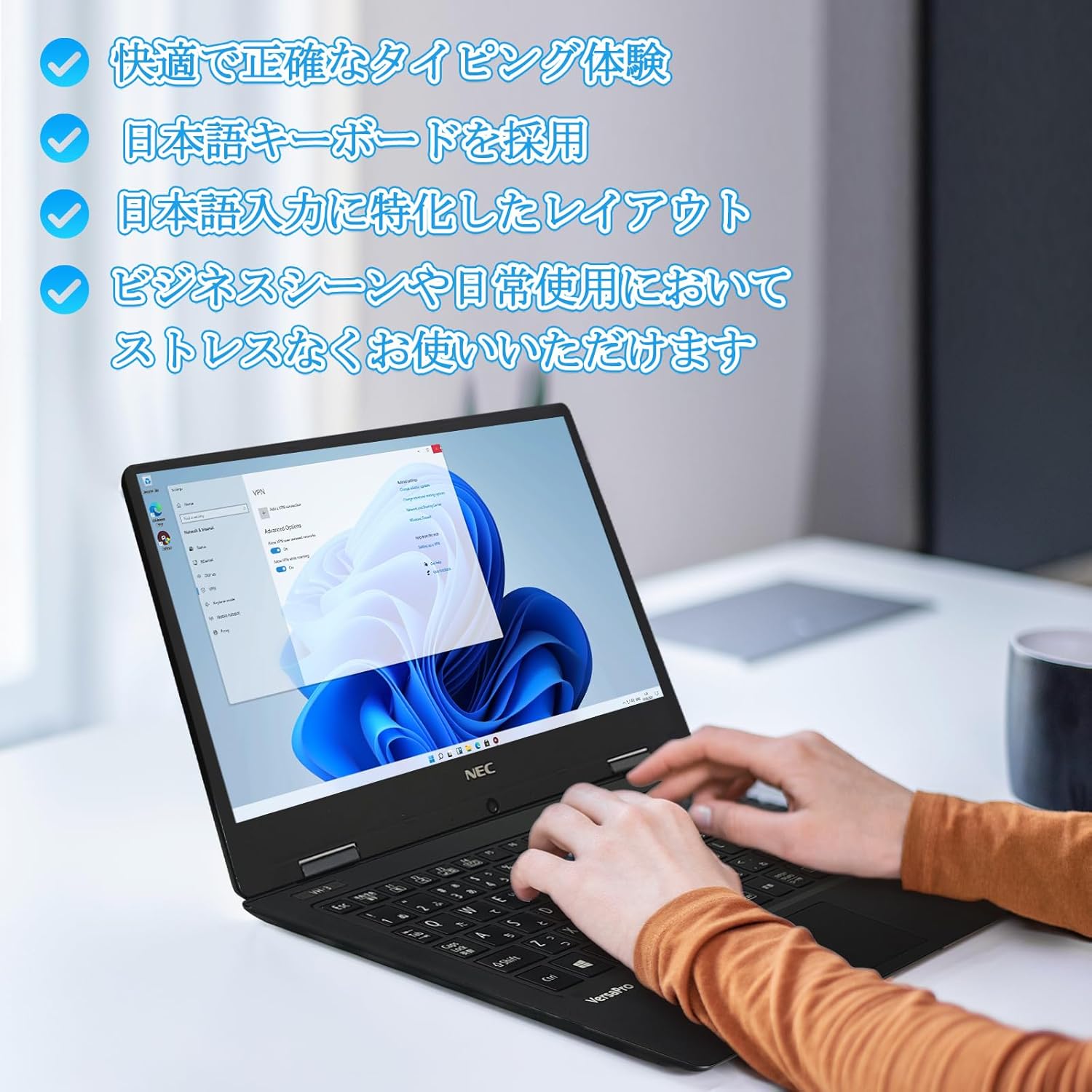
Image: Close-up of hands typing on the laptop's keyboard, illustrating the comfortable and precise typing experience provided by the Japanese layout keyboard.
4.2 Падключэнне
- Wi-Fi: Падключыцеся да бесправадных сетак для доступу ў Інтэрнэт.
- Bluetooth: Pair with Bluetooth-enabled devices such as headphones or mice.
- HDMI: Падключэнне да знешніх дысплеяў або праектараў.
- Тып C: Use the Type-C port for data transfer, charging compatible devices, or connecting to a USB-C hub for additional ports.
5. Тэхнічнае абслугоўванне
5.1 Ачыстка
- экран: Выкарыстоўвайце мяккую безворсовую тканіну, злёгку dampвадой або сродкам для чысткі экранаў. Не распыляйце вадкасць непасрэдна на экран.
- Клавіятура і корпус: Выкарыстоўвайце мяккую тканіну для працірання паверхняў. Для ўстойлівага бруду злёгкуamp можна выкарыстоўваць тканіну. Пазбягайце агрэсіўных хімічных рэчываў.
5.2 Сыход за акумулятарам
- Каб падоўжыць тэрмін службы батарэі, пазбягайце экстрэмальных тэмператур.
- Калі вы захоўваеце ноўтбук працяглы час, пераканайцеся, што акумулятар зараджаны прыкладна на 50-70%.
6. Выпраўленне непаладак
6.1 Агульныя праблемы і рашэнні
| выпуск | Магчымае рашэнне |
|---|---|
| Ноўтбук не ўключаецца. | Ensure the AC adapter is securely connected to both the laptop and a working power outlet. Check if the power button is functioning correctly. |
| Праблемы з падключэннем да Wi-Fi. | Verify Wi-Fi is enabled in Windows settings. Restart your router and the laptop. Check for updated network drivers. |
| Знешні дысплей не выяўлены. | Ensure the HDMI cable is securely connected. Press Windows key + P to cycle through display modes. Check external display input settings. |
| Павольная прадукцыйнасць. | Закрыйце непатрэбныя праграмы. Праверце, ці не спажываюць рэсурсы фонавыя працэсы. Пераканайцеся, што на SSD-назапашвальніку дастаткова вольнага месца. Запусціце праверку сістэмы на наяўнасць шкоднасных праграм. |
If you encounter issues not listed here or require further assistance, please refer to the support section.
7. Тэхнічныя характарыстыкі
| Асаблівасць | Дэталь |
|---|---|
| Марка | NEC |
| Назва мадэлі | VasaPro VH-1 |
| Нумар мадэлі прадукту | ВКТ12 |
| Памер экрана | 12.5 цалі |
| дазвол | 1920x1080 пікселяў (FHD) |
| Марка працэсара | Intel |
| Тып працэсара | Core i5 7Y54 |
| Хуткасць працэсара | 1.2 GHz (Max 3.2 GHz) |
| Колькасць працэсараў | 2 |
| Памер аператыўнай памяці | 4 ГБ |
| Максімальны аб'ём памяці | 8 ГБ |
| Тып памяці | DDR3 SDRAM |
| Памер жорсткага дыска | 1 ТБ |
| Тып жорсткага дыска | SSD |
| Графічны супрацэсар | Intel HD Graphics 615 |
| Апісанне відэакарты | Інтэграваны |
| Аперацыйная сістэма | Windows 11 Pro |
| Бесправадны тып | Bluetooth, Wi-Fi (802.11n) |
| Парты USB 3.0 | 2 |
| Парты HDMI | 1 |
| Тып аптычнага прывада | Няма |
| Вага прадмета | 1.5 Kilograms (Shipping Weight) |
| акумулятар | 1 12V battery (included), 24 Watt-hours, 4 Lithium Ion cells |
8. Гарантыя і падтрымка
For warranty information and technical support, please refer to the documentation provided with your purchase or contact the retailer. Specific warranty terms may vary.