
1. Уводзіны
This manual provides detailed instructions for the installation, operation, and maintenance of your Duronic DM6A2 Dual Monitor Arm. The DM6A2 is designed to securely hold two computer monitors, offering flexible adjustments for an ergonomic workspace. It features a gas spring mechanism for smooth height adjustments and integrated cable management to maintain an organized desk.
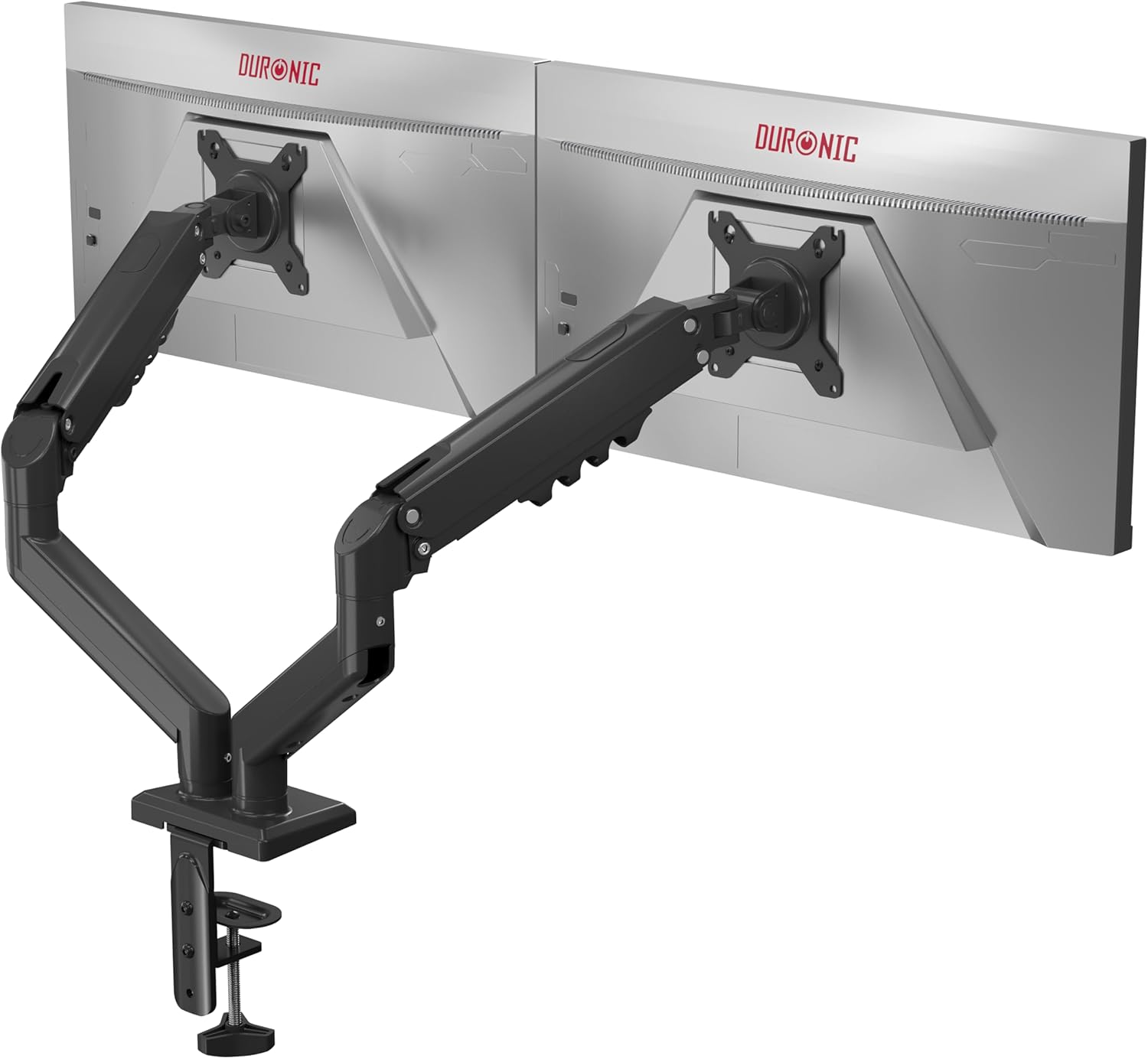
Image 1.1: The Duronic DM6A2 Dual Monitor Arm supporting two monitors.
2. Інфармацыя па бяспецы
Please read all instructions carefully before installation and use. Failure to follow these instructions may result in product damage, injury, or property damage.
- Пераканайцеся, што паверхня вашага стала дастаткова трывалая, каб вытрымаць агульную вагу кранштэйна для манітора і двух манітораў.
- Не перавышайце максімальную нагрузку 9 кг (19.8 фунтаў) на руку.
- Ensure all screws are tightened securely before use. Do not overtighten.
- Трымайце дзяцей і хатніх жывёл далей ад зоны ўстаноўкі.
- Adjust the gas spring tension carefully to match your monitor's weight. Improper tension can cause monitors to drop or spring up unexpectedly.
3. Змесціва ўпакоўкі
Verify that all components are present before beginning installation. If any parts are missing or damaged, please contact Duronic customer support.
- Main pole and base
- Two monitor arms with gas springs
- Two VESA mounting plates
- Стол клamp and grommet mounting hardware
- Cable management clips/covers
- Assembly tools (Allen keys, screws)
4. Інструкцыі па ўсталёўцы
4.1. Choose Your Mounting Method (Clamp або люверс)
The DM6A2 offers two installation options: desk clamp or grommet mount. Select the method suitable for your desk.

Image 4.1: Desk clamp supports thickness from 15mm to 100mm. Grommet mount supports thickness from 15mm to 50mm.
4.1.1. Пісьмовы стол Клamp Ўстаноўка
- Прымацаваць клamp base to the main pole.
- Размясціце склamp на краі вашага стала.
- Зацягнуць клamp screw until the arm is securely fastened to the desk. Ensure it is stable.
4.1.2. Grommet Mount Installation
- If your desk has a grommet hole, insert the grommet base through the hole.
- Secure the base from underneath the desk using the provided plate and nut.
- Attach the main pole to the grommet base.
4.2. Attach VESA Plates to Monitors
The DM6A2 supports VESA 75x75mm and 100x100mm mounting patterns.

Image 4.2: The DM6A2 supports monitors from 13 to 32 inches and VESA patterns 75x75mm and 100x100mm, with a maximum weight of 9kg per arm.
- Асцярожна пакладзеце манітор экранам уніз на мяккую, чыстую паверхню.
- Align the VESA mounting plate with the screw holes on the back of your monitor.
- Secure the plate using the appropriate screws provided. Do not overtighten.
4.3. Mount Monitors to Arms
- Slide the VESA plate with the attached monitor onto the end of each monitor arm.
- Ensure the monitor is securely seated on the arm.
- Tighten any locking screws on the VESA head to prevent accidental detachment.
4.4. Адрэгулюйце напружанне газавай спружыны
The gas spring mechanism allows for smooth and stable monitor positioning. You must adjust the tension to match the weight of your monitors.

Image 4.3: The internal gas spring mechanism provides smooth monitor adjustments.

Image 4.4: Adjust the gas spring tension using the provided tool.
- Use the provided Allen key to adjust the tension screw located on the arm.
- Turn clockwise to increase tension (for heavier monitors) or counter-clockwise to decrease tension (for lighter monitors).
- Adjust until the monitor stays at the desired height when released, without drifting up or down.
4.5. Кіраванне кабелем
Route your monitor cables through the integrated cable management clips or covers on the arms to keep your workspace tidy.
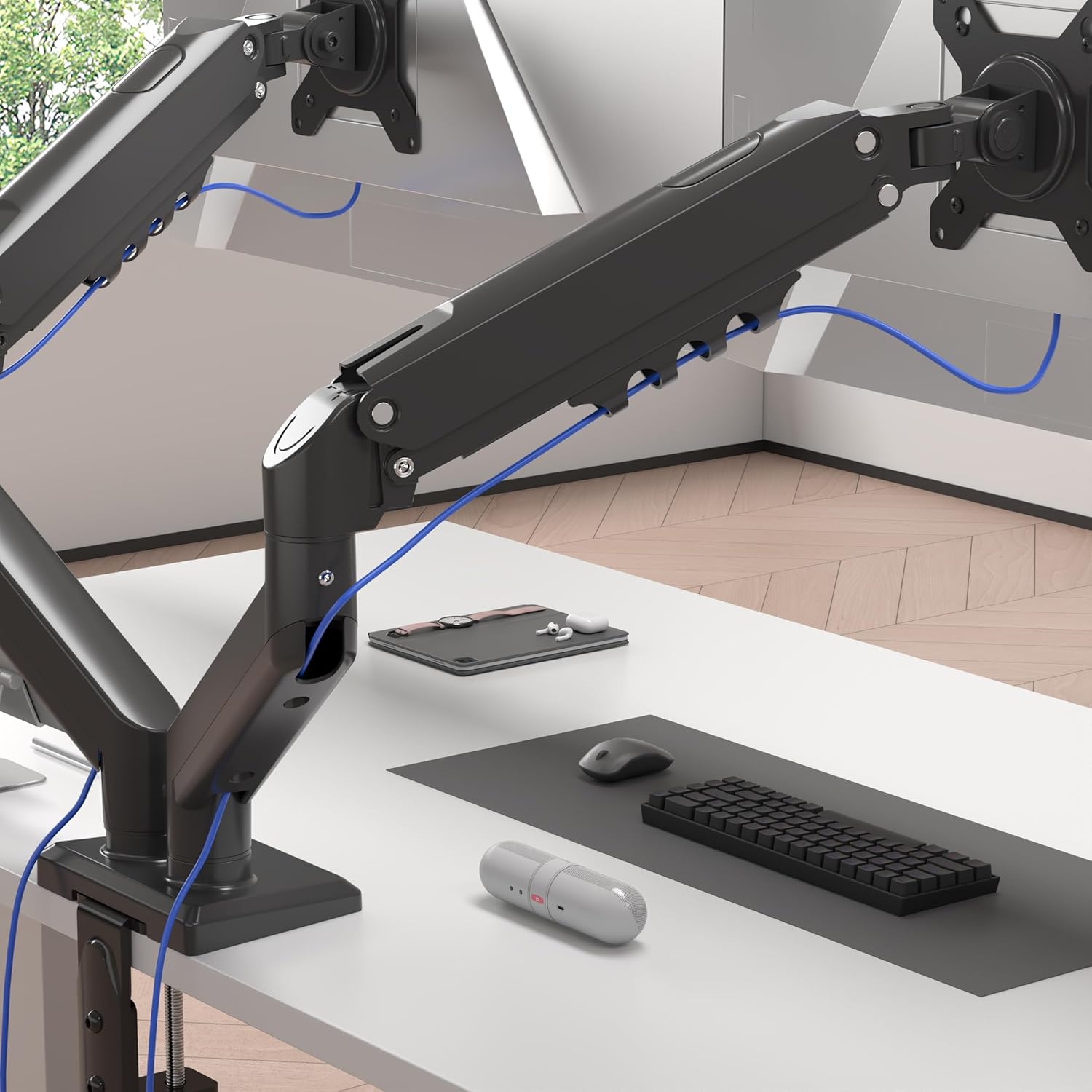
Image 4.5: Cables are neatly organized using the arm's cable management system.
5. Інструкцыя па эксплуатацыі (рэгуляванне)
The Duronic DM6A2 offers a range of adjustments for optimal viewз камфортам.
5.1. Рэгуляванне вышыні
Gently push or pull the monitor to the desired vertical position. The gas spring will hold it in place once the tension is correctly set.
5.2. Рэгуляванне нахілу
The monitor can be tilted up or down to reduce glare and improve viewныя вуглы.

Image 5.1: The monitor can be tilted from -90° to +85°.
5.3. Рэгуляванне павароту
Swivel the monitor left or right to share your screen with others or adjust your viewкут нахілу.

Image 5.2: The monitor can swivel +/-90°.
5.4. Rotation Adjustment
Павярніце манітор на 360 градусаў, каб пераключацца паміж альбомнай і партрэтнай арыентацыяй.

Image 5.3: The monitor can rotate 360° for landscape or portrait viewінж.
6. Тэхнічнае абслугоўванне
- Уборка: Wipe the monitor arm with a soft, damp тканіна. Пазбягайце абразіўных ачышчальнікаў.
- Перыядычныя праверкі: Regularly check all screws and connections to ensure they remain tight and secure. Retighten if necessary.
- Рэгуляванне газавай спружыны: If your monitor's weight changes, or if the arm starts to drift, readjust the gas spring tension as described in Section 4.4.
7. Выпраўленне непаладак
- Monitor sags or drops: The gas spring tension is too low for the monitor's weight. Increase tension by turning the adjustment screw clockwise.
- Monitor springs up or is difficult to push down: The gas spring tension is too high for the monitor's weight. Decrease tension by turning the adjustment screw counter-clockwise.
- Arm is unstable: Пераканайцеся, што стол клamp or grommet mount is securely tightened to the desk. Check all arm connections for tightness.
- Monitor does not rotate/tilt/swivel smoothly: Check for any obstructions. Ensure the pivot points are not overtightened. A small amount of silicone lubricant can be applied to moving parts if needed, but avoid contact with electrical components.
8. Тэхнічныя характарыстыкі
| Нумар мадэлі | DM6A2 |
| Марка | дзюронік |
| Сумяшчальны памер манітора | 13 - 32 цалі |
| Грузападымальнасць на руку | Да 9 кг (19.8 фунта) |
| Сумяшчальнасць VESA | 75х75 мм, 100х100 мм |
| Дыяпазон нахілу | -90° да +85° |
| Дыяпазон павароту | +/- 90 ° |
| Кручэнне | 360° (Landscape/Portrait) |
| Варыянты мантажу | Настольны клamp, Люверс Маунт |
| Настольны клamp Таўшчыня | 15 мм - 100 мм |
| Grommet Mount Thickness | 15 мм - 50 мм |
| Матэрыял | Aluminium, Metal |
9. Гарантыя і падтрымка
For warranty information or technical support, please refer to the documentation included with your purchase or visit the official Duronic website. If you encounter any issues not covered in this manual, please contact Duronic customer service for assistance.