
Уводзіны
Thank you for choosing the T'nB FMCT10 Bluetooth FM Transmitter. This device allows you to stream music from your smartphone, make hands-free calls, and charge your devices directly through your vehicle's audio system. It features Bluetooth 5.0, multiple charging ports (USB-C 30W, USB-A 18W, USB-A 5W), and a noise-cancelling microphone for clear communication. Please read this manual carefully before use to ensure proper operation and to maximize your experience.
Інфармацыя па бяспецы
- Не разбірайце і не мадыфікуйце прыладу.
- Keep away from water, moisture, and extreme temperatures.
- Пазбягайце працяглага ўздзеяння на прыладу прамых сонечных прамянёў.
- Не выкарыстоўвайце агрэсіўныя хімічныя рэчывы або абразіўныя мыйныя сродкі.
- Ensure the device is securely plugged into the cigarette lighter socket to prevent dislodgement during driving.
- Заўсёды аддавайце перавагу бяспечнаму кіраванню аўтамабілем. Не карыстайцеся прыладай такім чынам, каб гэта адцягвала вашу ўвагу ад дарогі.
Змест пакета
- T'nB FMCT10 Bluetooth FM Transmitter
- Кіраўніцтва карыстальніка
Прадукт скончаныview
The T'nB FMCT10 is designed to enhance your in-car audio experience and connectivity. It integrates several functions into one compact device.
Асноўныя характарыстыкі:
- Bluetooth 5.0 для стабільнага бесправаднога злучэння.
- Hands-free calling with noise-cancelling microphone.
- Multiple charging ports: USB-C (30W PD), USB-A (18W QC3.0), USB-A (5W).
- Music playback via Bluetooth, USB drive (up to 64GB), or AUX input.
- Automatic FM station search (87.6-107.8 MHz).
- Bass Boost function for enhanced audio.

выява: Скончанаview of the T'nB FMCT10 FM Transmitter, showing the cigarette lighter plug, the central control knob, and the three charging ports (USB-C PD30W, USB QC3.0, and a standard USB port).
Настройка
- Устаўце ў аўтамабільную разетку: Plug the FMCT10 into your vehicle's 12V-24V cigarette lighter socket. The device will power on automatically.
- Задаць частату FM:
- Tune your car radio to an empty FM frequency (one with no strong broadcast signal).
- On the FMCT10, press the "CH" button (or similar frequency adjustment button) and then use the navigation buttons (or rotary knob) to match the frequency displayed on the transmitter to your car radio's frequency. The device also supports automatic station search.

выява: Illustration showing a smartphone pairing with "FMCT10" via Bluetooth, and a hand adjusting the car radio frequency to match the transmitter's display.
- Спалучэнне Bluetooth:
- Уключыце Bluetooth на вашым смартфоне або іншай аўдыёпрыладзе.
- Пошук available devices and select "FMCT10" to pair. Once paired, a voice prompt will confirm the connection.
- Размяшчэнне мікрафона: The external magnetic microphone can be attached to a convenient location in your vehicle for optimal voice pickup during calls. Use the adhesive backing to secure it.

выява: Close-up of the magnetic noise-cancelling microphone, showing its compact design and indicating its noise reduction capability.
Інструкцыя па эксплуатацыі
Прайграванне музыкі
The FMCT10 supports three modes for music playback: Bluetooth, USB drive, and AUX input.

выява: Diagram illustrating the three connection modes: Bluetooth for wireless streaming, USB-A port for music via USB drive, and AUX input for wired audio connection.
- Паток Bluetooth: Once paired with your smartphone, music will automatically stream through your car's speakers via the selected FM frequency. Use your phone or the transmitter's buttons to control playback (play/pause, next/previous track).
- Прайграванне з USB-назапашвальніка: Устаўце флэш-назапашвальнік USB (да 64 ГБ) з файламі MP3/WMA/WAV/FLAC files into the designated USB-A port (often marked with a music note icon). The device will automatically detect and play music from the drive.
- Уваход AUX: Connect an audio device (e.g., MP3 player) to the AUX port on the FMCT10 using a 3.5mm audio cable.
Званок па гучнай сувязі
When your phone is connected via Bluetooth, you can manage calls directly through the FMCT10.
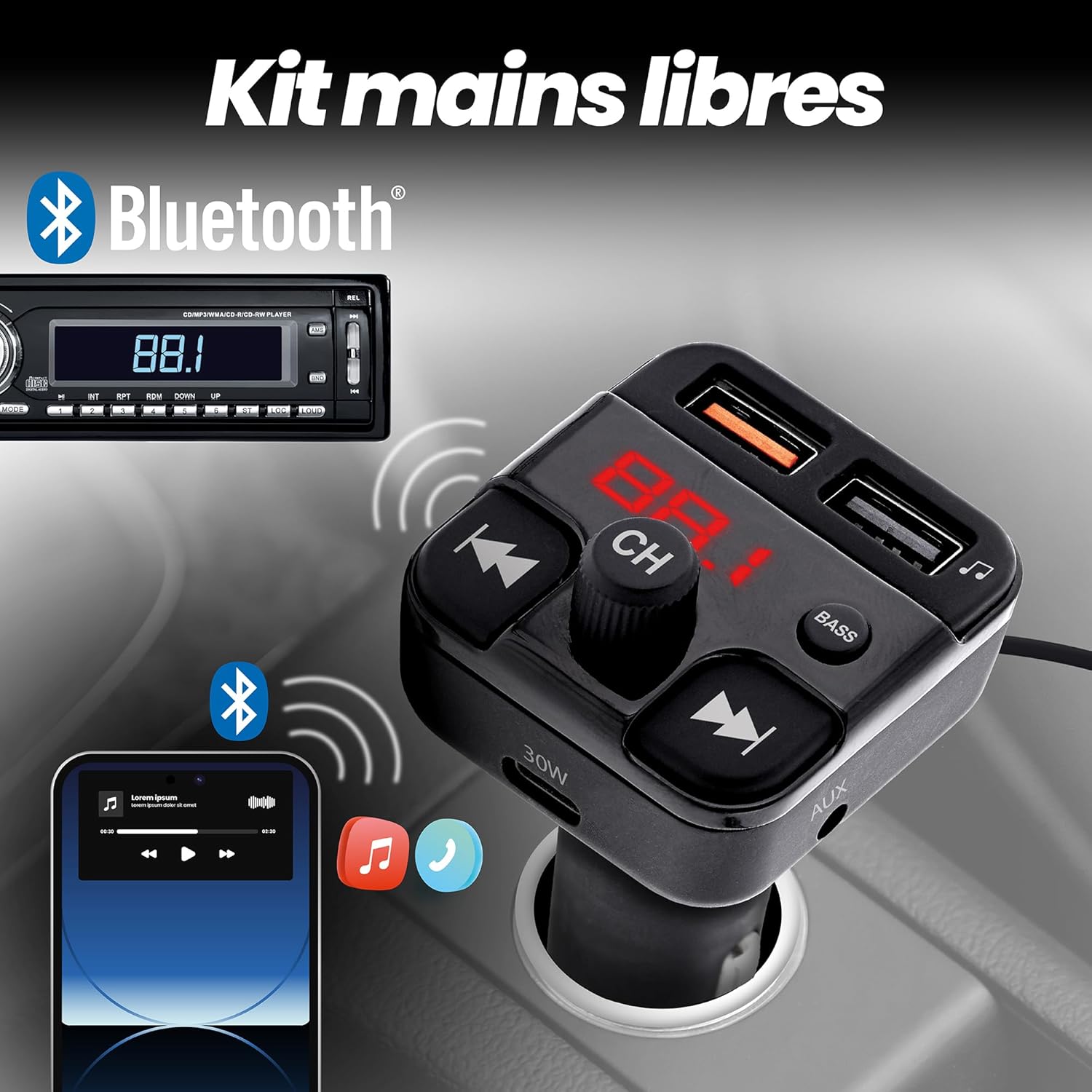
выява: Depiction of the FMCT10 in a car, showing a smartphone connected via Bluetooth for hands-free calls and music playback through the car's radio.
- Адказ/завяршэнне выкліку: Press the multi-function button (usually the central knob or a dedicated phone button) once to answer an incoming call or end an ongoing call.
- Адхіліць выклік: Націсніце і ўтрымлівайце шматфункцыянальную кнопку, каб адхіліць уваходны званок.
- Паўторны набор: Double-press the multi-function button to redial the last number.
Зарадныя прылады
The FMCT10 is equipped with three charging ports to power your devices.
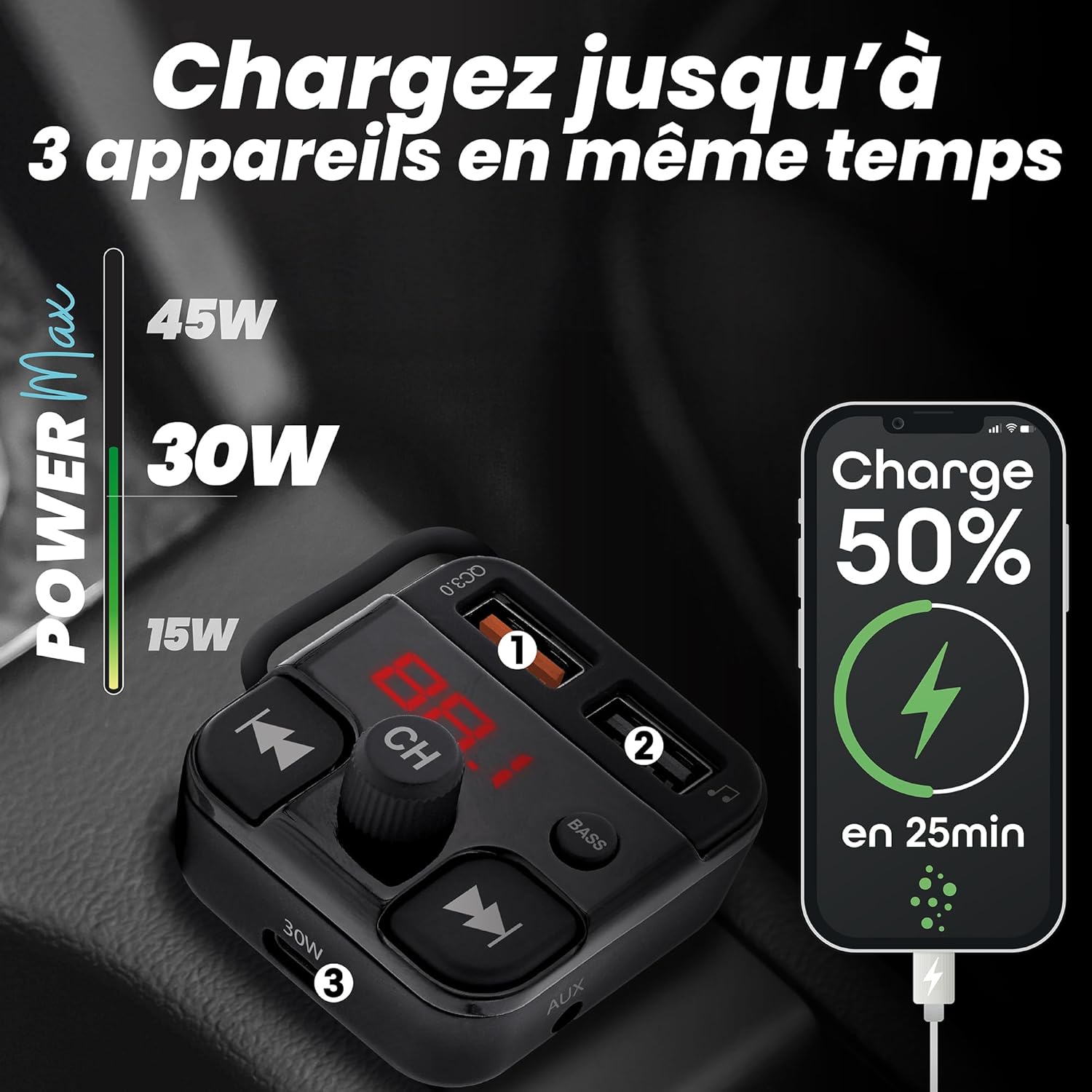
выява: Visual representation of the FMCT10 charging three devices simultaneously, highlighting the fast charging capabilities (e.g., 50% charge in 25 minutes).
- USB-C PD 30W: Для прылад, сумяшчальных з хуткай зарадкай.
- USB-A QC 18W: Для прылад, сумяшчальных з хуткай зарадкай.
- USB-A 5 Вт: Standard charging port.
All functions of the product can be used while charging your phone.
Функцыя ўзмацнення басоў
Press the "BASS" button on the transmitter to activate or deactivate the bass boost feature for a more dynamic listening experience.

выява: Close-up of the "BASS" button on the FMCT10, with an illustration of sound waves indicating enhanced bass.
Тэхнічнае абслугоўванне
- Чысціце прылада мяккай сухой тканінай.
- Do not use liquid cleaners or sprays.
- Ensure the cigarette lighter socket and USB ports are free of dust and debris.
Ліквідацыю непаладак
| праблема | Магчымая прычына | Рашэнне |
|---|---|---|
| No power to the transmitter. | Loose connection; vehicle's cigarette lighter socket is faulty; vehicle's fuse is blown. | Ensure the transmitter is firmly plugged in. Check if the car's cigarette lighter socket is working with another device. Check the vehicle's fuse box. |
| Дрэнная якасць гуку/статычныя перашкоды. | FM frequency interference; volume too low/high; Bluetooth connection issue. | Find a clearer FM frequency on your car radio and transmitter. Adjust volume on both the transmitter and car radio. Re-pair Bluetooth. |
| Bluetooth не падключаецца. | Bluetooth не ўключаны на тэлефоне; прылада не ў рэжыме спалучэння; перашкоды. | Ensure Bluetooth is enabled on your phone. Restart the transmitter and your phone. Try pairing again. |
| Зарадка павольная або не працуе. | Cable issue; device not compatible with fast charging; port malfunction. | Use a different charging cable. Ensure your device supports the fast charging protocols (PD/QC). Try a different charging port. |
Тэхнічныя характарыстыкі
- Назва мадэлі: FMCT10
- Марка: T'nB
- Крыніца харчавання: Electric (12V-24V car cigarette lighter socket)
- Версія Bluetooth: 5.0
- Частотны дыяпазон FM: 87.6-107.8 МГц
- Выхад USB-C: Магутнасць харчавання 30 Вт (PD)
- USB-A Output 1 (QC3.0): Хуткая зарадка 18 Вт
- Выхад USB-A 2: 5W
- Агульная максімальная магутнасць: 38 Вт
- USB Drive Support: Да 64 ГБ
- Падключэнне: Bluetooth, USB Type A, USB Type C, AUX
- Колькасць партоў: 3 (2x USB-A, 1x USB-C)
- Асаблівасці: Hands-free kit, Noise-cancelling microphone, Bass Boost, Automatic station search
- Краіна паходжання: Кітай
Гарантыя
Гэты прадукт пастаўляецца з a 2-гадовая гарантыя вытворцы. Please retain your proof of purchase for warranty claims. The warranty covers defects in materials and workmanship under normal use. It does not cover damage caused by misuse, accidents, unauthorized modifications, or normal wear and tear.
Падтрымка
For technical support, troubleshooting assistance, or warranty inquiries, please contact T'nB customer service. You can typically find contact information on the official T'nB webна сайце або праз вашага прадаўца.
T'nB Official Webсайт: www.tnb.com (Please note: This is a generic placeholder. Refer to your product packaging or official brand channels for the most accurate support contact information.)