
1. Прадукт скончыўсяview
The Midtronics MVT-200 is an advanced handheld battery tester powered by MDX-AI technology, designed for fast and accurate diagnostics of 6V and 12V batteries across various applications. This device simplifies battery testing by leveraging extensive data to provide decisive results, often eliminating the need for charge and retest procedures.

Figure 1.1: Midtronics MVT-200 Handheld Battery Tester. This image displays the main unit of the MVT-200 tester, showing its screen interface and the attached red and black battery clamps.
Асноўныя функцыі ўключаюць у сябе:
- MDX-AI Powered: Utilizes an advanced AI-based diagnostic algorithm for precise testing.
- Simplified and Accurate Testing: Provides clear, decisive results, reducing user input and potential errors.
- No Charge and Retest Needed: Minimizes the need for additional charging and retesting in-vehicle.
- Versatile Testing: Capable of testing various battery types (Flooded, AGM, AGM Spiral, Gel, EFB) without requiring specific CCA ratings, and performs reliably even with system noise or at remote posts.
- Шырокае прымяненне: Suitable for automotive, marine, power sports, heavy-duty trucks (Group 31, 4D/8D), and lawn & garden batteries.
2. Настройка
2.1 Распакоўка прылады
Carefully remove the MVT-200 tester and its accessories from the packaging. Verify that all components listed in the 'What's in the Box' section are present: the tester unit and connecting cables.
2.2 Першапачатковае ўключэнне і зарадка
The MVT-200 is designed to be rechargeable. Before first use, ensure the internal battery is sufficiently charged. Connect the tester to a power source using the provided charging cable (if applicable, specific charging method not detailed in product information, assume standard USB or AC adapter). The device is ready for use once powered on.
2.3 Падключэнне да акумулятара
To connect the MVT-200 to a battery:
- Ensure the vehicle or equipment is turned off.
- Падключыце чырвоны станоўчы (+) клamp да плюсавай клемы батарэі.
- Падключыце чорны адмоўны (-) клamp да мінусавай клемы батарэі.
- Ensure a secure connection to prevent inaccurate readings or damage.
3. Інструкцыя па эксплуатацыі
The MVT-200 features an intuitive menu system for various testing procedures.
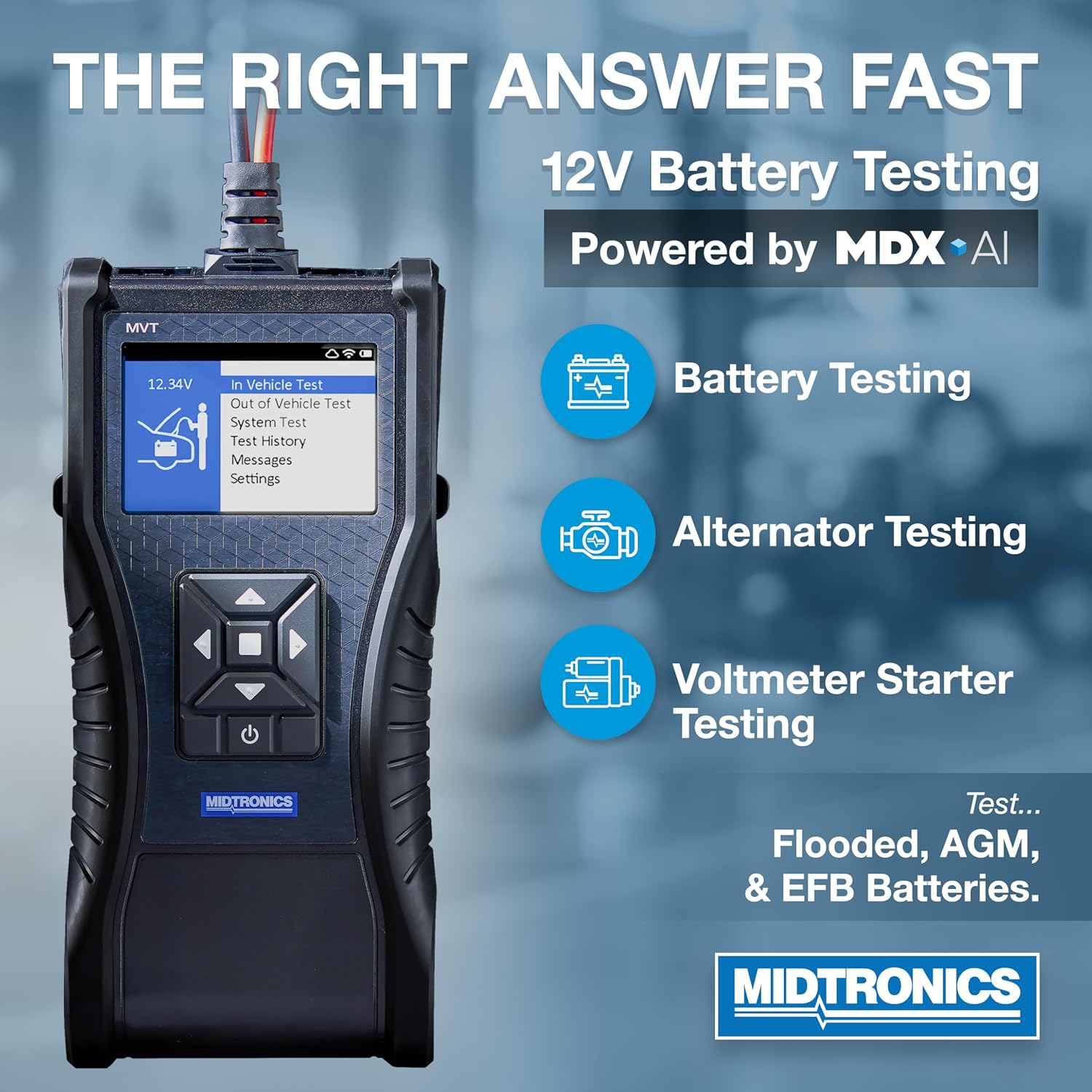
Figure 3.1: MVT-200 Displaying Test Options. This image illustrates the tester's screen with options for Battery Testing, Alternator Testing, and Voltmeter Starter Testing, indicating its comprehensive diagnostic capabilities.
3.1 Навігацыя па меню
Use the directional buttons on the tester to navigate through the menu options displayed on the screen. Press the 'Enter' or 'Select' button (typically the center button) to confirm a selection.
3.2 Performing a Battery Test
The MVT-200 supports both in-vehicle and out-of-vehicle battery testing.
- From the main menu, select either 'In Vehicle Test' or 'Out of Vehicle Test'.
- Follow the on-screen prompts. The MDX-AI technology will guide you through the process, often automatically detecting battery type and condition.
- The tester will provide a clear, decisive result regarding the battery's health.
3.3 System Test (Starting and Charging System)
To assess the vehicle's starting and charging system:
- Выберыце 'System Test' з галоўнага меню.
- The tester will prompt you to perform specific actions, such as starting the engine or revving it, to evaluate the starter and alternator performance.
- Results will indicate the health of the starting and charging components.
3.4 Test History and Settings
- Test History: Access previously saved test results for review and comparison.
- Паведамленні: View system messages or alerts.
- Налады: Configure device preferences, such as language, display brightness, or unit of measurement.

Figure 3.2: Benefits of MDX-AI. This image emphasizes the MVT-200's ability to provide instant test decisions, eliminate the need for charge and retest, and deliver professional accuracy, all powered by MDX-AI.
4. Тэхнічнае абслугоўванне
4.1 Ачыстка прылады
To maintain the MVT-200's performance and longevity:
- Wipe the exterior of the tester with a soft, damp тканіна.
- Не выкарыстоўвайце абразіўныя ачышчальнікі або растваральнікі, бо яны могуць пашкодзіць casinг або экран.
- Пераканайцеся, што клamps are clean and free of corrosion for optimal electrical contact.
4.2 Захоўванне
When not in use, store the MVT-200 in a dry, cool place, away from direct sunlight and extreme temperatures. Keep the cables neatly coiled to prevent damage.
4.3 Internal Battery Care
Although the MVT-200 is rechargeable, for optimal battery life, avoid fully discharging the unit frequently. Recharge the device periodically, especially if it will be stored for an extended period.
5. Выпраўленне непаладак
This section addresses common issues you might encounter with the MVT-200.
| праблема | Магчымая прычына | Рашэнне |
|---|---|---|
| Тэстар не ўключаецца. | Нізкі або разраджаны ўнутраны акумулятар. | Connect the tester to a power source and allow it to charge. |
| Няправільныя вынікі тэстаў. | Poor connection to battery terminals; dirty battery terminals; incorrect test parameters selected. | Пераканайцеся, што клamps are securely attached and terminals are clean. Verify correct test type (in-vehicle/out-of-vehicle) is selected. |
| Tester displays an error message. | Specific error condition (e.g., reverse polarity, over-voltagе). | Refer to the on-screen message for specific instructions. Disconnect and reconnect the tester, ensuring correct polarity. If the issue persists, contact support. |
| Экран не рэагуе або завісае. | Праграмны збой. | Press and hold the power button to force a restart. If unresponsive, allow the battery to fully discharge and then recharge. |
6. Тэхнічныя характарыстыкі
The following are the technical specifications for the Midtronics MVT-200 Handheld Battery Tester:
- Нумар мадэлі: MVT-200
- Падтрымліваецца батарэя Voltages: 6В, 12В
- Падтрымліваюцца тыпы батарэй: Flooded, AGM, AGM Spiral, Gel, EFB
- Дыяпазон CCA: 100-3000 ЦКА
- Крыніца харчавання: Унутраная акумулятарная батарэя
- колер: Чорны
- Памеры ўпакоўкі: 12.75 х 12 х 4.4 цалі
- Вага прадмета: 4 фунта
- Адпаведнасць: UL Specification Met
- У камплекце: Tester, Cables

Figure 6.1: MVT-200 Testing Capabilities. This image details the MVT-200's CCA range (100-3000) and its compatibility with various applications including Automotive/Car, Heavy Duty Trucks, Powersport, Lawn & Garden, and Marine.
7. Гарантыя і падтрымка
Midtronics products are manufactured to high standards and are backed by a manufacturer's warranty. For specific warranty terms and conditions, please refer to the warranty card included with your product or visit the official Midtronics webсайт.
7.1 Падтрымка кліентаў
If you encounter any issues not covered in this manual or require further assistance, please contact Midtronics customer support. Contact information can typically be found on the Midtronics webна сайце або ўнутры ўпакоўкі прадукту.
For more information about Midtronics and their range of professional automotive battery testers, visit the Midtronics Store on Amazon.


