
Уводзіны
Thank you for choosing the pTron Studio Evo Wireless Over-Ear Headphones. This manual provides essential information for setting up, operating, and maintaining your headphones to ensure optimal performance and longevity. Please read these instructions carefully before use.
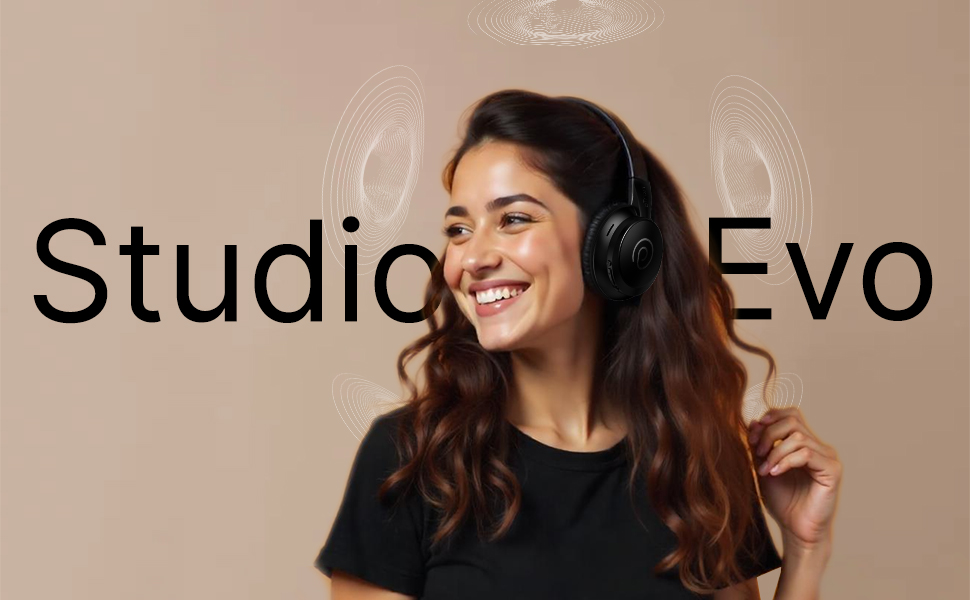
Выява: Зверхуview of pTron Studio Evo features including sound quality, battery life, driver size, controls, charging, and connectivity modes.
Настройка
1. Распакоўка і кампаненты
Асцярожна выміце ўсе прадметы з упакоўкі. У скрынцы павінны быць:
- pTron Studio Evo Wireless Over-Ear Headphones
- Зарадны кабель USB Type-C
- 3.5mm Audio Cable (Aux-in)
- Кіраўніцтва карыстальніка (гэты дакумент)
2. Зарадка навушнікаў
Before first use, fully charge your headphones. Connect the provided USB Type-C cable to the charging port on the headphones and the other end to a compatible USB power source (e.g., wall adapter, computer USB port).
- Час зарадкі: Прыкладна 2 гадзіны для поўнай зарадкі.
- Тэрмін службы батарэі: Up to 70 hours of playtime on a single full charge.

Image: pTron Studio Evo headphones highlighting 70 hours of playtime and Type-C fast charging.
3. Уключэнне / выключэнне харчавання
- Каб уключыць: Націсніце і ўтрымлівайце кнопку харчавання прыблізна 3 секунды, пакуль не загарыцца святлодыёдны індыкатар.
- Каб выключыць: Націсніце і ўтрымлівайце кнопку харчавання прыблізна 3 секунды, пакуль не пагасне святлодыёдны індыкатар.
4. Спарванне Bluetooth
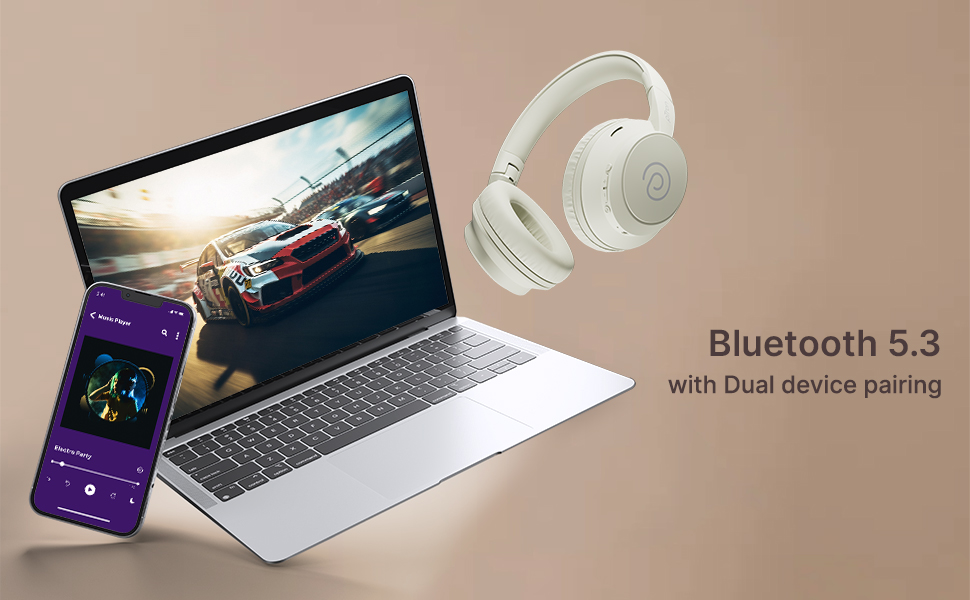
The pTron Studio Evo headphones utilize Bluetooth 5.3 for stable wireless connectivity.
- Пераканайцеся, што навушнікі адключаны.
- Націсніце і ўтрымлівайце кнопку харчавання на працягу 5-7 секунд, пакуль святлодыёдны індыкатар не пачне міргаць па чарзе чырвоным і сінім колерамі, што паказвае на рэжым спалучэння.
- На вашай прыладзе (смартфоне, ноўтбуку і г.д.) уключыце Bluetooth і знайдзіце даступныя прылады.
- Select "pTron Studio Evo" from the list of found devices.
- Пасля падключэння святлодыёдны індыкатар будзе гарэць сінім колерам пастаянна або павольна міргаць сінім.
Спалучэнне двух прылад: These headphones support connecting to two devices simultaneously. After pairing with the first device, disable Bluetooth on that device, then pair with the second device. Re-enable Bluetooth on the first device, and the headphones should connect to both. You can then switch audio playback between the two devices.

Image: Headphones connected to both a phone and a laptop, demonstrating Bluetooth 5.3 dual device pairing.
5. Wired Connection (Aux-in)
For a wired connection, use the provided 3.5mm audio cable. Plug one end into the headphone's 3.5mm jack and the other end into your audio source's auxiliary output. The headphones will automatically switch to wired mode when the cable is connected.
Інструкцыя па эксплуатацыі
1. Элементы кіраванняview
The headphones feature integrated buttons for easy control of music, calls, and modes.
Выява: Падрабязная view of the integrated control buttons on the pTron Studio Evo headphones.
- Кнопка харчавання: Націсніце і ўтрымлівайце, каб уключыць/выключыць прыладу. Кароткатэрмінова націсніце, каб прайграць/прыпыніць музыку або адказаць/завяршыць выклік.
- Павялічыць гучнасць (+): Кароткае націсканне для павелічэння гучнасці. Доўгае націсканне для наступнай кампазіцыі.
- Памяншэнне гучнасці (-): Кароткае націсканне для памяншэння гучнасці. Доўгае націсканне для папярэдняга трэка.
- Кнопка эквалайзера: Short press to cycle through EQ modes (Bass, Movie, Pop, Vocal).
2. Рэжымы эквалайзера
The pTron Studio Evo headphones offer multiple low-latency EQ modes optimized for different audio experiences:
- Рэжым гульні: Змяншае затрымку гуку для больш сінхранізаванага гульнявога досведу.
- Рэжым фільма: Enhances dialogue clarity and cinematic sound effects.
- Рэжым музыкі: Забяспечвае збалансаваны прафесійны гукfile для праслухоўвання музыкі ў цэлым.
- Рэжым баса: Павялічвае нізкія частоты для больш глыбокага баса.
- Рэжым поп-музыкі: Optimized for pop music genres.
- Вакальны рэжым: Enhances vocal clarity, ideal for podcasts or audiobooks.
Націсніце кнопку EQ, каб пераключацца паміж гэтымі рэжымамі.
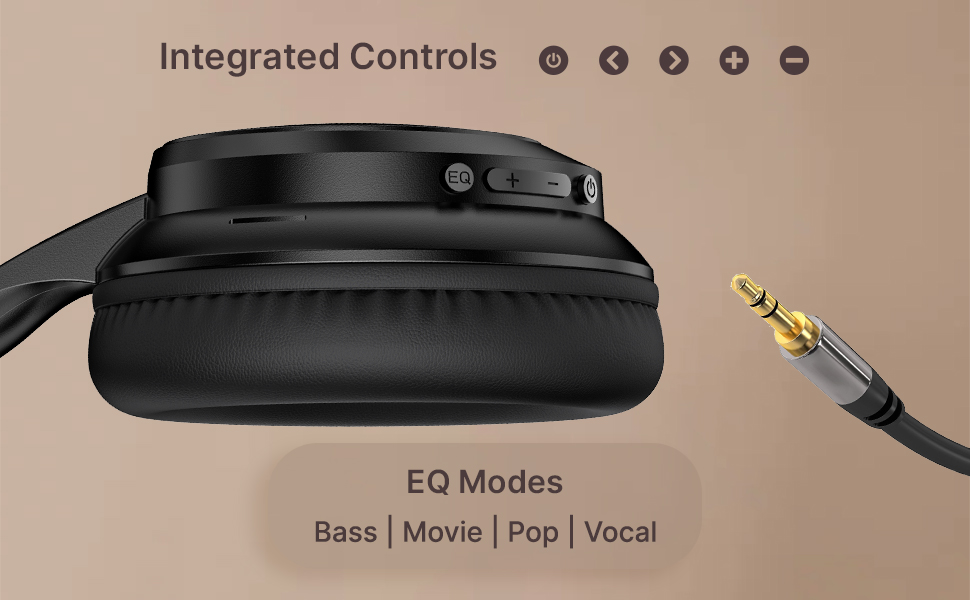
Image: User engaging in gaming with headphones, demonstrating low-latency sync for game mode.
3. Здзяйсненне і прыём званкоў
The headphones include a built-in HD microphone for hands-free calls.
- Адказ/завяршэнне выкліку: Кароткае націсканне кнопкі харчавання.
- Адхіліць выклік: Націсніце і ўтрымлівайце кнопку харчавання на працягу 2 секунд.
4. Галасавы памочнік
Access your device's voice assistant (e.g., Siri, Google Assistant) by double-pressing the Power button.
5. Нашэнне навушнікаў
The pTron Studio Evo headphones feature an ergonomic design with soft earcups and an adjustable head beam for comfortable all-day listening. Adjust the head beam to position the earcups exactly over your ears for the best fit and sound isolation.
Тэхнічнае абслугоўванне
1. Уборка
Regularly clean your headphones to maintain hygiene and performance.
- Use a soft, dry cloth to wipe the earcups and headband.
- Не выкарыстоўвайце абразіўныя ачышчальнікі або растваральнікі.
- Avoid getting moisture into the charging port or audio jack.
2. Воданепранікальнасць
The headphones are IPX5 water-resistant, meaning they can withstand splashes and sweat. Do not submerge them in water or expose them to heavy rain.
3. Захоўванне
The foldable design allows for easy storage. Fold the headphones when not in use to protect them from damage and save space. Store them in a cool, dry place away from direct sunlight and extreme temperatures.
Ліквідацыю непаладак
- Няма харчавання: Пераканайцеся, што навушнікі цалкам зараджаныя. Падключыце іх да крыніцы харчавання і паспрабуйце яшчэ раз.
- Немагчыма спалучыць: Make sure Bluetooth is enabled on your device and the headphones are in pairing mode (flashing red and blue LED). Try restarting both devices.
- Няма гуку: Check the volume levels on both the headphones and your connected device. Ensure the correct audio output is selected on your device. If using a wired connection, ensure the 3.5mm cable is fully inserted.
- Дрэнная якасць гуку: Ensure the headphones are within the Bluetooth range (up to 10 meters) of your device. Avoid obstacles that may interfere with the signal. Try switching EQ modes.
- Мікрафон не працуе: Ensure the headphones are properly connected and selected as the input device on your call application.
Тэхнічныя характарыстыкі
| Асаблівасць | Спецыфікацыя |
|---|---|
| Назва мадэлі | Студыя |
| Тэхналогія падлучэння | Бесправадная сувязь (Bluetooth) |
| Тэхналогія бесправадной сувязі | Bluetooth 5.3 |
| Дыяпазон Bluetooth | 10 метраў |
| Памер аўдыё драйвера | 40 міліметраў |
| Тэрмін службы батарэі | 70 гадзін |
| Час зарадкі | 2 гадзін |
| Гняздо для навушнікаў | 3.5 мм Jack |
| Узровень воданепранікальнасці | Воданепранікальнасць IPX5 |
| Метад кантролю | Push Button, Voice |
| Кантроль шуму | Гукаізаляцыя |
| Матэрыял | Акрыланітрылбутадыенстырол (АБС) |
| Вага прадмета | 157 грам |
| Памеры прадукту | 19.2 х 15.8 х 7.9 см |
Гарантыя і падтрымка
1. Гарантыя вытворцы
The pTron Studio Evo headphones come with a 1-гадовая гарантыя ад вытворцы from the date of purchase. This warranty covers manufacturing defects only. Please retain your proof of purchase for warranty claims.
2. Падтрымка кліентаў
Па любых пытаннях, тэхнічнай дапамозе або гарантыйных прэтэнзіях звяртайцеся ў службу падтрымкі кліентаў pTron:
- электронная пошта: support@ptron.in
- тэлефон: 040-67138888