
Уводзіны
The Masajoy Spark 06 Wireless Headset is designed for clear communication and versatile connectivity in professional and personal environments. It features Bluetooth V5.3, 2.4G wireless via a USB A/C dongle, and a wired 3.5mm audio connection. Equipped with an AI noise-cancelling microphone and comfortable earcups, this headset aims to provide a reliable audio experience for calls, meetings, and music.

Image: User wearing the Masajoy Spark 06 headset, demonstrating its use in a work setting.
Змест пакета
Праверце наяўнасць усіх прадметаў у камплекце:
- Бесправадная гарнітура з мікрафонам
- USB A / C Dongle
- USB C to 3.5MM Audio Cable
- Зарадны кабель тыпу С.
- Кіраўніцтва карыстальніка
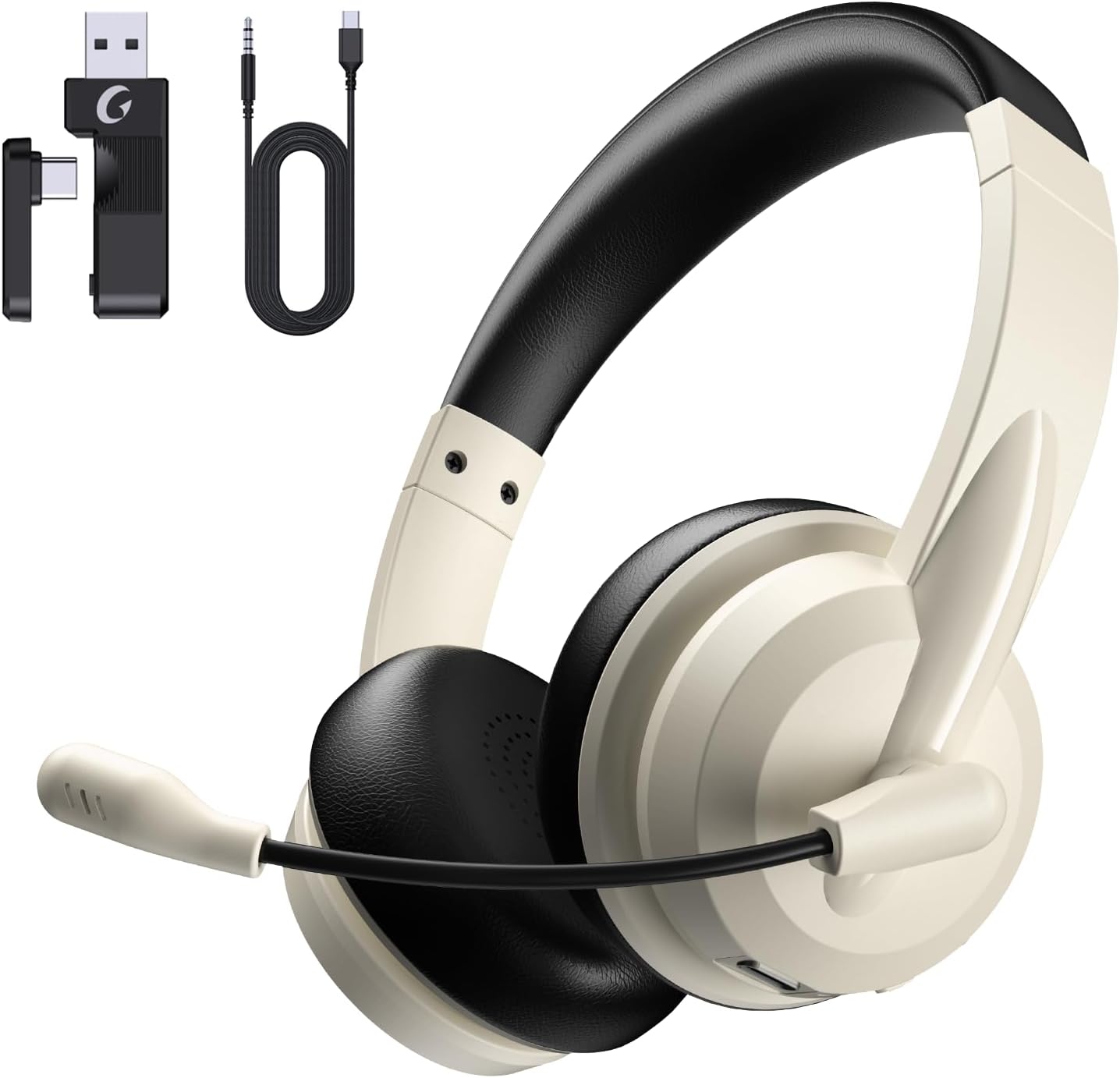
Image: The Masajoy Spark 06 headset shown with its accompanying accessories, including the USB A/C dongle and various cables.
Прадукт скончаныview
The Masajoy Spark 06 headset features an ergonomic design for extended wear and clear audio performance.
- Рэгуляваная павязка на галаву: For a comfortable fit across various head sizes.
- Protein Memory Foam Earcups: Soft and breathable for all-day comfort.
- Rotatable Microphone Boom: Allows for precise positioning and mute function activation.
- 40-мм аўдыёдрайверы: Deliver clear and balanced sound.

Выява: буйны план view highlighting the soft, breathable protein memory foam earcups and the adjustable headband for comfort.

Выява: Унутраная view of the earcup, illustrating the 40mm audio drivers responsible for sound quality.
Настройка
1. Зарадка гарнітуры
Before first use, fully charge the headset. Connect the included Type C Charging Cable to the headset's charging port and to a USB power source. The LED indicator will show charging status. A full charge takes approximately 2.5 hours.
2. Падключэнне гарнітуры
The Masajoy Spark 06 offers three connection methods:
Bluetooth V5.3 Connection
- Пераканайцеся, што гарнітура адключана.
- Націсніце і ўтрымлівайце кнопку харчавання, пакуль святлодыёдны індыкатар не пачне міргаць сінім і чырвоным колерамі, што паказвае на рэжым спалучэння.
- On your device (smartphone, laptop), enable Bluetooth and search for "Masajoy Spark 06".
- Select the headset to connect. The LED will turn solid blue once connected.
2.4G Wireless Connection (USB A/C Dongle)
- Plug the USB A or USB C side of the dongle into an available port on your computer.
- Уключыце гарнітуру. Яна аўтаматычна паспрабуе падключыцца да адаптара.
- The LED indicator on the headset will turn solid blue when connected.
Wired 3.5mm Audio Cable Connection
- Connect one end of the USB C to 3.5MM Audio Cable to the headset's USB-C port.
- Connect the other end (3.5mm jack) to your device's 3.5mm audio port.
- The headset will function as a wired headset. Power is not required for this mode.
Note: This headset does not support dual device connection simultaneously via Bluetooth and 2.4G wireless.

Image: Illustration of the Bluetooth V5.3 and 2.4GHz dual connection options, showing the USB A/C dongle and Bluetooth pairing with devices.
Інструкцыя па эксплуатацыі
Уключэнне/выключэнне харчавання
- Уключэнне: Націсніце і ўтрымлівайце кнопку харчавання на працягу 3 секунд.
- Выключэнне: Націсніце і ўтрымлівайце кнопку харчавання на працягу 3 секунд.
Кіраванне званкамі
- Адказ/завяршэнне выкліку: Націсніце шматфункцыянальную кнопку адзін раз.
- Адхіліць выклік: Націсніце і ўтрымлівайце шматфункцыянальную кнопку на працягу 2 секунд.
Прайграванне музыкі
- Прайграванне/Паўза: Націсніце шматфункцыянальную кнопку адзін раз.
- Павялічыць гучнасць: Націсніце кнопку Volume +.
- Паменшыць гучнасць: Націсніце кнопку "Гучнасць -".
- Наступны трэк: Націсніце і ўтрымлівайце кнопку «Гучнасць +».
- Папярэдні трэк: Націсніце і ўтрымлівайце кнопку рэгулявання гучнасці.
Функцыя адключэння мікрафона
To mute the microphone, simply rotate the microphone boom to the upright (vertical) position. A voice prompt will confirm "MIC mute". To unmute, rotate the microphone boom back down to the speaking position.

Image: A diagram illustrating the 270-degree rotation capability of the microphone boom, which activates the mute function when moved to the upright position.
Шумапрыглушэнне з дапамогай штучнага інтэлекту
The headset features AI noise cancellation technology to reduce background noise during calls, ensuring clearer voice transmission. This feature is automatically active when using the microphone in Bluetooth connection mode.
Note: The AI Noise Cancellation feature is only available when the headset is connected via Bluetooth.

Image: Depiction of the AI noise-cancelling microphone in action, showing how it filters out background noise for clear communication.
Тэхнічнае абслугоўванне
- Уборка: Для чысткі гарнітуры выкарыстоўвайце мяккую сухую тканіну. Не выкарыстоўвайце агрэсіўныя хімічныя рэчывы або абразіўныя матэрыялы.
- захоўванне: Захоўвайце гарнітуру ў прахалодным, сухім месцы, удалечыні ад прамых сонечных прамянёў і экстрэмальных тэмператур.
- Сыход за батарэяй: Каб падоўжыць тэрмін службы батарэі, пазбягайце частай поўнай разрадкі гарнітуры. Рэгулярна зараджайце яе, нават калі яна не выкарыстоўваецца працяглы час.
Ліквідацыю непаладак
| праблема | Магчымая прычына | Рашэнне |
|---|---|---|
| Няма гуку з гарнітуры | Headset not connected; Volume too low; Device audio output incorrect. | Ensure headset is connected (Bluetooth, 2.4G, or wired). Increase headset and device volume. Check device's audio output settings. |
| Не працуе мікрафон | Microphone muted; Incorrect input device selected; AI Noise Cancellation not active (if not Bluetooth). | Rotate mic boom down to unmute. Check device's microphone input settings. Ensure Bluetooth connection for AI Noise Cancellation. |
| Немагчыма падключыцца праз Bluetooth | Headset not in pairing mode; Device Bluetooth off; Interference. | Put headset in pairing mode (flashing blue/red). Enable Bluetooth on device. Move closer to device, away from other wireless devices. |
| 2.4G dongle not connecting | Dongle not properly inserted; Headset not powered on. | Ensure dongle is fully inserted into a working USB port. Power on the headset. |
| Кароткі тэрмін службы батарэі | Headset not fully charged; Battery degradation over time. | Ensure headset is fully charged (2.5 hours). If battery life significantly decreases, contact support. |
Тэхнічныя характарыстыкі
| Асаблівасць | Дэталь |
|---|---|
| Назва мадэлі | Іскра 06 |
| Тэхналогія падлучэння | Wireless (Bluetooth, 2.4G), Wired (3.5mm) |
| Версія Bluetooth | 5.3 |
| Дыяпазон Bluetooth | Да 36 футаў (11 метраў) |
| Кантроль шуму | Passive Noise Cancellation (earcups), AI Noise Cancellation (microphone, Bluetooth mode only) |
| Тып аўдыё драйвера | Дынамічны драйвер |
| Імпеданс | 40 Ом |
| Дыяпазон частот | 20 Гц - 20,000 Гц |
| Час зарадкі | 2.5 гадзін |
| Час размовы | Да 30 гадзін |
| Час прайгравання музыкі | Да 25 гадзін |
| Час чакання | Да 400 гадзін |
| Вага прадмета | 0.3 кілаграма (10.5 унцыі) |
| Матэрыял | Акрыланітрылбутадыенстырол (АБС) |
| Сумяшчальныя прылады | Laptops, Desktops, iPhones, Mac devices |
Гарантыя і падтрымка
Masajoy products are designed for reliability and performance. For warranty information, please refer to the specific warranty card included with your product or visit the official Masajoy website. If you encounter any issues or require technical assistance, please contact Masajoy customer support through the contact information provided on the product packaging or the official webсайт.