
1. Уводзіны
Thank you for choosing the BUGANI OWSB10S Open Ear Wireless Headphones. These headphones are designed to provide a comfortable listening experience while maintaining situational awareness. Featuring Bluetooth 5.4 technology, HiFi stereo sound, and an IPX5 waterproof rating, they are suitable for various activities including sports, running, and cycling. This manual provides detailed instructions for setup, operation, maintenance, and troubleshooting to ensure optimal performance.
2. Змесціва ўпакоўкі
- BUGANI OWSB10S Open Ear Wireless Headphones (Left and Right)
- Чахол для зарадкі
- Зарадны кабель USB-C
- Кіраўніцтва карыстальніка
3. Прадукт скончыўсяview
The BUGANI OWSB10S headphones feature an open-ear design that rests gently outside your ears, reducing pressure and fatigue. This design allows you to stay aware of your surroundings, making them ideal for outdoor activities. They are equipped with custom dynamic drivers for rich audio and an HD microphone for clear calls.

Figure 3.1: BUGANI OWSB10S Open Ear Wireless Headphones worn on ear, demonstrating the comfortable fit.

Малюнак 3.2: Разарваны view of a BUGANI OWSB10S earbud, showcasing the custom dynamic driver and internal structure.

Figure 3.3: Diagram illustrating the directional sound transmission technology of the BUGANI OWSB10S, designed to reduce sound leakage.
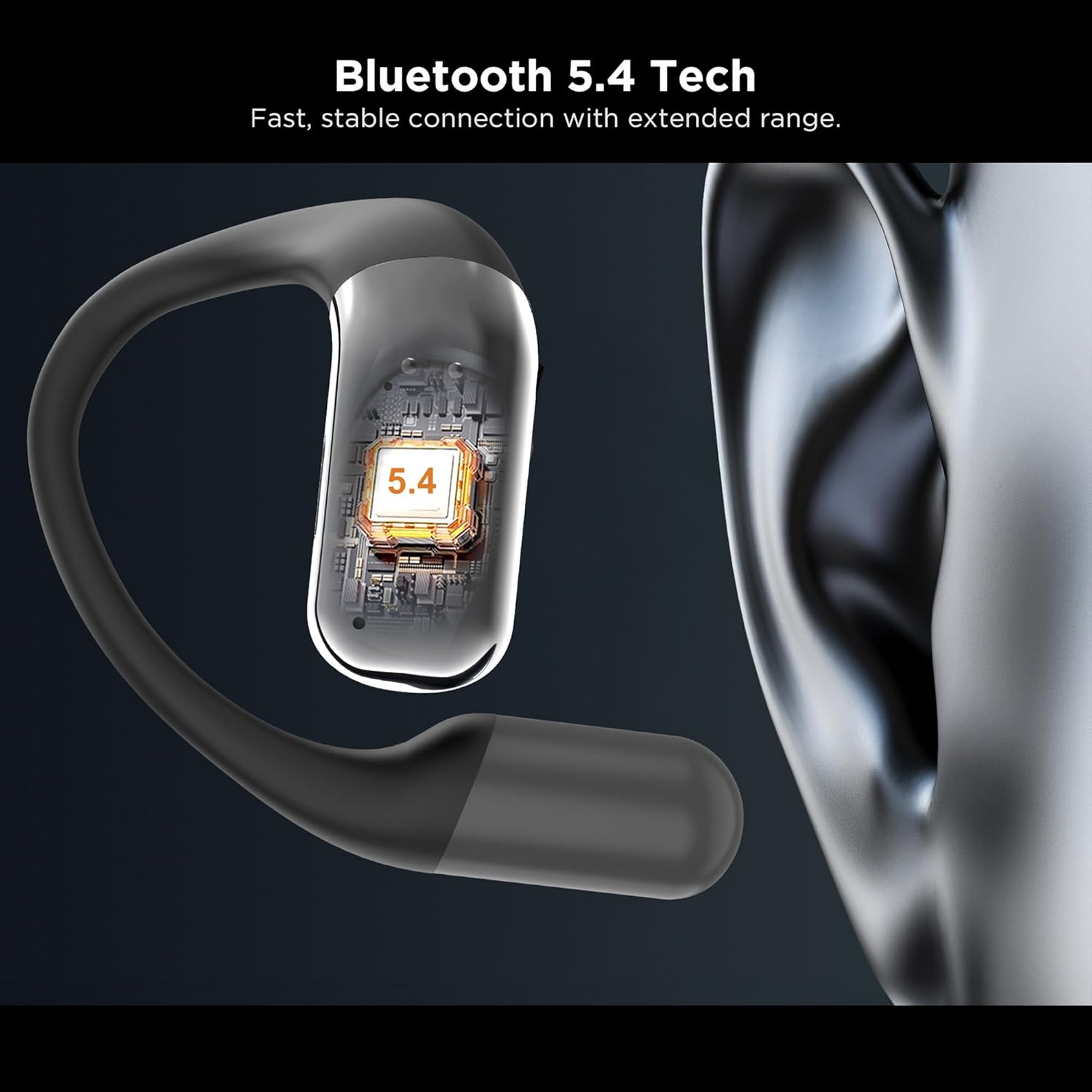
Малюнак 3.4: Буйны план view of the integrated Bluetooth 5.4 chip within the BUGANI OWSB10S earbud, ensuring stable connectivity.

Figure 3.5: The BUGANI OWSB10S earbuds securely placed in their charging case, ready for recharging.
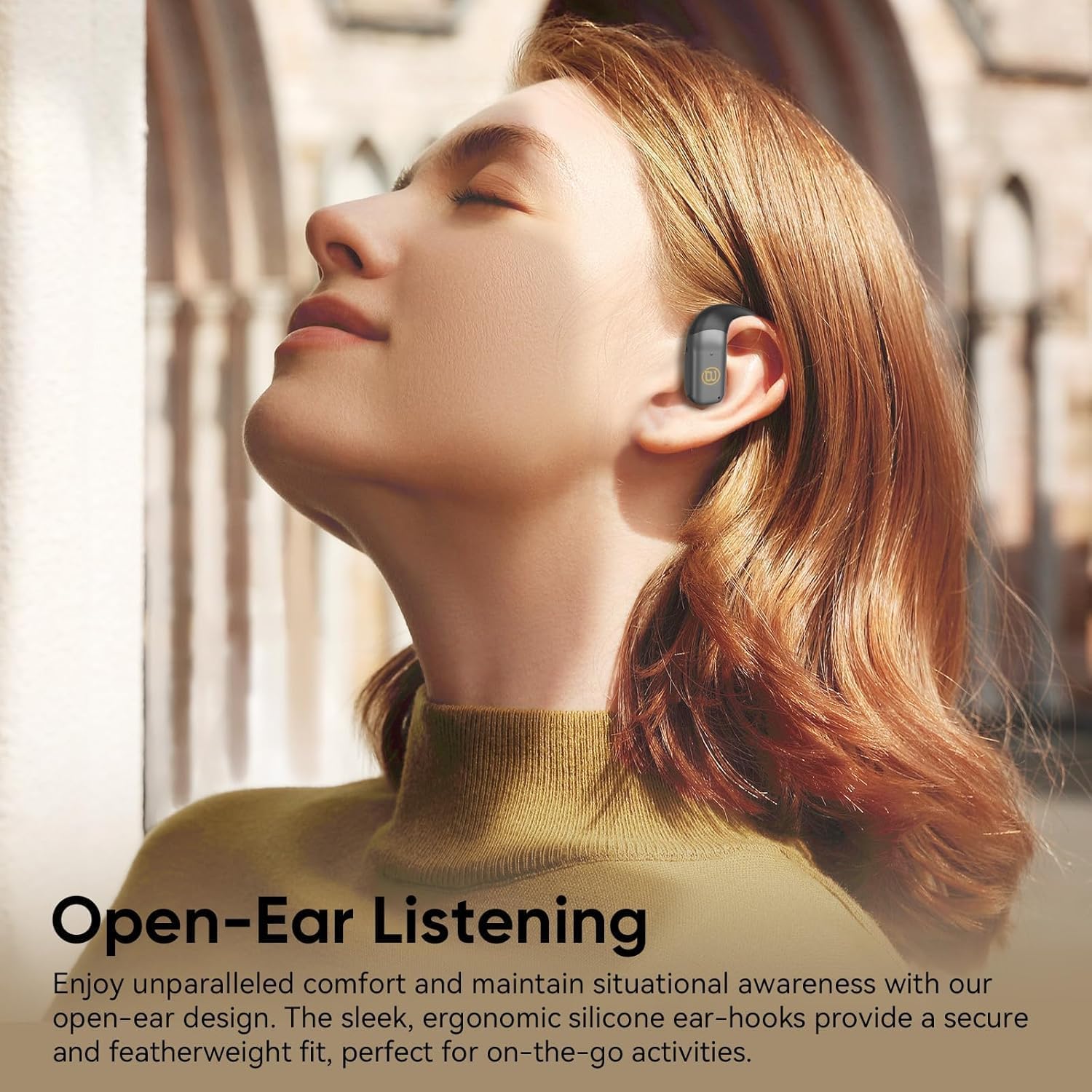
Figure 3.6: A user wearing the BUGANI OWSB10S headphones, highlighting the open-ear design for comfort and environmental awareness.
4. Настройка
4.1 Першапачатковая зарадка
Before first use, ensure the charging case is fully charged. Connect the provided USB-C cable to the charging port on the case and to a power source. The indicator light on the case will show charging status. Once fully charged, the case can provide multiple recharges for the earbuds.
4.2 Зняцце ахоўнай плёнкі
Upon unboxing, remove any protective plastic film covering the charging contacts on the earbuds. This film prevents charging and proper connection. Place the earbuds back into the charging case after removing the film.
4.3 Спалучэнне па Bluetooth
- Адкрыйце зарадны кейс. Навушнікі аўтаматычна пяройдуць у рэжым спалучэння.
- На вашай прыладзе (смартфоне, планшэце і г.д.) уключыце Bluetooth.
- Пошук available Bluetooth devices and select "BUGANI B10" from the list.
- Пасля падключэння вы пачуеце гукавое паведамленне, і навушнікі будуць гатовыя да выкарыстання.
Video 4.1: This video demonstrates the unboxing and initial setup process for the BUGANI OWSB10S headphones, including how to remove protective films and place them in the charging case.
5. Інструкцыя па эксплуатацыі
5.1 Нашэнне навушнікаў
Gently place the ear hooks over your ears, ensuring the earbud rests comfortably outside your ear canal. Adjust for a secure fit. The open-ear design allows for ambient sound awareness.
5.2 Сэнсарнае кіраванне
The BUGANI OWSB10S headphones feature touch controls for various functions:
- Прайграванне/Паўза: Адзін націск на любы навушнік.
- Наступны трэк: Двойчы націсніце на правы навушнік-ўкладыш.
- Папярэдні трэк: Двойчы націсніце на левы навушнік-ўкладыш.
- Адказ/завяршэнне выкліку: Адно націсканне на любы навушнік падчас уваходнага званка.
- Адхіліць выклік: Падчас уваходнага званка націсніце і ўтрымлівайце любы навушнік.
- Актываваць галасавы памочнік: Тройчы націсніце на любы навушнік.
5.3 AI Translation Feature
These headphones support AI translation capabilities when used with a compatible application on your smartphone. Once the app is set up and connected, you can utilize the earbuds for real-time translation. This feature allows you to hear translated speech and/or read translated text on your phone, facilitating communication across different languages.
6. Зарадка
The earbuds provide 8-10 hours of playtime on a single charge. The 500mAh charging case offers up to 6 full recharges for the earbuds, extending total usage time to approximately 60 hours.
6.1 Зарадка навушнікаў
Place the earbuds into the charging case. Ensure the charging contacts align. The earbuds will automatically begin charging. Indicator lights on the earbuds or case will confirm charging status.
6.2 Зарадка корпуса
Connect the USB-C charging cable to the charging port on the case and to a 5V/1A power adapter (not included). The indicator light on the case will illuminate to show charging progress. A full charge typically takes a few hours.
7. Тэхнічнае абслугоўванне
The BUGANI OWSB10S headphones are IPX5 waterproof, meaning they are resistant to sweat, light rain, and splashes. They are not designed for submersion in water.
- Уборка: Use a soft, dry cloth to wipe the earbuds and charging case. Do not use abrasive cleaners or solvents.
- захоўванне: Захоўвайце навушнікі ў зарадным чахле, калі яны не выкарыстоўваюцца, каб абараніць іх і падтрымліваць зарад. Пазбягайце экстрэмальных тэмператур.
- Ўздзеянне вады: If the earbuds get wet, wipe them dry thoroughly before placing them back in the charging case to prevent damage to the charging contacts.
8. Выпраўленне непаладак
| праблема | Магчымая прычына | Рашэнне |
|---|---|---|
| Навушнікі не спалучаюцца | Protective film still on contacts; Bluetooth not enabled; Earbuds not in pairing mode. | Remove protective film. Ensure Bluetooth is on. Place earbuds in case, close, then open to re-enter pairing mode. |
| Няма гуку | Занадта нізкі гук; няма падключэння; медыяплэер прыпынены. | Increase volume on device and earbuds. Reconnect Bluetooth. Check media playback status. |
| Чахол для зарадкі не зараджаецца | Cable not connected properly; Faulty cable/adapter. | Ensure cable is securely connected. Try a different USB-C cable or power adapter. |
| Навушнікі не зараджаюцца ў чахле | Protective film on contacts; Dirty contacts; Case battery low. | Remove protective film. Clean charging contacts on earbuds and case. Charge the charging case. |
9. Тэхнічныя характарыстыкі
| Асаблівасць | Дэталь |
|---|---|
| Назва мадэлі | OWSB10S |
| Тэхналогія падлучэння | Бесправадная сувязь (Bluetooth 5.4) |
| Форма навушніка | Адкрытае вуха |
| Узровень воданепранікальнасці | IPX5 (воданепранікальны) |
| Метад кантролю | Дакранацца |
| Тэрмін службы батарэі навушнікаў | 8-10 Hours (per charge) |
| Ёмістасць зараднага кейса | 500mAh (up to 6 full recharges) |
| Агульны час прайгравання з кейсам | Да 60 гадзін |
| Тып аўдыё драйвера | Дынамічны драйвер |
| Памеры прадукту | 1.9 х 4.5 х 4.5 цалі |
| Вага прадмета | 6.7 унцыі |
10. Гарантыя і падтрымка
BUGANI products are designed and manufactured to the highest quality standards. For warranty information, technical support, or customer service inquiries, please refer to the contact details provided on the product packaging or visit the official BUGANI webсайт. Калі ласка, захавайце пацвярджэнне пакупкі для любых гарантыйных прэтэнзій.