
Уводзіны
This manual provides essential information for setting up, operating, maintaining, and troubleshooting your HP OMEN 16L TG03 Gaming Desktop. This high-performance system is equipped with an Intel Core Ultra 7 265F processor, NVIDIA GeForce RTX 5060 graphics, 64GB DDR5 RAM, and a 2TB SSD, designed for demanding gaming and creative tasks. It also includes a Thunderobot KG3089R Gaming Keyboard.
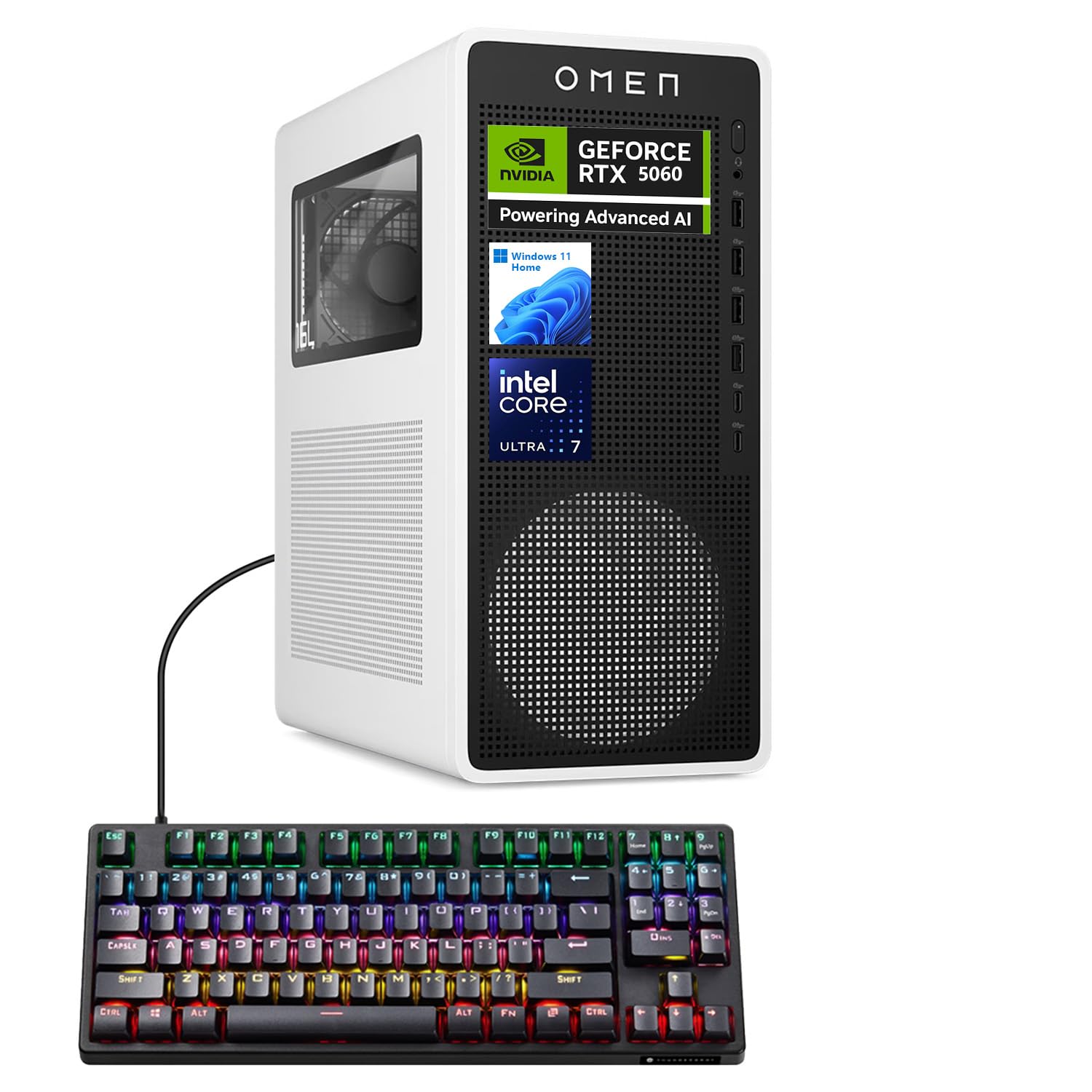
Figure 1: HP OMEN 16L TG03 Gaming Desktop with included Thunderobot Keyboard.
1. Кіраўніцтва па наладцы
1.1 Распакоўка і размяшчэнне
- Carefully remove all components from the packaging. Ensure all accessories, including the Thunderobot keyboard, are present.
- Place the desktop on a stable, flat surface with adequate ventilation. Avoid blocking air vents.
1.2 Падключэнне перыферыйных прылад
- Манітор: Connect your monitor to the graphics card's HDMI or DisplayPort outputs. The NVIDIA GeForce RTX 5060 supports multiple displays.
- Клавіятура і мыш: Connect the Thunderobot KG3089R Gaming Keyboard and your mouse to any available USB Type-A ports.
- Магутнасць: Connect the power cable to the desktop's power supply and then to a grounded electrical outlet.
- Сетка: For wired internet, connect an Ethernet cable to the RJ-45 port. For wireless, ensure Wi-Fi antennas are properly connected (if external).
- Аўдыё: Connect speakers or headphones to the audio ports.

Малюнак 2: Задняя частка view of the HP OMEN 16L TG03 Desktop showing various ports for connectivity.

Figure 3: HP OMEN 16L TG03 Desktop connected to a monitor, showcasing the OMEN Gaming Hub interface.
1.3 Першапачатковае ўключэнне
- Націсніце кнопку харчавання, размешчаную на пярэдняй панэлі працоўнага стала.
- Follow the on-screen instructions to complete the Windows 11 Home operating system setup. This typically involves setting up user accounts, network connections, and privacy settings.
2. Інструкцыя па эксплуатацыі
2.1 Асноўныя аперацыі
- Уключэнне/выключэнне харчавання: Press the power button to turn on. To shut down, use the Windows Start menu (Start > Power > Shut down).
- Перазапуск: Скарыстайцеся меню «Пуск» Windows (Пуск > Харчаванне > Перазагрузка).
- Рэжым сну: Use the Windows Start menu (Start > Power > Sleep).
2.2 Gaming and Performance Features
- Гульнявы цэнтр OMEN: This pre-installed software allows you to monitor system performance, customize RGB lighting, optimize game settings, and access OMEN AI features.
- NVIDIA GeForce RTX 5060: Leverage the dedicated graphics card for high-fidelity gaming and demanding creative applications. Ensure graphics drivers are up to date for optimal performance.
- AI-Ready Capabilities: The Intel Core Ultra 7 processor and NVIDIA RTX 5060 GPU provide advanced AI processing capabilities for enhanced gaming, content creation, and productivity.

Малюнак 4: Закончанаview of NVIDIA RTX 50 Series graphics card features, including DLSS 4 and AI-Powered Creativity.
2.3 Thunderobot KG3089R Keyboard Shortcuts
The included Thunderobot KG3089R Gaming Keyboard features several shortcut key combinations:
- FN+F9: Пераключэнне светлавых эфектаў.
- FN + Win: Заблакуйце клавішу Windows, каб прадухіліць выпадковае націсканне падчас гульні.
- Refer to the keyboard's dedicated manual for a complete list of functions.

Figure 5: Thunderobot KG3089R Gaming Keyboard highlighting FN key combinations for lighting and Windows key lock.
3. Тэхнічнае абслугоўванне
3.1 Ачыстка
- Знешні выгляд: Выкарыстоўвайце мяккі, damp тканінай для чысткі вонкавых паверхняў. Пазбягайце абразіўных ачышчальнікаў.
- вентылі: Regularly check and clean dust from the air vents using compressed air to ensure proper airflow and prevent overheating.
- Клавіятура: Use compressed air to remove debris from under the keycaps.
3.2 Абнаўленне праграмнага забеспячэння
- Абнаўленні Windows: Regularly check for and install Windows 11 updates to ensure system stability and security. (Settings > Windows Update).
- Абнаўленні драйвераў: Keep your graphics drivers (NVIDIA GeForce Experience) and other hardware drivers updated for optimal performance and compatibility.
- Гульнявы цэнтр OMEN: Ensure the OMEN Gaming Hub software is updated to access the latest features and optimizations.
3.3 Рэзервовае капіраванне сістэмы
- Рэгулярна рабіце рэзервовыя копіі важных дадзеных на знешні дыск або ў воблачнае сховішча, каб прадухіліць іх страту.
- Consider creating a system restore point before major software changes.
4. Выпраўленне непаладак
4.1 Агульныя праблемы і рашэнні
- Няма харчавання:
- Пераканайцеся, што кабель харчавання надзейна падключаны як да працоўнага стала, так і да электрычнай разеткі.
- Пераканайцеся, што разетка працуе.
- Няма дысплея:
- Check that the monitor is powered on and the video cable is securely connected to the graphics card output, not the motherboard's integrated graphics port.
- Паспрабуйце іншы відэакабель або манітор, калі такі маецца.
- Запаволенне сістэмы:
- Зачыніце непатрэбныя праграмы, якія працуюць у фонавым рэжыме.
- Праверце на наяўнасць шкоднасных праграм або вірусаў.
- Пераканайцеся, што на SSD-назапашвальніку ёмістасцю 2 ТБ дастаткова вольнага месца.
- Verify system temperatures using OMEN Gaming Hub to rule out overheating.
- Клавіятура не адказвае:
- Ensure the keyboard cable is securely connected to a USB port.
- Паспрабуйце падключыць клавіятуру да іншага порта USB.
- If the Windows key is locked (FN + Win), unlock it.
4.2 Зварот у службу падтрымкі
If you encounter issues that cannot be resolved with the above steps, please refer to the official HP support website or contact their customer service for assistance. Have your product model (OMEN 16L TG03) and serial number ready.
5. Тэхнічныя характарыстыкі
| Асаблівасць | Дэталь |
|---|---|
| Марка | HP |
| Назва мадэлі | OMEN 16L TG03 (HSC-F007MT) |
| Аперацыйная сістэма | Windows 11 хатняя |
| Працэсар | Intel Core Ultra 7 265F (20 ядраў, да 5.30 ГГц) |
| Графічная карта | NVIDIA GeForce RTX 5060 (8 ГБ GDDR7) |
| АЗП | 64 ГБ DDR5 (4800 МГц) |
| Захоўванне | 2 ТБ PCIe NVMe M.2 Цвёрдацельны назапашвальнік |
| Пярэднія парты | Headphone/MIC combo jack, 4x SuperSpeed USB Type-A (5Gbps), 2x USB Type-C (10Gbps) |
| Заднія парты | 3x Headphone/MIC combo jack, HDMI Out, 4x USB 2.0 Type-A, RJ-45, 3x DisplayPort |
| Бесправоднае падключэнне | Wi-Fi 6, Bluetooth |
| Памеры (В х Ш х Г) | 13.26 х 6.1 х 12.12 цалі |
| Вага | 13.91 фунта |
| Аксэсуар у камплекце | Гульнявая клавіятура Thunderobot KG3089R |
6. Інфармацыя аб гарантыі
Your HP OMEN 16L TG03 Gaming Desktop is covered by a manufacturer's warranty. The specific terms and duration of the warranty may vary by region and purchase date. Please refer to the warranty documentation included with your product or visit the official HP support webпадрабязную інфармацыю глядзіце на сайце. Захоўвайце пацвярджэнне пакупкі для прэтэнзій па гарантыі.
7. Падтрымка кліентаў
Каб атрымаць дадатковую дапамогу, тэхнічную падтрымку або спампаваць найноўшыя драйверы і праграмнае забеспячэнне, наведайце афіцыйны сайт падтрымкі HP. webсайт: support.hp.com. You may also find helpful resources and community forums on the OMEN Gaming Hub application.