
1. Уводзіны
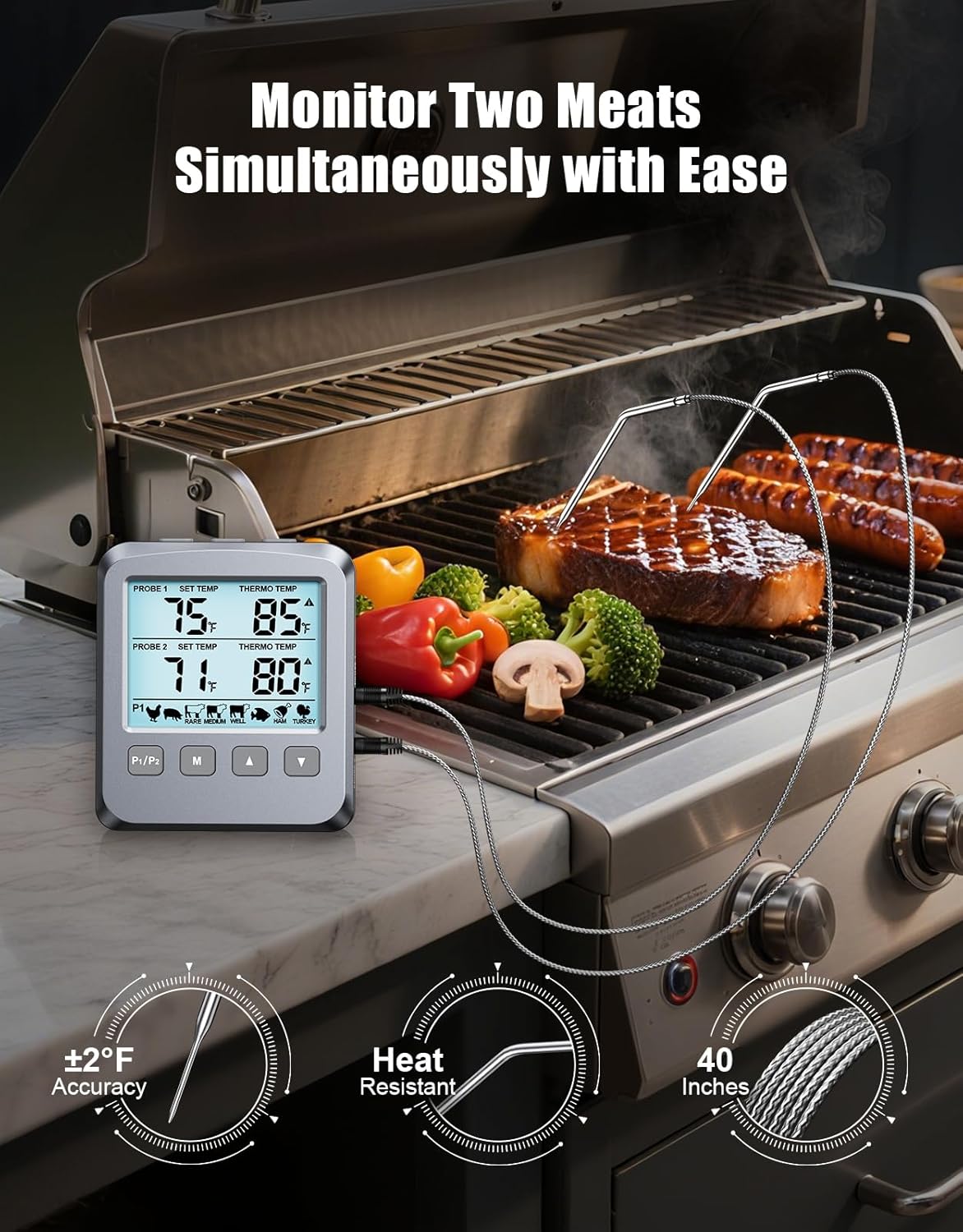
The CIRYCASE Double Probe Digital Meat Thermometer FM145 is designed for precise temperature monitoring during cooking. It features two high-precision probes, an LCD screen with backlight, 8 preset temperatures, and an alarm function to ensure your food is cooked to perfection. This thermometer is suitable for use in ovens, grills, BBQs, and smokers, making it a versatile tool for various cooking applications.
The device provides accurate readings within ±1℃/±2℉ across a temperature range of -10°C to 300°C (14°F to 572°F).
2. Змесціва ўпакоўкі
Please check the box contents upon unpacking:
- 1 x Digital Meat Thermometer Unit
- 2 x Wire Probes (102 cm long)
- 1 х ААА батарэі
- 1 х Кіраўніцтва карыстальніка
3. Прадукт скончыўсяview
The CIRYCASE FM145 thermometer is designed for ease of use and accuracy. Key features include:
- Dual Probe Monitoring: Allows simultaneous monitoring of two different food items or different parts of a large cut of meat.
- Высокая дакладнасць: Provides temperature readings with ±1℃/±2℉ accuracy.
- Шырокі дыяпазон тэмператур: Measures from -10°C to 300°C (14°F to 572°F).
- 8 Preset Temperatures: Includes pre-programmed settings for various meat types (Poultry, Pork/Veal, Beef Med Rare, Fish, Beef Med, Ham, Beef Well, Turkey).
- Adjustable Alarms: Notifies you with an audible beep, flashing backlight, and display when the target temperature is reached.
- Вялікі ВК-экран з падсветкай: Ensures clear temperature readings in all lighting conditions.
- Зручны інтэрфейс: Dedicated buttons for single functions simplify operation.
- Універсальнае размяшчэнне: Features a built-in magnet, stand, and hanging holes for convenient positioning.

4. Настройка
4.1. Устаноўка батарэі
- Знайдзіце батарэйны адсек на задняй панэлі тэрмометра.
- Адкрыйце крышку батарэйнага адсека.
- Insert the included 1 x AAA battery, ensuring correct polarity (+/-).
- Надзейна зачыніце крышку батарэйнага адсека.
4.2. Connecting Probes
- Identify the probe ports labeled "PROBE 1" and "PROBE 2" on the side of the thermometer unit.
- Insert the stainless steel wire probes into the respective ports. Ensure they are fully seated.
5. Інструкцыя па эксплуатацыі
5.1. Уключэнне/выключэнне харчавання
The thermometer will automatically power on once the battery is installed. To turn off the device, press and hold the power button (if available) or it may enter a low-power state after a period of inactivity.
5.2. Выбар адзінак вымярэння тэмпературы (°C/°F)
Press the “°C/°F” button to switch between Celsius and Fahrenheit temperature displays.
5.3. Setting Preset Temperatures
The thermometer comes with 8 pre-programmed temperature settings for common meat types. To use a preset temperature:
- Націсніце «М» кнопку для адлюстравання меню.
- Выкарыстоўвайце "Уверх" or «УНІЗ» buttons to select the desired food type (e.g., Poultry, Beef Med Rare).
- Націсніце «М» button again to confirm your selection, or wait 10 seconds for automatic confirmation.

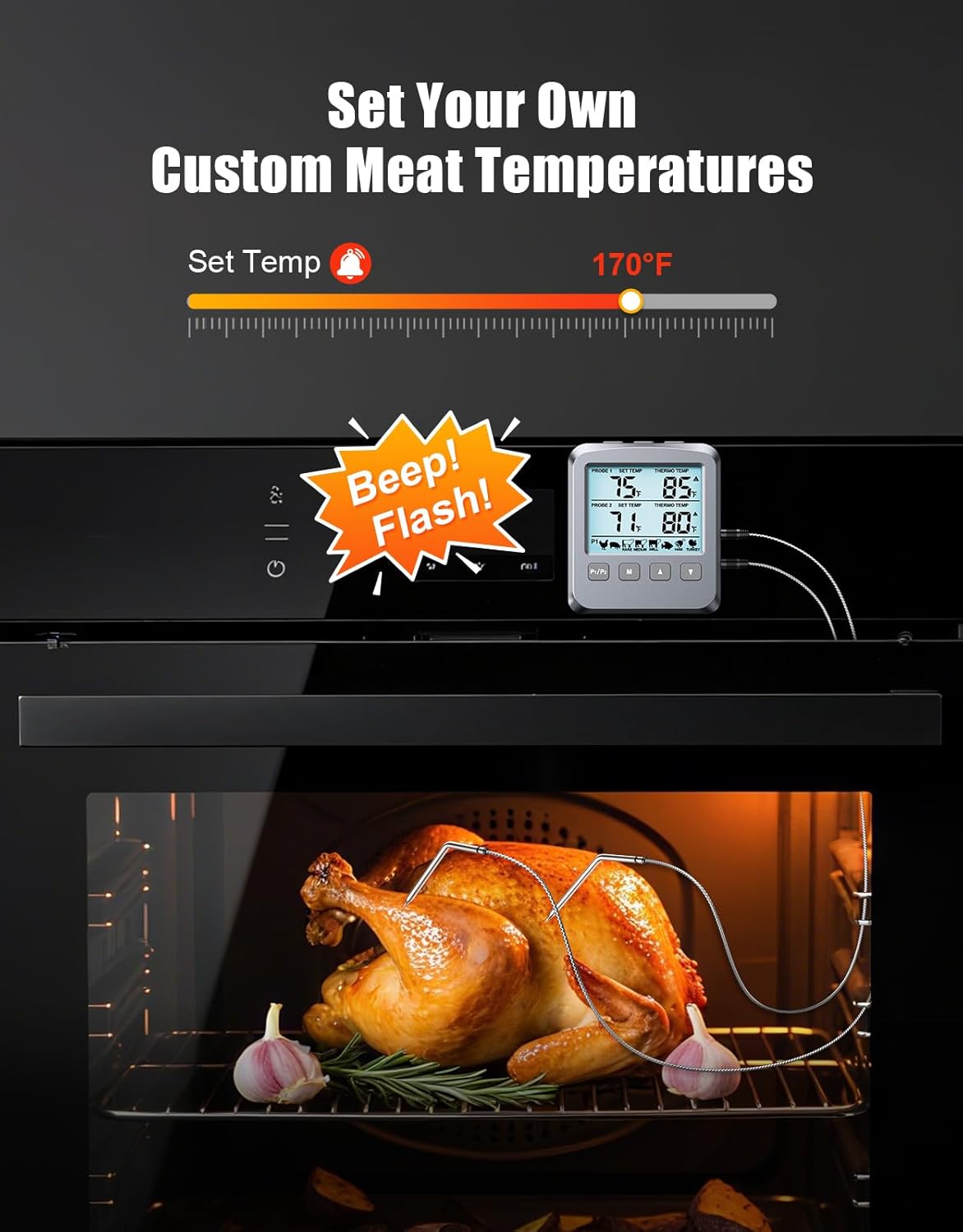
5.4. Custom Temperature Setting
If you require a temperature not listed in the presets, you can manually adjust the target temperature using the “UP” and “DOWN” buttons after selecting a probe (P1/P2) and entering the temperature setting mode (refer to the full manual for specific button sequences if not covered by 'M' button).
5.5. Функцыя сігналізацыі
Once the set target temperature is reached, the thermometer will activate a triple alarm message: an audible beep, a flashing backlight, and a visual alert on the display. This indicates that your food has reached the desired doneness.
5.6. Падсвятленне
The large LCD screen features a bright backlight for clear readings, especially in low-light conditions. The backlight may activate automatically with button presses or have a dedicated button.
5.7. Probe Placement and Usage
Insert the tip of the stainless steel probe into the thickest part of the meat, avoiding bones. Ensure the probe cable is not directly exposed to flames or extreme heat that could damage the wiring. The thermometer unit can be placed on a countertop using its stand, attached to a metal surface with its magnet, or hung using the hanging hole.

6. Тэхнічнае абслугоўванне
6.1. Уборка
- Зонды: After each use, clean the stainless steel probes with warm soapy water. Rinse thoroughly and dry completely before storage. Do not immerse the probe connectors or the main unit in water.
- Асноўны блок: Wipe the thermometer unit with a damp тканінай. Не выкарыстоўвайце абразіўныя ачышчальныя сродкі і не апускайце прыладу ў ваду.
6.2. Захоўванне
Store the thermometer and probes in a clean, dry place at room temperature. If storing for an extended period, it is recommended to remove the AAA battery to prevent leakage.
7. Выпраўленне непаладак
If you encounter issues with your CIRYCASE thermometer, please refer to the following common solutions:
| праблема | Магчымая прычына | Рашэнне |
|---|---|---|
| No display / Unit won't turn on | Разраджаны або няправільна ўсталяваны акумулятар | Check battery polarity; replace with a new AAA battery. |
| Няправільныя паказчыкі тэмпературы | Probe not fully inserted; probe damaged; probe tip touching bone/fat | Ensure probe is fully inserted into the port and meat; reposition probe away from bones; if damaged, replace probe. |
| Probe not working | Probe cable damaged; probe not connected properly | Inspect probe cable for damage; ensure probe is securely plugged into the unit. |
| Будзільнік не гучыць | Volume too low (if adjustable); target temperature not reached | Ensure target temperature is set correctly and has been reached. |
8. Тэхнічныя характарыстыкі
| Асаблівасць | Дэталь |
|---|---|
| Марка | ЦЫРЫКА |
| мадэль | FM145 |
| Дыяпазон тэмператур | -10°C да 300°C (ад 14°F да 572°F) |
| Дакладнасць | ±1℃ / ±2℉ |
| Даўжыня зонда | 102 cm (wired) |
| Тып дысплея | ВК-экран з падсветкай |
| Крыніца харчавання | 1 х ААА батарэя (у камплекце) |
| Асаблівасці | Large Display, 8 Preset Temperatures, Alarm Function, Dual Probes |
| Тэхналогія падлучэння | Правадная |
| Матэрыял | Plastic (outer material) |
9. Гарантыя і падтрымка
For warranty information or technical support, please refer to the contact details provided on the product packaging or contact CIRYCASE customer service directly. Keep your purchase receipt for warranty claims.