
1. Уводзіны
Welcome to the user manual for your new TABWEE T60 12.2-inch Android 16 Tablet. This guide provides essential information to help you set up, operate, maintain, and troubleshoot your device. The TABWEE T60 is designed for high-resolution viewing, efficient multitasking, and extended use, featuring a 2.5K UHD display, an Octa-Core processor, 48GB RAM, 256GB internal storage expandable up to 2TB, and a 10000mAh battery. It runs on Android 16 with integrated Gemini AI for enhanced performance and user experience.
Please read this manual thoroughly to ensure proper use and to maximize the potential of your tablet.
2. Што ў скрынцы
Upon opening your TABWEE T60 package, verify that all the following items are included:
- 1x TABWEE T60 12.2-inch Android 16 Tablet
- 1x Detachable Keyboard
- 1x мыш
- 1x стылус
- 1x ахоўны чахол
- 1x Charger & Cable (USB-C)
- 1x Кіраўніцтва карыстальніка (гэты дакумент)

Image: Contents of the TABWEE T60 package, showing the tablet, detachable keyboard, mouse, stylus pen, protective case, charger, and USB-C cable.
3. Настройка
3.1 Зарадка планшэта
Before first use, fully charge your tablet. Connect the provided USB-C cable to the tablet's charging port and the other end to the included 18W power adapter. Plug the adapter into a wall outlet. The battery indicator on the screen will show charging status.
3.2 Уключэнне/выключэнне
- Каб уключыць: Press and hold the Power button located on the side of the tablet until the TABWEE logo appears on the screen.
- Каб выключыць: Націсніце і ўтрымлівайце кнопку харчавання, пакуль не з'явіцца меню параметраў харчавання. Выберыце «Выключыць харчаванне» і пацвердзіце.
- Каб перазапусціць: У меню параметраў харчавання абярыце «Перазагрузка» і пацвердзіце.
3.3 Пачатковая налада
The first time you power on your tablet, you will be guided through an initial setup process:
- Выбар мовы: Выберыце пераважную мову.
- Падключэнне Wi-Fi: Connect to a Wi-Fi network to enable internet access. This is necessary for software updates and Google account setup.
- Уліковы запіс Google: Sign in with your existing Google account or create a new one. This allows access to the Google Play Store, Gmail, and other Google services.
- Дата і час: Усталюйце правільную дату і час або дазвольце сетцы ўсталяваць іх аўтаматычна.
- Бяспека: Set up a screen lock method (PIN, pattern, password, or face unlock).
3.4 Падключэнне аксесуараў
The TABWEE T60 comes with a detachable keyboard, mouse, and stylus for enhanced productivity.
- Здымная клавіятура: Align the magnetic connectors on the keyboard with the corresponding ports on the tablet. The keyboard will snap into place and connect automatically via Bluetooth.
- Bluetooth Mouse/Stylus: To connect the mouse or stylus, ensure they are powered on and in pairing mode. On your tablet, go to Налады > Падлучаныя прылады > Bluetooth, then select the device from the list of available devices to pair.
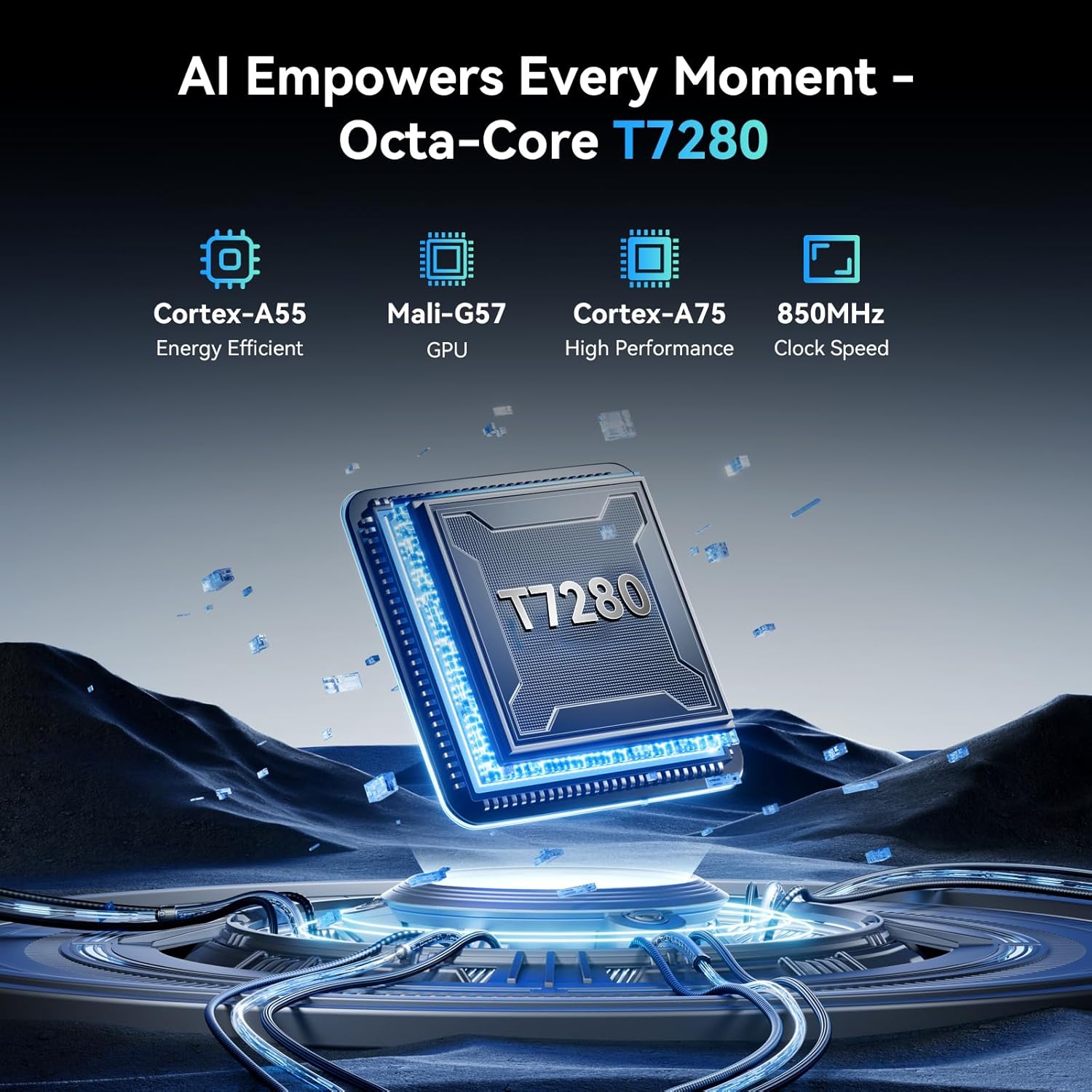
Image: The TABWEE T60 tablet shown with its detachable keyboard, wireless mouse, and stylus pen, illustrating its mobile office capabilities.
4. Кіраванне планшэтам
4.1 Дысплей
The TABWEE T60 features a 12.2-inch CSOT 2.5K UHD display (2400 x 1600 pixels) with a 90Hz refresh rate for smooth visuals. It supports 99% sRGB color gamut and includes anti-glare technology for comfortable viewing in various lighting conditions. Widevine L1 certification ensures high-quality streaming from supported services.

Image: A visual comparison demonstrating the larger 12.2-inch 2.5K FHD display with 90Hz refresh rate, emphasizing its clarity and smoothness.
4.2 Прадукцыйнасць і захоўванне
Powered by an Octa-Core Unisoc T7280/UMS9230S processor clocked at 2.2 GHz, the T60 delivers efficient performance. It is equipped with 48GB RAM (12GB physical + 36GB virtual expansion) for seamless multitasking and 256GB of internal storage. The storage can be expanded up to 2TB using a TF (microSD) card, providing ample space for applications, media, and documents.

Image: An infographic detailing the tablet's memory specifications: 48GB RAM (12GB physical + 36GB expansion), 256GB ROM, and support for up to 2TB TF card storage.
4.3 Тэрмін службы батарэі
The TABWEE T60 is equipped with a large 10000mAh battery, providing extended usage times. Expect approximately 20 hours of music playback, 17 hours of video playback, or 12 hours of gaming on a single charge. The tablet supports 18W fast charging via its USB-C port.

Image: A visual representation of the tablet's 10000mAh battery, highlighting its long-lasting power for various activities like navigation, entertainment, and work/study.
4.4 Камеры
The tablet features a 16MP rear camera with autofocus and an 8MP front camera. These cameras are suitable for video calls, document scanning, and capturing everyday moments. Integrated AI features enhance image quality and offer modes like 'Beauty Mode' and 'Night Shot'.

Image: A depiction of the tablet's 16MP rear and 8MP front cameras, showcasing their capabilities for various photography scenarios.
4.5 Падключэнне
The TABWEE T60 supports 5G Wi-Fi (802.11ac) for fast internet speeds and Bluetooth 5.0 for connecting wireless peripherals. It also includes a 4-in-1 GPS system (GPS, GLONASS, Galileo, Beidou) for accurate navigation.

Image: A visual representation of the tablet's 5G WiFi and Bluetooth 5.0 capabilities, showing connections to various devices.

Image: The tablet displaying a navigation map in a car, emphasizing its integrated 4-in-1 GPS system for precise positioning.
4.6 Software (Android 16 & Gemini AI)
The TABWEE T60 runs on the latest Android 16 operating system, offering enhanced security, privacy features, and a smoother user experience. It integrates Gemini AI, which acts as an intelligent assistant for tasks such as summarizing articles, translating text, and optimizing workflow efficiency.

Выява: Оверview of the Android 16 operating system, highlighting its key features such as enhanced security, smart core, and dynamic themes.

Image: A detailed graphic explaining the various functions of Gemini AI, including intelligent planning, personal assistance, and data analysis.
5. Тэхнічнае абслугоўванне
5.1 Агульны догляд
- Пазбягайце ўздзеяння на планшэт экстрэмальных тэмператур, прамых сонечных прамянёў або высокай вільготнасці.
- Do not drop or subject the tablet to strong impacts.
- Keep the tablet away from liquids and dust.
- Use the provided protective case to safeguard your device from scratches and minor bumps.
5.2 Ачыстка
- Выкарыстоўвайце мяккую тканіну без ворса для чысткі экрана і корпуса планшэта.
- Для ўстойлівых плям злёгкуampen the cloth with water or a screen-cleaning solution. Do not spray liquids directly onto the tablet.
- Пазбягайце выкарыстання агрэсіўных хімікатаў, абразіўных ачышчальнікаў або растваральнікаў.
5.3 Абнаўленне праграмнага забеспячэння
Regularly check for and install software updates to ensure your tablet has the latest features, security patches, and performance improvements. You can check for updates by going to Налады > Сістэма > Абнаўленне сістэмы.
6. Выпраўленне непаладак
If you encounter issues with your TABWEE T60, refer to the following common troubleshooting steps:
6.1 Планшэт не ўключаецца
- Ensure the tablet is sufficiently charged. Connect it to the charger and wait for at least 15 minutes before attempting to power it on again.
- Націсніце і ўтрымлівайце кнопку харчавання на працягу 10-15 секунд, каб выканаць прымусовы перазапуск.
6.2 Праблемы з падключэннем да Wi-Fi
- Перазагрузіце Wi-Fi-роўтар і планшэт.
- Перайсці да Налады > Сетка і інтэрнэт > Wi-Fi, forget the network, and then reconnect.
- Пераканайцеся, што вы знаходзіцеся ў зоне дзеяння сігналу Wi-Fi.
6.3 Павольная праца
- Зачыніце непатрэбныя фонавыя праграмы.
- Clear cache data for frequently used apps (Налады > Праграмы > [Назва праграмы] > Памяць і кэш > Ачысціць кэш).
- Ensure you have sufficient free storage space. Delete unused apps or large files.
- Перыядычна перазагружайце планшэт.
6.4 Экран не рэагуе
- Perform a forced restart (press and hold the Power button for 10-15 seconds).
- Пераканайцеся, што экран чысты і без вільгаці або смецця.
6.5 Аксесуары не падключаюцца
- For the detachable keyboard, ensure it is correctly aligned and firmly connected to the tablet's magnetic ports.
- For Bluetooth devices (mouse, stylus), ensure they are charged, powered on, and in pairing mode. Re-pair them via Налады > Падлучаныя прылады > Bluetooth.
7. Тэхнічныя характарыстыкі
Below are the key technical specifications for the TABWEE T60 tablet:
| Асаблівасць | Спецыфікацыя |
|---|---|
| Марка | TABWEE |
| Назва мадэлі | Т60 |
| Аперацыйная сістэма | Android 16 |
| Памер экрана | 12.2 цалі |
| Дазвол экрана | 2400 x 1600 пікселяў (2.5K UHD) |
| Працэсар | Unisoc T7280/UMS9230S Octa-Core (2.2 GHz) |
| АЗП | 48 ГБ (12 ГБ фізічнай + 36 ГБ віртуальнай) |
| Унутраная памяць | 256 ГБ |
| Сховішча з магчымасцю пашырэння | Да 2 ТБ праз TF-карту |
| Графічны супрацэсар | Integrated Ai Graphics Mali-G57 |
| Тыл WebДазвол камеры | 16 МП |
| Фронт WebДазвол камеры | 8 МП |
| Бесправадны тып | 802.11ac (5G WiFi), 802.11b, 802.11g, 802.11n |
| Bluetooth | Bluetooth 5.0 |
| Ёмістасць батарэі | 10000 мАг |
| Сярэдні тэрмін службы батарэі | 10000 Hours (standby, actual usage varies) |
| Порт для зарадкі | USB-C (хуткая зарадка 18 Вт) |
| GPS | 4-in-1 System (GPS, GLONASS, Galileo, Beidou) |
| Вага прадмета | 1.41 фунта |
| Памеры прадукту | 25 х 20 х 5 цалі |
| Колер | Касмічны шэры |
8. Гарантыя і падтрымка
The TABWEE T60 tablet comes with an industry-leading Гарантыя 4 год, demonstrating our commitment to quality and customer satisfaction. This warranty covers manufacturing defects and ensures long-term support for your device.
8.1 Гарантыйныя прэтэнзіі
For warranty claims or technical assistance, please contact TABWEE Customer Support. You will need your proof of purchase and the tablet's serial number (usually found on the back of the device or in Settings > About tablet).
8.2 Падтрымка кліентаў
Our dedicated customer support team is available 24/7 to assist you with any questions or issues you may have. Please refer to the contact information provided on the TABWEE official webсайт або дакументацыю па куплі, каб атрымаць найбольш актуальную інфармацыю аб каналах падтрымкі.