
1. Уводзіны
This manual provides detailed instructions for the installation, operation, and maintenance of your ORICO External USB 3.0 to SATA Hard Drive Lay-Flat Docking Station. Please read this manual thoroughly before using the product to ensure proper functionality and to prevent damage.
Змест пакета
Праверце, ці ёсць у вашай упакоўцы ўсе пералічаныя ніжэй прадметы:
- Flat-Down External Hard Drive Enclosure
- 12В адаптар сілкавання
- Пераўтваральнік адаптара
- 1M USB 3.0 Data Cable
- Кіраўніцтва карыстальніка (гэты дакумент)

2. Інфармацыя па бяспецы
To ensure safe operation and prevent damage to the device or data loss, please observe the following safety guidelines:
- Не падвяргайце прыладу ўздзеянню вільгаці, экстрэмальных тэмператур або прамых сонечных прамянёў.
- Use only the provided power adapter. Using an incompatible power adapter may damage the device.
- Не кідайце прыладу і не падвяргайце яе моцным ударам.
- Не спрабуйце разбіраць або мадыфікаваць прыладу. Гэта прывядзе да анулявання гарантыі.
- Ensure proper ventilation around the docking station during operation to prevent overheating.
- Always safely eject the hard drive from your operating system before physically removing it from the docking station to prevent data corruption.
3. Прадукт скончыўсяview
The ORICO External USB 3.0 to SATA Hard Drive Lay-Flat Docking Station provides a convenient solution for accessing 2.5-inch and 3.5-inch SATA HDDs and SSDs. It features high-speed data transfer and a tool-free design.
Асноўныя характарыстыкі
- USB 3.0 with UASP Support: Achieves data transfer speeds up to 5Gbps, significantly faster than standard USB 3.0. Backward compatible with USB 2.0/1.1.
- Падтрымка вялікай ёмістасці: Supports single drives up to 24TB (2.5-inch and 3.5-inch SATA I/II/III HDDs and SSDs).
- Эфектыўнае рассейванне цяпла: Lay-flat design maximizes surface area for natural convection cooling, preventing overheating during prolonged use.
- Ўстаноўка без інструментаў: Simple plug-and-play operation with no screws or drivers required. Supports hot-swapping.
- Wide Operating System Compatibility: Compatible with Windows XP/7/8/10/11, Linux, and Mac OS 9.1+.
Ідэнтыфікацыя кампанентаў
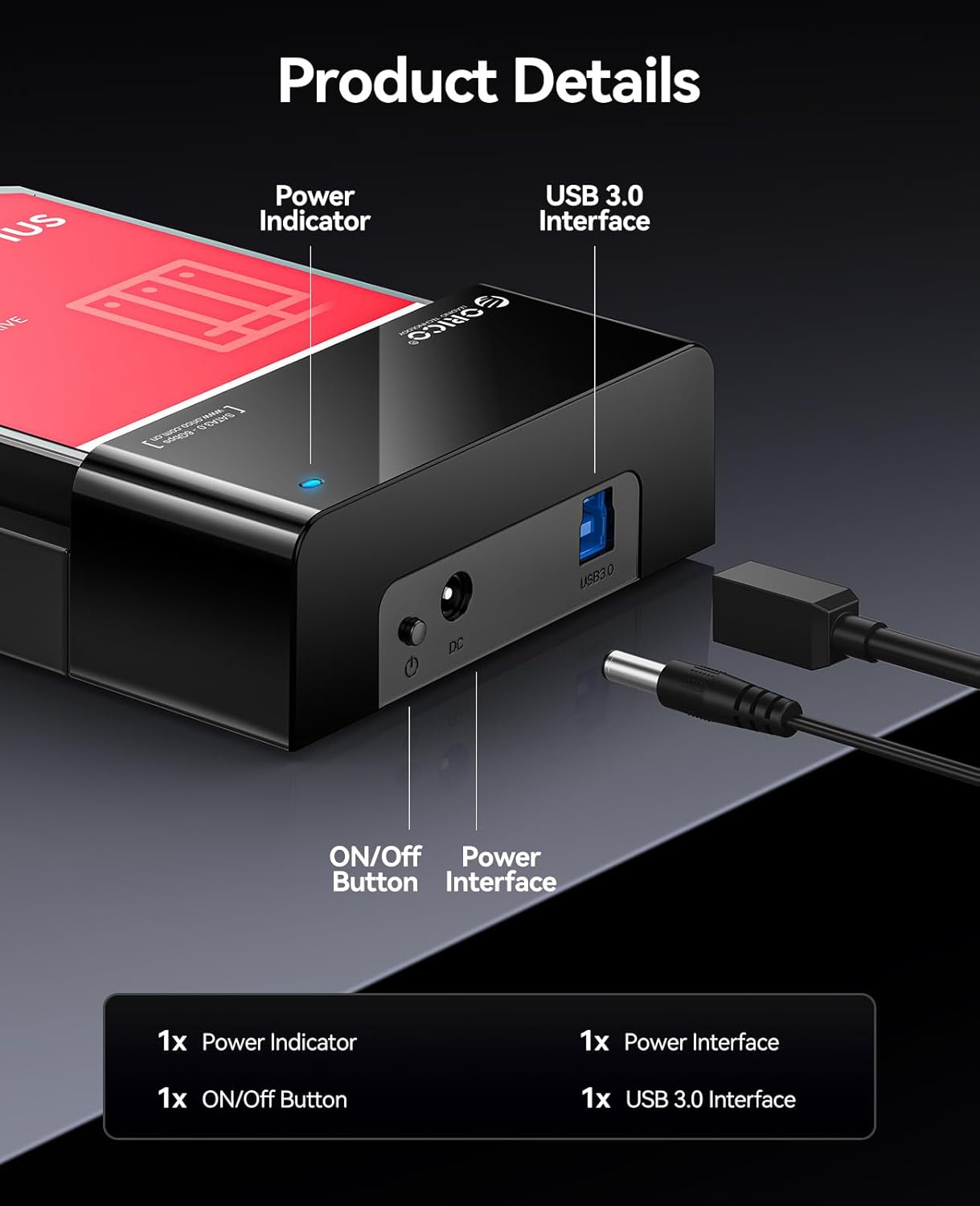
- Індыкатар харчавання: Загараецца, калі прылада ўключана.
- Кнопка ON/OFF: Controls the power supply to the docking station.
- Power Interface (DC 12V): Connects to the provided 12V power adapter.
- Інтэрфейс USB 3.0: Connects to your computer via the USB 3.0 data cable.
4. Настройка
Follow these steps to set up your ORICO Hard Drive Docking Station:
- Insert the Hard Drive: Gently slide your 2.5-inch or 3.5-inch SATA HDD/SSD into the docking station's slot until it is firmly seated. The lay-flat design allows for easy insertion.

Image: A 3.5-inch HDD being inserted into the lay-flat docking station, illustrating the tool-free installation and open design for heat dissipation. - Падключыце харчаванне: Connect the provided 12V Power Adapter to the Power Interface (DC 12V) on the docking station, then plug the adapter into a power outlet.
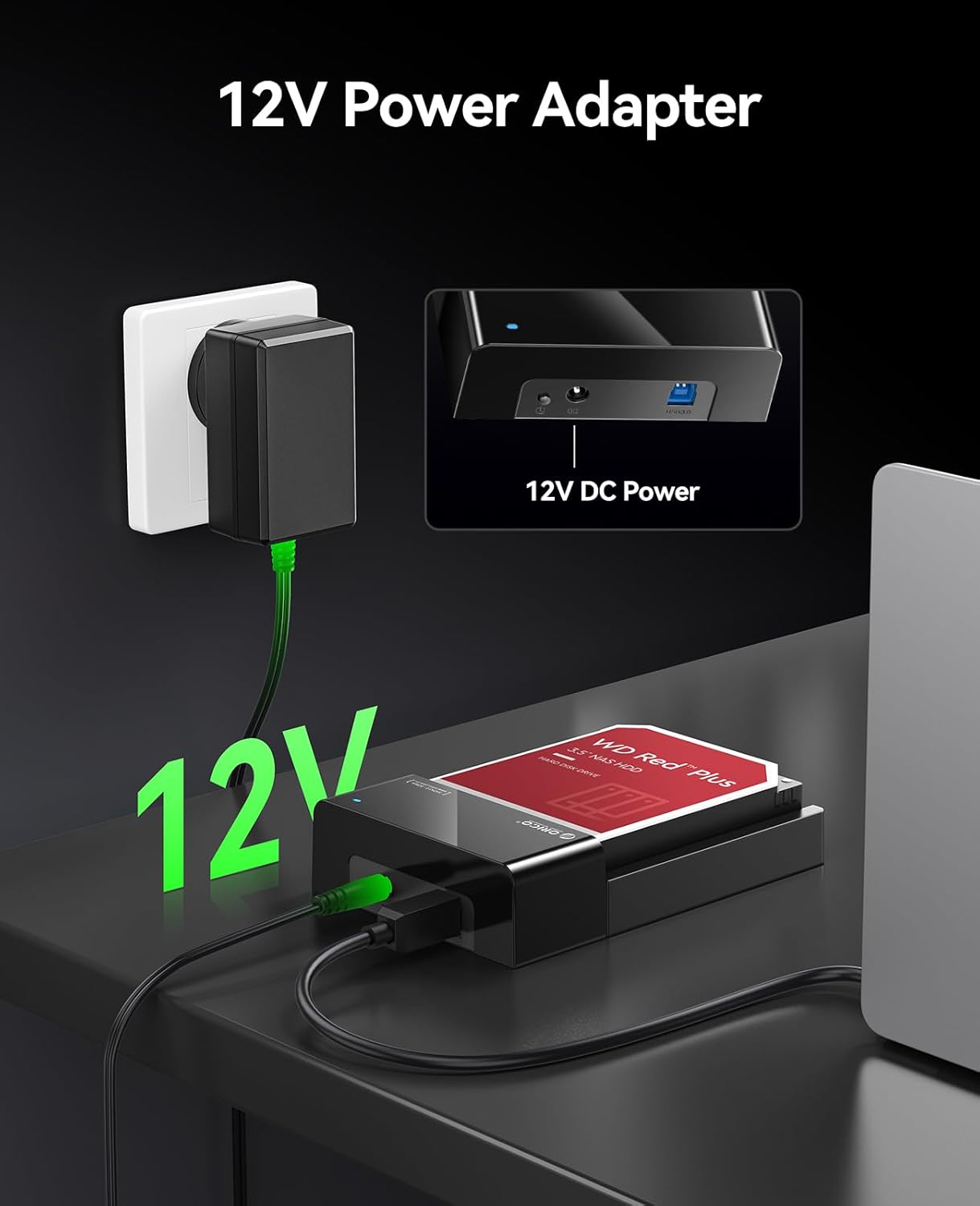
Image: The 12V power adapter connected to the docking station and plugged into a wall outlet. - Падключыцеся да кампутара: Use the 1M USB 3.0 Data Cable to connect the USB 3.0 Interface on the docking station to an available USB port on your computer.
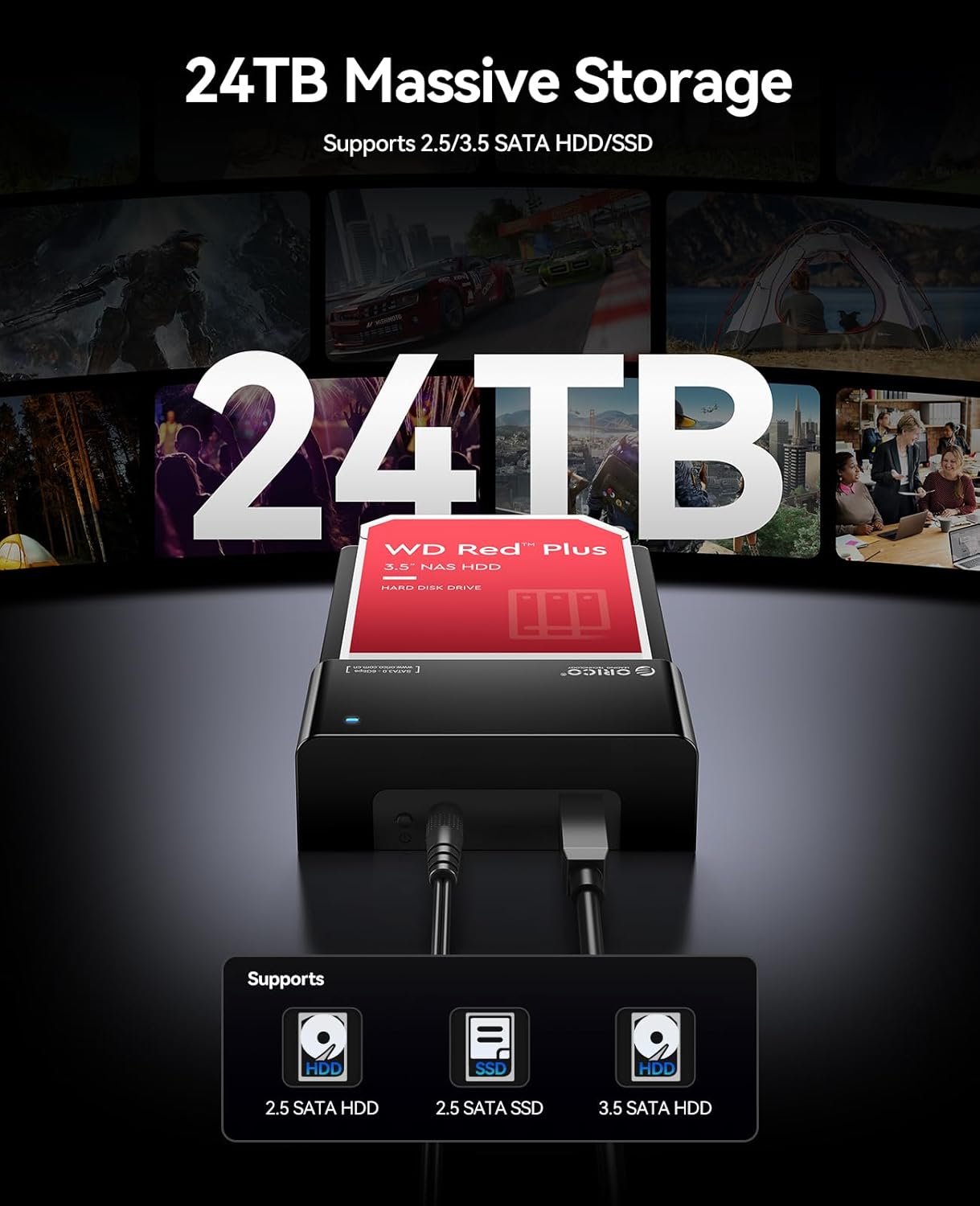
Image: The ORICO docking station connected to a laptop via a blue USB 3.0 cable, demonstrating high-speed data transfer. - Уключэнне: Press the ON/OFF button on the docking station. The Power Indicator light will illuminate.
Your operating system should automatically detect the new hardware. No additional drivers are typically required for Windows, Linux, or Mac OS.
5. Інструкцыя па эксплуатацыі
Доступ да даных
Once connected and powered on, the hard drive in the docking station will appear as an external drive on your computer. You can access, transfer, and manage files as you would with any other external storage device.

Hot-Swapping Drives
The docking station supports hot-swapping. To safely remove a drive and insert another:
- Safely eject the hard drive from your operating system (e.g., "Safely Remove Hardware" on Windows, "Eject" on Mac).
- Once the operating system confirms it's safe, gently pull the hard drive out of the docking station.
- Insert the new hard drive into the slot until it clicks into place. The operating system will detect the new drive.
Дэманстрацыя відэа
Watch this video for a visual guide on setting up and using the ORICO Hard Drive Docking Station.
6. Тэхнічнае абслугоўванне
Proper maintenance ensures the longevity and optimal performance of your docking station.
- Уборка: Use a soft, dry cloth to wipe the exterior of the docking station. Do not use liquid cleaners or solvents.
- захоўванне: When not in use, store the docking station in a cool, dry place away from dust and direct sunlight.
- Вентыляцыя: Ensure the docking station's ventilation areas are not obstructed during operation to maintain efficient heat dissipation.
7. Выпраўленне непаладак
Калі ў вас узніклі праблемы з док-станцыяй, звярніцеся да наступных распаўсюджаных рашэнняў:
| праблема | Магчымая прычына | Рашэнне |
|---|---|---|
| Прылада не распазнаецца камп'ютарам |
|
|
| Павольная хуткасць перадачы дадзеных |
|
|
| Hard drive overheating |
|
|
If the problem persists, please contact ORICO customer support for further assistance.
8. Тэхнічныя характарыстыкі
| Асаблівасць | Дэталь |
|---|---|
| Марка | ORICO |
| мадэль | B0FHVWFPD2 |
| Абсталяванне інтэрфейсу | USB 3.0 тыпу А |
| Сумяшчальныя тыпы дыскаў | 2.5-inch / 3.5-inch SATA I/II/III HDD & SSD |
| Макс. Ёмістасць | Up to 24 TB (single drive) |
| Хуткасць перадачы даных | 5 гігабіт у секунду (USB 3.0) |
| Апаратная платформа | Windows, Mac OS, Linux |
| Памеры прадукту (Д х Ш х У) | 7 цалі х 1.5 цалі х 4.8 цалі (17.78 см х 3.81 см х 12.19 см) |
| Матэрыял корпуса | Метал, пластык |
| Электразабеспячэнне | 12В адаптар сілкавання |
9. Гарантыя і падтрымка
Гарантыя: This product comes with a 2-Year Warranty from the date of purchase. Please retain your proof of purchase for warranty claims. The warranty covers manufacturing defects and malfunctions under normal use. It does not cover damage caused by misuse, accidents, unauthorized modifications, or improper installation.
Падтрымка кліентаў: For technical assistance, troubleshooting, or warranty inquiries, please contact ORICO customer support. Refer to the ORICO official webна вашым сайце або на вашай платформе для пакупак, каб атрымаць кантактную інфармацыю.
Палітыка вяртання: This product is subject to a 30-day return/replacement policy from the date of purchase, as per the retailer's terms.