
1. Уводзіны
This user manual provides detailed instructions for the safe assembly, operation, maintenance, and troubleshooting of your YPOO Treadmill with Incline, Model S8. Please read this manual thoroughly before using the treadmill to ensure proper function and user safety. Retain this manual for future reference.
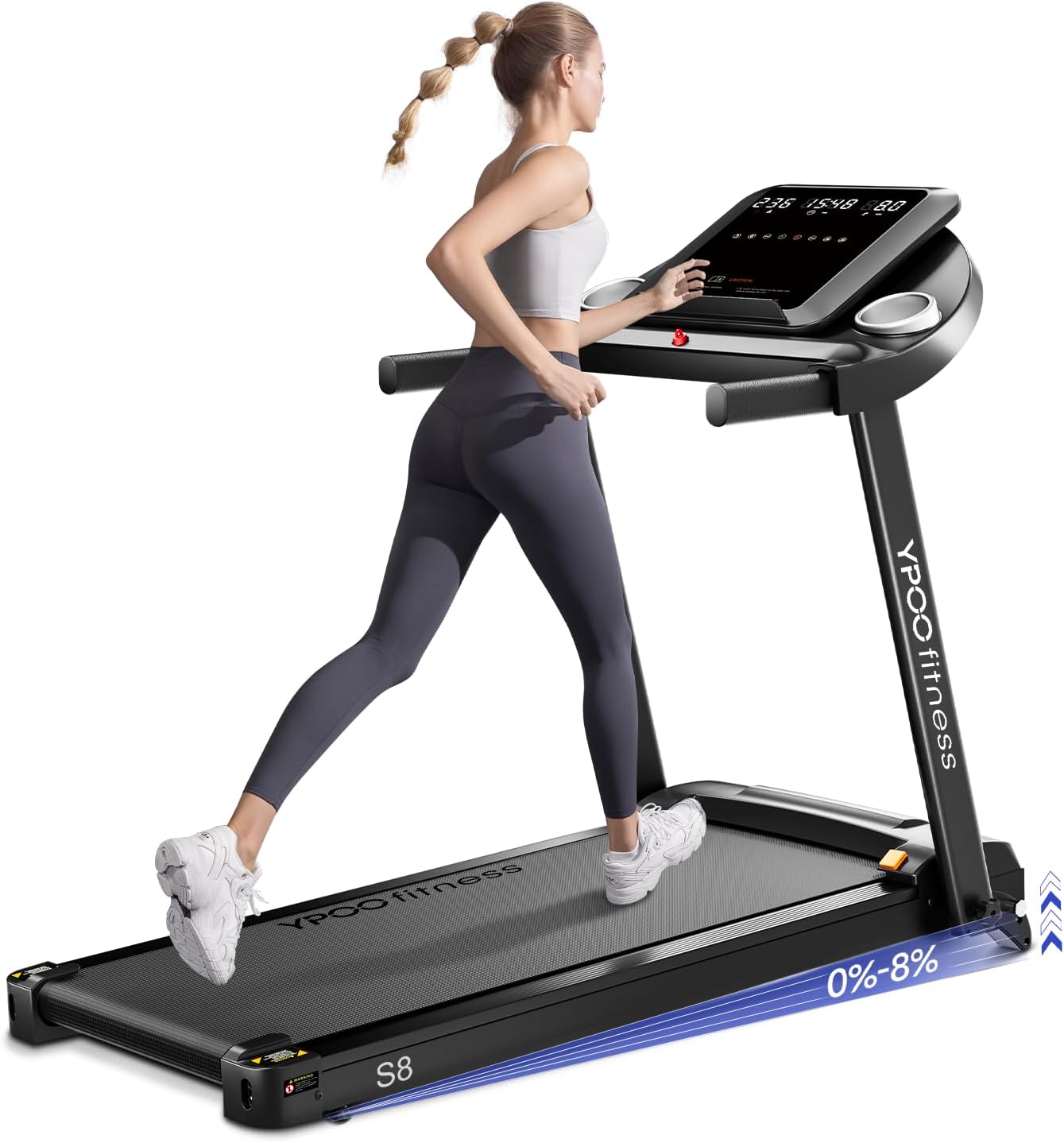
Figure 1: YPOO Treadmill Model S8 in operation. This image displays the overall design and functionality of the treadmill during a workout session.
2. Інфармацыя па бяспецы
To prevent injury, always observe the following safety precautions:
- Пракансультуйцеся з урачом перад пачаткам любой праграмы практыкаванняў.
- Размясціце бегавую дарожку на роўнай, устойлівай паверхні з дастатковай прасторай вакол яе.
- Трымайце дзяцей і хатніх жывёл далей ад бегавой дарожкі падчас працы.
- Насіце адпаведную спартыўную вопратку і абутак.
- Не карыстайцеся бегавой дарожкай, калі яна пашкоджана або працуе няспраўна.
- Always use the safety key. Attach the clip to your clothing before starting.
- Не заходзьце на бегавую дарожку і не сыходзьце з яе, пакуль рухомае стужка.
- Maximum user weight capacity is 300 lbs. Do not exceed this limit.
- Адключайце бегавую дарожку ад крыніцы сілкавання, калі яна не выкарыстоўваецца або перад чысткай/тэхнічным абслугоўваннем.
3. Змесціва ўпакоўкі
Праверце наяўнасць усіх кампанентаў у камплекце:
- YPOO Treadmill Unit
- Шнур харчавання
- Ключ бяспекі
- Tool Kit (for assembly)
- Кіраўніцтва карыстальніка (гэты дакумент)
4. Зборка і ўстаноўка
The YPOO Treadmill is designed for easy installation, arriving 95% pre-assembled. Follow these steps to complete the setup:
- Carefully remove all packaging materials and place the treadmill on a clear, level surface.
- Lift the console mast into the upright position.
- Secure the console mast by tightening the 8 screws provided in the tool kit. Refer to the detailed installation tutorials included in the package for visual guidance.
- Ensure all connections are secure and the treadmill is stable before plugging it into a power outlet.
5. Інструкцыя па эксплуатацыі
5.1 Панэль кіравання скончанаview
The treadmill features an LCD screen (15.7 inches) and various control buttons for speed, incline, and program selection. Familiarize yourself with the layout before starting your workout.
5.2 Асноўныя аперацыі
- Падключыце шнур харчавання да заземленай разеткі.
- Прымацуйце заціск для ключа бяспекі да адзення і ўстаўце ключ бяспекі ў адпаведную шчыліну на кансолі. Дысплей падсвеціцца.
- Press the START button to begin. The treadmill will typically start at a low speed after a brief countdown.
- To stop, press the STOP button or pull the safety key.
5.3 Рэгуляванне хуткасці
The treadmill offers versatile speed options from 0.5 MPH to 8.0 MPH. Use the '+' and '-' buttons on the console to adjust speed incrementally. Quick-access buttons for 3 MPH, 6 MPH, and 8 MPH are also available for rapid changes.
5.4 Рэгуляванне нахілу
This treadmill features an auto-incline function with 3 levels, up to a maximum of 15%. Use the incline buttons on the console to increase or decrease the incline percentage. Adjusting the incline can intensify your workout and target different muscle groups.

Figure 2: Illustration of the three incline levels and their potential impact on calorie expenditure. This image demonstrates how incline adjustments can enhance workout intensity.
5.5 Bluetooth Connectivity and YPOOFIT App
Connect your device via Bluetooth to the treadmill to utilize the built-in music player and the YPOOFIT App. The app allows real-time tracking of distance, calories burned, time, and speed, and offers custom workout options.

Figure 3: The treadmill's built-in music speaker and Bluetooth connectivity feature. This image highlights the entertainment and tracking capabilities during exercise.
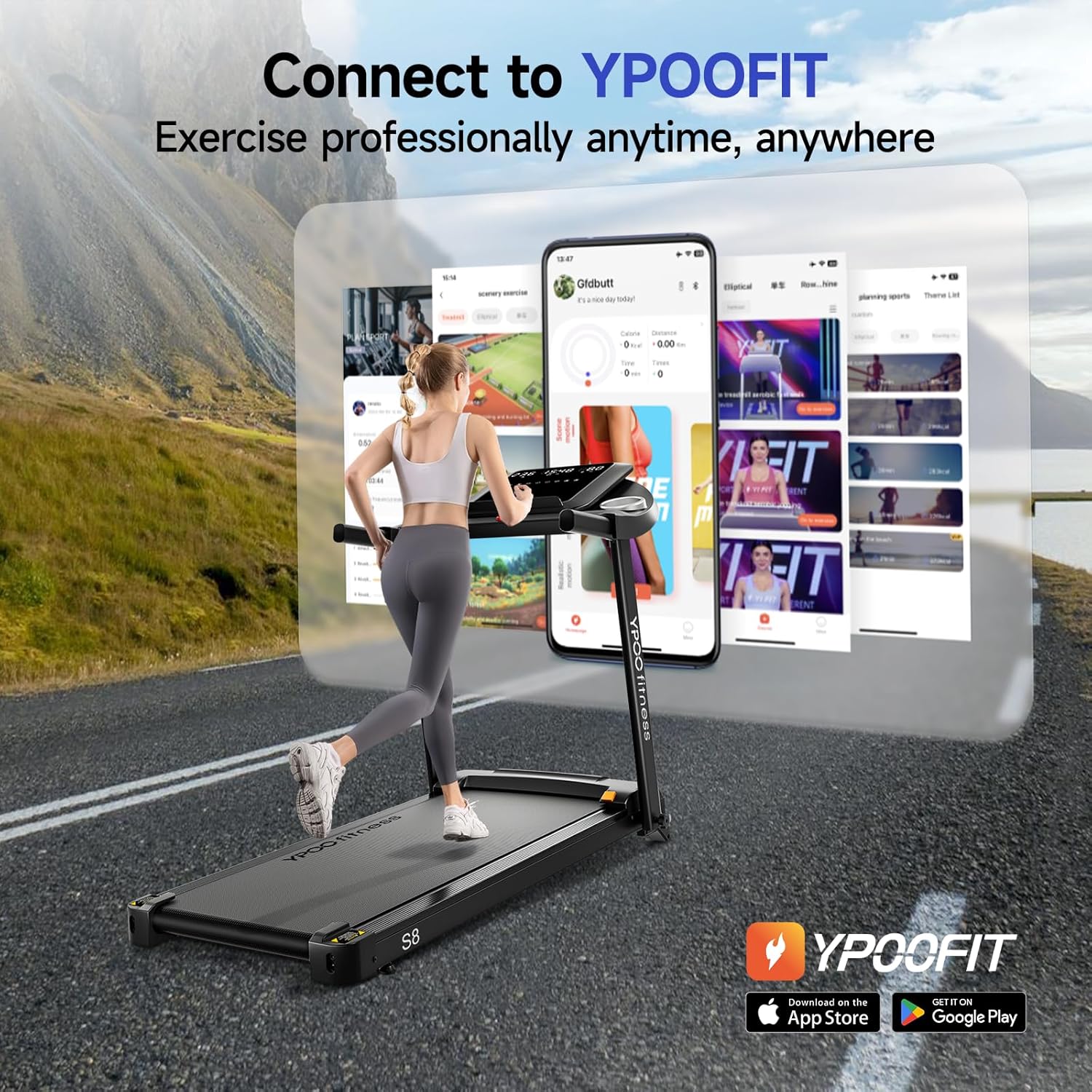
Figure 4: The YPOOFIT application interface on a smartphone, demonstrating its connection to the treadmill for professional exercise tracking and management.
5.6 Preset Programs and Countdown Modes
The treadmill includes 12 preset P-button programs designed for various exercise intensities. Additionally, countdown modes for time, distance, and calories are available to customize your workout goals.
5.7 Складанне і захоўванне
The YPOO Treadmill features an auto-folding design with a soft-drop hydraulic mechanism for hands-free folding. To fold, gently lift the running deck until it locks into the upright position. Equipped with transport wheels, it can be easily moved and stored in small spaces. When folded, it measures approximately 10.5 feet.
6. Тэхнічнае абслугоўванне
Regular maintenance ensures the longevity and optimal performance of your treadmill:
- Уборка: Працярыце кансоль і вонкавыя паверхні рэкламайamp тканінай пасля кожнага выкарыстання. Пазбягайце абразіўных ачышчальнікаў.
- Змазка рамяня: Periodically lubricate the running belt according to the instructions provided in the detailed manual or manufacturer's recommendations to reduce friction and wear.
- Нацяжэнне і выраўноўванне рамяня: Check the running belt tension and alignment regularly. Adjust as needed using the provided tool kit to ensure smooth operation and prevent damage.
- Вечка рухавіка: Periodically remove the motor cover and vacuum any dust or debris that may accumulate. Ensure the treadmill is unplugged before performing this task.

Figure 5: Close-up of the treadmill's 5-layer running belt, highlighting its shock absorption and knee protection features. Regular maintenance of this component is crucial for user comfort and safety.
7. Выпраўленне непаладак
If you encounter issues with your YPOO Treadmill, refer to the following common problems and solutions:
| праблема | Магчымая прычына | Рашэнне |
|---|---|---|
| Бегавая дарожка не ўключаецца. | Power cord not connected, safety key not inserted, circuit breaker tripped. | Пераканайцеся, што шнур харчавання надзейна падключаны. Да канца ўстаўце ключ бяспекі. Праверце аўтаматычны выключальнік у хатняй сетцы. |
| Бегавая стужка слізгае або вагаецца. | Рэмень занадта свабодны, рамень патрабуе змазкі. | Adjust belt tension using the provided tool. Lubricate the belt as per maintenance instructions. |
| Незвычайны шум падчас працы. | Loose components, motor issues, belt friction. | Check and tighten all visible screws. Lubricate belt. If noise persists, contact customer support. |
| Incline function not working. | Incline motor issue, control panel malfunction. | Ensure all cables are connected. Restart the treadmill. If issue persists, contact customer support. |
For issues not listed here or if solutions do not resolve the problem, please contact YPOO customer support.
8. Тэхнічныя характарыстыкі
Detailed technical specifications for the YPOO Treadmill with Incline (Model S8):
- Марка: YPOO
- Назва мадэлі: S8
- колер: Чорны
- матэрыял: Легаваная сталь
- Памеры прадукту (ДxШxВ): 51.8" x 23.8" x 44.5"
- Вага прадмета: 40 фунта
- Максімальны вага Рэкамендацыя: 300 фунта
- Максімальная хуткасць: 8 міля ў гадзіну
- Мінімальная хуткасць: 0.5 міля ў гадзіну
- Максімальны нахіл у працэнтахtage: 15% (3 levels)
- Максімальная конская сіла: 2.5 конскіх сіл
- Памер экрана: 15.7 цалі
- Крыніца харчавання: Правадная электрычная
- Асаблівасці: Auto Incline, Auto-Folding, Foldable, Wheeled, Bluetooth Connectivity
- Вымераныя паказчыкі: Спаленыя калорыі, адлегласць, хуткасць, час
- UPC: 699838699946
9. Гарантыя і падтрымка
The YPOO Treadmill (Model S8) comes with a Гарантыя 1 год. For any inquiries regarding shipping, parts, installation, maintenance, or general product support, the YPOO team offers 24/7 assistance. Please refer to the contact information provided with your purchase documentation for customer service.