
1. Уводзіны
This manual provides detailed instructions for the installation, operation, and maintenance of your NEWFAST RE516 N300 WiFi Extender. Please read this manual carefully before using the device to ensure proper setup and optimal performance. Keep this manual for future reference.
2. Прадукт скончыўсяview
2.1 Змест пакета
- 1 x NEWFAST RE516 N300 WiFi Extender
- 1 x Multi-language Instruction Manual
2.2 Характарыстыкі прылады
The NEWFAST RE516 N300 WiFi Extender is designed to expand your existing Wi-Fi coverage and eliminate dead zones. Key features include:
- N300 Wireless Speed: Provides up to 300 Mbps data transfer rate on the 2.4GHz band.
- Чатыры знешнія антэны: Enhances signal stability and coverage.
- Некалькі рэжымаў працы: Supports Repeater, Access Point, Router, and Client modes to suit various networking needs.
- Шырокая сумяшчальнасць: Works with any standard Wi-Fi router or gateway.
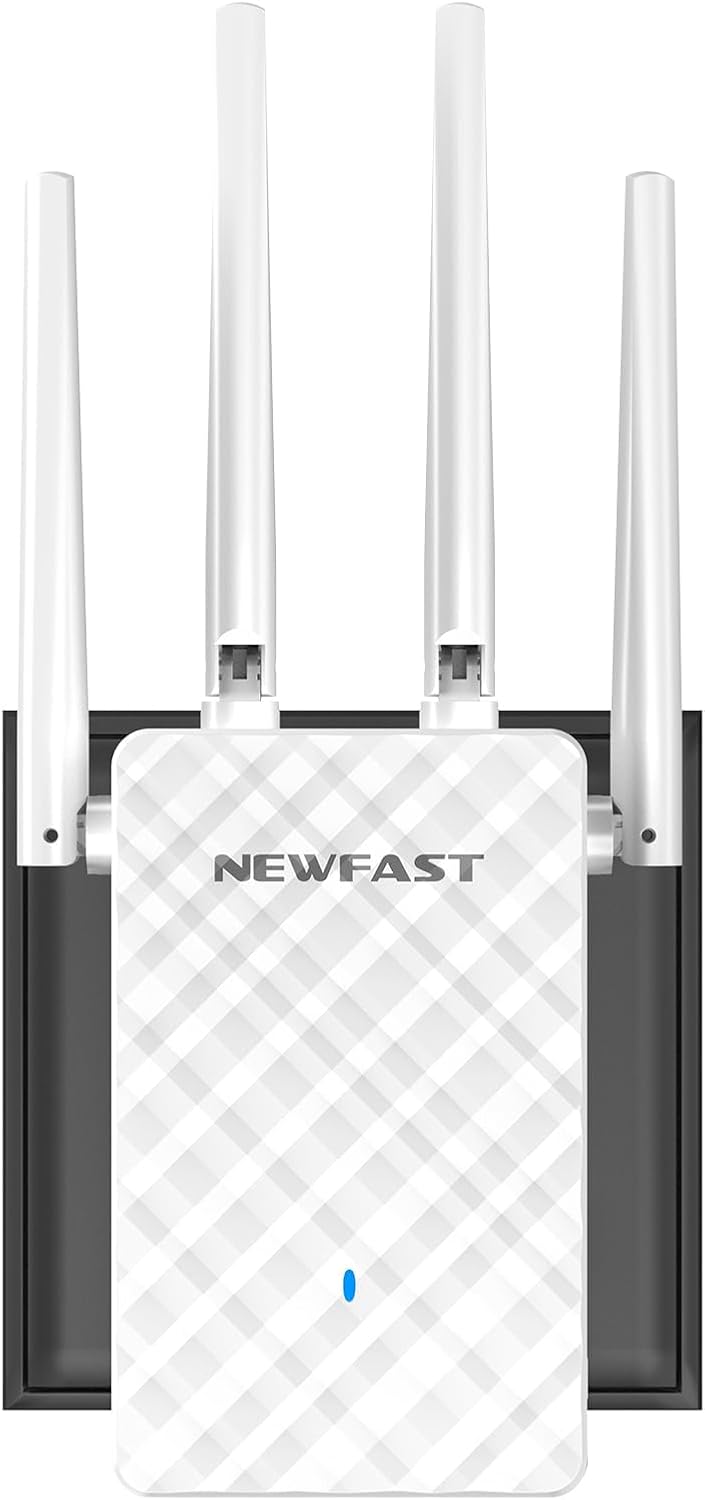
Выява 1: Спераду view of the NEWFAST RE516 N300 WiFi Extender, showcasing its four external antennas and compact design.

Image 2: A diagram showing how the WiFi extender can improve wireless coverage throughout a house, eliminating dead zones.
3. Інструкцыі па ўсталёўцы
Follow these general steps to set up your NEWFAST RE516 WiFi Extender. Specific configuration details may vary based on your chosen operating mode.
3.1 Уключэнне прылады
- Plug the NEWFAST RE516 into an electrical outlet near your existing Wi-Fi router.
- Wait for the power indicator light to turn on and stabilize.
3.2 Connecting to the Extender
You can connect to the extender via Wi-Fi or an Ethernet cable.
- Падключэнне Wi-Fi: On your computer or mobile device, search for available Wi-Fi networks. Connect to the network named similar to "NEWFAST_Extender" or "NEWFAST_XXXX" (where XXXX are the last four digits of the MAC address).
- Падключэнне Ethernet: Connect an Ethernet cable from your computer to the LAN port on the extender.
3.3 Канфігурацыя праз Web Браўзэр
- Адкрыйце a web браўзер (напрыклад, Chrome, Firefox, Edge).
- Увядзіце IP-адрас па змаўчанні (звычайна
192.168.10.1or192.168.0.1) or the default web address (e.g.,re.newfast.com) into the address bar and press Enter. Refer to the included quick start guide for the exact address. - Увайдзіце, выкарыстоўваючы імя карыстальніка і пароль па змаўчанні (звычайна
adminдля абодвух). - Follow the on-screen wizard to select your desired operating mode (Repeater, Access Point, or Router) and configure the network settings.
- For Repeater mode, select your existing Wi-Fi network and enter its password.
- Once configured, the extender will restart. Relocate the extender to a suitable position between your router and the desired coverage area.
4. Рэжымы працы
The NEWFAST RE516 supports four primary operating modes:
- Рэжым рэтранслятара: Extends the range of an existing wireless network. This is the most common mode for eliminating Wi-Fi dead zones.
- Рэжым кропкі доступу (AP): Transforms a wired network connection into a wireless one. Ideal for adding Wi-Fi capability to a wired-only router.
- Рэжым маршрутызатара: Functions as a primary router, creating a new private network. This mode is typically used when you have a modem but no router.
- Рэжым кліента: Allows wired-only devices (like smart TVs or gaming consoles) to connect to a wireless network. The extender acts as a wireless adapter for the wired device.
5. Тэхнічнае абслугоўванне
Regular maintenance helps ensure the longevity and optimal performance of your NEWFAST RE516 WiFi Extender.
- Захоўваць у чысціні: Gently wipe the device with a dry, soft cloth. Avoid using liquid cleaners or aerosols.
- Вентыляцыя: Ensure the device is placed in a well-ventilated area, free from obstructions that could block airflow.
- Абнаўленні прашыўкі: Periodically check the NEWFAST official webсайт для абнаўленняў прашыўкі. Абнаўленне прашыўкі можа палепшыць прадукцыйнасць, дадаць новыя функцыі і выправіць памылкі.
- Умовы навакольнага асяроддзя: Пазбягайце ўздзеяння на прыладу экстрэмальных тэмператур, вільготнасці або прамых сонечных прамянёў.
6. Выпраўленне непаладак
If you encounter issues with your NEWFAST RE516, refer to the following common problems and solutions:
- Няма харчавання:
рашэнне: Ensure the extender is securely plugged into a working electrical outlet. Check if the power indicator light is on. - Немагчыма атрымаць доступ Web Старонка кіравання:
рашэнне: Verify that your device is connected to the extender's Wi-Fi network or via Ethernet. Ensure you are using the correct IP address or web address. Try clearing your browser's cache or using a different browser. - Няма доступу да Інтэрнэту пасля ўстаноўкі:
рашэнне: Check if your main router has internet access. Reconfigure the extender, ensuring you selected the correct host network and entered the correct password. Try moving the extender closer to your main router. - Слабы сігнал або частыя абрывы сувязі:
рашэнне: Relocate the extender to a position that is roughly halfway between your main router and the area with poor coverage. Avoid placing it near large metal objects, concrete walls, or other electronic devices that may cause interference. - Забыліся пароль для ўваходу:
рашэнне: Perform a factory reset on the extender. Locate the reset button (usually a small pinhole) and press and hold it for 5-10 seconds until the lights flash. The device will revert to factory default settings, and you can log in withadmin.
7. Тэхнічныя характарыстыкі
| Асаблівасць | Дэталь |
|---|---|
| Марка | NEWFAST |
| мадэль | RE516 (NF-RE516) |
| бесправадной стандарт | 802.11a/b/g/n |
| Дыяпазон частот | 2.4 ГГц |
| Хуткасць перадачы даных | Да 300 Мбіт/с |
| Антэны | 4 знешнія антэны |
| Рэжымы працы | Repeater, Access Point, Router, Client |
| Сумяшчальныя прылады | Wi-Fi devices (routers, smartphones, tablets, laptops, computers, smart TVs, game consoles, printers, security cameras) supporting IEEE802.11a/b/g/n standards |
| Памеры | 20.5 х 9.5 х 6.6 см |
| Вага | 230 грамаў |
| Уключаныя кампаненты | 1 * Multi-language Instruction Manual, 1 * N300 WiFi Repeater |
8. Гарантыя і падтрымка
For warranty information, please refer to the documentation included with your product or visit the official NEWFAST website. For technical support or further assistance, you may visit the NEWFAST Store on Amazon or contact NEWFAST customer service directly.