
1. Уводзіны
Welcome to the user manual for your JLab Go Pods ANC True Wireless Earbuds. These earbuds are designed to provide a high-quality audio experience with features like Hybrid Active Noise Canceling, Be Aware mode for safe listening, and clear calls. This manual will guide you through the setup, operation, and maintenance of your new earbuds.
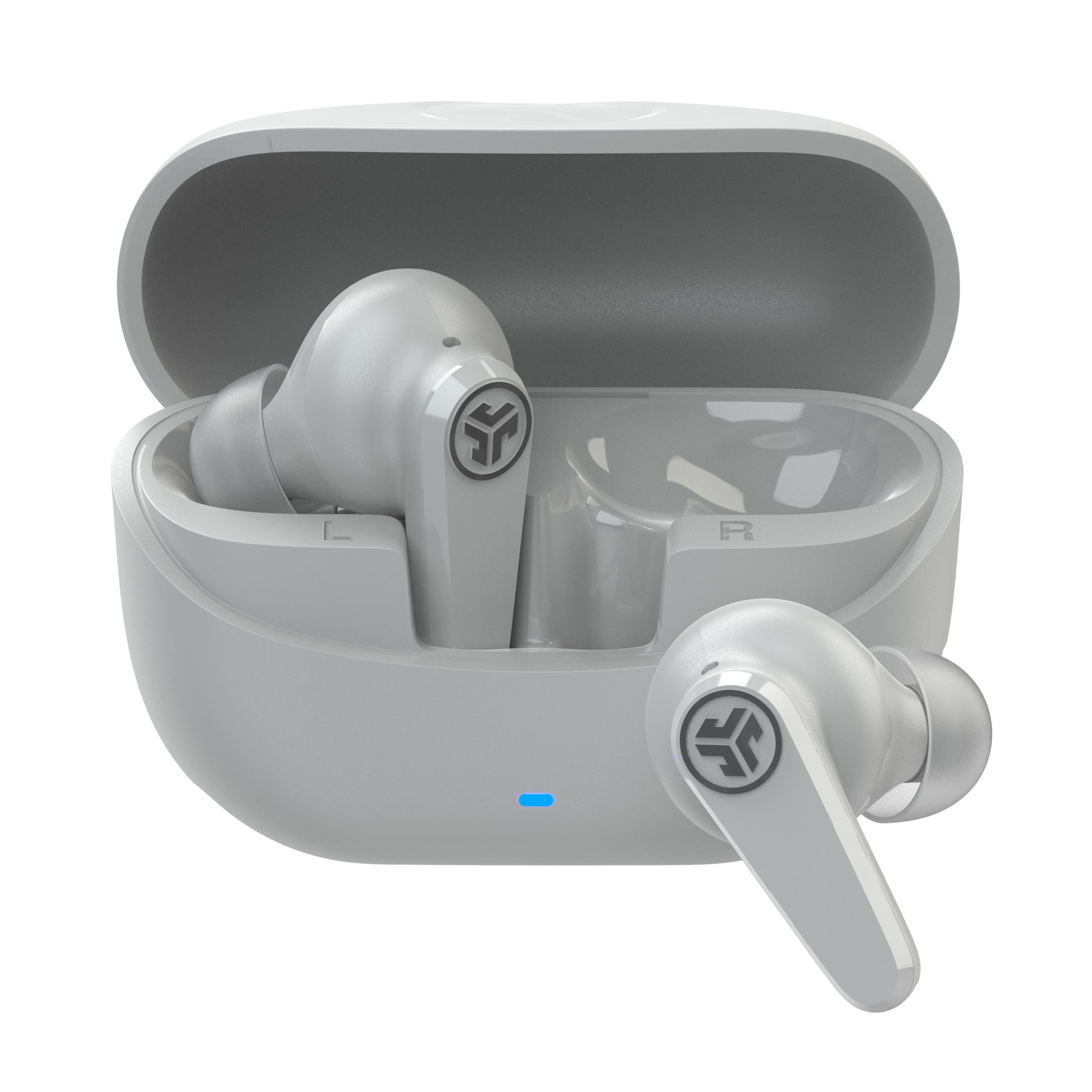
Image: JLab Go Pods ANC True Wireless Earbuds in Cloud White, showcasinг іх элегантны дызайн.
2. Што ў скрынцы
Your JLab Go Pods ANC package includes the following items:
- Go Pods ANC Earbuds
- Charging Case with Integrated USB-C Cable
- 3 sets of Gel Eartips (various sizes for optimal fit)
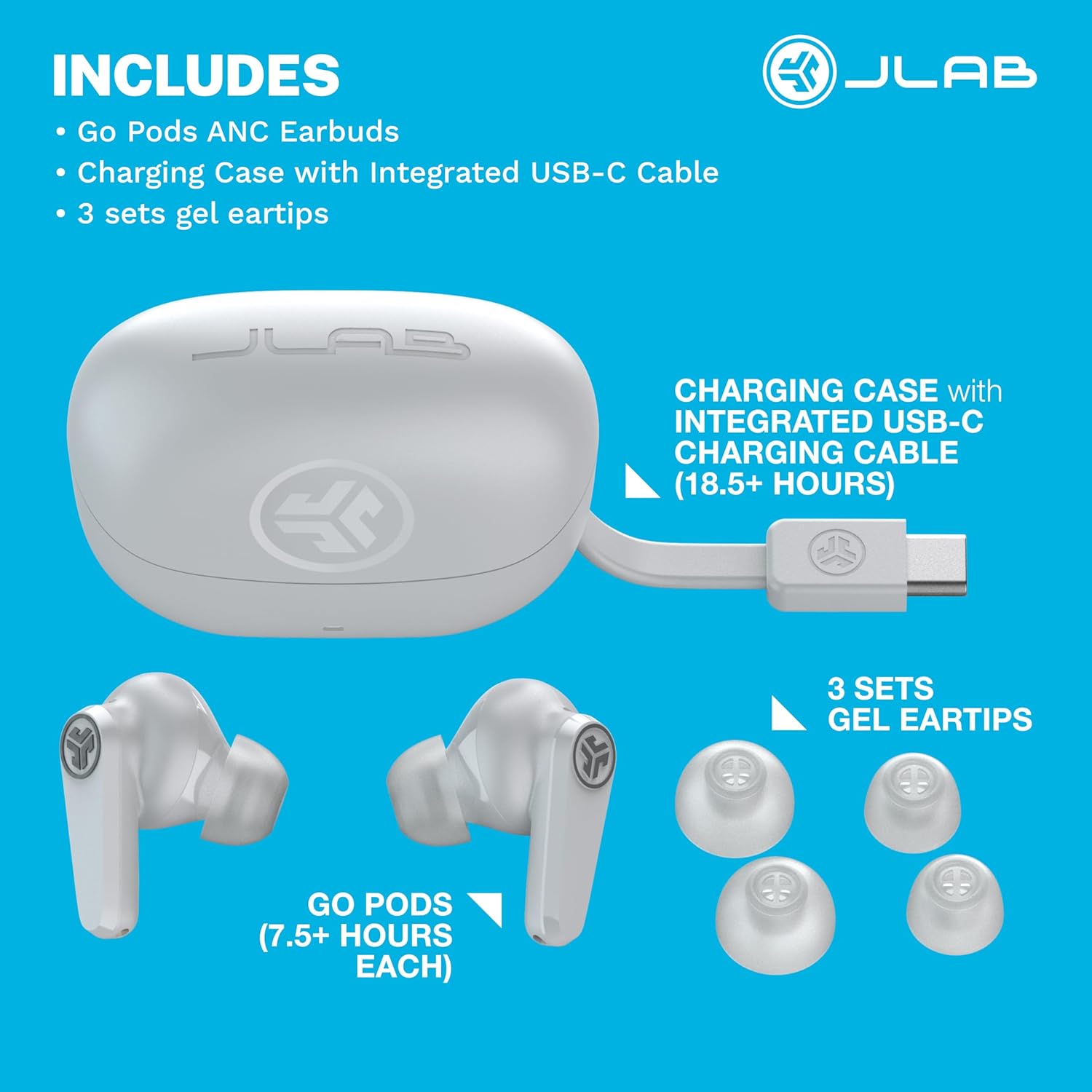
Image: A visual representation of the JLab Go Pods ANC package contents, showing the earbuds, charging case with its integrated USB-C cable, and multiple sizes of gel eartips.
3. Настройка
3.1. Зарадка навушнікаў і чахла
Before first use, ensure your JLab Go Pods ANC earbuds and charging case are fully charged.
- The earbuds provide up to 7.5+ hours of playtime on a single charge.
- The charging case offers an additional 18.5+ hours, totaling over 26 hours of playtime.
- The case features an integrated USB-C charging cable for convenience.
- A quick 10-minute charge provides 1 hour of playtime.
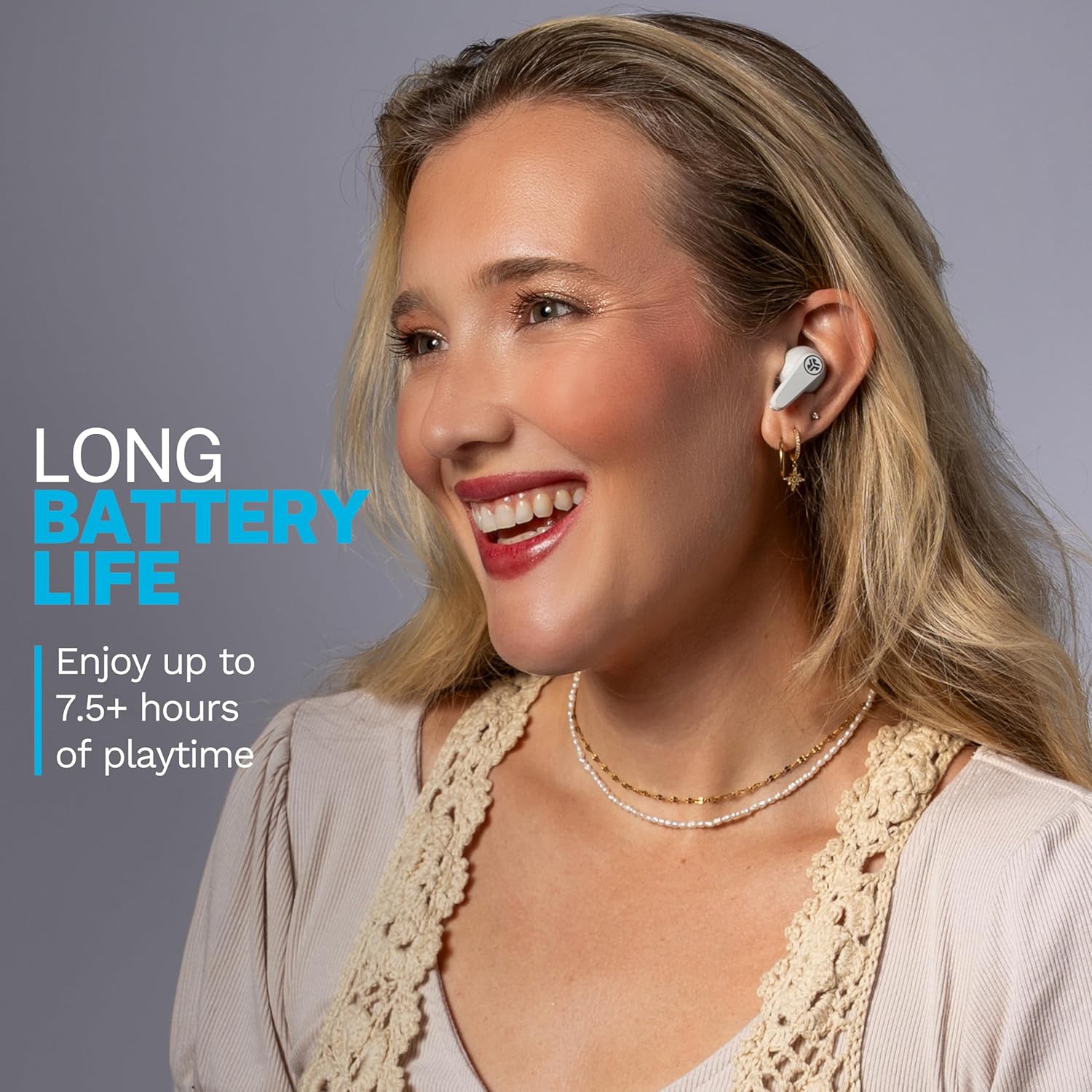
Image: A woman wearing the JLab Go Pods ANC earbuds, illustrating the long battery life feature.
3.2. Пачатковае спалучэнне Bluetooth
Каб падключыць навушнікі да прылады:
- Дастаньце навушнікі-ўкладышы з зараднага чахла. Яны аўтаматычна пяройдуць у рэжым спалучэння.
- На вашай прыладзе (смартфоне, планшэце, ноўтбуку) перайдзіце ў налады Bluetooth.
- Select "JLab GO Pods ANC" from the list of available devices.
- For Android devices, Google Fast Pair offers effortless connection.
The JLab App allows for further customization and software updates. It is available on the App Store and Google Play Store.
Video: An official JLab video demonstrating the JLab Go Pods ANC earbuds, including a close-up of the integrated charging cable and the earbuds in their case.
4. Кіраванне навушнікамі-ўкладышамі
4.1. Noise Control Modes
The JLab Go Pods ANC offer three noise control modes:
- ANC уключаны: Engages hybrid active noise canceling to reduce ambient sounds.
- ANC выключаны: Disables active noise canceling.
- Майце на ўвазе: Allows ambient noise to pass through for safe listening and awareness of your surroundings.
You can switch between these modes using the JLab App or the touch controls on the earbuds.
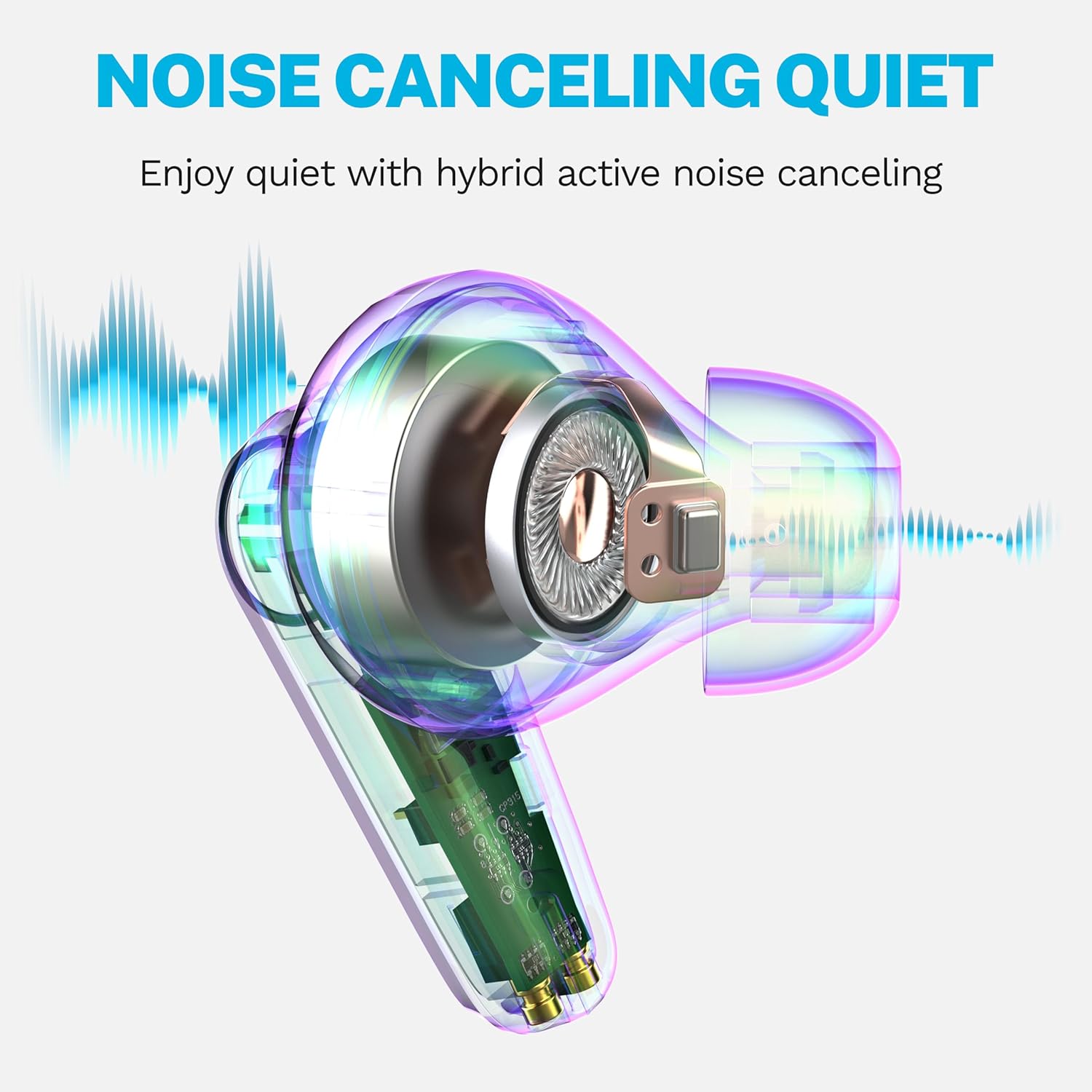
Image: A diagram illustrating how the hybrid active noise canceling feature of the JLab Go Pods ANC earbuds works to create a quiet listening experience.
4.2. Customizing Sound and Controls
The JLab App provides extensive customization options:
- Adjust ANC/Be Aware settings.
- Персаналізуйце сэнсарнае кіраванне.
- Select sound presets (JLab Signature, Balance, Bass Boost) or create custom equalizer settings.
- Enable a safe hearing option with volume limits to protect your ears.
- Receive software updates for your product.
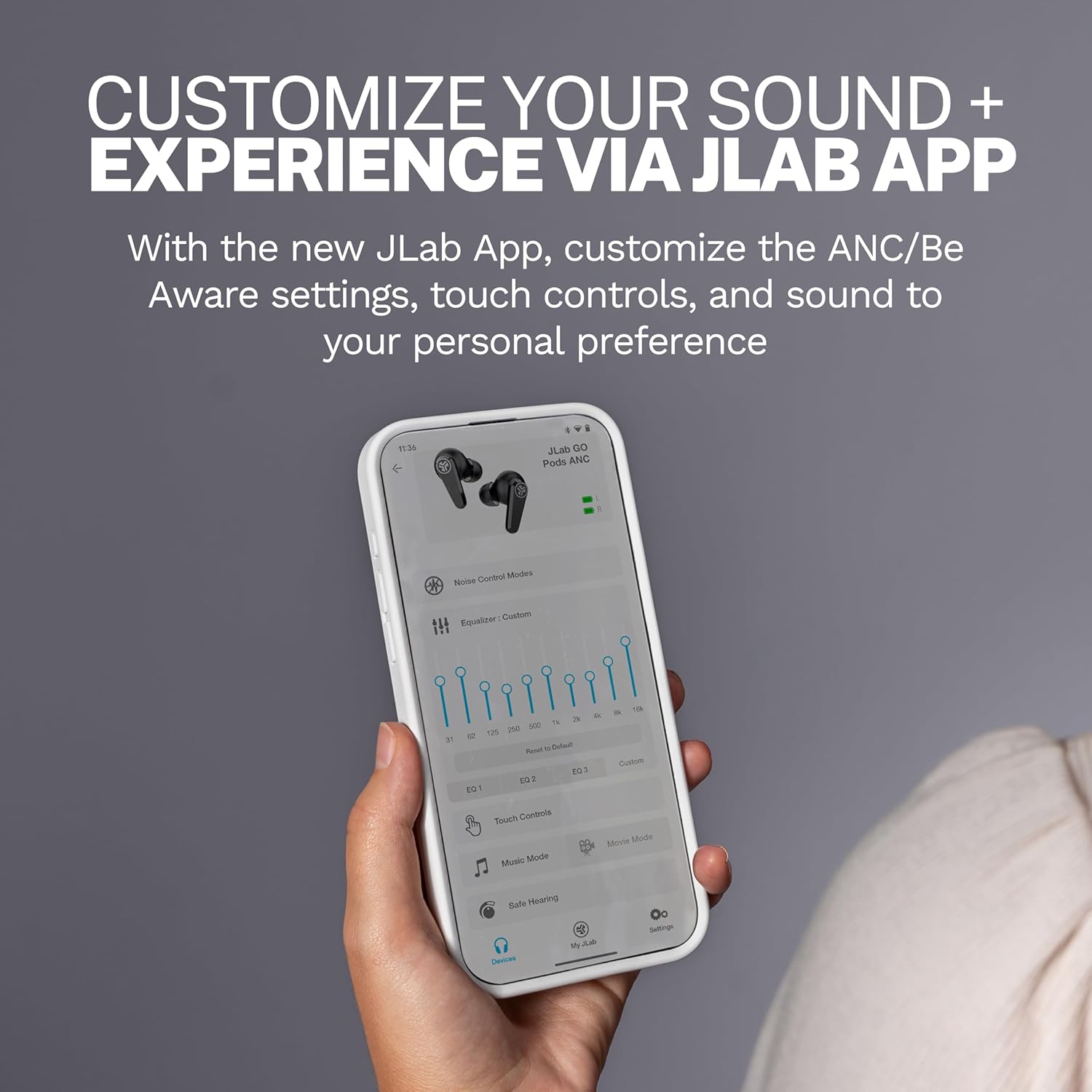
Image: A close-up of the JLab App on a smartphone, demonstrating the various customization options available for the earbuds.
4.3. Выразныя званкі
The Go Pods ANC earbuds are equipped with two environmental noise-canceling microphones on each earbud. These MEMS mics help eliminate background noise, ensuring your voice is heard clearly during calls, even in noisy environments.

Image: A woman using the JLab Go Pods ANC earbuds for a clear call, highlighting the microphone technology.
4.4. Connect to Multiple Devices (Bluetooth Multipoint)
With Bluetooth Multipoint, you can seamlessly transition between two connected devices simultaneously. For example, you can listen to a podcast on your laptop and instantly switch to answer a call on your mobile phone without re-pairing.

Image: A woman wearing JLab Go Pods ANC earbuds, illustrating the convenience of connecting to multiple devices simultaneously.
5. Тэхнічнае абслугоўванне
5.1. Трываласць і воданепранікальнасць
The JLab Go Pods ANC earbuds have an IP55 rating, making them sweat and splashproof. This ensures durability for active lifestyles and protection against light moisture.

Image: A woman wearing JLab Go Pods ANC earbuds, demonstrating their suitability for active use due to their IP55 sweat and splashproof rating.
5.2. Ear Tip Care
To maintain optimal sound quality and comfort, regularly clean the gel eartips. Use a soft, dry cloth to gently wipe away any earwax or debris. Ensure the eartips are securely attached before use.
6. Выпраўленне непаладак
If you encounter issues with your JLab Go Pods ANC, try the following:
- Няма гуку/дрэнная якасць гуку: Ensure earbuds are charged and properly paired. Check the volume levels on both the earbuds and your connected device.
- Праблемы спалучэння: Turn off Bluetooth on your device, then turn it back on. Forget the device in your Bluetooth settings and attempt to re-pair. Ensure earbuds are out of the case when attempting to pair.
- Навушнікі не зараджаюцца: Verify the charging cable is securely connected to both the case and a power source. Check for any debris in the charging ports.
- Нязручная пасадка: Experiment with the three sets of gel eartips included in the package to find the size that provides the most secure and comfortable fit for your ears.
- Праблемы з падключэннем праграмы: Ensure the JLab App is updated to the latest version. Restart the app and try connecting again.
7. Тэхнічныя характарыстыкі
| Асаблівасць | Дэталь |
|---|---|
| Назва мадэлі | Go Pods |
| Нумар мадэлі тавару | EBGOPODSWHT50WEB |
| Тэхналогія падлучэння | Бесправадная сувязь (Bluetooth 5.3) |
| Кантроль шуму | Гібрыднае актыўнае падаўленне шуму |
| Тэрмін службы батарэі (навушнікі) | Да 7.5 гадзін |
| Агульны час прайгравання (з кейсам) | 26 XNUMX+ гадзін |
| Час зарадкі (хуткая зарадка) | 10 хвілін на 1 гадзіну гульні |
| Узровень воданепранікальнасці | IP55 (Sweat and Splashproof) |
| Метад кантролю | Сэнсарны, рэгуляванне гучнасці |
| Сумяшчальныя прылады | Ноўтбукі, настольныя кампутары, планшэты, тэлефоны, разумныя калонкі, тэлевізары, мабільныя тэлефоны |
| Уключаныя кампаненты | Чахол для зарадкі |
| Вага прадмета | 36 грам (1.27 унцый) |
| UPC | 810119074942 |
8. Гарантыя і падтрымка
Your JLab Go Pods ANC earbuds come with a 2-Year Protection from Manufacturer Defects. Additionally, your purchase is covered by Amazon's 30-day return protection.
For further assistance, please visit the official JLab support website or contact their customer service. You can also find more information and FAQs on the JLab Store on Amazon.

Image: JLab Go Pods ANC earbuds highlighting the 2-year manufacturer defect protection and Amazon's 30-day return policy.