
1. Уводзіны
This manual provides detailed instructions for the setup, operation, maintenance, and troubleshooting of your NETUM RD-1950 2D QR Industrial Bluetooth Barcode Scanner. Please read this manual thoroughly before using the device to ensure proper functionality and to maximize its lifespan.
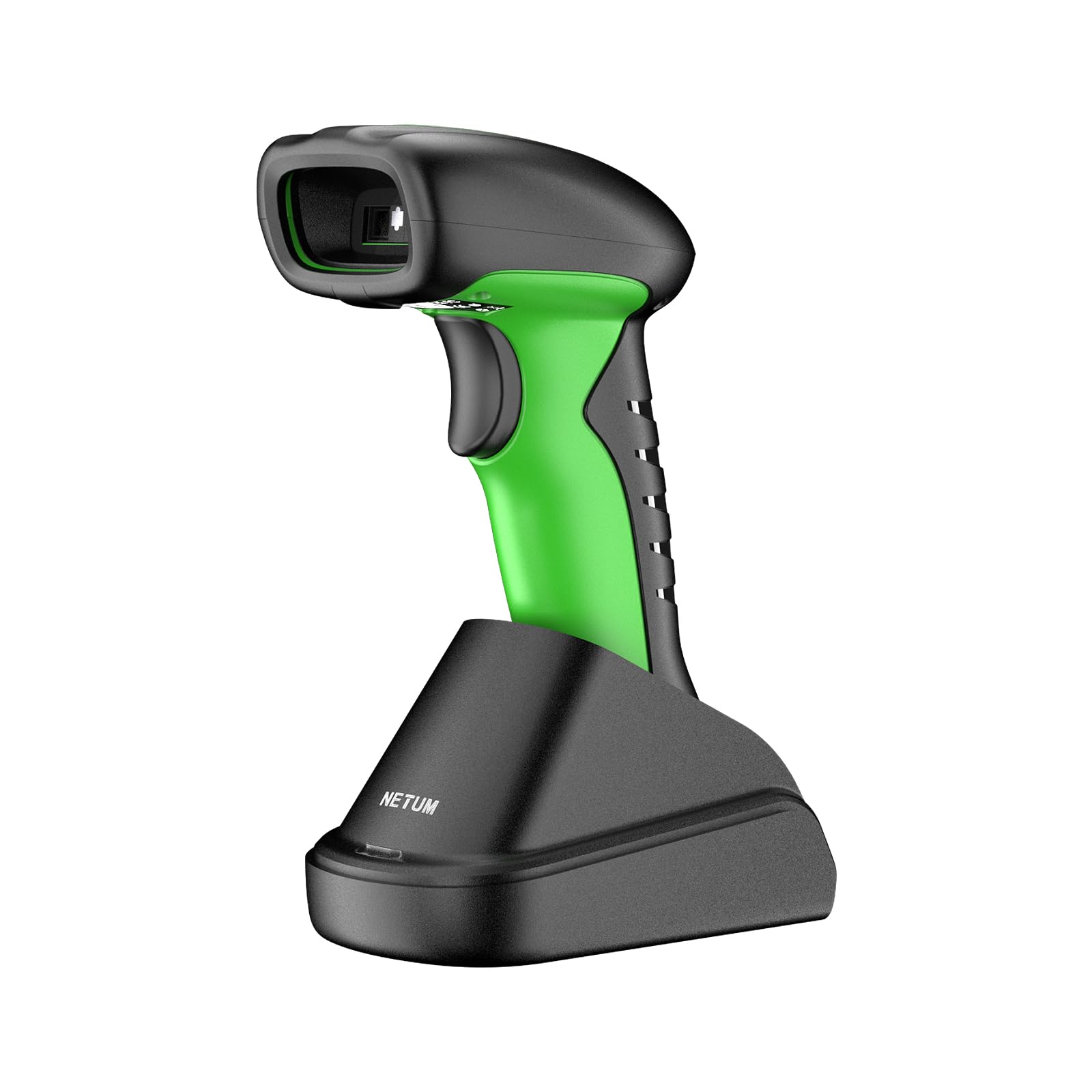
Image: The NETUM RD-1950 barcode scanner with its charging dock, showcasinяго канструкцыю і кампаненты.
2. Асноўныя магчымасці
- Industrial-Grade Protection: The RD-1950 features an IP67 rating for dust, splash, and waterproof capabilities. Its rugged construction and durable silicone casing provide protection against drops from up to 12 ft (3.65 m), making it suitable for demanding industrial environments.
- Падвойнае падключэнне: Supports both 2.4G wireless and Bluetooth connections. The charging dock includes a built-in 2.4G receiver for plug-and-play operation. Bluetooth connectivity supports HID, SPP, and BLE modes for compatibility with various devices including laptops, PCs, smartphones, tablets, iPhones, iPads, and POS systems.
- Automatic Scanning & Storage Mode: Offers three scanning modes: manual trigger, continuous scanning, and auto-sensing for both handheld and hands-free use. A storage mode is available for offline operation, capable of storing up to 100,000 barcodes.
- Пашыраныя магчымасці сканавання: Equipped with a 1280H × 800V (1M) CMOS sensor, providing fast scanning speeds up to 60 FPS. It accurately reads 1D barcodes ≥4 mil and 2D barcodes ≥5 mil (HD).
- Павялічаны тэрмін службы батарэі: Powered by a 2600mAh battery, offering up to 30 days of use (based on 2,000 scans per day) on a full charge. The cradle serves as a charging station.
3. Кіраўніцтва па наладцы
3.1 Распакоўка і першапачатковая аплата
Carefully remove all components from the packaging. Before first use, ensure the scanner is fully charged. Place the scanner into the charging dock. Connect the charging dock to a power source using the provided USB cable.
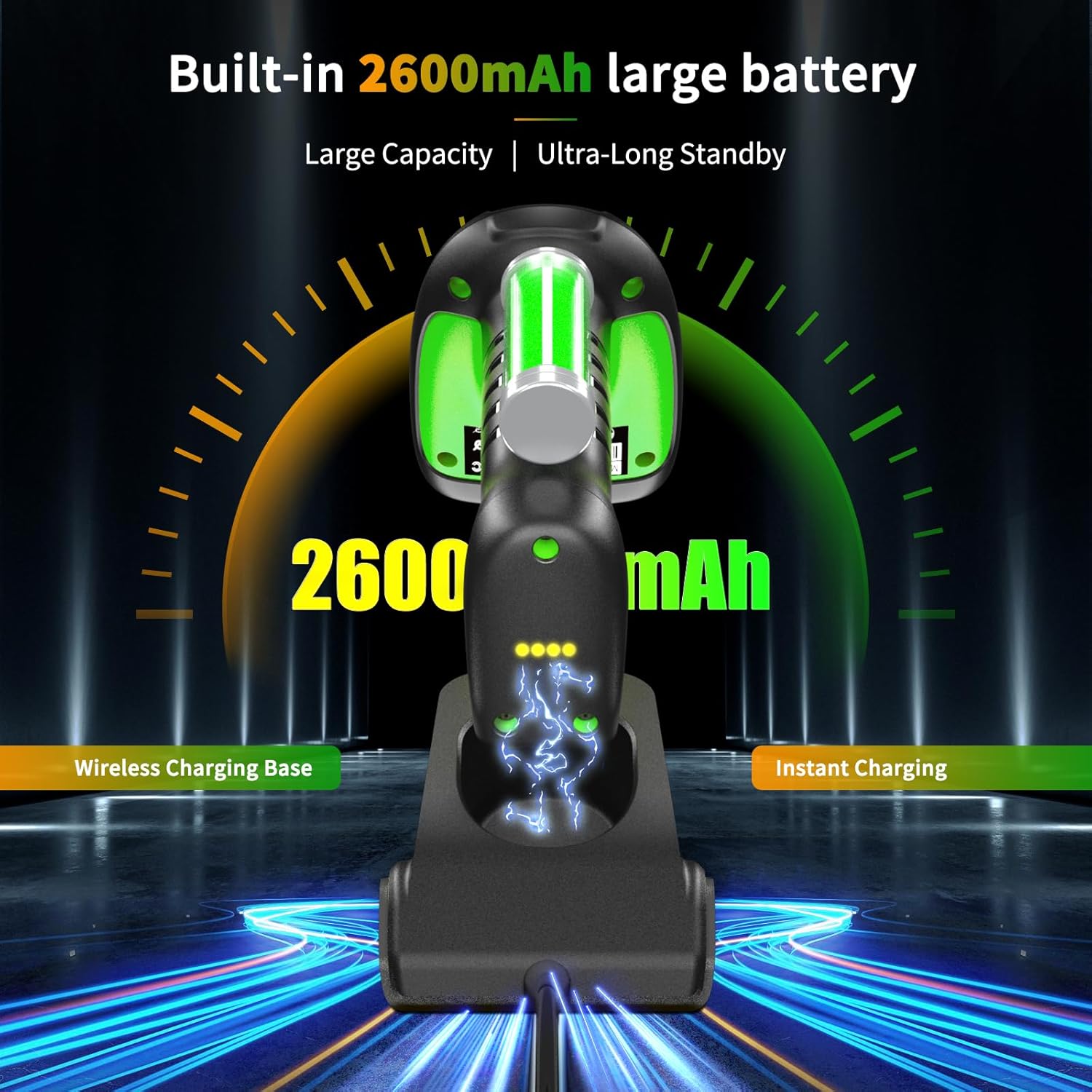
Image: The barcode scanner docked in its charging station, illustrating the charging process and battery indicator.
3.2 2.4G Wireless Connection (via Charging Dock)
- Connect the charging dock's USB cable to your computer's USB port.
- Кампутар аўтаматычна выявіць і ўсталюе неабходныя драйверы.
- The scanner is now ready for use in 2.4G wireless mode.

Image: Diagram showing the barcode scanner wirelessly connected to a computer via the 2.4G USB receiver in the charging dock.
3.3 Злучэнне Bluetooth
The RD-1950 supports HID, SPP, and BLE Bluetooth modes. Refer to the full user manual for specific configuration barcodes to switch between modes if needed. The default mode is typically HID (Human Interface Device).
- Пераканайцеся, што сканер уключаны.
- На прыладзе (смартфоне, планшэце, ПК) уключыце Bluetooth і знайдзіце даступныя прылады.
- Select "RD Barcode Scanner" from the list of found devices to pair.
- Пасля спалучэння сканер гатовы да выкарыстання.

Image: The barcode scanner demonstrating wide compatibility with various operating systems and devices via Bluetooth connection.
Заўвага: Before using storage mode or specific advanced features, you may need to scan corresponding configuration barcodes found in the comprehensive user manual (not this summary).
4. Аперацыя
4.1 Рэжымы сканавання
The scanner offers three primary scanning modes:
- Ручны рэжым запуску: Націсніце кнопку запуску, каб адсканаваць кожны штрых-код.
- Рэжым бесперапыннага сканавання: The scanner continuously emits a scan beam, reading barcodes as they pass through the field of view без неабходнасці націскаць на курок.
- Рэжым аўтаматычнага вызначэння: Сканер аўтаматычна распазнае штрых-код у сваім полі view and scans it without manual trigger activation. This mode is ideal for hands-free operation when placed in the charging dock.

Image: The barcode scanner in its multifunctional cradle, highlighting Auto-Sense and Continuous scanning modes, along with wireless charging and 2.4G wireless transmission capabilities.
4.2 Падтрымліваемыя тыпы штрых-кодаў
The RD-1950 is capable of reading a wide range of 1D and 2D barcodes:
- 2D-коды: Aztec, Data Matrix, Maxicode, PDF417, QR-Code, and more.
- 1D-коды: EAN, UPC, Code 39, Code 93, Code 128, UCC/EAN 128, Codabar, Interleaved 2 of 5, ITF-6, ITF-14, ISBN, ISSN, MSI-Plessey, GS1 Databar, Code 11, Industrial 25, Standard 25, Plessey, Matrix 2 of 5.

Image: The barcode scanner targeting a QR code on a package, with examples of various 1D and 2D barcode types it can read, including PDF417, Aztec, GS1 Code128, QR (7mils, 8mils), Data Matrix, HanXin, Maxi, Dotcode, Bank Code, Grid Matrix, and Composite codes.
4.3 Рэжым захоўвання
When Bluetooth or 2.4G wireless connections are unavailable, the scanner can store up to 100,000 barcodes internally. To activate and manage storage mode, refer to the specific configuration barcodes in the full user manual.
5. Тэхнічнае абслугоўванне
5.1 Ачыстка сканера
To maintain optimal performance, keep the scanner's scanning window clean. Use a soft, lint-free cloth lightly dampened with water or a mild, non-abrasive cleaning solution. Do not use harsh chemicals or abrasive materials, as these can damage the scanning window or casing.
5.2 Сыход за акумулятарам
The scanner is equipped with a 2600mAh lithium-polymer battery. For best battery life:
- Charge the scanner fully before its first use.
- Avoid completely discharging the battery regularly.
- Store the scanner in a cool, dry place if not used for extended periods.
6. Выпраўленне непаладак
6.1 Сканер не падключаецца
- Бесправадная сувязь 2.4G: Ensure the charging dock's USB receiver is securely plugged into the computer. Verify the scanner is within range.
- Bluetooth: Check if Bluetooth is enabled on your host device. Ensure the scanner is in pairing mode and visible. Try unpairing and re-pairing the device.
- акумулятар: Confirm the scanner has sufficient battery charge.
6.2 Праблемы са сканаваннем
- No Scan: Ensure the scanner is in the correct scanning mode (manual, continuous, auto-sense). Check if the barcode is damaged or poorly printed.
- Недакладныя сканы: Ensure the scanning window is clean. Position the scanner correctly over the barcode, allowing for proper focus.
- Specific Barcodes (e.g., Driver's Licenses): Some barcodes may require specific configuration settings (e.g., line feed characters). Refer to the full user manual or contact support for advanced configuration barcodes.
6.3 Bluetooth Latency
Some users may experience noticeable latency when using Bluetooth, especially in high-volume scanning environments. For faster, more consistent data transmission, consider using the 2.4G wireless connection via the charging dock.

Image: Illustration of the scanner's Bluetooth transmission range, showing reduced range with obstacles (10m/32ft) and extended range in barrier-free environments (20m/65ft).
7. Тэхнічныя характарыстыкі
7.1 Прадукцыйнасць сканавання
- Датчык: 1280×800 CMOS (1M)
- асвятленне: Белы святлодыёд
- Прыцэльванне: Чырвоны святлодыёд
- Reading Precision: ≥4 mil (1D), ≥5 mil (2D, HD)
- Reading Depth of Field:
- EAN-13 (13 mil): 35mm - 420mm
- Code 39 (5 mil, 10 characters): 45mm - 165mm
- QR-Code (20 mil, 16 characters): 25mm - 330mm
- Data Matrix (10 mil, 20 characters): 40mm - 150mm
- PDF417 (6.67 mil, 7 characters): 25mm - 180mm
- Кантраст: ≥25%
- Scanning Angles: Rotation 360°, Tilt ± 55°, Skew ± 55°
- Поле в View: Па гарызанталі 42°, па вертыкалі 28°
7.2 Бесправадныя функцыі
- Тэхналогія радыё: 2.4 ГГц, Bluetooth
- Адлегласць сувязі: 30-100 м (прамая бачнасць)
7.3 Electrical & Environmental
- Ёмістасць батарэі: 2600mAh літый-палімер
- Тэрмін службы батарэі: Up to 20 hours of continuous scanning (or 30 days based on 2,000 scans/day)
- Час зарадкі: 4 гадзіны
- Памяць: 2MB of flash storage (up to 100,000 barcodes)
- Працоўная тэмпература: -20°C да +50°C (ад -4°F да +122°F)
- Тэмпература захоўвання: -40°C да +70°C (ад -40°F да +158°F)
- Працоўная вільготнасць: Ад 5% да 95% (без кандэнсацыі)
- Ambient Light Resistance: Ад 0 да 100,000 ЛЮКС
- Ступень абароны: IP67 (Dust, Splash, Waterproof)
- Устойлівасць да падзення: Да 12 футаў (3.65 м)
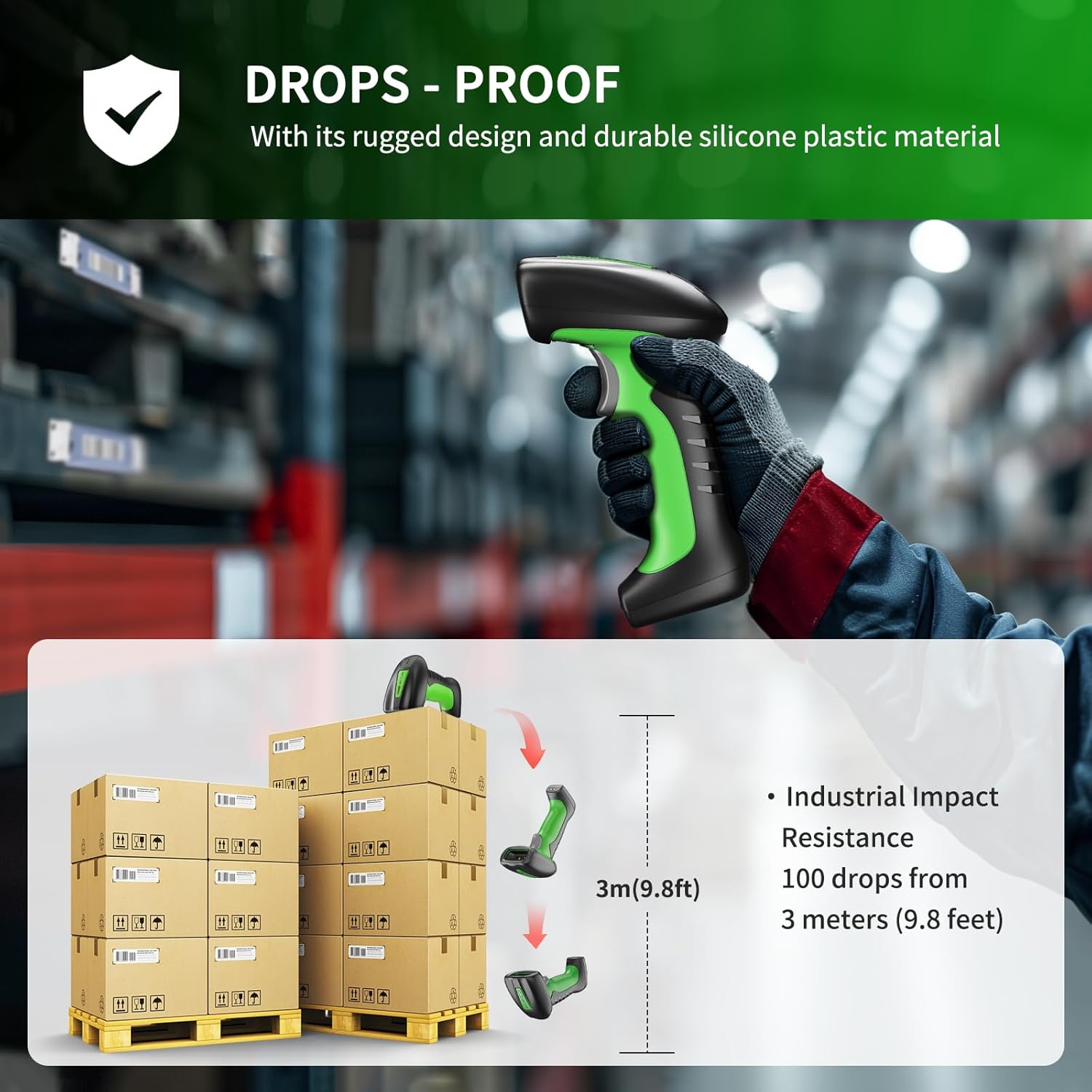
Image: Illustration demonstrating the scanner's drop-proof capability, showing it can withstand drops from 3 meters (9.8 feet).

Image: The barcode scanner partially submerged in water, demonstrating its IP67 waterproof rating and ability to pass a 30-minute waterproof resistance test.
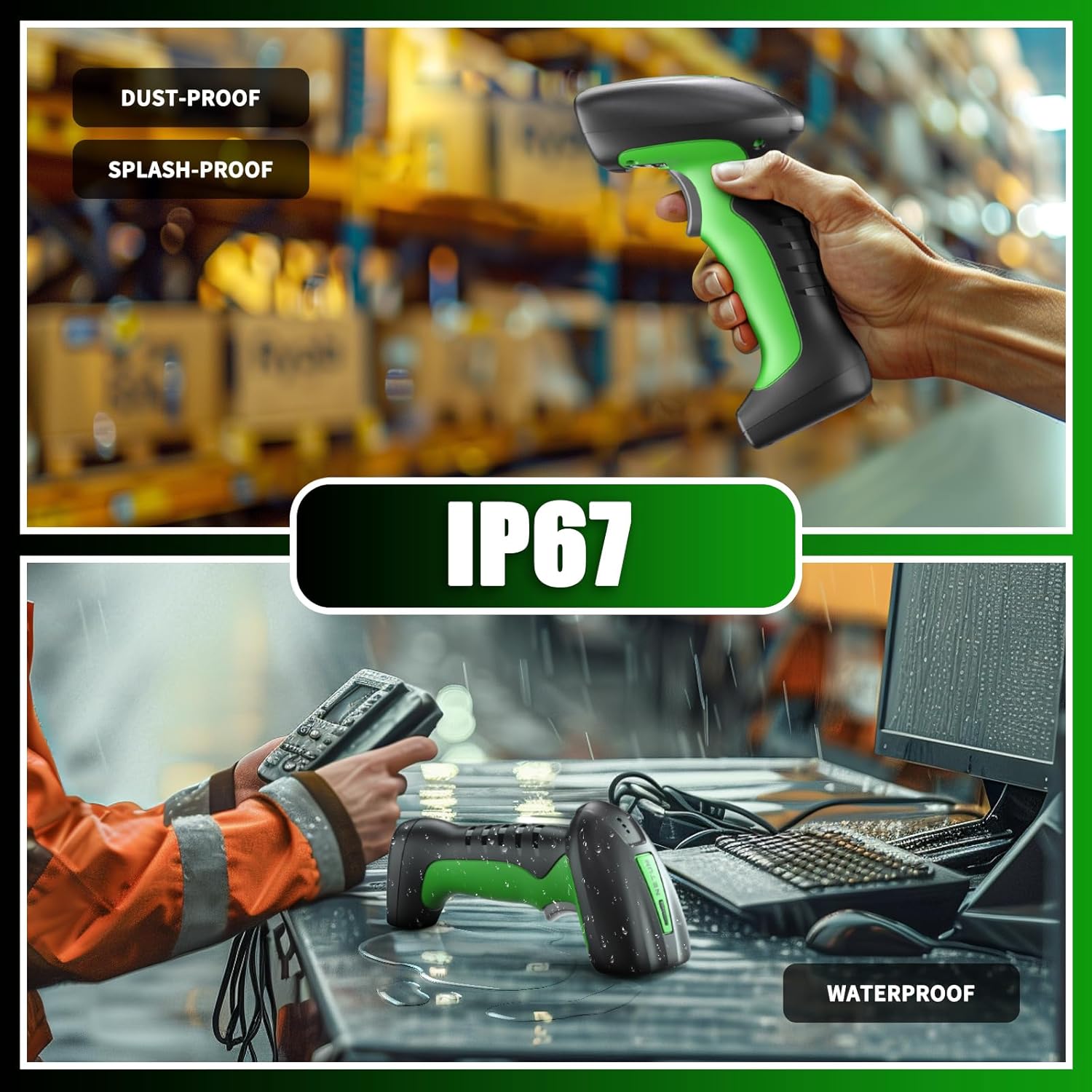
Image: Two scenes illustrating the scanner's IP67 rating, showing it being used in a dusty warehouse and on a wet desk, emphasizing its dust-proof, splash-proof, and waterproof capabilities.
7.4 Сумяшчальнасць
- Сумяшчальныя прылады: Laptop, PC, Smartphone, Tablet, iPhone, iPad, POS System.
- Incompatible Software: This scanner is not compatible with Square POS, LightSpeed, Clover, or Shopify.
8. Гарантыя і падтрымка
The NETUM RD-1950 Barcode Scanner comes with a Гарантыя 1 год з даты пакупкі. Гэтая гарантыя распаўсюджваецца на вытворчыя дэфекты і гарантуе, што прадукт адпавядае зададзеным стандартам прадукцыйнасці.
For technical assistance, troubleshooting, or warranty claims, please contact NETUM customer support. Refer to the contact information provided with your product packaging or visit the official NETUM webсайт для падрабязнай інфармацыі аб падтрымцы.