
Уводзіны
The Mova E30 Pro Plus is an advanced robot vacuum and mop designed for efficient and thorough home cleaning. It features powerful 19000Pa suction, a DuoRoller brush for anti-tangle performance, and a self-emptying base station for up to 90 days of hands-free operation. The extendable side brush ensures comprehensive edge cleaning, while smart navigation and app/voice control offer convenient management of your cleaning tasks.
Што ў скрынцы
Carefully unpack all components and ensure everything is present before setup.
- Робат-пыласос х 1
- Базавая станцыя x 1
- Кіраўніцтва карыстальніка x 1
- Main Brush & Brush Guard x 1 (pre-installed)
- Side Brush x 1 (pre-installed)
- Базавая станцыя Рamp Падаўжальная пласціна х 1
- Mop Pad & Mop Pad Holder x 1 (pre-installed)
- 5L Dust Bag x 1 (pre-installed)
- Dust Box x 1 (pre-installed, including HEPA filter)
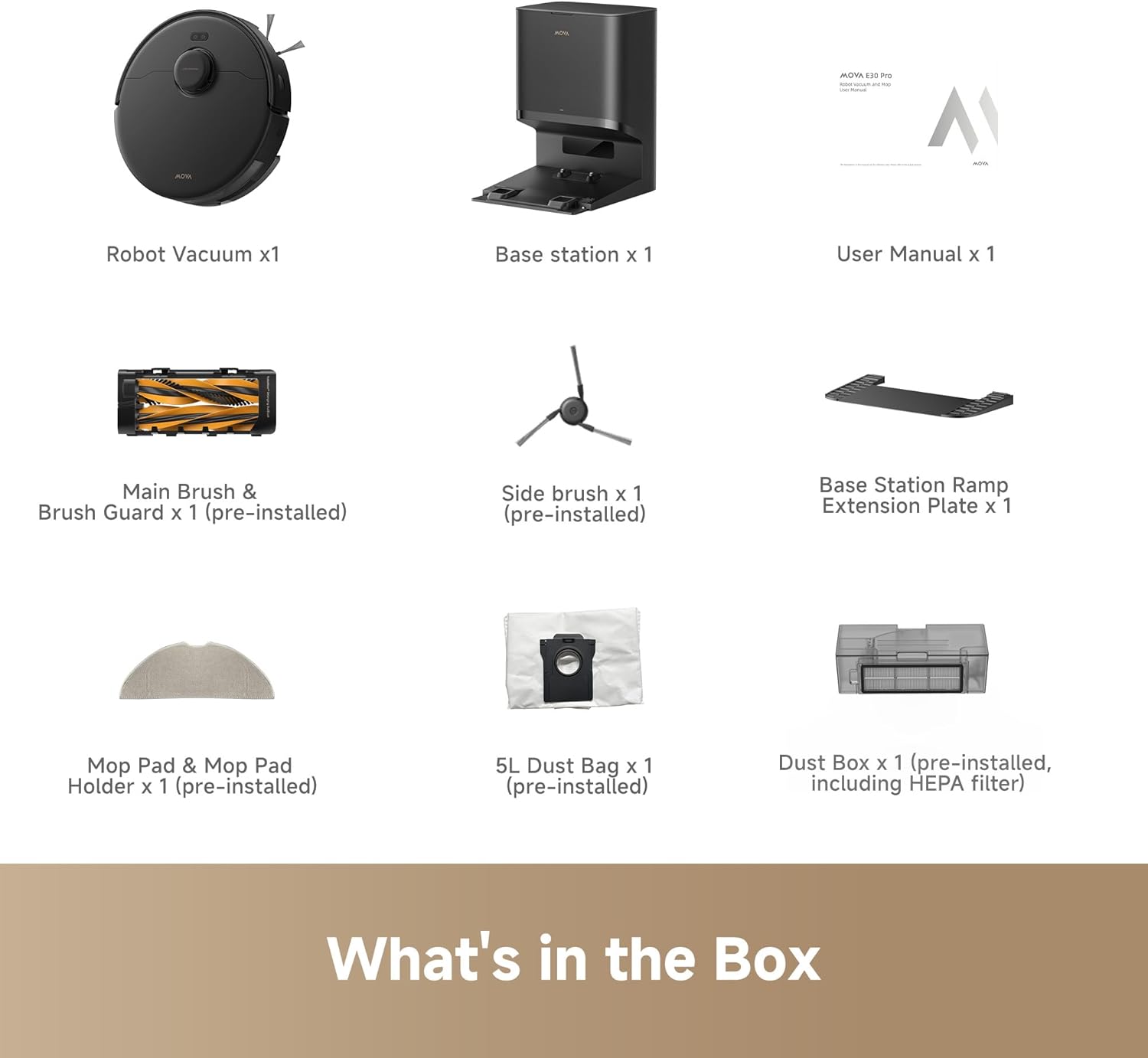
The image above displays the robot vacuum, auto-empty base station, user manual, main brush, side brush, base station ramp, mop pad and holder, 5L dust bag, and dust box with HEPA filter.
Video: An unboxing demonstration of the Mova E30 Pro Plus Robot Vacuum and Mop, showing all included accessories and initial setup steps.
Настройка
1. Base Station and Ramp Ўстаноўка
Place the auto-empty base station against a wall in an open area, ensuring there are no obstacles within 1.5 meters (5 feet) in front and 0.5 meters (1.6 feet) on either side. Attach the ramp extension plate to the front of the base station by aligning it and pressing down until it clicks securely into place. Connect the power cord to the back of the base station and plug it into a wall outlet. Ensure the power switch on the back of the base station is in the 'ON' position.

2. Initial Robot Placement
Place the robot vacuum onto the charging contacts of the base station. The robot will automatically power on and begin charging. For first-time use, it is recommended to fully charge the robot before its initial cleaning cycle.
3. Remove Bumper Guards
Before operating, remove any protective bumper guards or shipping materials from the robot's bumper to ensure proper obstacle detection and navigation.
4. Падключэнне да праграмы (неабавязкова, але рэкамендуецца)
Download the Mova app from your smartphone's app store. Follow the in-app instructions to connect your robot vacuum to your home Wi-Fi network. The app allows for advanced features such as mapping, scheduling, zone cleaning, and voice control integration.
Інструкцыя па эксплуатацыі
1. Запуск цыклу ачысткі
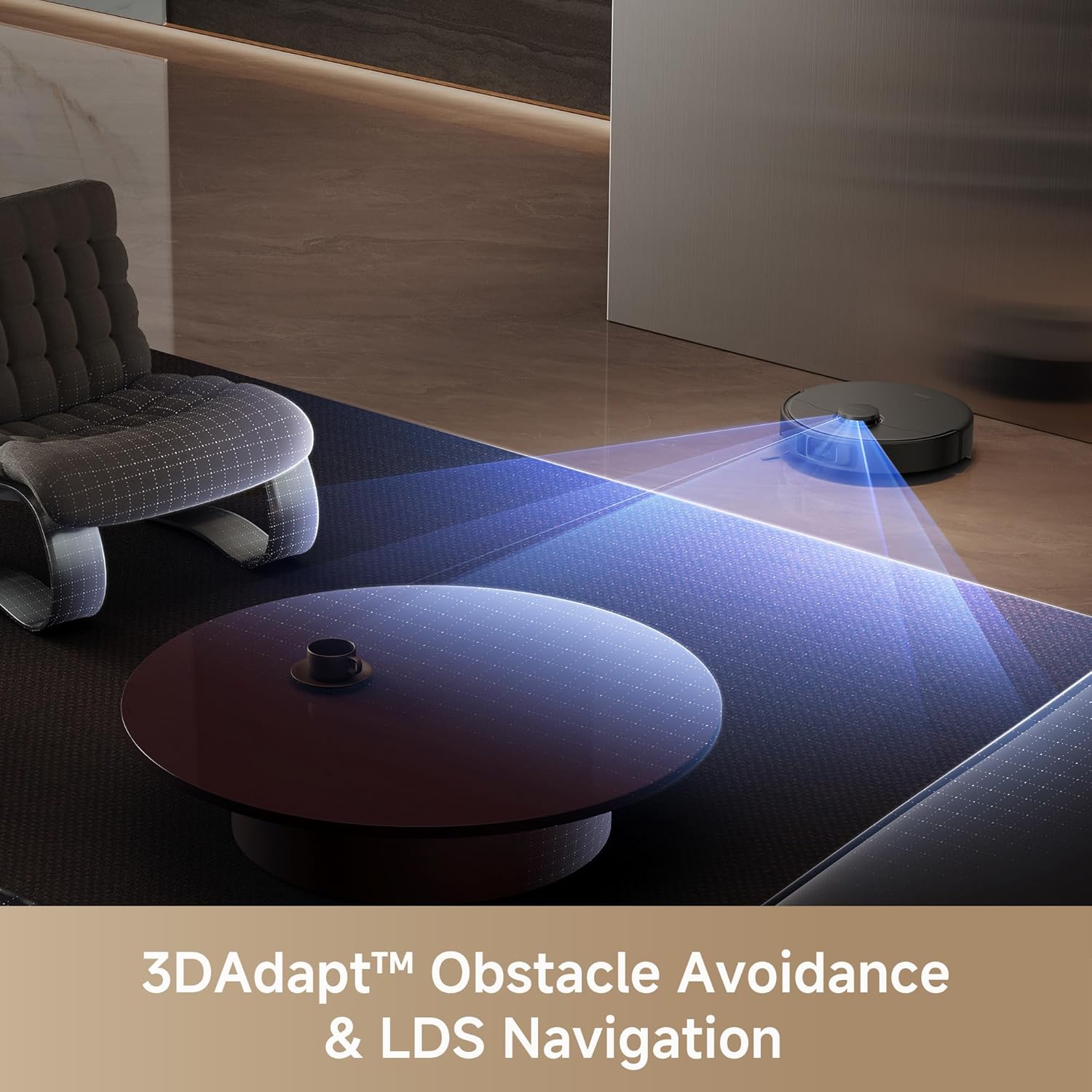
Press the Power button on the robot or use the Mova app to start a cleaning cycle. The robot will begin mapping your home using its LDS Laser navigation and 3DAdapt Obstacle Avoidance technology, ensuring efficient path planning and avoiding collisions.
2. Функцыя пыласоса
The E30 Pro Plus features 19000Pa powerful suction, effectively removing dirt, dust, debris, and pet hair from various surfaces including carpets, hardwood, and tiles. The DuoRoller brush system is designed to prevent hair tangles, ensuring consistent performance.

Video: A carpet cleaning test of the Mova E30 Pro Plus Robot Vacuum, demonstrating its suction power and ability to pick up debris on carpeted surfaces.
3. Функцыя мыцця падлогі
For mopping, ensure the mop pad holder with a clean, damp mop pad is attached to the robot. Fill the water tank with clean water. The robot will automatically detect the mop pad and adjust its cleaning behavior. It will avoid carpets when the mop pad is installed, thanks to its Ultrasonic Carpet Detection with Auto Suction Boost feature.

Video: A mopping test of the Mova E30 Pro Plus Robot Vacuum and Mop, showcasing its ability to clean hard floors effectively.
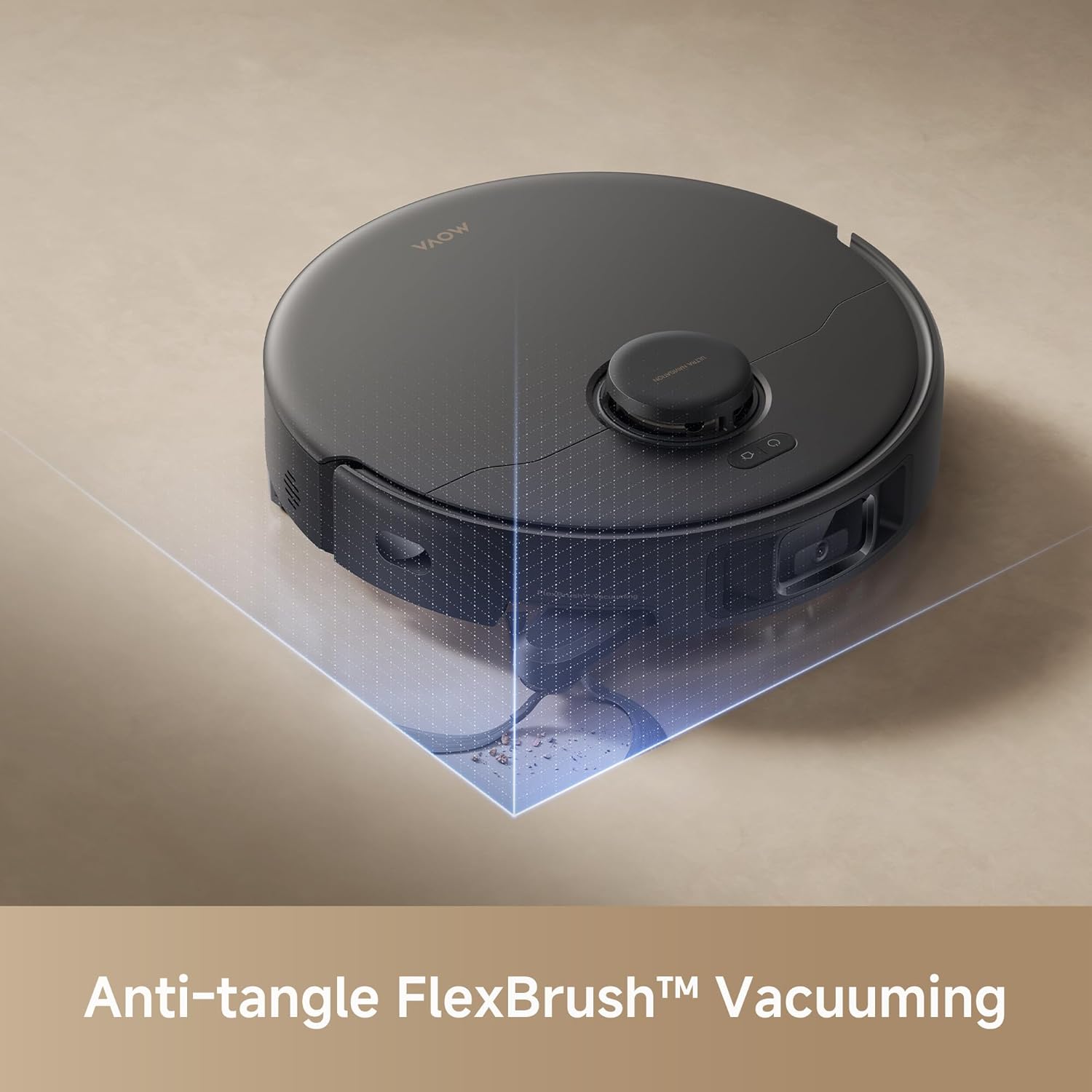
4. Extendable Side Brush (FlexBrush)
The robot is equipped with an extendable side brush, also known as FlexBrush, which automatically extends to reach dirt and debris in right-angle edges and tight gaps. This ensures thorough cleaning along baseboards and in corners.
5. Галасавое кіраванне
Integrate your Mova E30 Pro Plus with smart speaker systems like Alexa or Google Assistant for convenient voice-activated cleaning commands.
Тэхнічнае абслугоўванне
Рэгулярнае тэхнічнае абслугоўванне забяспечвае аптымальную прадукцыйнасць і падаўжае тэрмін службы вашага робата-пыласоса.
1. Апаражненне пылазборніка
The self-emptying base station automatically transfers collected debris from the robot's dust box into a 5L dust bag. This bag typically requires replacement every 90 days, depending on usage and pet hair accumulation. To replace, open the lid of the base station, remove the full dust bag, and insert a new one.
2. Cleaning the Dust Box and Filter
The robot's internal dust box and HEPA filter should be cleaned regularly. Remove the dust box from the robot, open it, and empty the contents. The filter can be gently tapped to remove dust or rinsed under running water (ensure it is completely dry before re-inserting). Refer to the user manual for detailed cleaning instructions and replacement schedules.
3. Cleaning the DuoRoller Brush
The anti-tangle DuoRoller brush combines TPU and bristled rubber brushes. Periodically remove the main brush and brush guard to inspect and clean any tangled hair or debris. Use the cleaning tool provided to cut and remove hair wrapped around the brushes.

4. Чыстка швабры
After each mopping session, detach the mop pad from its holder and wash it. The mop pad is reusable and can be hand-washed or machine-washed according to the instructions in the user manual. Ensure it is completely dry before reattaching.
Ліквідацыю непаладак
If you encounter issues with your Mova E30 Pro Plus, refer to the following common solutions or consult the full user manual for more detailed guidance.
Робат не зараджаецца
- Ensure the power cord is securely plugged into the base station and a working outlet.
- Check that the power switch on the base station is in the 'ON' position.
- Clean the charging contacts on both the robot and the base station with a dry cloth.
- Verify the robot is correctly docked with its charging contacts aligned.
Нізкая прадукцыйнасць ачысткі
- Empty the dust box and clean the filter. A clogged filter can reduce suction power.
- Clean the main brush and side brushes, removing any tangled hair or debris.
- Ensure the suction power setting in the app is appropriate for the surface being cleaned (e.g., Max for carpets).
- If mopping, ensure the mop pad is clean and sufficiently damp.
Robot Gets Stuck or Lost
- Clear obstacles such as cables, small toys, or loose rugs from the cleaning path.
- Clean the cliff sensors and obstacle avoidance sensors on the robot.
- If the robot frequently gets lost, try re-mapping your home through the Mova app.
Тэхнічныя характарыстыкі
| Асаблівасць | Дэталь |
|---|---|
| Марка | Мова |
| Назва мадэлі | E30 Pro Plus |
| Магутнасць ўсмоктвання | 19000 Па |
| Тып шчоткі | DuoRoller Brush (Anti-Tangle) |
| Self-Emptying | Yes, with 5L Dust Bag (90-day capacity) |
| Бакавая шчотка | Extendable for Edge Cleaning |
| Навігацыя | LDS Laser Navigation, 3DAdapt Obstacle Avoidance |
| Выяўленне дываноў | Ultrasonic with Auto Suction Boost |
| Кантроль | App & Voice Control (Alexa, Google Assistant), Touchpad Control |
| Тып фільтра | HEPA |
| Тып батарэі | Літый-іённы |
| Тэрмін службы батарэі | 40 minutes (runtime may vary based on mode) |
| Памеры прадмета (Д х Ш х У) | 18.11 см Д х 15.91 см Ш х 16.61 см В |
| Вага прадмета | 25 фунта |
| Колер | Чорны |
| Рэкамендацыя па паверхні | Hard Floor, Carpet, Marble, Wood, Tile |
Гарантыя і падтрымка
Інфармацыя аб гарантыі
The Mova E30 Pro Plus typically comes with a manufacturer's warranty. Please refer to the warranty card included in your product packaging or contact Mova customer service for specific details regarding coverage and duration. Extended protection plans may also be available for purchase.
- 2-Year Protection Plan (Optional)
- 3-Year Protection Plan (Optional)
Падтрымка кліентаў
For technical assistance, troubleshooting, or spare parts, please contact Mova customer support. Contact information can usually be found in the user manual or on the official Mova website. Have your product model and serial number ready when contacting support.