
Motorola Moto G15 Power
Кіраўніцтва карыстальніка смартфона Motorola Moto G15 Power 4G
Model: Moto G15 Power
1. Уводзіны
Welcome to the user manual for your new Motorola Moto G15 Power 4G smartphone. This guide provides essential information to help you set up, operate, maintain, and troubleshoot your device. The Moto G15 Power is designed to deliver a superior mobile experience with its advanced features, including a vibrant Full HD+ display, a high-resolution camera system, and a long-lasting battery.
Please read this manual carefully to ensure optimal performance and longevity of your device. Keep it for future reference.
2. Пачатковая налада
2.1 Змест пакета
Пераканайцеся, што ў вашай пасылцы ёсць наступныя рэчы:
- Смартфон Motorola Moto G15 Power
- Зарадная прылада TurboPower магутнасцю 30 Вт
- USB-кабель C
- Інструмент выцягвання SIM-карты
- Кароткае кіраўніцтва (гэта кіраўніцтва)
2.2 Устаўка SIM-карт і карт microSD
- Знайдзіце латок для SIM-карты на бакавой частцы тэлефона.
- Устаўце інструмент для выцягвання SIM-карты ў невялікую адтуліну побач з латком і акуратна націсніце, пакуль латок не выскочыць.
- Place your Nano-SIM card(s) and/or microSD card into the tray with the gold contacts facing down. Ensure they are correctly seated. The Moto G15 Power supports Dual SIM functionality.
- Асцярожна ўстаўце латок назад у тэлефон, пакуль ён не зашчоўкне.

Выява: Збоку view of the Motorola Moto G15 Power, illustrating the location of the SIM card tray.
2.3 Зарадка прылады
Before first use, fully charge your Moto G15 Power. Connect the USB-C cable to the phone's charging port and the 30W TurboPower charger to a power outlet. The battery indicator will show charging progress.
2.4 Уключэнне/выключэнне
- To power on: Press and hold the Power button (located on the right side of the phone) until the Motorola logo appears.
- Каб выключыць прыладу: націсніце і ўтрымлівайце кнопку харчавання, а затым націсніце «Выключыць» на экране.
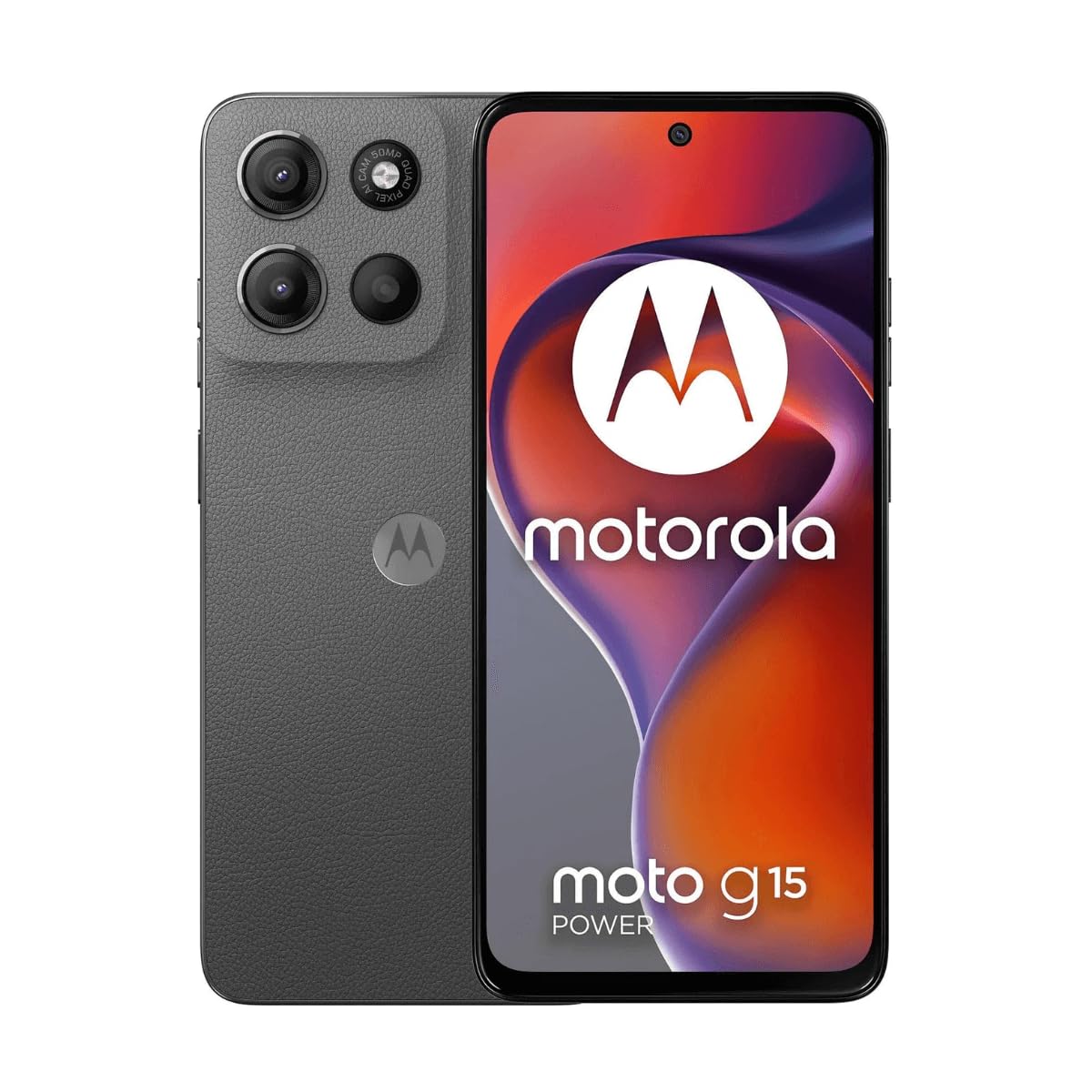
Выява: спераду view of the Motorola Moto G15 Power, displaying the screen and the location of the power button on the right side.
3. Кіраванне прыладай
3.1 Навігацыя па сэнсарным экране
Your Moto G15 Power features a responsive 6.72-inch Full HD+ display. Use the following gestures for navigation:
- Націсніце: Выберыце элемент або адкрыйце праграму.
- Правядзіце пальцам: Пракручваць экраны або спісы.
- Дробка: Павялічваць або памяншаць маштаб фатаграфій і web старонкі.
- Доўгі націск: Доступ да кантэкстных меню або перамяшчэнне значкоў.
3.2 Здзяйсненне званкоў і адпраўка паведамленняў
To make a call, open the Phone app and dial the number or select a contact. To send a message, open the Messages app, tap 'Start chat', and enter the recipient and your message.
3.3 Выкарыстанне камеры
The Moto G15 Power is equipped with a 50 MP main camera with Quad Pixel technology and an 8 MP front camera. Open the Camera app to capture photos and videos.
- Рэжым фота: Націсніце кнопку спуску засаўкі, каб зрабіць здымак.
- Рэжым відэа: Пераключыцеся ў рэжым відэа і націсніце кнопку запісу, каб пачаць/спыніць запіс.
- Сэлфі-камера: Tap the camera switch icon to use the front camera.
- Дадатковыя магчымасці: Explore settings for portrait mode, night vision, and other photographic enhancements.

Выява: Задняя частка view of the Motorola Moto G15 Power, highlighting the 50MP camera module.
3.4 Аўдыё і дысплей
Experience enhanced audio with Dolby Atmos support, whether through headphones or the phone's speakers. The 6.72-inch Full HD+ display features a High Brightness Mode for improved outdoor visibility.
3.5 Кіраванне батарэяй
Your device is equipped with a 6000 mAh battery and supports 30W TurboPower charging. To optimize battery life:
- Адрэгулюйце яркасць экрана.
- Зачыніце праграмы, якія не выкарыстоўваюцца.
- Уключыце рэжым эканоміі батарэі пры неабходнасці.
3.6 Падключэнне
The Moto G15 Power supports 4G cellular networks, Wi-Fi, Bluetooth, and NFC. Access these settings via the Quick Settings panel or the Settings app.
4. Тэхнічнае абслугоўванне і догляд
4.1 Ачыстка прылады
Use a soft, lint-free cloth to clean the screen and body of your phone. Avoid abrasive materials or harsh chemicals. For stubborn smudges, slightly dampen тканіна з вадой.
4.2 Воданепранікальнасць
The Moto G15 Power is designed to be splash and liquid resistant. This means it can withstand minor splashes or light rain. It is not waterproof and should not be submerged in water. Liquid damage is not covered under warranty.
4.3 Абнаўленне праграмнага забеспячэння
Рэгулярна правярайце наяўнасць абнаўленняў праграмнага забеспячэння і ўсталёўвайце іх, каб пераканацца, што ваша прылада мае найноўшыя функцыі, патчы бяспекі і паляпшэнні прадукцыйнасці. Перайдзіце па спасылцы Налады> Сістэма> Абнаўленні сістэмы.
4.4 Сыход за акумулятарам
To prolong battery life, avoid exposing your phone to extreme temperatures. Do not leave it fully charged or fully discharged for extended periods.
5. Выпраўленне непаладак
5.1 Прылада не ўключаецца
- Пераканайцеся, што акумулятар зараджаны. Падключыце зарадную прыладу і пачакайце некалькі хвілін, перш чым спрабаваць уключыць прыладу.
- Націсніце і ўтрымлівайце кнопку харчавання не менш за 10-15 секунд, каб прымусова перазагрузіць кампутар.
5.2 Праблемы з зарадкай
- Check if the charger and USB-C cable are securely connected to both the phone and the power outlet.
- Try using a different compatible charger and cable to rule out faulty accessories.
- Пераканайцеся, што порт зарадкі чысты і без смецця.
5.3 Праблемы з падключэннем да сеткі
- Перазагрузіце тэлефон.
- Праверце, ці не адключаны рэжым палёту.
- Праверце, ці правільна ўстаўлена і актыўная ваша SIM-карта.
- Скінуць налады сеткі: Налады > Сістэма > Параметры скіду > Скінуць налады Wi-Fi, мабільнай сувязі і Bluetooth.
5.4 Збоі або завісанні праграм
- Зачыніце і зноў адкрыйце праграму.
- Ачысціце кэш і дадзеныя праграмы: Налады > Праграмы > [Назва праграмы] > Памяць і кэш > Ачысціць кэш / Ачысціць памяць.
- Абнавіце праграму з крамы Google Play.
- Калі праблема не знікне, выдаліце і пераўсталюйце праграму.
6. Тэхнічныя характарыстыкі
| Асаблівасць | Спецыфікацыя |
|---|---|
| Назва мадэлі | Moto G15 Power |
| Аперацыйная сістэма | Android |
| Працэсар | MediaTek Helio G81 Extreme |
| АЗП | 8 ГБ |
| Унутраная памяць | 512 ГБ |
| Сховішча з магчымасцю пашырэння | Да 512 ГБ (microSD) |
| Памер дысплея | 6.72 цалі |
| Дазвол дысплея | 2340 x 1080 pixels (Full HD+) |
| Задняя камера | 50 МП |
| Пярэдняя камера | 8 МП |
| Ёмістасць батарэі | 6000 мАг |
| Зарадка | 30 Вт турбамагутнасць |
| Сувязь | 4G, 2G, Wi-Fi, Bluetooth, NFC |
| Тып SIM | Дзве SIM-карты Nano |
| Памеры | 9 х 76 х 166 мм |
| Воданепранікальнасць | Splash and liquid resistant |
| Раз'ём для навушнікаў | USB-C |
| Колер | Гравітацыя Грэй |
7. Інфармацыя аб гарантыі
Your Motorola Moto G15 Power is covered by a limited warranty. The terms and conditions of this warranty may vary by region. Please refer to the warranty card included in your product packaging or visit the official Motorola webсайт для атрымання падрабязнай інфармацыі аб гарантыйным пакрыцці, тэрміне дзеяння і працэдурах разгляду прэтэнзій.
Захоўвайце пацвярджэнне пакупкі для любых гарантыйных прэтэнзій.
8. Падтрымка
For further assistance, technical support, or to access additional resources, please visit the official Motorola support website. You can find FAQs, software downloads, and contact information for customer service.
Афіцыйная падтрымка Motorola: www.motorola.com/support
Ask a question about this manual
Ask about setup, troubleshooting, compatibility, parts, safety, or missing instructions. Manuals+ will review the question and use this page’s manual context to help answer it.