
Уводзіны
Thank you for choosing the GMBACK Wireless Pro Controller. This manual provides detailed instructions for setting up, operating, and maintaining your controller to ensure optimal performance and an enhanced gaming experience. Please read this manual thoroughly before use.
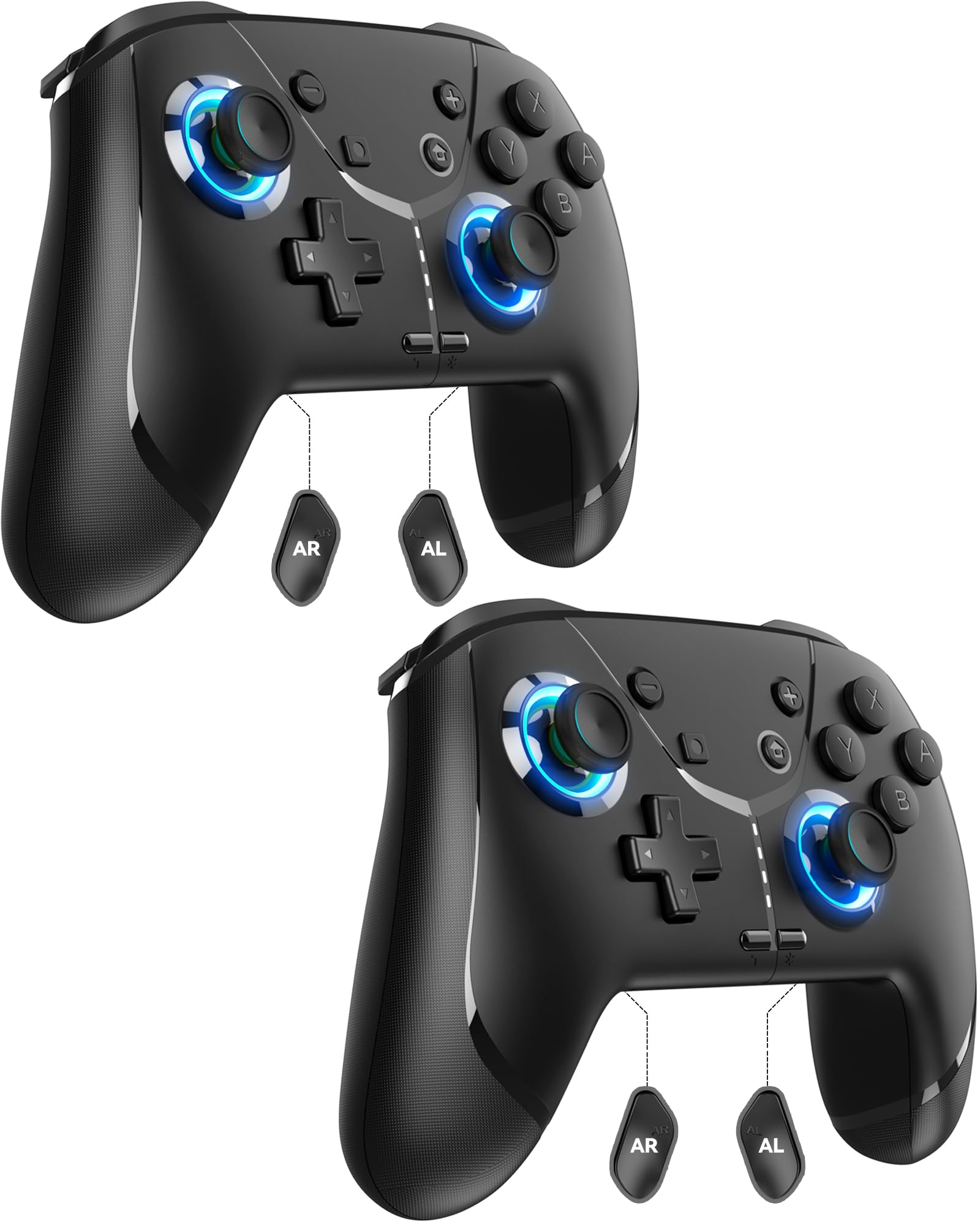
Image: GMBACK Wireless Pro Controller, front view.
Змест пакета
- 2 x GMBACK Wireless Pro Controllers
- 2 х зарадныя кабелі USB-C
- 1 х Кіраўніцтва карыстальніка
Пачатак працы
1. Спалучэнне з Nintendo Switch
- Ensure your Nintendo Switch console is powered on and updated to the latest system software.
- У меню HOME абярыце 'Controllers', тады 'Change Grip/Order'.
- On the GMBACK controller, press and hold the Кнопка сінхранізацыі (located on the top edge near the USB-C port) for 3-5 seconds until the LED indicators begin to flash rapidly.
- The controller will automatically pair with the Switch. Once paired, the player LED(s) on the bottom of the controller will light up solid.

Image: GMBACK Wireless Pro Controller connected to a Nintendo Switch console.
2. Connecting to PC (Wired)
- Connect the GMBACK controller to your PC using the provided USB-C cable.
- The controller will be recognized as a standard gamepad. Drivers may install automatically.
- For optimal compatibility, ensure your PC's operating system is up to date.
3. Зарадка кантролера
- Connect the controller to a USB power source (e.g., Switch dock, PC, USB wall adapter) using the provided USB-C cable.
- Святлодыёдныя індыкатары будуць паказваць стан зарадкі. Поўная зарадка звычайна займае 2-3 гадзіны.
- The controller features an 800mAh battery, providing approximately 15-20 hours of playtime on a full charge.

Image: Visual representation of the 800mAh battery, 15-20 hours playtime, and 2-3 hours charging time.
Асноўныя характарыстыкі і функцыі
1. Loop Macro Function
The controller supports a loop macro function, allowing you to record and replay a sequence of up to 30 seconds of button presses and joystick movements. This includes joysticks, triggers, D-pad, ABXY, and +/- buttons.
- Запісаць: Refer to the detailed instructions in the included user manual for specific recording steps.
- To Start/Stop Loop: Трымай Кнопка турба і Кнопка макра simultaneously. The controller will automatically replay your recorded actions in a continuous loop.

Выява: Задняя частка view of the controller highlighting the AR and AL programmable buttons and the text 'Loop Macro Function'.
2. 6-восевы гіраскопічны датчык
The integrated 6-axis gyro sensor provides precise motion detection, allowing for intuitive control in compatible games that utilize motion sensing. This enhances immersion and gameplay accuracy.

Image: Controller being used for a racing game, illustrating the 6-Axis Gyro Sensor feature.
3. Customizable Turbo Function
The controller offers three adjustable turbo speeds for rapid-fire actions. This feature can be set to either auto-fire or manual-fire mode.
- To Adjust Turbo Speed: Refer to the included user manual for specific button combinations to cycle through the three turbo speeds.
- Каб актываваць/дэактываваць Турба: Націсніце Кнопка турба along with the desired action button.

Image: Controller displaying the 'Auto & Manual Turbo' feature with a gaming background.
4. Двайная рэгуляванне вібрацыі
Experience immersive feedback with four levels of dual vibration intensity: None, Weak, Medium, and Strong. Adjust the vibration to your preference for different games.
- To Adjust Vibration: Consult the user manual for the specific button combination to cycle through vibration levels.

Image: Controller illustrating the four levels of dual vibration: None, Weak, Medium, Strong.
5. RGB-падсветка
The controller features dynamic RGB lighting around the joysticks, enhancing the visual appeal during gameplay. The lighting can be adjusted or turned off.
- To Adjust RGB Lighting: Refer to the user manual for instructions on changing lighting modes or turning off the lights.

Image: Controller showcasing its RGB lighting feature around the joysticks.
6. Remappable ABXY Buttons
The ABXY buttons can be remapped to switch between Nintendo Switch and Xbox layouts, providing flexibility for different gaming preferences without needing to physically remove any buttons.
- To Remap ABXY: Follow the instructions in the user manual for the specific button sequence to switch layouts.

Image: Controller illustrating the ABXY button function switching between Nintendo Switch and Xbox layouts.
7. Screenshot and Home Wake-up
- The controller includes a dedicated Кнопка скрыншота for capturing in-game moments.
- The Кнопка "Дадому". can be used to wake up your Nintendo Switch console from sleep mode.
Тэхнічнае абслугоўванне
- Уборка: Для чысткі кантролера выкарыстоўвайце мяккую сухую тканіну. Пазбягайце выкарыстання агрэсіўных хімічных рэчываў або абразіўных матэрыялаў.
- захоўванне: Захоўвайце кантролер у прахалодным, сухім месцы, удалечыні ад прамых сонечных прамянёў і экстрэмальных тэмператур.
- Сыход за батарэяй: Каб падоўжыць тэрмін службы батарэі, пазбягайце частай поўнай разрадкі кантролера. Рэгулярна зараджайце яго, нават калі ён не выкарыстоўваецца пастаянна.
Ліквідацыю непаладак
- Кантролер не падключаецца:
- Пераканайцеся, што кантролер зараджаны.
- Verify the Switch is in 'Change Grip/Order' mode.
- Try restarting both the Switch and the controller.
- Пераканайцеся, што іншыя бесправадныя прылады не ствараюць перашкод.
- Кнопкі не рэагуюць:
- Праверце, ці правільна спалучаны кантролер.
- Test button functionality in Switch system settings.
- Ensure the controller's firmware is up to date (if applicable, check GMBACK support webсайт).
- Праблемы з зарадкай:
- Use the provided USB-C cable.
- Паспрабуйце іншую крыніцу харчавання USB.
- Ensure the charging port on the controller is clean and free of debris.
Тэхнічныя характарыстыкі
| Асаблівасць | Дэталь |
|---|---|
| мадэль | HD6900 |
| Сумяшчальнасць | Nintendo Switch 2, Switch, Switch Lite, Switch OLED, Windows PC (wired) |
| Ёмістасць батарэі | 800 мАг |
| Час гульні | 15-20 гадзін |
| Час зарадкі | 2-3 гадзін |
| Сувязь | Бесправадное падключэнне (Bluetooth), правадное падключэнне (USB-C) |
| Асаблівасці | Loop Macro, 6-Axis Gyro Sensor, Dual Vibration (4 levels), Adjustable Turbo (3 speeds), RGB Lighting, Remappable ABXY, Screenshot, Home Wake-up |
| Вага прадмета | 8.5 унцыі |
| Памеры ўпакоўкі | 6.54 х 5.31 х 5.28 цалі |
Афіцыйнае відэа пра прадукт
Відэа: Скончанаview of the GMBACK Wireless Switch Controller, demonstrating its features and compatibility with Nintendo Switch, Switch Lite, and Switch OLED consoles.
Гарантыя і падтрымка
GMBACK products come with a standard manufacturer's warranty. For detailed warranty information, technical support, or any inquiries regarding your controller, please refer to the contact information provided on the product packaging or visit the official GMBACK webсайт.

Image: Icon representing customer support.