
1. Уводзіны
This manual provides essential instructions for the safe and effective operation of your ARENTI B2 Baby Monitor & Screen2. Please read this manual thoroughly before use and retain it for future reference.
2. Інфармацыя па бяспецы
- Keep the device and its cables out of reach of children to prevent strangulation hazards.
- Не размяшчайце камеру або манітор побач з вадой або крыніцамі цяпла.
- Выкарыстоўвайце толькі прадастаўленыя адаптары харчавання.
- Ensure proper ventilation for both the camera and monitor.
- This product is intended for monitoring purposes only and should not replace proper adult supervision.
3. Прадукт скончыўсяview
The ARENTI B2 Baby Monitor & Screen2 offers comprehensive monitoring capabilities with advanced features designed for ease of use and security.
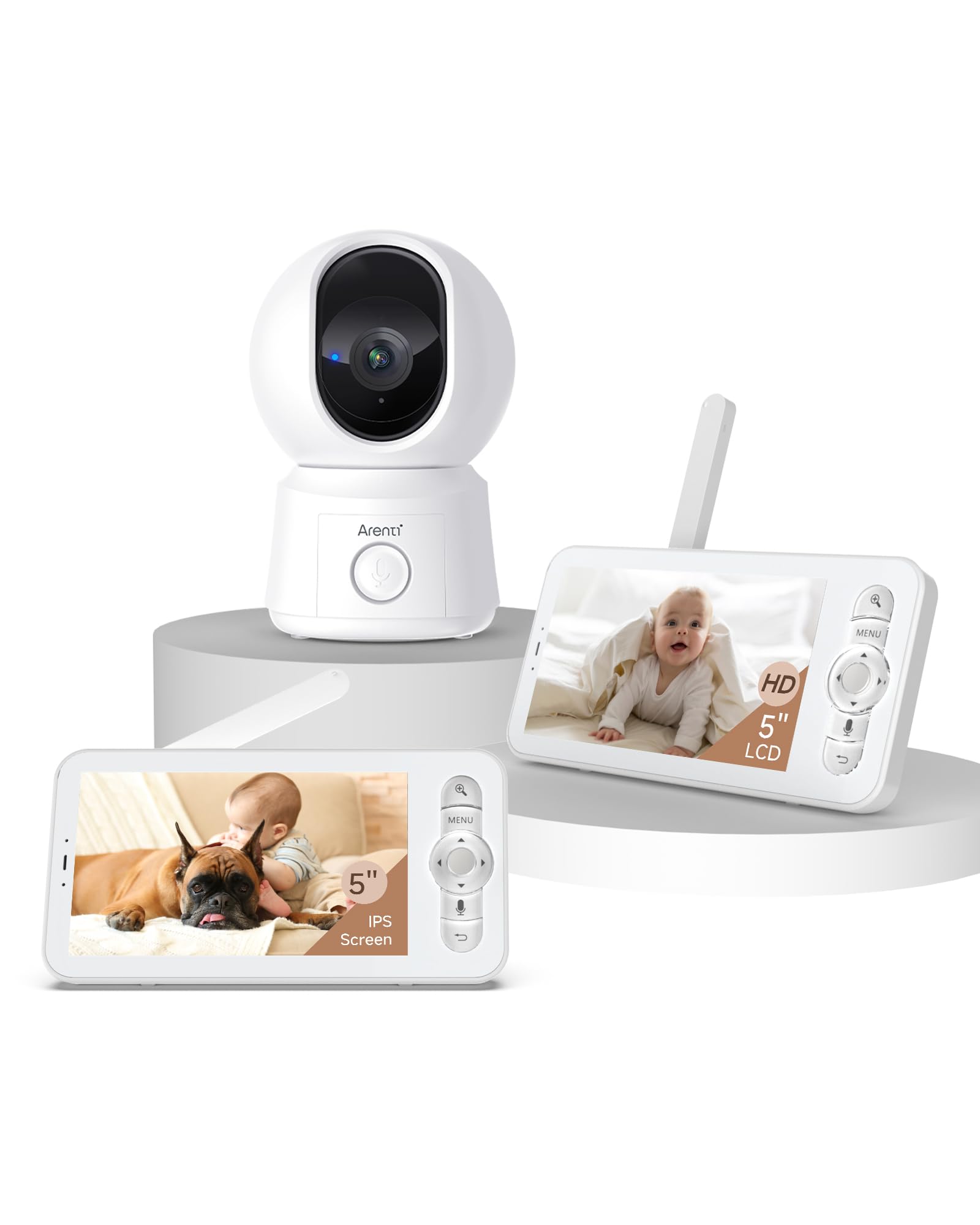
Image: The ARENTI B2 Baby Monitor camera and screen, illustrating features like temperature sensing, lullabies, and white noise for enhanced care.
Асноўныя характарыстыкі:
- Падвойнае выкарыстанне: Operate with the LCD screen independently or remotely via a smartphone app.
- 360° View: Camera offers 100° lens with 355° horizontal and 60° vertical rotation.
- Разумнае выяўленне: Motion, crying, and specific area detection with adjustable sensitivity, plus a temperature sensor.
- Высокая раздзяляльнасць: 5-inch 720p LCD screen with 4x magnification and 2K resolution via the app.
- Палепшанае начное бачанне: Выразная бачнасць ва ўмовах нізкай асветленасці.
- Двухбаковы аўдыё: Убудаваны мікрафон і дынамік для сувязі.
- Friendly Features: Lullabies, VOX mode, nursing reminders, and One-Touch Calls.
- Бяспечнае сховішча: Supports micro SD cards (up to 128 GB for screen, 256 GB for camera) and cloud storage with end-to-end encryption.
4. Інструкцыі па ўсталёўцы
4.1 Initial Setup (LCD Screen Only)
- Unpack the baby monitor camera and the LCD screen.
- Connect the power adapters to both the camera and the LCD screen, then plug them into a power outlet.
- The camera and screen are pre-paired for immediate use. The screen will automatically display the camera feed.
- Position the camera to ensure a clear view патрэбнай плошчы.
4.2 App Setup (for Remote Control)
- Download the ARENTI app from your smartphone's app store.
- Стварыце ўліковы запіс або ўвайдзіце, калі ў вас ужо ёсць.
- Follow the in-app instructions to add your B2 baby camera. Ensure your smartphone and the baby camera are connected to the same 2.4GHz Wi-Fi network during the initial setup. 5GHz networks are not supported for camera connection.
- Once connected, you can remotely control the camera and view the feed from your smartphone.
5. Інструкцыя па эксплуатацыі
5.1 Using the LCD Screen
- Уключэнне/выключэнне харчавання: Press and hold the power button on the monitor.
- Рэгулятар гучнасці: Use the dedicated buttons to adjust the audio volume.
- Camera Pan/Tilt: Use the directional buttons on the monitor to remotely rotate the camera (355° horizontal, 60° vertical).
- Маштаб: Utilize the zoom function for a closer look (up to 4x magnification).
- Рэжым VOX: Activate VOX (Voice Operated eXchange) mode to conserve battery. The screen will activate when sound is detected.
- Калыханкі: Access the menu to play soothing lullabies.
- Напаміны пра догляд: Set reminders for feeding or other care activities.
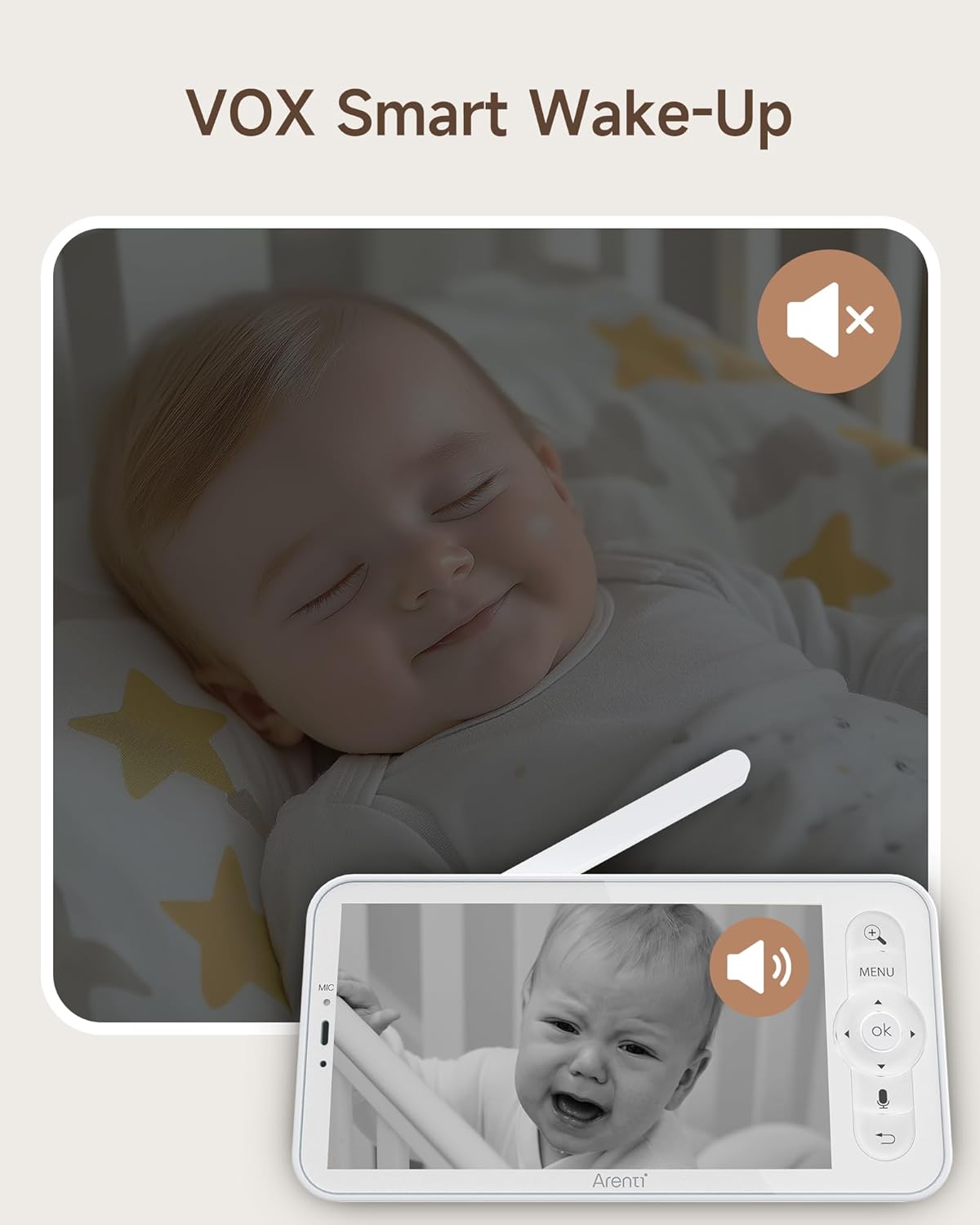
Image: The monitor screen demonstrating VOX Smart Wake-Up, showing the screen activating when a baby's cry is detected.
5.2 Выкарыстанне мабільнага прыкладання
- жыць View: Access the live camera feed in 2K resolution.
- Двухбаковы аўдыё: Use the microphone and speaker icons in the app to communicate with your baby or pets.
- Remote Pan/Tilt: Control the camera's movement directly from the app interface.
- Smart Detection Alerts: Receive instant notifications on your phone for motion, crying, or temperature changes.
- Выклік адным дотыкам: Initiate a call from the monitor to your smartphone with a single touch.
- Запіс падзеі: Access free 6-second event recordings (7-day loop) in the app.
- захоўванне: Manage video footage stored on micro SD cards or cloud storage.
- Абмен: Share access to the monitor with family or friends and revoke access as needed.

Image: A smartphone displaying an incoming call from the baby monitor, illustrating the One-Touch Call feature.
5.3 Security and Data Protection
ARENTI prioritizes your privacy and security. Data is securely stored on Amazon's AWS, utilizing end-to-end encryption (E2EE) to ensure that only you can access your footage with a unique decryption key.

Image: The monitor screen showing 'Safety Protection' features, including Wi-Fi network channel control and access logs for enhanced security.
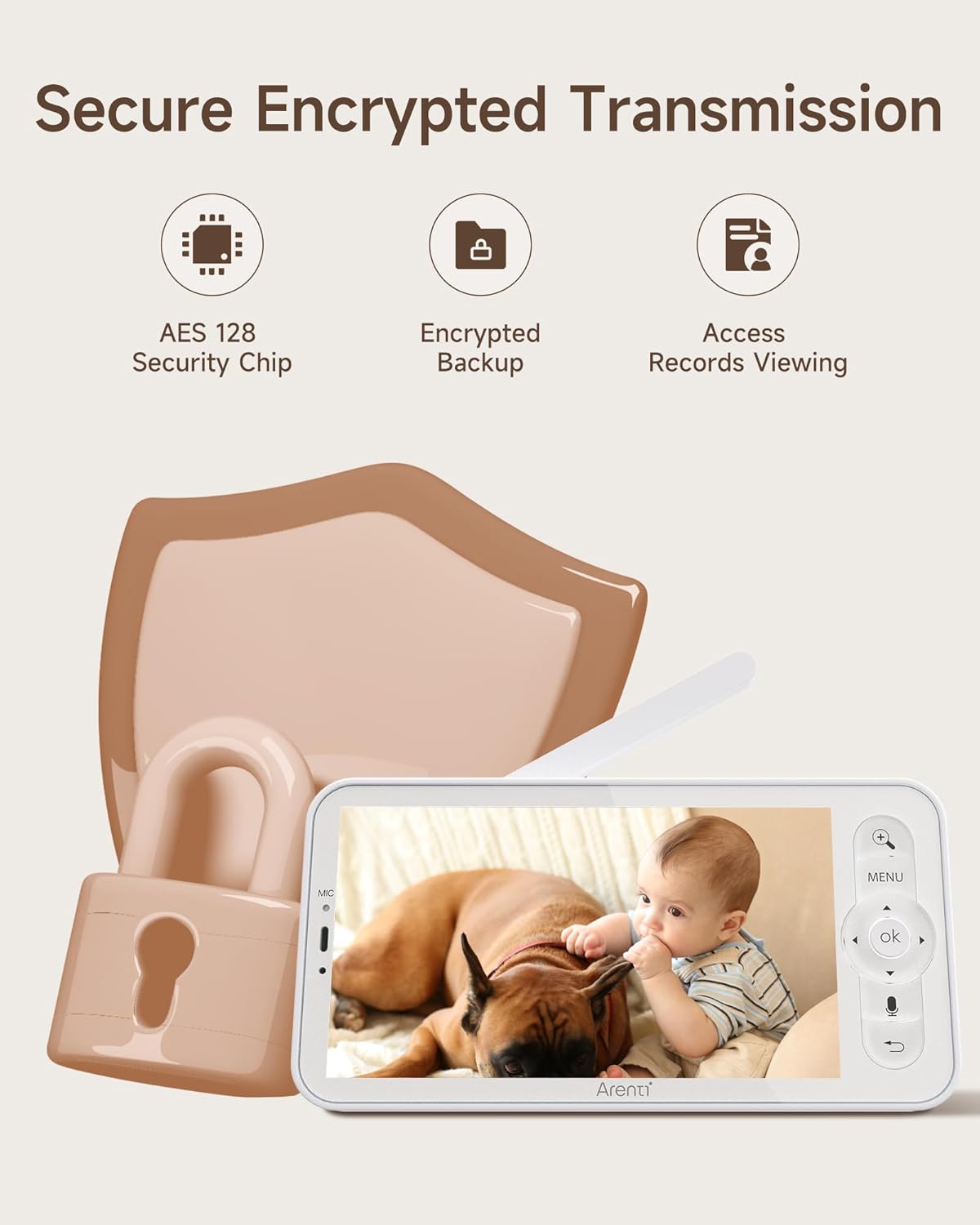
Image: An illustration highlighting secure encrypted transmission, featuring an AES 128 Security Chip, encrypted backup, and access records viewінж.
6. Тэхнічнае абслугоўванне
- Уборка: Выкарыстоўвайце мяккую сухую тканіну для чысткі аб'ектыва камеры і экрана манітора. Не выкарыстоўвайце вадкія ачышчальнікі або аэразолі.
- захоўванне: If not in use for an extended period, store the device in a cool, dry place away from direct sunlight.
- Сыход за батарэяй: For optimal battery life, avoid extreme temperatures and fully discharge and recharge the monitor's battery periodically.
7. Выпраўленне непаладак
- No Picture on Screen: Пераканайцеся, што і камера, і манітор уключаны і знаходзяцца ў зоне дасяжнасці. Праверце падключэнні сілкавання.
- Слабы сігнал: Move the camera and monitor closer to each other. Avoid placing them near large metal objects or other electronic devices that may cause interference.
- Праблемы з падключэннем праграмы: Verify your camera is connected to a 2.4GHz Wi-Fi network. Restart your router, camera, and smartphone. Ensure the app is updated to the latest version.
- Праблемы з гукам: Check the volume settings on both the monitor and the app. Ensure there are no obstructions blocking the microphone or speaker.
- Начное бачанне не працуе: Ensure the camera's infrared sensors are not obstructed and that the room is sufficiently dark for night vision to activate.
8. Тэхнічныя характарыстыкі
| Асаблівасць | Спецыфікацыя |
|---|---|
| мадэль | B2 |
| Марка | АРЭНЦІ |
| ASIN | B0FJRTKBS8 |
| Памер ВК-экрана | 5 цаляў |
| Дазвол ВК | 720p HD |
| App Resolution | 2K |
| Ракурс аб'ектыва камеры | 100° |
| Camera Rotation (Horizontal) | 355° |
| Camera Rotation (Vertical) | 60° |
| маштабаванне | 4-кратнае павелічэнне |
| Далёкасць бесправадной сувязі | Up to 1000ft (max) |
| Сумяшчальнасць з Wi-Fi | 2.4GHz only (for app connection) |
| Micro SD Card Support (Screen) | Да 128 ГБ |
| Micro SD Card Support (Camera) | Да 256 ГБ |
| Параметры захоўвання | Micro SD Card, Cloud Storage (AWS) |
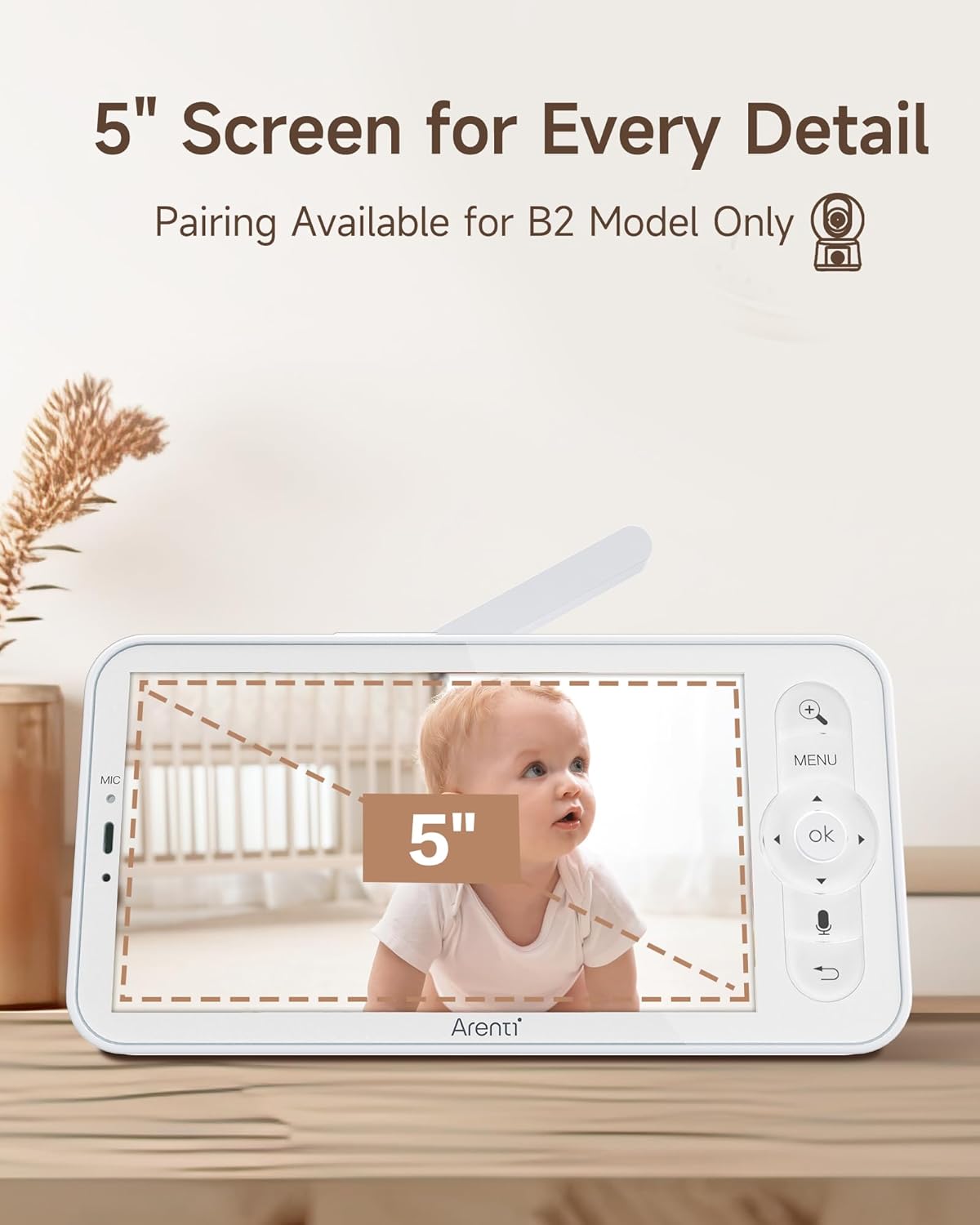
Image: The 5-inch LCD screen of the ARENTI B2 Baby Monitor, highlighting its size for detailed viewінж.
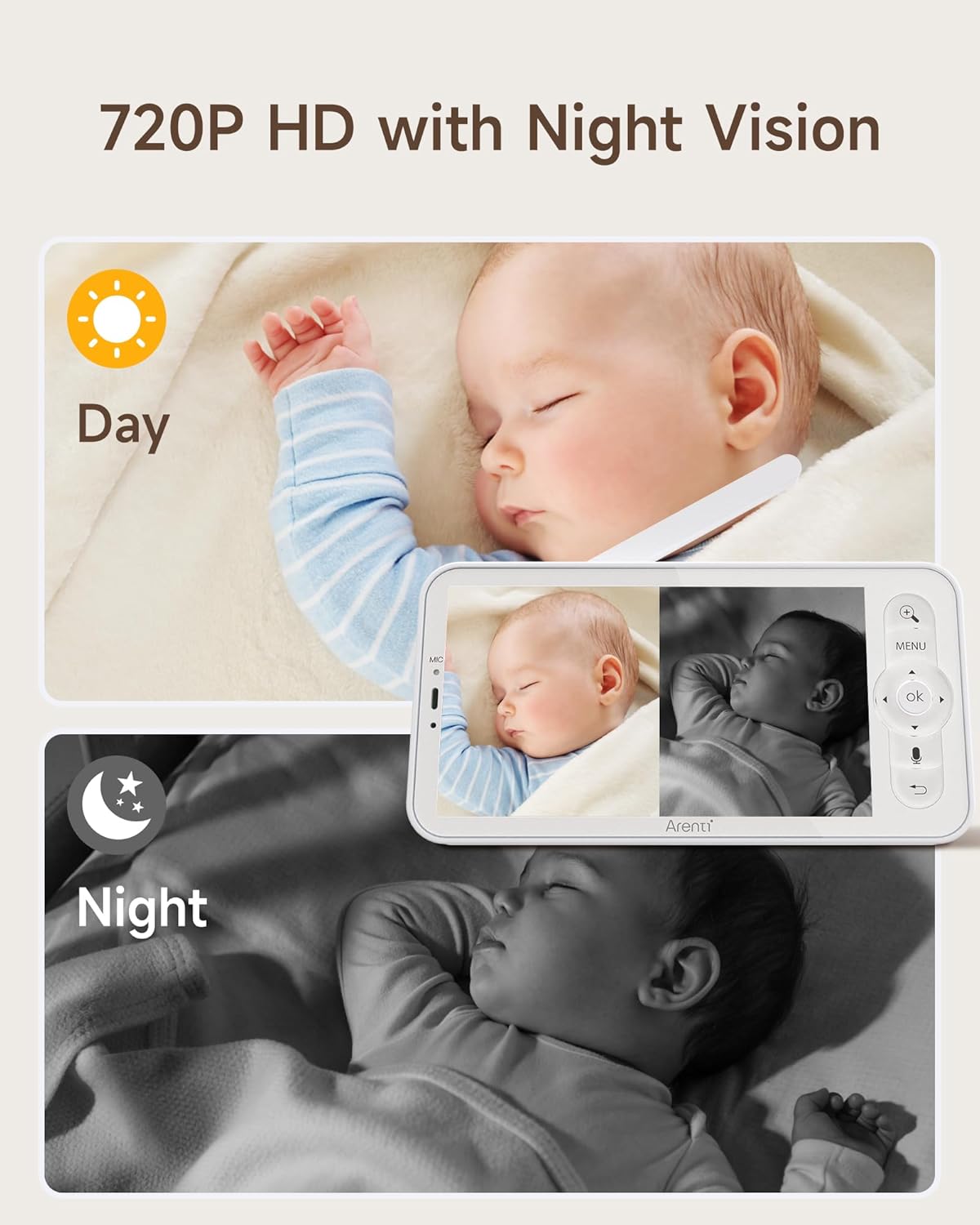
Image: The monitor displaying both day (720P HD) and night vision views of a baby, demonstrating clear visibility in all lighting conditions.
9. Падтрымка кліентаў
For technical assistance or further inquiries, please refer to the ARENTI official website or contact their customer support directly. Contact information can typically be found on the product packaging or the manufacturer's webсайт.