
1. Уводзіны
This manual provides essential information for the safe and efficient operation of your TOPTRO Quadra Projector. Please read it thoroughly before using the device and retain it for future reference. The TOPTRO Quadra Projector offers a native 1080p resolution with true 4K HDR10/HLG support, running on a Linux OS with pre-installed streaming applications.
2. Змесціва ўпакоўкі
Праверце наяўнасць усіх прадметаў у камплекце:
- TOPTRO Quadra Projector
- Пульт дыстанцыйнага кіравання
- Сілавы кабель
- Кіраўніцтва карыстальніка (гэты дакумент)
3. Настройка
3.1 Размяшчэнне
Place the projector on a stable, flat surface or mount it to the ceiling. Ensure adequate ventilation around the device. For optimal viewing, position the projector to achieve the desired screen size. The projector supports a maximum projection size of 300 inches.

Image: Optimal projection distances for various screen sizes.
3.2 Падключэнне харчавання
Падключыце кабель харчавання да ўваходу сілкавання праектара, а затым да адпаведнай электрычнай разеткі.
3.3 Падключэнне знешніх прылад
The TOPTRO Quadra Projector features multiple connectivity options:
- HDMI: Connect laptops, Blu-ray players, gaming consoles (e.g., PS4), or TV sticks using the dual HDMI ports. One port supports HDMI ARC for enhanced audio return.
- USB: Устаўце USB-назапашвальнікі для прайгравання медыяфайлаў.
- Аўдыёвыхад 3.5 мм: Падключыце знешнія дынамікі або навушнікі.
- Bluetooth 5.2: Pair with Bluetooth speakers or headphones for wireless audio.
- Dual Band WiFi (2.4GHz + 5GHz): Падключыцеся да хатняй сеткі для онлайн-трансляцыі і абнаўленняў.
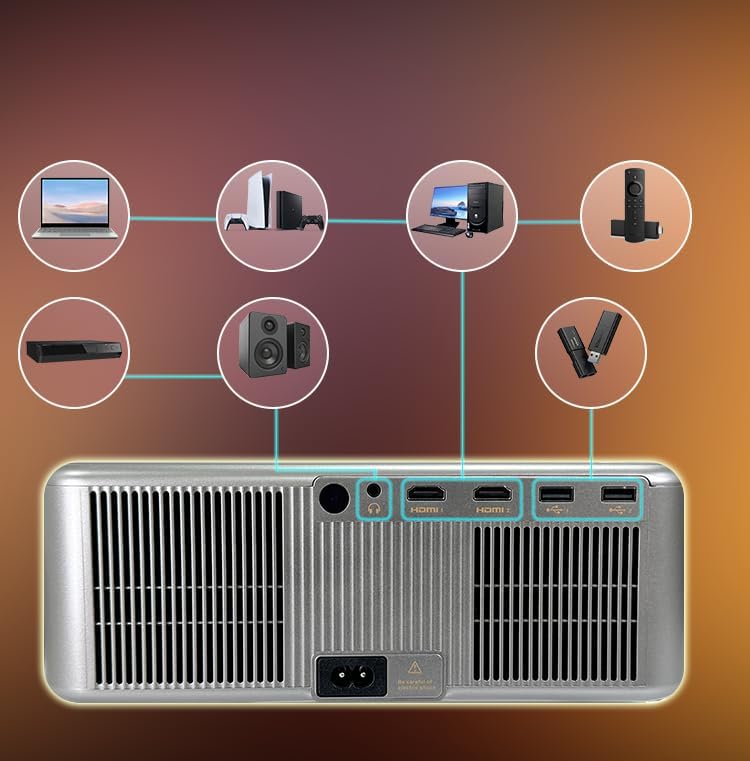
Выява: Парты падключэння на задняй панэлі.
3.4 Initial Power On and Automatic Adjustments
Press the power button on the projector or remote control to turn on the device. The projector features fully automatic adjustments:
- аўтафокус: Праектар аўтаматычна адрэгулюе выразнасць выявы.
- Аўтаматычная карэкцыя трапецеідальных скажэнняў: The image will be automatically squared to compensate for angled projection.
- Аўтаматычнае пазбяганне перашкод: The projection area will adjust to avoid objects in the path.
- Аўтаматычная падгонка экрана: The image will automatically fit within the boundaries of your projection surface.

Image: Automatic image adjustment features.
4. Інструкцыя па эксплуатацыі
4.1 Navigating the Linux OS
The TOPTRO Quadra Projector runs on a Linux operating system. Use the provided remote control to navigate the user interface. The home screen provides access to pre-installed applications and settings.

Image: Projector displaying the Linux OS interface with streaming apps.
4.2 Прыкладанні для струменевай перадачы
The projector comes with pre-installed and certified applications such as Netflix, YouTube, and Prime Video. Access these directly from the home screen for 4K content streaming.

Image: Remote control with quick access buttons for streaming services.
4.3 Wireless Screen Mirroring
The projector supports Miracast for wireless screen mirroring from Android and iOS devices. Refer to your device's instructions for initiating screen mirroring and select the projector from the available devices.
4.4 Image and Sound Settings
Access the settings menu to adjust image parameters such as brightness, contrast, and color. The projector supports HDR10/HLG for enhanced dynamic range. Audio settings allow for volume control and selection of output devices (internal speakers, Bluetooth, 3.5mm jack, HDMI ARC).
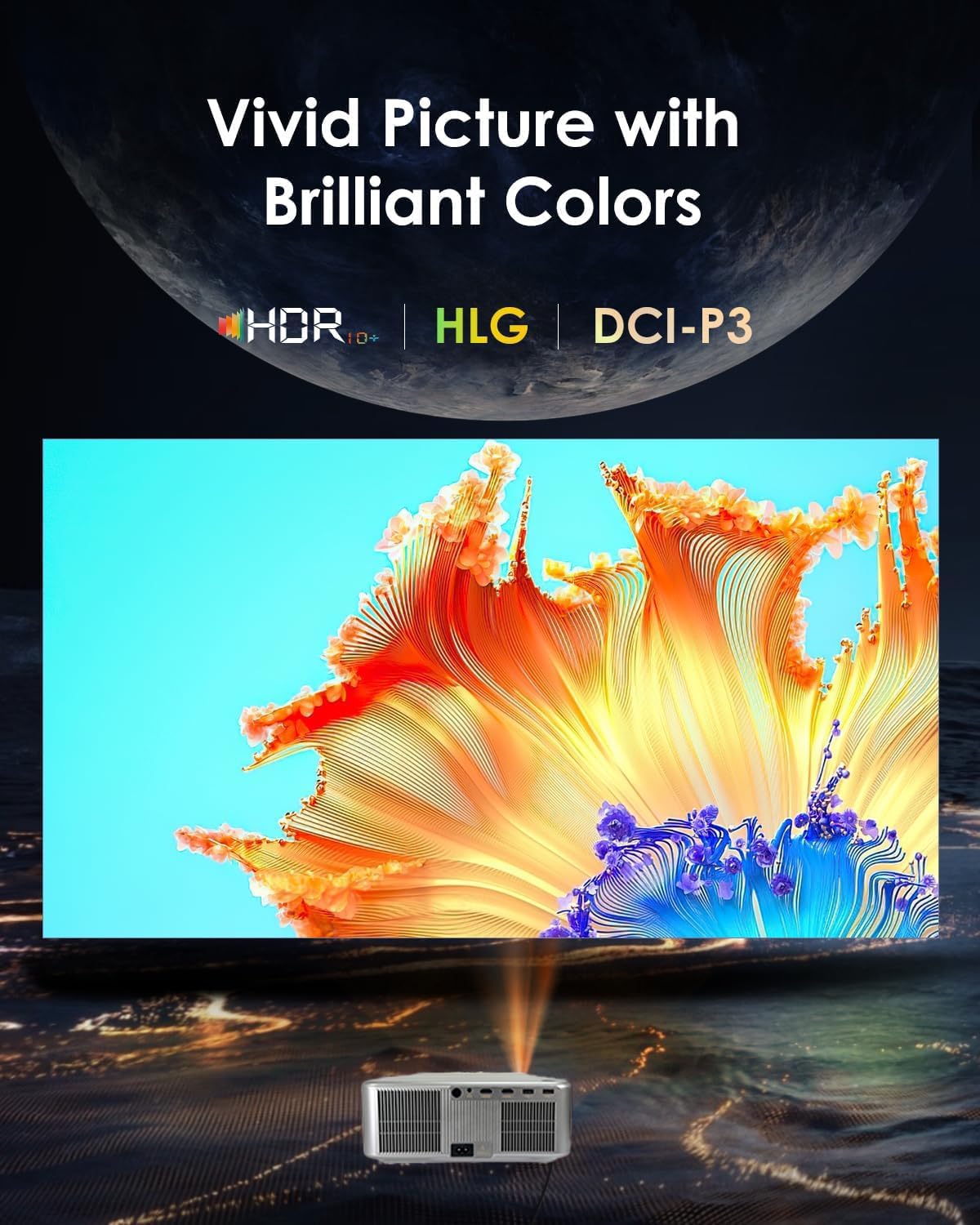
Image: Displaying vivid picture quality with HDR10+, HLG, and DCI-P3 color support.
5. Тэхнічнае абслугоўванне
5.1 Ачыстка аб'ектыва
Gently wipe the projector lens with a soft, lint-free cloth specifically designed for optical surfaces. Avoid using abrasive cleaners or excessive force.
5.2 Ачыстка вентыляцыйных адтулін
Regularly clean the air vents to prevent dust buildup, which can affect performance and lead to overheating. Use a soft brush or compressed air to clear the vents.
5.3 лamp жыццё
Праектар лamp has an estimated life of 50,000 hours. No user replacement is typically required during the product's lifespan under normal usage conditions.
6. Выпраўленне непаладак
6.1 Няма малюнка
- Пераканайцеся, што праектар уключаны, а кабель харчавання надзейна падключаны.
- Check the input source. Verify that the correct HDMI or other input is selected.
- Confirm that the connected device (laptop, media player) is powered on and outputting a signal.
- Праверце кабельныя злучэнні на наяўнасць няшчыльнасці або пашкоджанняў.
6.2 Няма гуку
- Адрэгулюйце гучнасць на праектары і падлучанай прыладзе-крыніцы.
- Ensure external speakers or headphones are properly connected if used.
- If using Bluetooth, confirm the projector is paired with the correct audio device.
- Check audio settings in the projector's menu to ensure the correct audio output is selected.
6.3 Выява размытая або скажоная
- Allow the projector's auto-focus feature to complete its adjustment.
- Ensure the projector is placed perpendicular to the screen for best results, allowing auto-keystone to function optimally.
- Check for any physical obstructions in front of the lens.
6.4 Праблемы з падключэннем (Wi-Fi/Bluetooth)
- For WiFi, ensure the projector is within range of your router and the password is entered correctly. Try restarting your router.
- Пры падключэнні праз Bluetooth пераканайцеся, што прылада, да якой вы спрабуеце падключыцца, знаходзіцца ў рэжыме спалучэння і знаходзіцца ў зоне дзеяння.
7. Тэхнічныя характарыстыкі
| Марка | ТОПТРО |
| мадэль | Quadra Certified (X6) |
| Тэхналогія адлюстравання | ВК |
| Роднае дазвол | 1920 x 1080 (1080p) |
| Падтрымліваецца дазвол | Up to 3840 x 2160 (4K) |
| Яркасць выявы | 30000 люмен (2500 люменаў ANSI) |
| Каэфіцыент кантраснасці выявы | 10000:1 |
| Суадносіны бакоў | 16:9 |
| Частата абнаўлення | 60 Гц |
| Асаблівасці | 4K HDR 10/HLG, Net - Flix Certified Linux OS, 2GB RAM, 32GB ROM, Auto Focus & Keystone, Auto Obstacle Avoidance, Auto Screen Fit, 15W Speakers, HDMI ARC, Dual HDMI, Dual 5G & 2.4G WiFi 6, Bluetooth 5.2, WiFi Display, Electronic Focus & 6D Electronic correction, AI Image Tech (Color Correction, Noise Reduction, Edge Enhancement), MEMC Motion Compensation, Dolby Audio. |
| Абсталяванне інтэрфейсу | 3.5mm Audio, Bluetooth 5, Ethernet, HDMI, USB |
| Сумяшчальныя прылады | Laptop, Speaker, Television, Gaming Consoles, TV Sticks |
| Lamp жыццё | 50,000 гадзін |
| Памеры прадукту | 28 х 13 х 30 см |
| Вага прадмета | 3 кг |

Выява: Зверхуview of advanced features and specifications.
8. Інфармацыя аб гарантыі
The TOPTRO Quadra Projector comes with a Гарантыя 1 год provided by TOPTRO from the date of purchase. For detailed warranty terms and conditions, please visit the official TOPTRO webсайт.
9. Падтрымка
For technical assistance, customer service, or warranty claims, please contact TOPTRO support:
- Webсайт: toptro.in
- электронная пошта: support@toptro.in or sreeprojectors@gmail.com
- WhatsApp: 8341888860