
1. Прадукт скончыўсяview
This manual provides detailed instructions for the installation, operation, and maintenance of your Inefala Android Car Radio. This unit is specifically designed for Peugeot 301 and Citroen Elysee models manufactured between 2013 and 2018, offering an enhanced in-car entertainment and navigation experience.
Асноўныя функцыі ўключаюць у сябе:
- Android 15 Operating System with 2GB RAM + 64GB Storage
- 9-inch Touchscreen Display
- Бесправадны CarPlay і Android Auto
- Функцыянальнасць люстраной спасылкі
- Integrated GPS Navigation (online and offline maps)
- Bluetooth for hands-free calling and music streaming
- FM/RDS Radio with EQ sound adjustment
- Steering Wheel Control (SWC) compatibility
- AHD Reverse Camera support
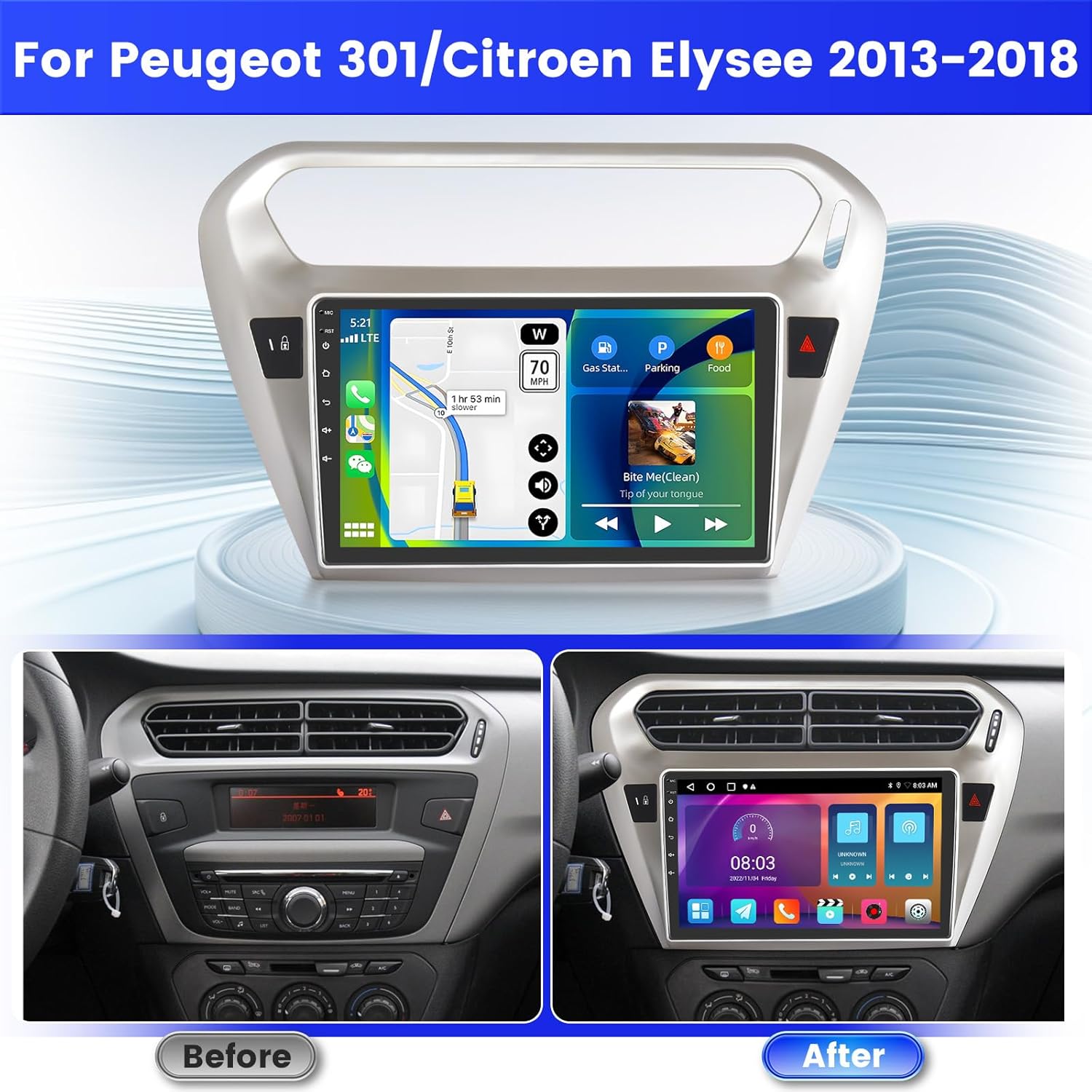
Image 1.1: Comparison of the car dashboard before and after installing the Inefala Android Car Radio. The new unit features a larger 9-inch touchscreen display, seamlessly integrating into the vehicle's interior.
2. Настройка і ўстаноўка
2.1 Змест пакета
Перад пачаткам усталёўкі пераканайцеся, што ўсе кампаненты наяўныя:
- Inefala Android Car Radio unit
- 2x кабелі харчавання
- Скрынка Canbus
- RCA кабель
- GPS антэна
- Тыл View Уваходны кабель камеры
- AHD Emergency Camera
- Знешні мікрафон
- 2x кабелі USB
- Original Car USB Cable
- Адаптар радыёантэны
- Мантажны кранштэйн
- Інструмент ўстаноўкі

Малюнак 2.1: Падрабязны view of the port connections on the back of the radio unit and a list of all included accessories and cables for installation.
2.2 Інструкцыі па падключэнні
Proper wiring is crucial for optimal performance. Refer to the wiring diagram for specific connections.
2.2.1 Праводка камеры задняга віду
- Чырвоны кабель (1): Connects to the positive terminal of the car's reverse light cable.
- Чорны кабель (2): Connects to the negative terminal of the car's reverse light cable.
It is important to note that the reverse input cable must be plugged in even if the reverse camera is not being used. Failure to do so may affect Bluetooth and WiFi signal reception.

Image 2.2: Wiring diagram illustrating the connections for the reversing camera and the CANBUS system. Ensure correct polarity for the camera cables.
2.2.2 Кіраванне на рулі (SWC)
The unit supports steering wheel controls for convenience and safety.
- With CANBUS Decoder: Connect the CANBUS box before powering on the radio. Navigate to Car Settings > Factory (000000) > CarType Setting to select the correct brand and model for proper SWC functionality.
- Without CANBUS Decoder: Connect the plugs or the steering wheel control wires (Key1/Key2) in the power cable to the corresponding port or wire of your original car. Then, go to SWC manual match to activate the button function.

Image 2.3: Screenshot of the car radio's interface for configuring steering wheel controls, with instructions for both CANBUS and non-CANBUS setups.
3. Інструкцыя па эксплуатацыі
3.1 Wireless CarPlay / Android Auto & Mirror Link
Connect your smartphone wirelessly or via USB to access navigation, music, calls, and other apps directly on the radio's screen.
- Бесправадны CarPlay/Android Auto: Connect your phone via Bluetooth for seamless integration.
- Люстраная спасылка: Connect your phone via WiFi to mirror its screen content onto the radio display.

Image 3.1: The car radio display showcasing the Wireless CarPlay and Android Auto interfaces, along with options for music playback, hands-free calling, and GPS navigation.

Image 3.2: Visual representation of Wireless CarPlay, Android Auto, and Mirror Link functionalities, showing how smartphone content is integrated with the car radio.
3.2 GPS-навігацыя і падключэнне да Wi-Fi
The unit supports both online and offline maps for navigation. Connect to WiFi to download additional maps, videos, music, and applications.
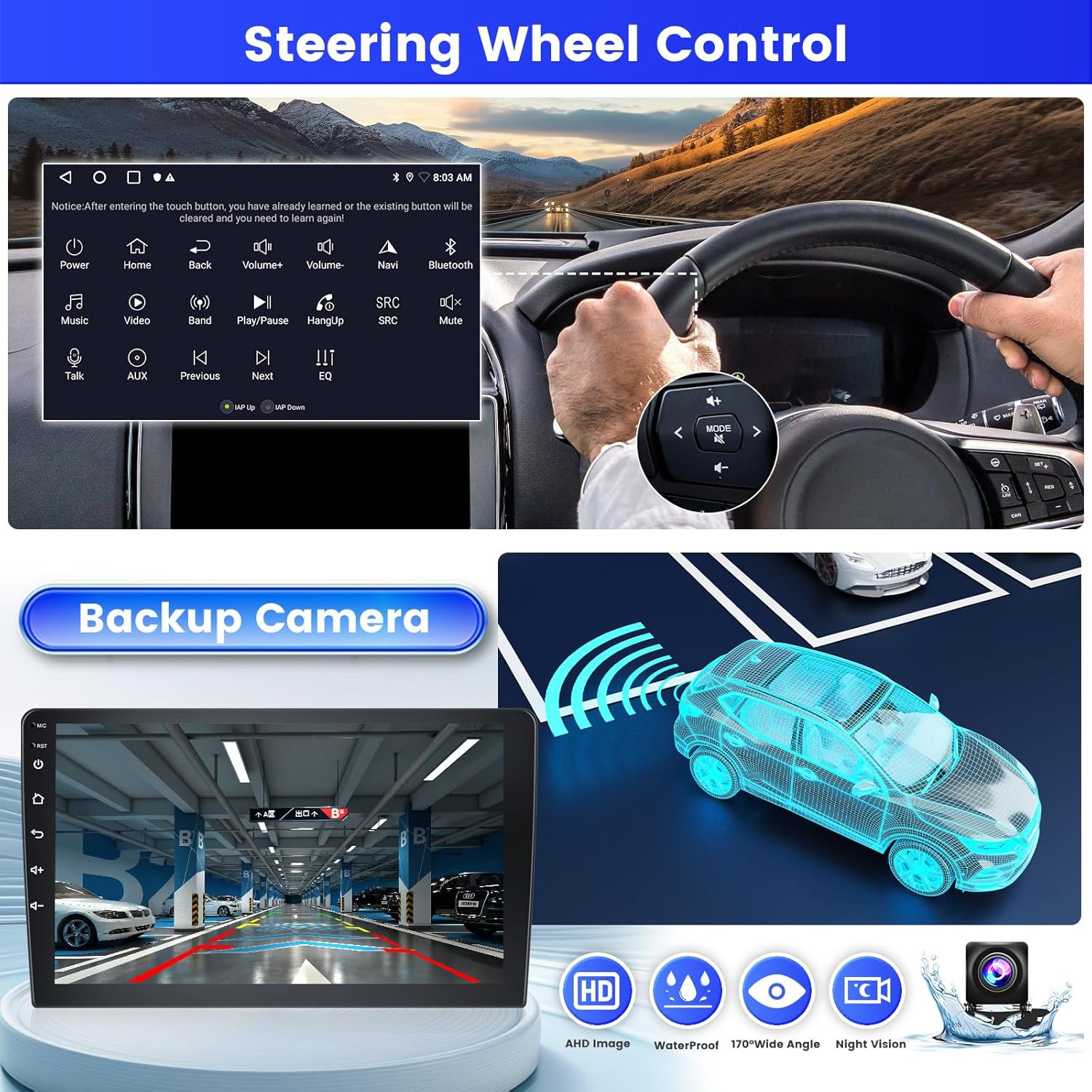
Image 3.3: The car radio display showing WiFi connection options and a detailed GPS navigation map, indicating current location and route.
3.3 Bluetooth і FM/RDS-радыё
Connect your phone via Bluetooth for hands-free calls, music playback, and file transfer. The FM/RDS radio allows you to listen to your favorite stations with enhanced sound quality through the EQ function.

Image 3.4: The car radio interface displaying FM/RDS radio tuning options and Bluetooth music playback controls, including track information.
3.4 Split Screen & UI Themes
The split-screen function allows you to run two applications simultaneously on the display, such as navigation and music. Personalize your experience with 26 available UI themes.
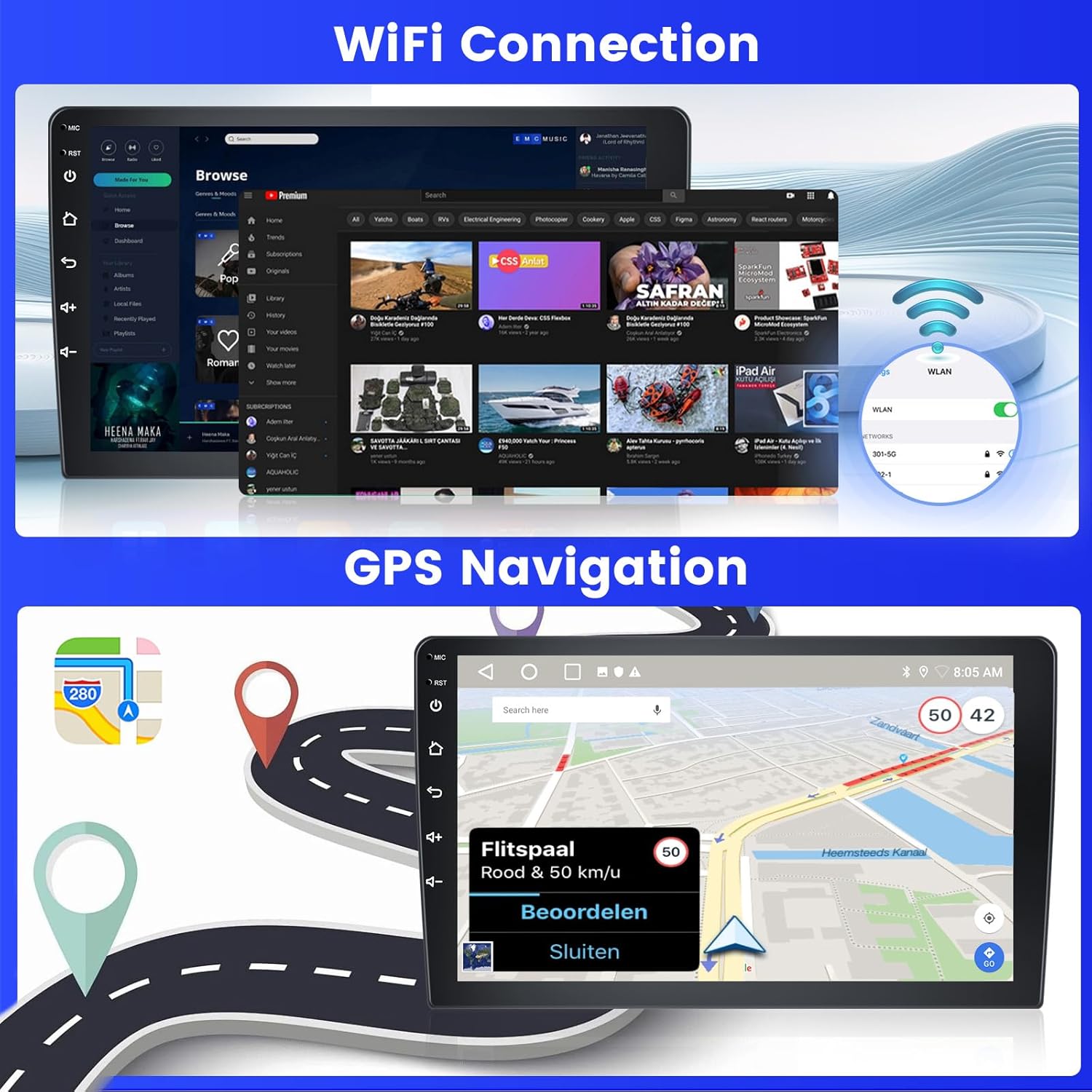
Image 3.5: The car radio screen demonstrating the split-screen feature, running navigation and music concurrently, alongside a preview of different user interface themes.
3.5 AHD Reverse Camera
The unit is equipped with an AHD reverse camera. When reversing, the screen automatically displays a high-definition image from the camera, providing a clearer and more convenient view for parking and maneuvering.
Image 3.6: The car radio display showing the view from the AHD backup camera, complete with dynamic parking guidelines for assistance.
4. Тэхнічнае абслугоўванне
To ensure the longevity and optimal performance of your Inefala car radio, follow these maintenance guidelines:
- Уборка: Use a soft, dry cloth to clean the touchscreen. Avoid abrasive cleaners or solvents that could damage the screen or unit.
- Абнаўленні праграмнага забеспячэння: Перыядычна правярайце наяўнасць абнаўленняў праграмнага забеспячэння, каб пераканацца ў наяўнасці найноўшых функцый і выпраўленняў памылак. Абнаўленні звычайна можна знайсці на сайце вытворцы. webсайта або праз сістэмныя налады прылады, калі яна падключана да Wi-Fi.
- Умовы навакольнага асяроддзя: Пазбягайце працяглага ўздзеяння экстрэмальных тэмператур, прамых сонечных прамянёў або празмернай вільготнасці на прыладу.
- Кабельныя злучэнні: Пераканайцеся, што ўсе кабелі надзейна падключаны. Няшчыльныя злучэнні могуць прывесці да перыядычных праблем.
5. Выпраўленне непаладак
If you encounter any issues with your Inefala car radio, please refer to the following common problems and solutions:
| праблема | Магчымая прычына | Рашэнне |
|---|---|---|
| Прылада не ўключаецца | Incorrect power wiring, blown fuse, loose connection. | Check power cable connections, inspect vehicle fuses, ensure secure wiring. |
| Няма гуку або скажоны гук | Speaker wiring issues, incorrect audio settings, volume too low. | Verify speaker connections, adjust volume and EQ settings, check RCA cables. |
| Не працуе кіраванне на рулі | CANBUS not configured, incorrect wiring for SWC, manual mapping needed. | If using CANBUS, ensure it's connected and configured in Car Settings > Factory > CarType Setting. If no CANBUS, perform manual SWC mapping. |
| Bluetooth/WiFi signal issues | Reverse input cable not connected. | Ensure the reverse input cable is plugged in, even if the camera is not in use. |
| Сігнал GPS слабы або недакладны | Размяшчэнне антэны GPS, перашкоды навакольнага асяроддзя. | Ensure GPS antenna is placed in an unobstructed location (e.g., dashboard), check connection. |
| Сэнсарны экран не рэагуе | Software glitch, temporary freeze. | Restart the unit. If the problem persists, perform a factory reset (note: this will erase user data). |
6. Тэхнічныя характарыстыкі
| Асаблівасць | Дэталь |
|---|---|
| Назва мадэлі | A7684A3796A4MI2IT53 |
| Аперацыйная сістэма | Android 15 |
| Аператыўная памяць + назапашвальнік | 2 ГБ аператыўнай памяці + 64 ГБ памяці |
| Памер экрана | 9 цалі |
| Тып экрана | Сэнсарны экран |
| Тэхналогія падлучэння | Bluetooth, USB, Wi-Fi |
| Асаблівасці | CarPlay, Android Auto, Mirror Link, EQ, GPS, SWC, 26 UI Themes |
| Compatible Satellite Navigation | GPS |
| Рэжым выхаду гуку | APE/FLAC/WAV/MP3/WMA |
| Метад кантролю | Дакранацца |
| Тып абслугоўвання аўтамабіля | Аўтамабіль |
| Тып мацавання | Мацаванне прыборнай панэлі |
| Памеры ўпакоўкі | 36 х 28 х 9.5 см |
| Вага прадукту | 1.92 кг |
| Краіна паходжання | Кітай |
7. Гарантыя і падтрымка
7.1 Гарантыя на выраб
The Inefala Android Car Radio comes with a Гарантыя 24 месяцаў. This warranty covers manufacturing defects and ensures online assistance for inquiries throughout the product's lifetime. We aim to respond to all inquiries within 24 hours.
7.2 Тэхнічная падтрымка
For any installation or usage difficulties, or if you have questions about the product, please contact Inefala customer support. You can reach us through the Amazon platform by clicking on the seller's name and then 'Ask a question', or directly via email at inefalaservices@163.com.

Image 7.1: Guide on how to quickly contact Inefala for support, detailing steps to use Amazon's 'Ask a question' feature or direct email contact.