
bmani T16
bmani Wireless Earbuds User Manual
Мадэль: T16
Brand: bmani
Уводзіны
Welcome to the bmani Wireless Earbuds user manual. These Bluetooth headphones are designed for comfort and performance, featuring a secure over-ear fit, long battery life, and intuitive controls. This manual will guide you through setting up, operating, and maintaining your new earbuds.
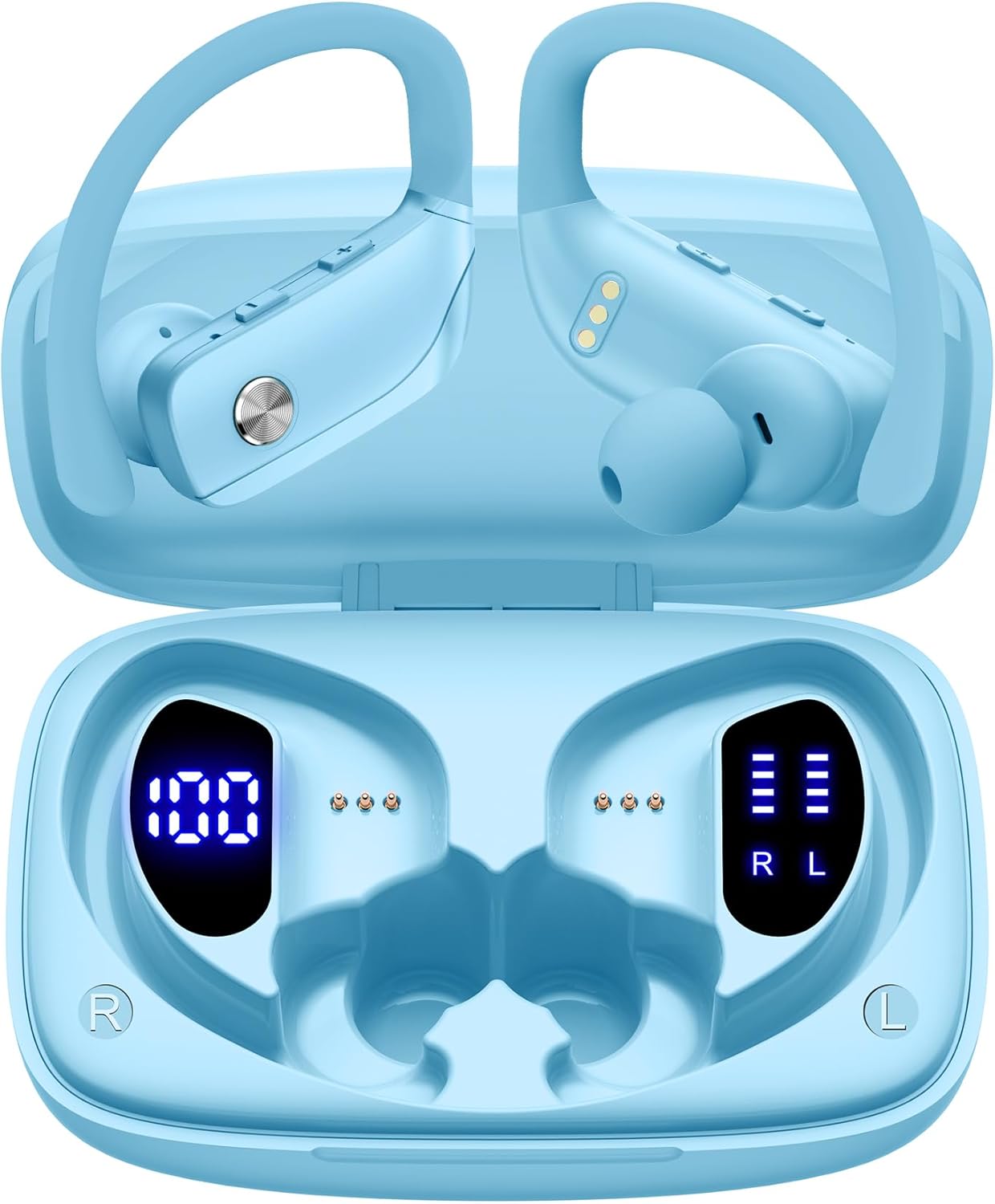
Image: The bmani Wireless Earbuds in their open sky blue charging case, showcasinнавушнікі і ўнутраную частку футляра.
Што ў скрынцы
- Бесправадныя навушнікі
- Чахол для зарадкі
- Eartips (three size options: L, M, S)
- Кабель Type-C
- Кіраўніцтва карыстальніка (гэты дакумент)

Image: This image displays all the items included in your bmani Wireless Earbuds package: the two wireless earbuds, their charging case, a set of three different sized eartips (L, M, S), a Type-C charging cable, and the user manual.
Прадукт скончаныview & Асаблівасці
The bmani Wireless Earbuds are engineered for an exceptional audio experience with user-friendly features.
Dual LED Displays Charging Case
The charging case features dual LED displays. The left display shows the remaining battery power of the case in percentage. The right side indicates the charging process of each earbud with four grids, each representing 25% of the bud's power. The LED indicator light will flash during charging.

Image: This image highlights the dual LED digital display on the charging case. The left screen shows the charging case's battery capacity as a percentage, while the right screen displays the power status of the left (L) and right (R) earbuds using four bars each.
Доўгі тэрмін службы батарэі
Enjoy extended listening sessions with up to 8 hours of music time per earbud and an additional 40 hours provided by the 600mAh charging case, totaling 48 hours of playback.

Image: This diagram illustrates the impressive battery life: 8 hours of music time per earbud (50mAh each) and an additional 40 hours of listening time provided by the 600mAh charging case, totaling 48 hours of playback.
Bluetooth 5.0 and Hi-Fi Stereo Sound Quality
Equipped with advanced Bluetooth 5.0 technology, these earbuds provide a clear and smooth connection with extended range and fewer dropouts, ensuring crystal-clear calls and uninterrupted music listening. The 10mm speakers deliver Hi-Fi stereo sound.

Image: This image visually represents the 10mm speakers within the earbuds, emphasizing their capability to deliver Hi-Fi stereo sound.

Image: This image emphasizes the Bluetooth 5.0 technology, offering extended range and fewer dropouts, and the integration with voice assistants like Siri.
Designed for Sports (IPX5 Water Resistant)
These sport headphones are designed to stay securely in place during long hours of training, preventing shifting or falling out. They come with flexible earhooks and three pairs of ear caps (S, M, L) to ensure a comfortable and suitable fit, even during intense activities like camping, running, or working out. They are also IPX5 water-resistant, protecting them from splashes and sweat.

Image: This image shows a woman wearing the earbuds during exercise, highlighting their secure fit. An inset graphic demonstrates the flexible earhooks and the three included eartip sizes (L, M, S) for personalized comfort.

Image: This infographic summarizes key features: Dual LED Battery Display, 600mAh Charging Case, Anti-skid Earhooks, IPX5 Waterproof rating, Hi-Fi Stereo sound, and Voice Assistant compatibility.
Настройка
Зарадка навушнікаў і чахла
Перад першым выкарыстаннем цалкам зарадзіце навушнікі і зарадны футляр.
- Connect the provided Type-C cable to the charging port on the back of the case.
- Падключыце іншы канец да крыніцы харчавання USB.
- The LED display on the case will show the charging progress.
- Once fully charged, the display will show 100% for the case and full bars for both earbuds.
Pairing with Your Device (One-step Pairing)
The bmani earbuds feature automatic pairing for convenience.
- Адкрыйце зарадны кейс і дастаньце абодва навушнікі. Яны аўтаматычна ўключацца і паспрабуюць падключыцца адзін да аднаго.
- На вашай прыладзе (смартфоне, планшэце, ноўтбуку і г.д.) уключыце Bluetooth.
- Пошук "T16" in the list of available Bluetooth devices and select it to connect.
- Пасля падключэння вы пачуеце гукавое паведамленне, і навушнікі будуць гатовыя да выкарыстання.
- Навушнікі аўтаматычна падключацца да апошняй спалучанай прылады, калі іх выняць з чахла.

Image: This image demonstrates the one-step pairing process, showing the earbuds connected to a smartphone. It also highlights their wide compatibility with various Bluetooth-enabled devices, including notebooks, TVs, desktops, smartwatches, and tablets.
Інструкцыя па эксплуатацыі
Нашэнне навушнікаў
Для аптымальнага гучання і камфорту пераканайцеся, што навушнікі надзетыя правільна.
- Put the ear hook over the back of your ear.
- Insert the ear cap into your ear canal.
- Adjust by twisting the earbud for a comfortable and secure fit.

Image: This visual guide provides three simple steps for wearing your earbuds: 1. Place the ear hook over your ear. 2. Insert the ear cap into your ear. 3. Adjust the earbud by twisting it for a secure and comfortable fit.
Элементы кіравання
The bmani earbuds feature intuitive button controls.
| Дзеянне | Функцыя |
|---|---|
| Націсніце Адзін раз | Прайграванне/прыпыненне музыкі, адказ/завяршэнне выкліку |
| Quick Double-click (R) | Наступны трэк |
| Quick Double-click (L) | Папярэдні трэк |
| Press "+" Button | Павялічыць гучнасць |
| Press "-" Button | Памяншэнне гучнасці |
| Quick Triple-click | Актывуйце галасавой памочнік |
| Трымай | Уключэнне/выключэнне харчавання |

Image: This image illustrates the dual audio controls on the earbuds. It shows the physical volume buttons (+/-) and a diagram explaining single click for play/pause, double click for track navigation, and holding the button for power on/off.

Image: This infographic details the various controls: single click for call answer/end and play/pause, double click for next/previous track, pressing +/- for volume, and triple click for voice assistant.
Тэхнічнае абслугоўванне
To ensure the longevity and optimal performance of your bmani Wireless Earbuds, follow these maintenance guidelines:
- Уборка: Regularly clean the earbuds and charging case with a soft, dry, lint-free cloth. Do not use harsh chemicals or abrasive materials.
- Завушніцы: Remove and clean the eartips periodically. You can gently wash them with mild soap and water, then ensure they are completely dry before reattaching.
- Воданепранікальнасць: The earbuds are IPX5 water-resistant, meaning they can withstand splashes and sweat. Do not submerge them in water or expose them to heavy rain. Ensure they are dry before placing them back in the charging case.
- Захоўванне: When not in use, store the earbuds in their charging case to protect them from dust and damage.
- Зарадка: Use only the provided Type-C cable for charging. Avoid extreme temperatures during charging and storage.
Ліквідацыю непаладак
If you encounter any issues with your bmani Wireless Earbuds, please refer to the following common solutions:
Earbuds not pairing with each other or with device:
- Пераканайцеся, што абодва навушнікі цалкам зараджаны.
- Place both earbuds back into the charging case, close the lid, wait a few seconds, then open the lid and take them out again. This often resets the pairing.
- On your device, forget or delete "T16" from your Bluetooth device list. Then, try the pairing process again from step 1.
- Пераканайцеся, што іншыя прылады Bluetooth не перашкаджаюць падключэнню.
Няма гуку або нізкі гук:
- Праверце ўзровень гучнасці як на навушніках, так і на падлучанай прыладзе.
- Пераканайцеся, што навушнікі правільна размешчаны ў вушах.
- Clean any debris from the eartips or earbud speakers.
- Зноў падключыце навушнікі-ўкладышы да прылады.
Чахол для зарадкі не зараджаецца:
- Пераканайцеся, што кабель Type-C надзейна падключаны як да корпуса, так і да крыніцы харчавання.
- Паспрабуйце іншы USB-адаптар харчавання або порт.
- Праверце зарадны кабель на наяўнасць пашкоджанняў.
Выпадаюць навушнікі:
- Try different sizes of eartips provided in the box to find the best fit for your ears.
- Пераканайцеся, што вушныя кручкі правільна размешчаны на вушах.
Тэхнічныя характарыстыкі
| Асаблівасць | Дэталь |
|---|---|
| Назва мадэлі | Т16 |
| Тэхналогія падлучэння | Бесправадная сувязь (Bluetooth 5.0) |
| Тэрмін службы батарэі | Да 8 гадзін (з навушнікамі), 40 гадзін (з зарадным футлярам) |
| Ёмістасць зараднага кейса | 600 мАг |
| Ёмістасць акумулятара для навушнікаў | 50 мАг (кожны) |
| Воданепранікальнасць | IPX5 |
| Тып кіравання | Кіраванне кнопкамі |
| Матэрыял | Пластыкавыя |
| Вага прадмета | 2 унцый |
| Памеры прадукту | 3.54 х 2.36 х 0.79 цалі |
| Уключаныя кампаненты | Charging Case, Eartip, Type-C Cable, User Manual, Wireless Earbuds |
| Сумяшчальныя прылады | All Bluetooth-enabled mobile phones, tablets, laptops, computers, audiobooks, TV, and all devices with Bluetooth 5.0 |
Гарантыя і падтрымка
bmani products are designed with quality and reliability in mind. For specific warranty information or technical support, please refer to the contact details provided on the product packaging or visit the official bmani webсайт. Захоўвайце чэк аб пакупцы на выпадак прэтэнзій па гарантыі.