
Уводзіны
Thank you for choosing the SGIN S15 N5100 15.6-inch Laptop. This manual provides essential information for setting up, operating, maintaining, and troubleshooting your new device. Please read it carefully to ensure optimal performance and longevity of your laptop.
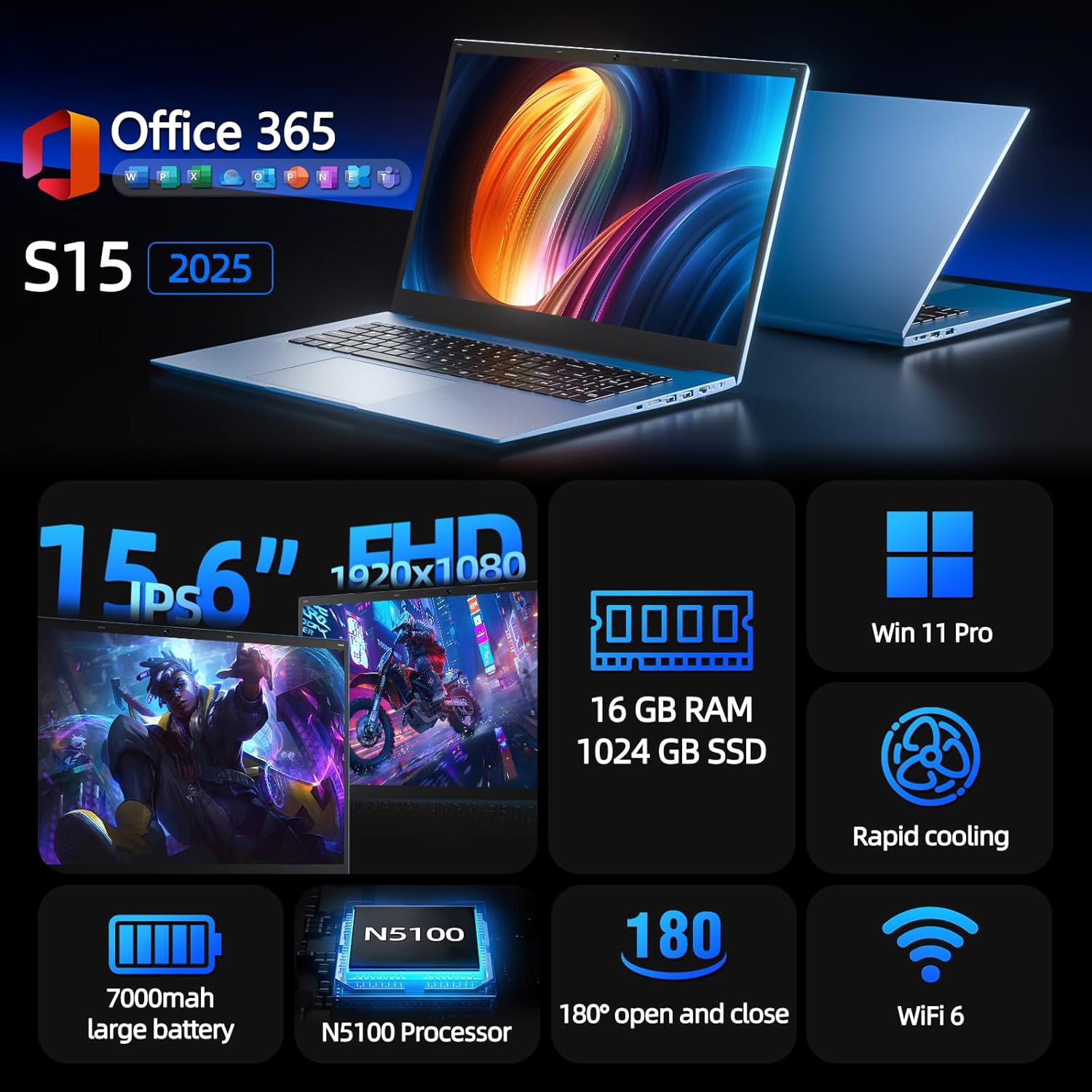
Figure 1: SGIN S15 N5100 Laptop Overview
1. Настройка
1.1 Распакоўка і першапачатковы агляд
Carefully remove all components from the packaging. Verify that all items listed in the "What's in the Box" section are present and undamaged. If any items are missing or damaged, contact customer support immediately.
- SGIN S15 N5100 Laptop
- Адаптар сілкавання/зарадная прылада
- Кіраўніцтва карыстальніка (гэты дакумент)
Відэа 1: Распакоўка і пачатковыя загалоўкіview of the SGIN S15 Laptop.
1.2 Падключэнне адаптара сілкавання
Connect the power adapter to the DC-in port on the side of the laptop. Plug the other end into a power outlet. The battery indicator light will illuminate, indicating that the laptop is charging.

Figure 2: Laptop ports, including the DC-in port for charging.
1.3 Першае ўключэнне і ўстаноўка Windows
Press the power button to turn on the laptop. Follow the on-screen instructions to complete the Windows 11 Pro setup. This includes selecting your region, language, connecting to a Wi-Fi network, and creating a user account. The laptop comes pre-installed with a 1-year Office 365 subscription, which can be activated during or after the initial setup.
2. Інструкцыя па эксплуатацыі
2.1 Функцыі дысплея
The SGIN S15 features a 15.6-inch Full HD IPS (1920x1080) Anti-Glare Display. The 180° viewing angle allows for flexible screen positioning, ideal for sharing content or adjusting to your preferred working posture.

Figure 3: High-resolution IPS display with 180° hinge.
2.2 Захоўванне і прадукцыйнасць
Equipped with 16GB DDR4 RAM and a 1024GB SSD, the laptop offers fast boot-up times and smooth multitasking. The Intel Celeron N5100 processor (4 cores, 4 threads, up to 2.8GHz) provides efficient performance for daily tasks, business applications, and student work.

Figure 4: Internal storage and memory configuration.

Figure 5: Celeron N5100 processor details.
2.3 Падключэнне
The laptop supports WiFi 6 for strong wireless signals and fast connections, and Bluetooth 5.2 for connecting peripherals. It includes various ports for external devices:
- Порт HDMI
- Порт Type-C
- 3.5mm TRRS audio jack
- Memory card slot (TF card up to 1TB)
- USB 3.2 ports (2 ports)

Figure 6: WiFi 6 connectivity for enhanced network performance.
3. Тэхнічнае абслугоўванне
3.1 Сыход за акумулятарам
The laptop is equipped with a 7000mAh battery, providing up to 8 hours of continuous use. To prolong battery life:
- Пазбягайце частай поўнай разрадкі акумулятара.
- Не падвяргайце ноўтбук уздзеянню экстрэмальных тэмператур.
- Калі ноўтбук не выкарыстоўваецца працяглы час, захоўвайце яго часткова зараджаным (каля 50%).

Figure 7: Laptop battery for extended use.
3.2 Чыстка ноўтбука
Для чысткі экрана і вонкавага выгляду выкарыстоўвайце мяккую тканіну без ворса. Для выдалення ўстойлівых плям злёгку працярыцеampen the cloth with water or a screen-safe cleaner. Avoid harsh chemicals or abrasive materials. Ensure the laptop is powered off and unplugged before cleaning.
3.3 Сістэма астуджэння
The laptop features dual cooling fans for efficient heat dissipation. Ensure that the vents are not obstructed to maintain optimal airflow and prevent overheating. Avoid using the laptop on soft surfaces like beds or couches that can block the vents.
4. Выпраўленне непаладак
4.1 Праблемы з харчаваннем
- Ноўтбук не ўключаецца: Пераканайцеся, што адаптар сілкавання надзейна падключаны, а разетка спраўная. Праверце, ці дастаткова зарада батарэі.
- Акумулятар не зараджаецца: Verify the power adapter is correctly plugged into both the laptop and the wall outlet. Try a different outlet if available.
4.2 Праблемы з дысплеем
- Экран пусты: Connect an external monitor via HDMI to check if the issue is with the laptop's display or graphics output. Ensure the laptop is powered on and not in sleep mode.
- Мігценне экрана: Update your display drivers. Adjust the screen refresh rate in Windows display settings.
4.3 Праблемы з падключэннем
- Wi-Fi не падключаецца: Пераканайцеся, што Wi-Fi уключаны ў наладах Windows. Перазагрузіце маршрутызатар і ноўтбук. Праверце наяўнасць абноўленых драйвераў Wi-Fi.
- Прылада Bluetooth не спалучаецца: Ensure Bluetooth is enabled on both the laptop and the device. Place devices close to each other during pairing.
4.4 Праблемы з прадукцыйнасцю
- Ноўтбук павольны: Закрыйце непатрэбныя праграмы. Праверце дыспетчар задач на наяўнасць высокай загрузкі працэсара/аператыўнай памяці. Пераканайцеся, што на цвёрдацельным дыску дастаткова вольнага месца. Запусціце ачыстку дыска.
- Перагрэў: Ensure cooling vents are clear. Use the laptop on a hard, flat surface. Consider reducing heavy workload if persistent.
5. Тэхнічныя характарыстыкі
| Асаблівасць | Дэталь |
|---|---|
| Назва мадэлі | S15 |
| Нумар мадэлі тавару | N5100 |
| Памер дысплея | 15.6 цалі |
| Дазвол экрана | 1920 x 1080 pixels (FHD IPS Anti-Glare) |
| Працэсар | Intel Celeron N5100 (4 ядры, 4 патокі, да 2.8 ГГц) |
| АЗП | 16 ГБ DDR4 |
| Захоўванне | 1024 GB SSD (Expandable with TF card up to 1TB) |
| Аперацыйная сістэма | Windows 11 Pro |
| акумулятар | 7000mAh (up to 8 hours) |
| Бесправоднае падключэнне | WiFi 6, Bluetooth 5.2 |
| Парты | HDMI, Type-C, 3.5mm TRRS Jack, Memory Card Slot, 2x USB 3.2 |
| Памеры (ДхШхВ) | 14.56 х 9.4 х 0.86 цалі |
| Вага прадмета | 4.4 фунта |
6. Гарантыя і падтрымка
6.1 Гарантыя на выраб
Your SGIN S15 N5100 laptop comes with a 1-year repair service warranty from the date of purchase. This warranty covers manufacturing defects and hardware malfunctions under normal use. Please retain your proof of purchase for warranty claims.
6.2 Палітыка вяртання
A 30-дзённая палітыка вяртання is offered for this product. Please refer to your retailer's specific return guidelines for detailed information.
6.3 Падтрымка кліентаў
For any technical assistance, troubleshooting, or warranty inquiries, please contact SGIN customer support. We offer 24/7 customer instant help to address your concerns promptly.
Кантактная інфармацыя (напрыклад, website, email, phone number) would typically be provided here by the manufacturer.