
1. Уводзіны
Thank you for choosing the iKF V11 Wired Gaming Headset. This manual provides essential information for setting up, operating, and maintaining your headset to ensure an optimal gaming experience. Please read these instructions carefully before use.
2. Прадукт скончыўсяview
2.1 Уключаныя кампаненты
- iKF V11 Wired Gaming Headset
- Здымны мікрафон
- Кіраўніцтва карыстальніка
2.2 Асноўныя магчымасці
- Immersive 7.1 Virtual Surround Sound: Equipped with high-performance sound card chips and 53mm drivers for 360-degree spatial audio.
- Crystal-Clear ENC Calls: Dual 360° AI noise-canceling omnidirectional microphones ensure clear voice communication.
- Мультыплатформенная сумяшчальнасць: Supports PC, laptop, PS4, PS5, and Xbox (an adapter may be required for some Xbox models, not included) via USB connection.
- Эрганамічны і зручны дызайн: Lightweight, adjustable headband with soft memory foam protein ear pads for extended gaming sessions.
- FPS Exclusive Game Tuning: Enhances tactical sound quality, including footsteps, gunshots, and vehicle sounds for competitive gaming.
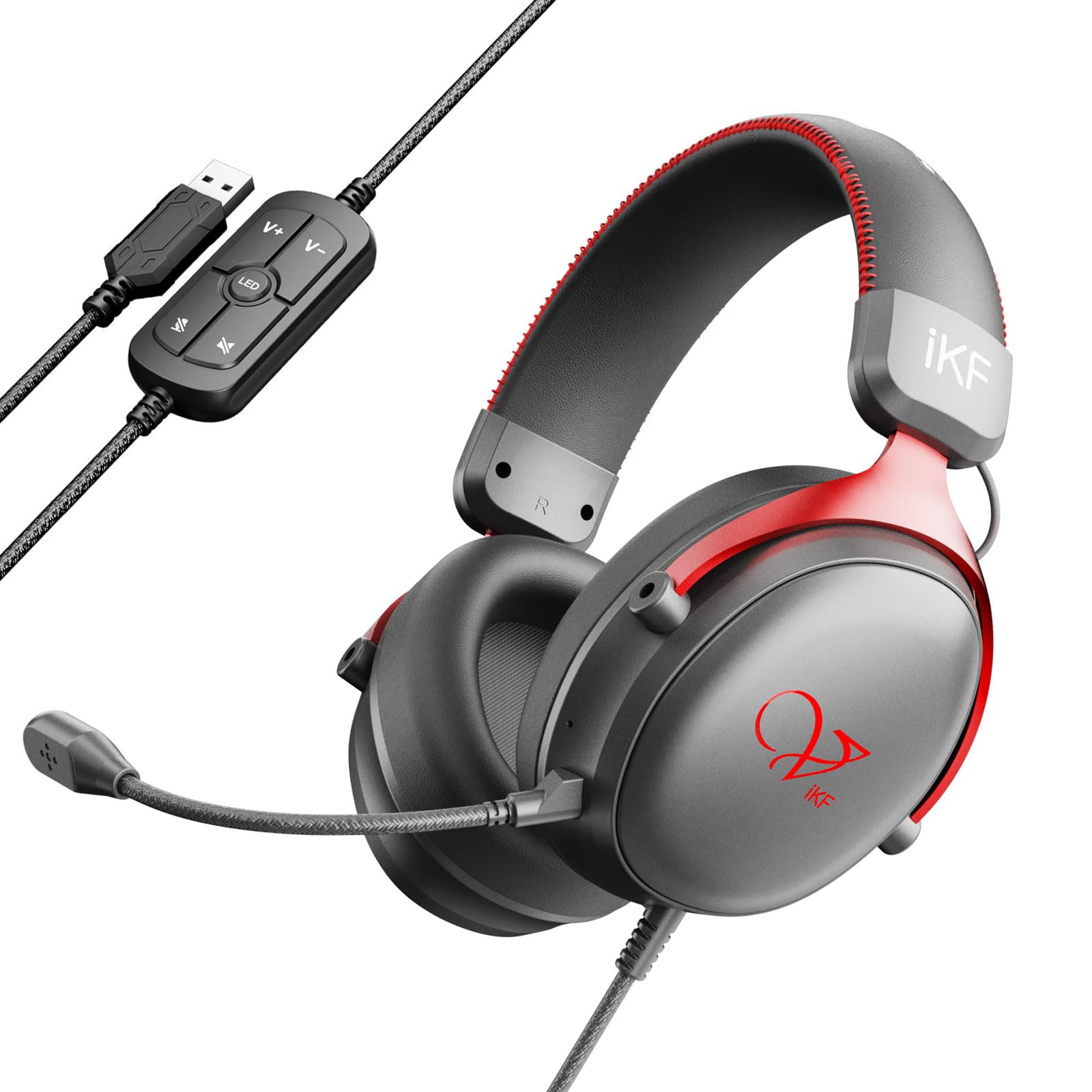
Image: The iKF V11 headset, showcasing its design and highlighting the 7.1 Virtual Surround Sound feature.
3. Інструкцыі па ўсталёўцы
3.1 Падключэнне гарнітуры
- Locate an available USB port on your PC, laptop, PS4, PS5, or Xbox console.
- Plug the USB connector of the iKF V11 headset into the USB port.
- Your operating system or console should automatically detect the headset. Follow any on-screen prompts for driver installation if necessary.

Image: The iKF V11 headset with its USB connector and inline control unit, demonstrating USB compatibility.
3.2 Падключэнне мікрафона
- Знайдзіце порт мікрафона на левай вушной ракавіне гарнітуры.
- Align the detachable microphone's connector with the port and gently push it in until it clicks securely into place.
- Adjust the flexible microphone boom to position it optimally near your mouth for clear communication.

Image: A user wearing the iKF V11 headset, highlighting the detachable microphone and its noise-canceling capabilities.
4. Інструкцыя па эксплуатацыі
4.1 Кіраванне гукам
- Рэгуляванне гучнасці: Use the volume up (+) and volume down (-) buttons on the inline control unit to adjust the audio output level.
- Адключэнне мікрафона: Press the microphone mute button on the inline control unit to toggle the microphone on or off. An indicator light may show the microphone status.
4.2 7.1 Віртуальны аб'ёмны гук
The iKF V11 headset features 7.1 virtual surround sound. This feature is typically enabled automatically upon connection or can be configured through your device's sound settings. For PC users, check your operating system's sound control panel or any dedicated iKF software (if available) to ensure 7.1 surround sound is active for an immersive audio experience.

Выява: Унутраная view of the headset's earcup, illustrating the advanced 53mm driver technology responsible for high-quality audio.
4.3 Эрганамічная рэгуляванне
- Рэгуляванне павязкі на галаву: Акуратна перасуньце амбушюры ўверх або ўніз уздоўж агалоўя, каб знайсці зручную пасадку, якая надзейна аблягае галаву.
- Earcup Rotation: The earcups may have a slight pivot to conform to the shape of your ears, enhancing comfort and seal.

Image: The iKF V11 headset demonstrating its adaptive headband and breathable memory foam earmuffs for comfort.
4.4 FPS Game Tuning
The headset is designed with FPS exclusive game tuning to enhance critical in-game sounds. This tuning optimizes the audio profile to make sounds like footsteps, gunshots, and vehicle movements more distinct, providing a tactical advantage in competitive gaming. This feature is integrated into the headset's sound processing.

Image: The iKF V11 headset, illustrating its specialized FPS game tuning for enhanced in-game audio cues.
5. Тэхнічнае абслугоўванне
- Уборка: Use a soft, dry cloth to wipe the headset and earcups. Do not use harsh chemicals or abrasive materials.
- захоўванне: Захоўвайце гарнітуру ў прахалодным, сухім месцы, удалечыні ад прамых сонечных прамянёў і экстрэмальных тэмператур. Не кладзіце на гарнітуру цяжкія прадметы.
- Сыход за кабелем: Пазбягайце рэзкіх выгібаў або празмернага нацягвання USB-кабеля, каб пазбегнуць пашкоджанняў.
6. Выпраўленне непаладак
- Няма гуку:
- Ensure the headset's USB connector is fully plugged into the device.
- Check the volume level on the inline control unit and your device.
- Пераканайцеся, што ў наладах гуку вашай прылады гарнітура выбрана ў якасці прылады вываду гуку па змаўчанні.
- Test the headset on a different USB port or device to rule out port issues.
- Мікрафон не працуе:
- Пераканайцеся, што здымны мікрафон надзейна прымацаваны да гарнітуры.
- Check if the microphone mute button on the inline control unit is active (unmuted).
- Пераканайцеся, што мікрафон гарнітуры абраны ў якасці прылады ўводу па змаўчанні ў наладах гуку вашай прылады.
- Adjust microphone sensitivity in your device's sound settings.
- Скажэнне гуку:
- Зменшце гучнасць як на гарнітуры, так і на прыладзе.
- Пераканайцеся, што злучэнне USB стабільнае.
- Update audio drivers on your PC if applicable.
7. Тэхнічныя характарыстыкі
| Асаблівасць | Дэталь |
|---|---|
| Назва мадэлі | V11 |
| Марка | iKF |
| Тэхналогія падлучэння | Правадной (USB) |
| Памер драйвера | 53 мм |
| Тып гуку | 7.1 Віртуальны аб'ёмны гук |
| Тып мікрафона | Detachable, Dual 360° AI Noise-Canceling (ENC) |
| Размяшчэнне вушэй | Надвушная |
| Формаў-фактар | Цыркумаўральны |
| Імпеданс | 32 Ом |
| Тып кіравання | Button Control (Inline) |
| Матэрыял | Plastic, Memory Foam Protein Ear Pads |
| Сумяшчальныя прылады | PC, Laptop, PS4, PS5, Xbox |
| Колер | Чырвоны |
8. Гарантыя і падтрымка
For warranty information and customer support, please refer to the documentation included with your purchase or contact the iKF customer service directly. The standard return policy for this product is 30 days for refund or replacement.
Manufacturer: iKF
Seller: iKF Store