
1. Уводзіны
Thank you for choosing the ZEALOT ZE01 Portable Bluetooth Speaker. This manual provides essential information for setting up, operating, and maintaining your speaker to ensure optimal performance and longevity. Please read this manual thoroughly before use and retain it for future reference.
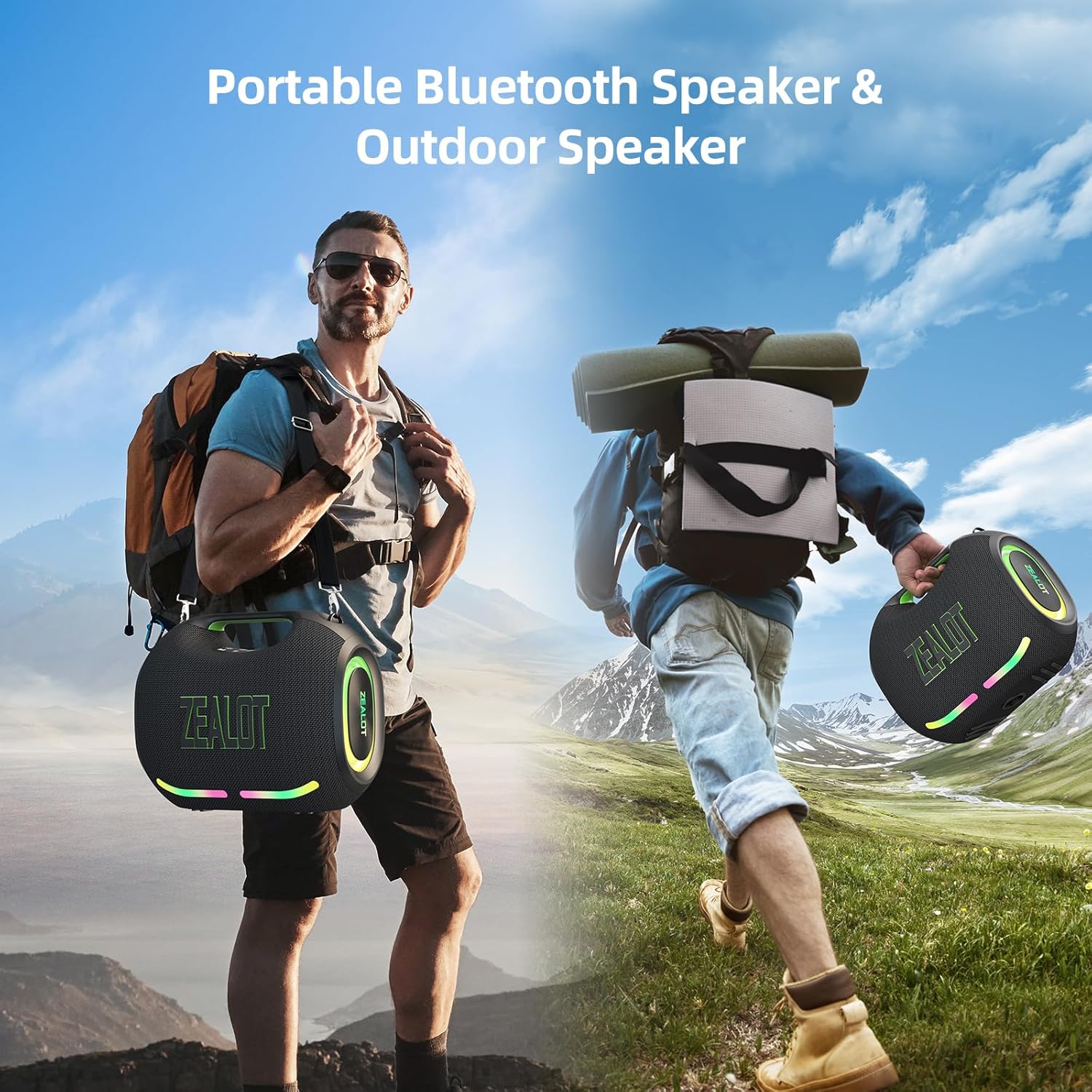
Figure 1: The ZEALOT ZE01 speaker is designed for portability, featuring a convenient shoulder strap for easy transport during outdoor activities.
2. Інфармацыя па бяспецы
- Не падвяргайце дынамік уздзеянню экстрэмальных тэмператур або прамых сонечных прамянёў на працягу доўгага часу.
- Пазбягайце падзення дынаміка і не падвяргайце яго моцным ударам.
- Keep the speaker away from water and liquids, despite its IPX6 rating, to prevent damage to internal components.
- Не спрабуйце разбіраць, рамантаваць або мадыфікаваць дынамік самастойна. Звярніцеся па дапамогу да кваліфікаванага абслугоўваючага персаналу.
- Use only the provided charging cable and a compatible power adapter (PD2.0 45W adapter recommended for optimal charging) to prevent damage.
- Захоўваць у месцах, недаступных дзецям.
3. Змесціва ўпакоўкі
Праверце наяўнасць усіх прадметаў у камплекце:
- 1x ZE01 Bluetooth Speaker
- 1x AUX кабель
- 1x Power Cable (Type-C)
- 1x Кароткае кіраўніцтва
- 1x Removable Shoulder Strap
- 1x гарантыйны талон

Figure 2: Included accessories with the ZEALOT ZE01 Portable Bluetooth Speaker.
4. Прадукт скончыўсяview
4.1 Элементы кіравання

Figure 3: Top panel controls for the ZEALOT ZE01 speaker.
- Кнопка харчавання (Укл./Выкл.): Націсніце і ўтрымлівайце на працягу 3 секунд, каб уключыць/выключыць харчаванне.
- Кнопка прайгравання/паўзы: Націсніце адзін раз, каб прайграць або прыпыніць гук.
- Павялічыць гучнасць (+): Press once to increase volume. Press and hold for 2 seconds for next track.
- Памяншэнне гучнасці (-): Press once to decrease volume. Press and hold for 2 seconds for previous track.
- Кнопка рэжыму (M): Press to switch between Wireless (Bluetooth), TF Card, AUX, and USB modes.
- Кнопка эквалайзера: Press to cycle through EQ modes (Bass, Vocal, Normal).
- Светлавая кнопка: Press to turn LED lights on/off or change light modes.
- Кнопка спалучэння: Press to initiate Bluetooth pairing or TWS pairing.
4.2 партоў

Figure 4: Input and output ports on the ZEALOT ZE01 speaker.
- TYPE-C CHARGE IN: Для зарадкі калонкі.
- AUX IN: Для падлучэння знешніх аўдыёпрылад праз аўдыёкабель 3.5 мм.
- USB-назапашвальнік: Для прайгравання музыкі непасрэдна з USB-флэшкі.
- TF КАРТА: Для прайгравання музыкі непасрэдна з карты TF (MicroSD).
- OUT-5V (USB): Functions as a power bank to charge other devices.
5. Настройка
5.1 Зарадка дынаміка
- Connect the provided Type-C power cable to the 'TYPE-C CHARGE IN' port on the speaker.
- Connect the other end of the cable to a compatible USB power adapter (not included). A PD2.0 45W adapter is recommended for optimal charging speed.
- The battery indicator lights on the control panel will show charging status:
- Red light flashes: Charging
- Red light on: Battery below 30%
- Yellow light on: Battery 40%-70%
- Green light on: Battery 80%-100%
- A full charge typically takes 3-4 hours. The speaker offers up to 40 hours of playtime at 30% volume in standard EQ mode.

Figure 5: Battery status indicators and charging port.
5.2 Спалучэнне па Bluetooth
- Power on the speaker by pressing and holding the Power button for 3 seconds. The speaker will enter Bluetooth pairing mode automatically, indicated by a flashing blue light.
- На вашай прыладзе (смартфоне, планшэце і г.д.) уключыце Bluetooth і знайдзіце даступныя прылады.
- Select "ZEALOT-ZE01" from the list of devices.
- Once connected, the blue light will stop flashing, and you will hear an audible confirmation.
5.3 Спалучэнне з сапраўдным бесправадным стэрэа (TWS)
To achieve a 240W Max ultra stereo sound experience, you can pair two ZEALOT ZE01 speakers:
- Ensure both ZEALOT ZE01 speakers are powered on and in Bluetooth pairing mode (not connected to any device).
- On one of the speakers, press the 'Pairing' button (often indicated by a chain link icon). This speaker will become the primary unit.
- Два дынамікі аўтаматычна падключацца адзін да аднаго. Пасля падключэння індыкатар Bluetooth асноўнага дынаміка будзе міргаць, а індыкатар другаснага дынаміка будзе гарэць пастаянна.
- Now, connect your device to the primary speaker via Bluetooth as described in Section 5.2.

Figure 6: TWS pairing allows for a wider stereo soundstage.
5.4 Other Connection Methods
The ZEALOT ZE01 supports multiple playback modes:
- Уваход AUX: Connect an external audio device using a 3.5mm AUX cable to the 'AUX IN' port. Press the 'M' button to switch to AUX mode.
- USB-дыск: Insert a USB flash drive into the 'USB DRIVE' port. Press the 'M' button to switch to USB mode.
- TF карта: Insert a TF (MicroSD) card into the 'TF CARD' slot. Press the 'M' button to switch to TF Card mode.
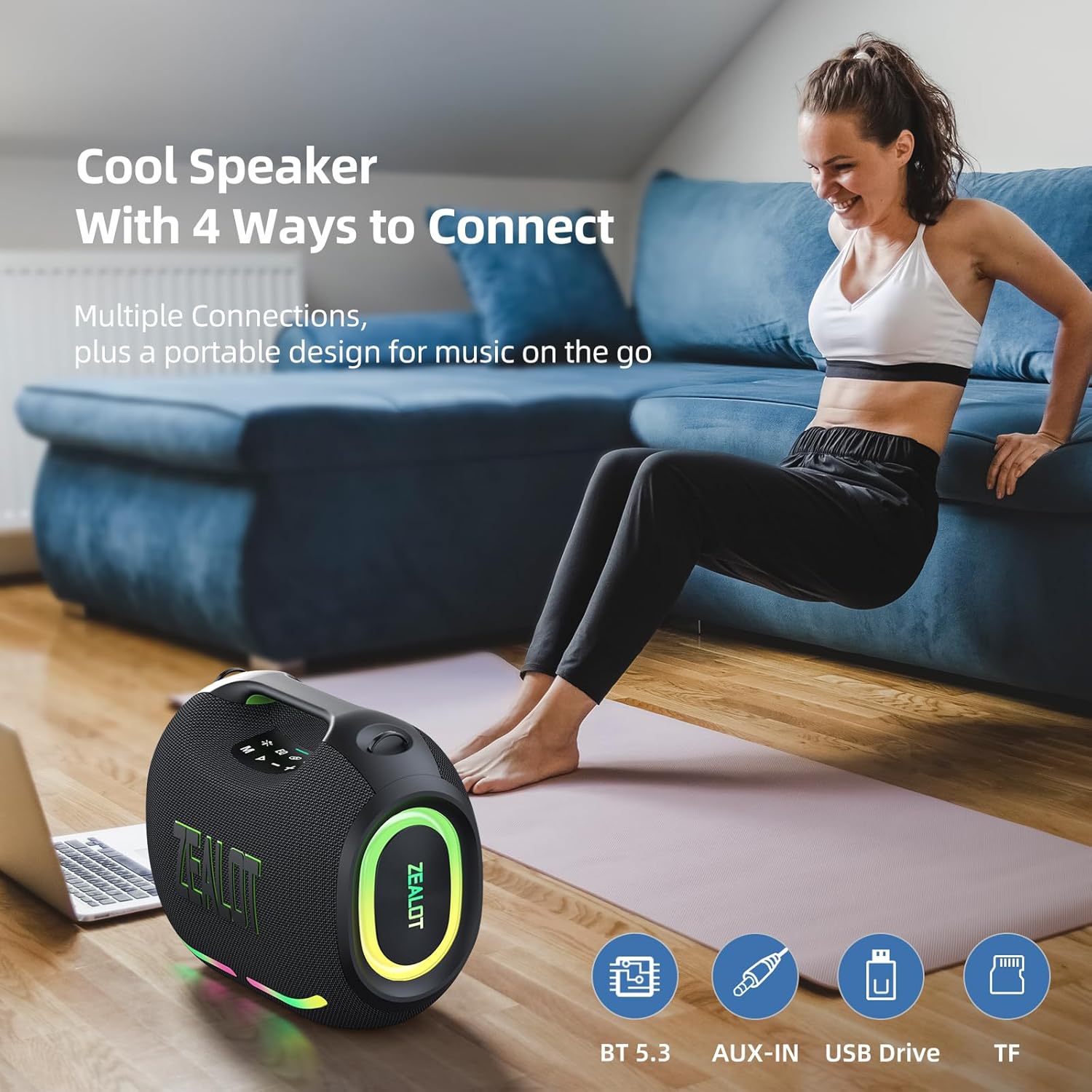
Figure 7: The speaker offers various connectivity options for versatile audio playback.
6. Інструкцыя па эксплуатацыі
6.1 Асноўныя функцыі прайгравання аўдыё
- Прайграванне/Паўза: Націсніце кнопку Прайграванне/Паўза.
- Рэгуляванне гучнасці: Націсніце «+», каб павялічыць гучнасць, «-», каб паменшыць гучнасць.
- Наступны/Папярэдні трэк: Press and hold '+' for the next track, press and hold '-' for the previous track.
6.2 рэжыму эквалайзера
The ZEALOT ZE01 features three Equalizer (EQ) modes to customize your audio experience:
- Press the 'EQ' button to cycle through the modes.
- Рэжым баса: Green light on. Enhances low frequencies for a deeper bass sound.
- Вакальны рэжым: Orange light on. Optimizes mid-range frequencies for clearer vocals.
- Звычайны рэжым: White light on. Provides a balanced audio profile.

Figure 8: EQ mode indicators.
6.3 Кіраванне святлодыёдным святлом
The speaker is equipped with dynamic colorful LED lights that can be controlled:
- Press the 'Light' button (indicated by a sun/star icon) to turn the lights on/off or cycle through different light modes (e.g., Ritmo, Breathing, Rainbow).

Figure 9: Dynamic LED lights enhance the listening experience.
6.4 Функцыя знешніх зарадных прылад
The ZEALOT ZE01 can also serve as a portable power bank:
- Connect your external device (e.g., smartphone) to the 'OUT-5V' USB port on the speaker using a compatible charging cable.
- Дынамік пачне зараджаць вашу прыладу.
7. Тэхнічнае абслугоўванне
- Уборка: Выкарыстоўвайце мяккую сухую тканіну для чысткі вонкавага боку дынаміка. Не выкарыстоўвайце абразіўныя ачышчальнікі або растваральнікі.
- захоўванне: Захоўвайце дынамік у прахалодным, сухім месцы, удалечыні ад прамых сонечных прамянёў і экстрэмальных тэмператур, калі ён не выкарыстоўваецца працяглы час.
- Воданепранікальнасць: The speaker has an IPX6 water resistance rating, meaning it can withstand powerful water jets. However, it is not designed for submersion. Ensure all port covers are securely closed before exposure to water.

Figure 10: The IPX6 rating provides protection against water splashes and dust.
8. Выпраўленне непаладак
| праблема | Магчымая прычына | Рашэнне |
|---|---|---|
| Дынамік не ўключаецца. | Нізкі акумулятар. | Зараджайце дынамік не менш за 30 хвілін. |
| Немагчыма падключыцца праз Bluetooth. | Дынамік не знаходзіцца ў рэжыме спалучэння або ўжо падключаны да іншай прылады. | Ensure the speaker is in pairing mode (flashing blue light). Disconnect from other devices if necessary. Restart both speaker and device. |
| Няма гуку. | Занадта нізкая гучнасць; няправільны рэжым уводу; прылада не прайгравае. | Increase speaker and device volume. Press 'M' to select correct input mode. Ensure audio is playing on your connected device. |
| Памылка спалучэння TWS. | Дынамікі занадта далёка адзін ад аднаго або ўжо падключаны да іншых прылад. | Ensure both speakers are within close proximity and not connected to any other Bluetooth devices. Repeat TWS pairing steps. |
9. Тэхнічныя характарыстыкі
| Асаблівасць | Дэталь |
|---|---|
| Назва мадэлі | ZEALOT ZE01 Bluetooth Speaker |
| Тып дынаміка | Партатыўны дынамік |
| Рэжым выхаду гуку | Стэрэа |
| Максімальная выхадная магутнасць дынаміка | 150 Вт (пікавая) |
| Дыяметр сабвуфера | 120 Millimeters (2x 50W) |
| Дыяметр твітэра | 42 Millimeters (2x 10W) |
| АЧХ | 20 кГц |
| Стаўленне сігнал / шум | 90 дБ |
| Імпеданс | 4 Ом |
| Тэхналогія падлучэння | Bluetooth |
| Версія Bluetooth | 5.3 |
| Дыяпазон Bluetooth | 10 метраў (33 фута) |
| Ёмістасць батарэі | 24000 Міліamp Гадзіны |
| Час гульні | Up to 40 hours (at 30% volume, EQ-standard) |
| Час зарадкі | 3-4 hours (with PD2.0 45W adapter) |
| Узровень воданепранікальнасці | IPX6 (воданепранікальнасць) |
| Памеры прадукту | 8.15" Г x 13.07" Ш x 11.18" У |
| Вага прадмета | 13.22 фунта |
| Матэрыял | Метал, пластык |
| Асаблівасці | Bass Boost, Built-In Powerbank, LED Light, Portable, Stereo Pairing |

Figure 11: The internal speaker configuration for powerful audio.
10. Афіцыйнае відэа прадукту
Відэа 1: Афіцыйная відэапрэзентацыя прадуктуasing the ZEALOT ZE01 120W Party Speaker's features and capabilities, including its sound quality and LED lights.
11. Гарантыя і падтрымка
The ZEALOT ZE01 Portable Bluetooth Speaker comes with a limited warranty. Please refer to the included Warranty Card for detailed terms and conditions. For technical support, troubleshooting assistance, or warranty claims, please contact ZEALOT customer service through the official channels provided on the warranty card or the ZEALOT webсайт.