
1. Уводзіны
Thank you for choosing the Parsonver G01 GPS Smart Watch. This manual provides essential information for the proper setup, operation, and maintenance of your device. Please read it carefully to ensure optimal performance and longevity of your smartwatch.

Image: The Parsonver G01 Smart Watch displayed with various outdoor activity scenes, highlighting its versatile use.
2. Змесціва ўпакоўкі
Пасля адкрыцця ўпакоўкі пераканайцеся, што ўсе прадметы наяўныя:
- 1x Parsonver G01 Smart Watch
- 1x магнітны зарадны кабель
- 1x Кіраўніцтва карыстальніка

Image: An illustration detailing the package contents, including the smartwatch, charging cable, and user manual.
3. Кіраўніцтва па наладцы
3.1 Зарадка разумнага гадзінніка
Before initial use, fully charge your Parsonver G01 Smart Watch. The device features a 520mAh battery, providing extended usage time.
- Падключыце магнітны зарадны кабель да зарадных кантактаў на задняй панэлі гадзінніка.
- Plug the USB-A end of the cable into a standard USB power adapter (not included) or a computer's USB port.
- На дысплеі гадзінніка будзе паказвацца стан зарадкі. Поўная зарадка звычайна займае прыблізна 2 гадзіны.

Image: The smartwatch connected to its magnetic charging cable, illustrating the charging process and battery life indicators.
3.2 Усталёўка і спалучэнне праграм
To unlock the full functionality of your smartwatch, download and install the companion application on your smartphone.
- Scan the QR code provided in the quick start guide or search for "Glory Fit" in your smartphone's app store (compatible with iOS 9.0/Android 5.0 or above).
- Install the "Glory Fit" application.
- Адкрыйце праграму і выконвайце інструкцыі на экране, каб стварыць уліковы запіс або ўвайсці.
- Пераканайцеся, што Bluetooth уключаны на вашым смартфоне.
- In the app, navigate to the device pairing section and select your Parsonver G01 Smart Watch from the list of available devices.
- Пацвердзіце запыт на спалучэнне як на смартфоне, так і на гадзінніку.
4. Інструкцыя па эксплуатацыі
4.1 Асноўная навігацыя
The Parsonver G01 features a 1.95-inch HD touchscreen for intuitive interaction.
- Правядзіце пальцам уверх/уніз: Доступ да хуткіх налад або апавяшчэнняў.
- Правядзіце пальцам улева/управа: Навігацыя па віджэтах і асноўных функцыях.
- Націсніце: Выберыце элемент або пацвердзіце дзеянне.
- Націсніце бакавую кнопку: Return to the home screen or power on/off.
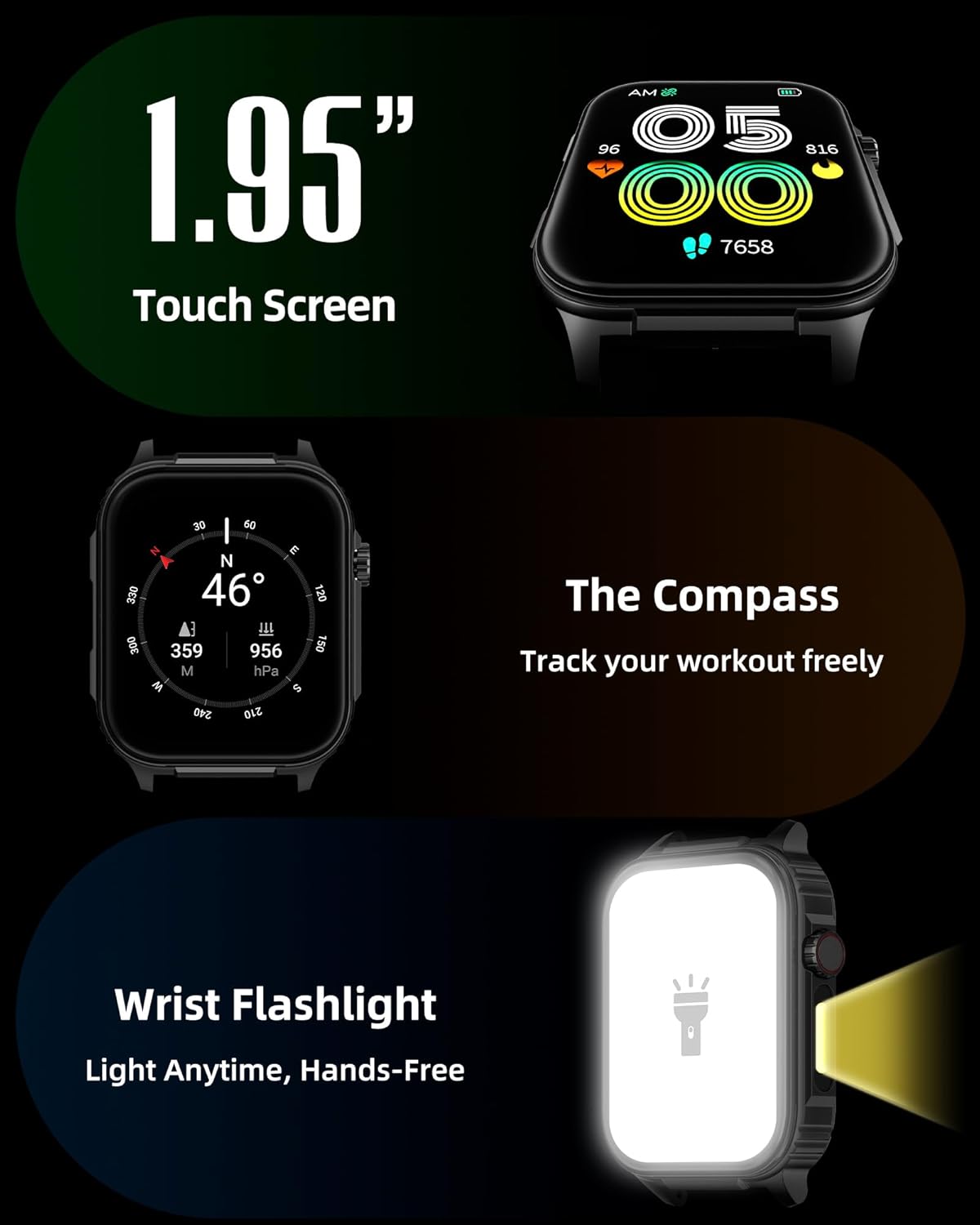
Выява: Падрабязны view of the smartwatch screen, illustrating its 1.95-inch size, along with icons for compass and flashlight functions.
4.2 Званкі праз Bluetooth і разумныя апавяшчэнні
Stay connected by making and receiving calls directly from your wrist and receiving instant notifications.
- Здзяйсненне званкоў: Once paired via Bluetooth 5.3, access the call function on your watch to dial numbers or select contacts.
- Прыём званкоў: Incoming calls will display on the watch screen, allowing you to answer or reject them.
- Апавяшчэнні: The watch provides vibration alerts for SMS, WhatsApp, Facebook, and other app notifications. Note: Direct replies from the watch are not supported.

Image: A man on a mountain trail interacting with his Parsonver G01 Smart Watch to manage a Bluetooth call, with notification icons floating above.

Image: The smartwatch screen showing incoming messages and app notifications, demonstrating its smart notification feature.
4.3 Цыферблаты
Персаналізуйце свой гадзіннік з дапамогай больш чым 400 даступных цыферблатаў або стварыце ўласныя дызайны.
- Access the watch face market through the "Glory Fit" app.
- Browse and download various styles, from classic to modern.
- Use the DIY function to upload custom photos and create unique watch faces.

Выява: Прэзентацыя экрана разумнага гадзіннікаasing a variety of watch face designs, illustrating the customization options.
4.4 Built-in GPS and Compass
Track your outdoor activities and navigate with precision, even without your phone.
- GPS адсочванне: The built-in GPS accurately records your route, distance, and pace during outdoor workouts like running, hiking, and cycling. Ensure you are in an open area for optimal GPS signal acquisition.
- компас: Utilize the integrated compass for navigation and orientation during your adventures.

Image: A cyclist wearing the Parsonver G01 Smart Watch, with the watch display showing GPS tracking data and a map.

Image: Hikers on a mountain trail, with the smartwatch displaying compass and GPS navigation features.
4.5 святлодыёдныя ліхтарыкі
The integrated LED flashlight provides convenient illumination when needed.
- Access the flashlight function from the quick settings menu or a dedicated shortcut.
- The flashlight provides hands-free lighting for various situations.

Image: The smartwatch with its LED flashlight illuminated, demonstrating its utility in dark environments.
4.6 спартыўных рэжымаў
The watch supports over 100 built-in sports modes to track your physical activities.
- Select your desired sport from the activity menu.
- The watch will track metrics such as calories burned, steps, distance, and heart rate in real-time.
- Examples include running, cycling, yoga, hiking, football, and more.

Image: An athlete tying shoelaces, with the smartwatch displaying various sports tracking metrics like steps, calories, distance, and heart rate.

Image: A visual representation of the smartwatch's extensive range of over 100 built-in sports modes, including running, football, and cycling.
4.7 Маніторынг здароўя
The Parsonver G01 provides comprehensive health monitoring features to help you maintain a healthy lifestyle.
- Маніторынг сардэчнага рытму: Бесперапыннае адсочванне пульса 24/7.
- Маніторынг кіслароду ў крыві (SpO2): Track your blood oxygen levels in real-time.
- Маніторынг сну: Аналізуе сонtages (deep, light, awake) to provide insights into your sleep quality.
- Stress and Mood Monitoring: Дапамагае вам зразумець і кіраваць узроўнем стрэсу.
- Напаміны пра сядзячы рэжым: Падштурхоўвае вас да руху пасля перыядаў бяздзейнасці.
- Дыхальныя практыкаванні: Guided breathing sessions to help reduce stress.
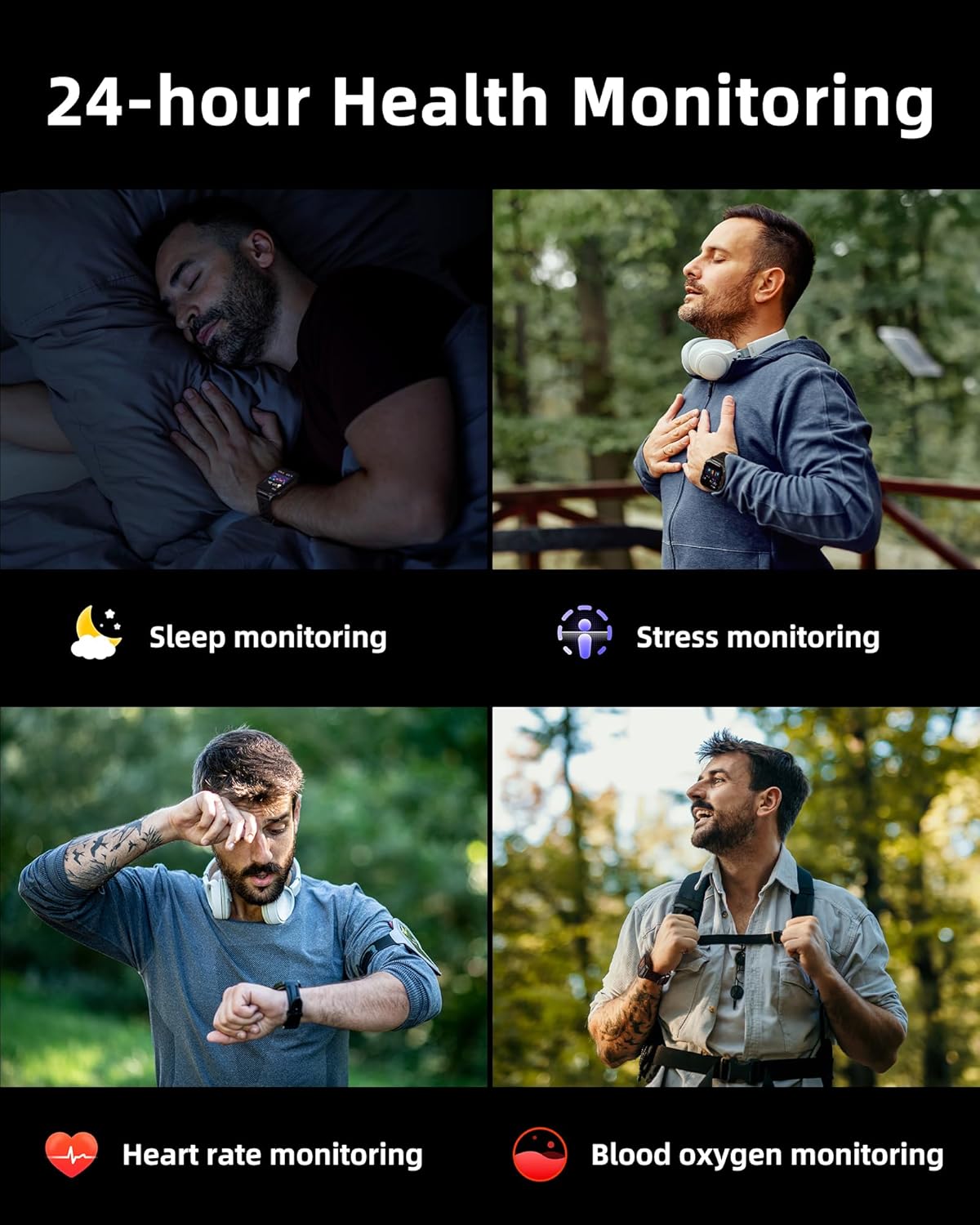
Image: A collage illustrating the smartwatch's 24-hour health monitoring capabilities, including sleep, stress, heart rate, and blood oxygen tracking.

Image: A man sleeping, with the smartwatch on his wrist, and a graphic showing detailed sleep analysis data.
4.8 Іншыя практычныя функцыі
The Parsonver G01 includes a variety of additional features to assist with daily tasks:
- Будзільнік: Усталюйце некалькі будзільнікаў.
- Таймер і секундамер: Для дакладнага вымярэння часу.
- калькулятар: Асноўныя арыфметычныя функцыі.
- Каляндар: View dates and schedule.
- Кіраванне музыкай: Play, pause, skip tracks on your connected phone.
- Прагноз надвор'я: Атрымлівайце абнаўленні надвор'я ў рэжыме рэальнага часу.
- Галасавы памочнік: Узаемадзейнічайце з галасавым памочнікам вашага тэлефона.
- Пульт дыстанцыйнага кіравання камерай: Уключыце камеру тэлефона дыстанцыйна.
- Знайсці тэлефон: Знайдзіце свой згублены смартфон.
- Падняцце для абуджэння: Аўтаматычна актываваць экран, калі вы падымаеце запясце.

Image: A display of various practical functions on the smartwatch, including alarm, timer, stopwatch, calculator, calendar, music control, and weather.
5. Тэхнічнае абслугоўванне
5.1 Воданепранікальнасць
The Parsonver G01 Smart Watch has an IP68 waterproof rating, meaning it is resistant to dust and can withstand immersion in water up to 1.5 meters for 30 minutes. It is suitable for daily splashes, hand washing, and light rain.
Важная заўвага:
- The IP68 rating does not make the watch suitable for swimming, showering, or sauna use. Exposure to hot water, steam, or high-pressure water jets may compromise the water resistance.
- Пазбягайце націскання кнопак пад вадой.
- Калі гадзіннік намокне, старанна высушыце яго перад зарадкай або выкарыстаннем сэнсарнага экрана.

Image: A hand wearing the smartwatch under running water, illustrating its IP68 waterproof capabilities for everyday use.
5.2 Чыстка і догляд
- Рэгулярна працірайце гадзіннік і раменьчык мяккай сухой тканінай.
- Пры неабходнасці выкарыстоўвайце злёгку damp тканіну з мяккім мылам, затым старанна прапалашчыце і высушыце.
- Avoid using harsh chemicals, abrasive cleaners, or solvents, as these can damage the watch's finish and components.
- Keep the charging contacts clean and free of debris to ensure proper charging.
6. Выпраўленне непаладак
If you encounter issues with your Parsonver G01 Smart Watch, refer to the following common solutions:
- Гадзіннік не ўключаецца: Пераканайцеся, што гадзіннік цалкам зараджаны. Падключыце яго да зараднай прылады як мінімум на 30 хвілін.
- Немагчыма спалучыць прыладу са смартфонам:
- Пераканайцеся, што Bluetooth уключаны на вашым тэлефоне і гадзінніку.
- Пераканайцеся, што гадзіннік знаходзіцца ў зоне дзеяння Bluetooth вашага тэлефона.
- Перазагрузіце і гадзіннік, і тэлефон.
- Check if the "Glory Fit" app has necessary permissions on your phone.
- Няправільныя дадзеныя GPS:
- Пераканайцеся, што вы знаходзіцеся на адкрытай прасторы з чыстым view неба для лепшага спадарожнікавага прыёму.
- Allow sufficient time for the watch to acquire a GPS signal before starting an activity.
- Screen lights up during sleep: This can be caused by wrist movements activating the raise-to-wake feature. You may be able to disable or adjust the sensitivity of the raise-to-wake feature in the watch settings or the companion app.
- Кароткі тэрмін службы батарэі:
- Frequent use of GPS, Bluetooth calls, and continuous health monitoring can consume more battery.
- Reduce screen brightness or shorten screen-on time.
- Адключыце непатрэбныя апавяшчэнні.
- Compass inaccuracy: Calibrate the compass if available in the watch settings or app. Ensure no strong magnetic fields are nearby.
If the issue persists, consult the FAQ section within the "Glory Fit" app or contact customer support.
7. Тэхнічныя характарыстыкі
| Асаблівасць | Спецыфікацыя |
|---|---|
| Нумар мадэлі | G01 |
| Памер экрана | 1.95 цалі |
| Тып дысплея | Full Touch Screen HD |
| Ёмістасць батарэі | Літый-палімерны 520 мАг |
| Тыповы тэрмін службы батарэі пры выкарыстанні | 7-10 дні |
| Час чакання | Да 40 дзён |
| Час зарадкі | Approx. 2 Hours (Magnetic Fast Charging) |
| Сувязь | Bluetooth 5.3 |
| Сумяшчальнасць аперацыйнай сістэмы | iOS 9.0 / Android 5.0 або вышэй |
| Рэйтынг воданепранікальнасці | IP68 |
| Убудаваныя функцыі | GPS, Compass, LED Flashlight |
| Маніторынг здароўя | Heart Rate, Blood Oxygen, Sleep, Stress, Mood |
| Спартыўныя рэжымы | 100+ |
| Вага прадмета | 47 грам (1.66 унцый) |
| Ёмістасць памяці | 256 Мб |
8. Гарантыя і падтрымка
Parsonver is committed to providing reliable products and dedicated customer support. For any questions, technical assistance, or warranty inquiries, please refer to the contact information provided with your purchase or visit the official Parsonver webсайт.