
Уводзіны
Thank you for choosing the VENTION Wireless HDMI Extender. This device allows you to wirelessly transmit HDMI video and audio signals up to 656 feet (200 meters) with minimal latency. Featuring 2.4G and 5G dual-band support, 4K decoding, and a plug-and-play design, it is ideal for various applications including home entertainment, business presentations, and gaming. This manual provides detailed instructions for setup, operation, and troubleshooting to ensure optimal performance and longevity of your device.
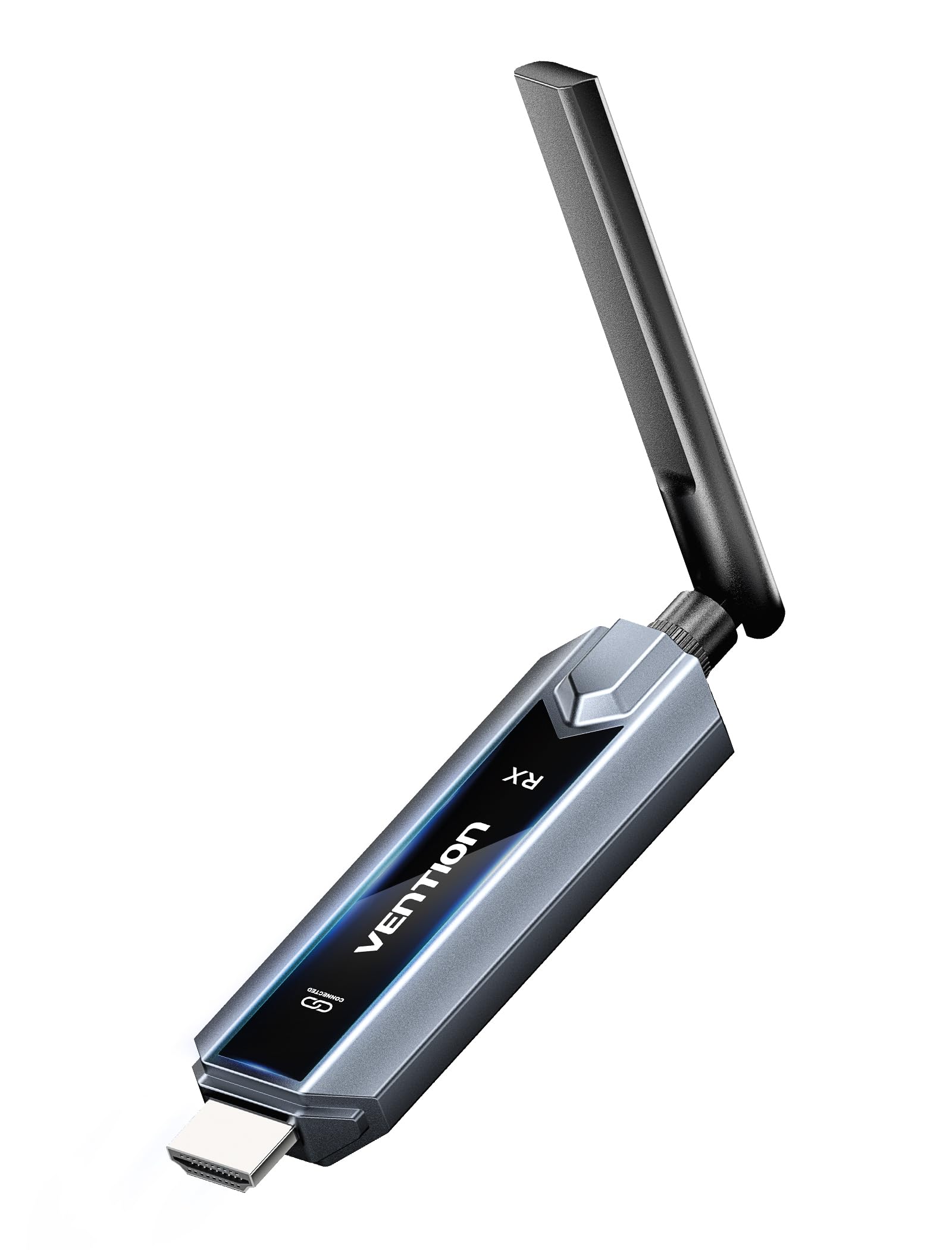
Image: The VENTION Wireless HDMI Transmitter and Receiver units, showcasing their compact design and antennas.
Змест пакета
Калі ласка, пераканайцеся, што ўсе прадметы прысутнічаюць у вашай упакоўцы:
- Wireless HDMI Transmitter (TX unit)
- Wireless HDMI Receiver (RX unit)
- Адаптар USB-C да HDMI
- Mini HDMI Adapter
- Адаптар Micro HDMI
- USB-C Power Cord (for power supply)
- Падаўжальнік HDMI
- Кіраўніцтва карыстальніка (гэты дакумент)
Асаблівасці прадукту
The VENTION Wireless HDMI Extender offers a range of features designed for convenience and high performance:
- Plug & Play Operation: No drivers or software installation required. Simply connect and use.
- Пашыраны дыяпазон: Transmit signals up to 656 feet (200 meters) in an open environment.
- 4K Decoding & 1080P@60Hz Output: Supports 4K Ultra HD decoding for high-quality video, with output at 1080P resolution at 60Hz for smooth playback.
- Двухдыяпазонная бесправадная сувязь: Utilizes both 2.4G and 5G frequencies for stable and fast transmission.
- Сінхранізацыя некалькіх экранаў: One transmitter can connect to up to four receivers (additional receivers sold separately) to synchronize content across multiple displays.
- Mirror/Extend Mode: Supports both mirroring your display and extending it for multi-tasking (ensure your computer supports extended mode).
- Шырокая сумяшчальнасць: Compatible with various HDMI source devices (laptops, PCs, gaming consoles, TV boxes, cameras) and display devices (TVs, monitors, projectors).
- Engineered Antenna: Designed for enhanced signal stability and faster transmission speeds.
- 5GHz Powerful Chipset: Ensures stable performance in diverse environments.

Image: Diagram illustrating one transmitter (TX) connecting wirelessly to four receivers (RXs) for multi-screen synchronization, highlighting no Wi-Fi, Bluetooth, app, or settings required.

Image: Illustration of the engineered antenna design, emphasizing a transmission distance of 656 feet (200 meters) for faster speeds and greater stability.
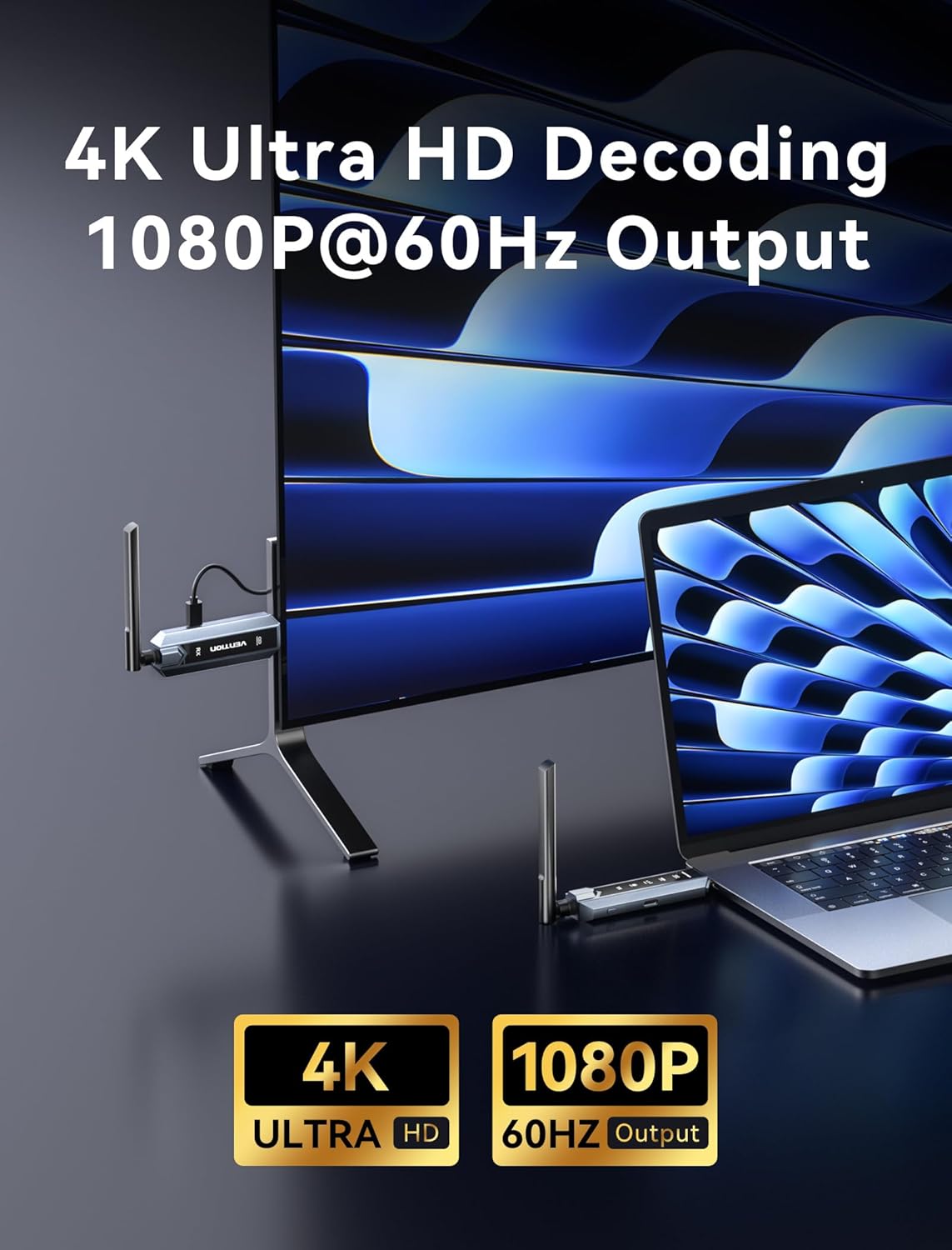
Image: Visual representation of 4K Ultra HD decoding capability with 1080P at 60Hz output, showing a laptop connected to a display.

Image: Close-up of a chipset labeled '5G', indicating a powerful 5GHz chipset for stable performance.

Image: Comparison of 'Mirror mode' (displaying the same picture on laptop and external monitor) and 'Extend mode' (displaying different pictures), with a note about computer support for extended mode.
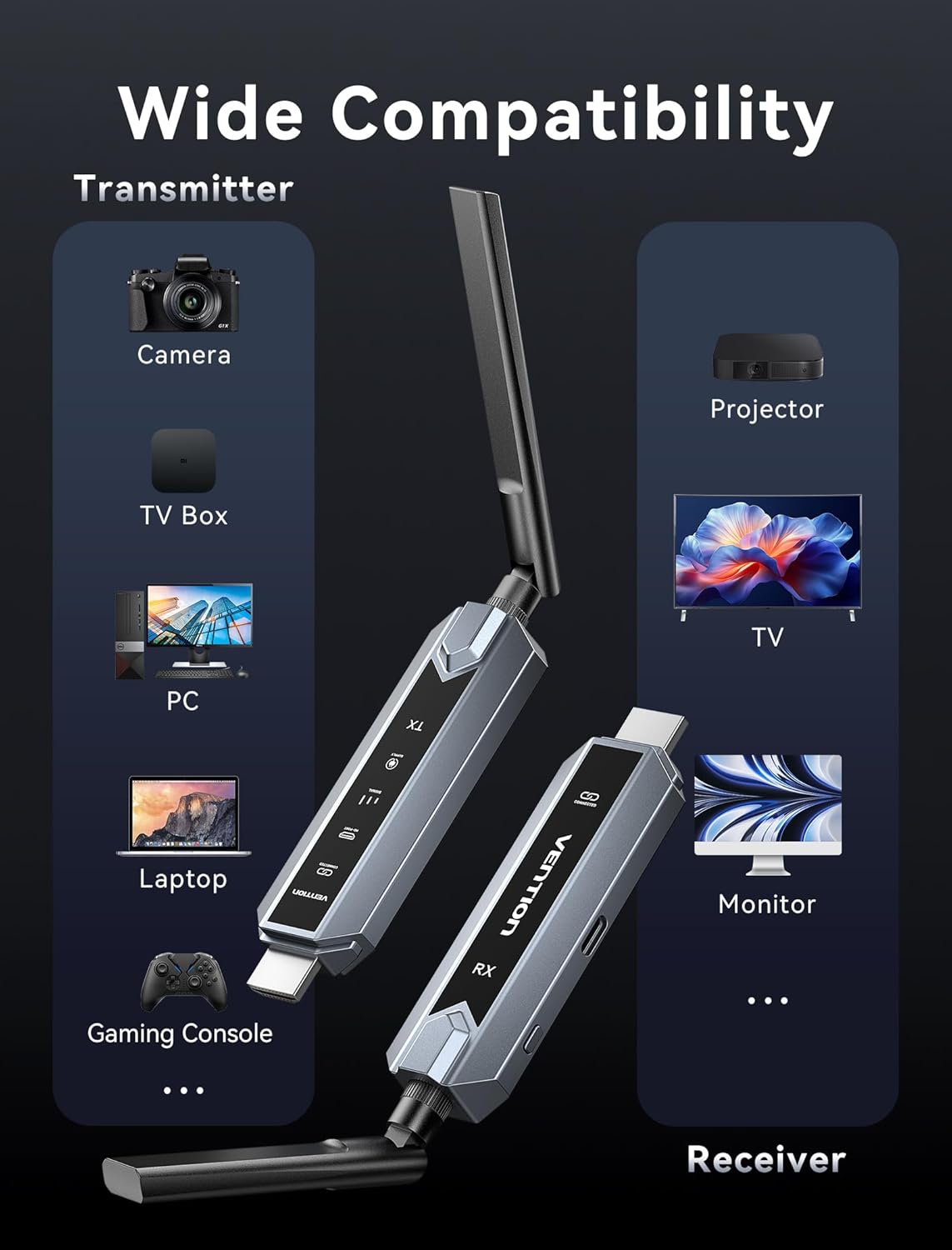
Image: Infographic showing wide compatibility for the transmitter (Camera, TV Box, PC, Laptop, Gaming Console) and receiver (Projector, TV, Monitor).

Image: Four panels depicting various usage scenarios: Business Meetings, Home Entertainment, Teaching Presentation, and Gaming Entertainment.
Інструкцыя па наладзе
Follow these steps to set up your VENTION Wireless HDMI Extender:
- Падключыце перадатчык (TX):
- Connect the TX unit to the HDMI output port of your source device (e.g., laptop, PC, gaming console).
- If your source device has a Mini HDMI or Micro HDMI port, use the provided Mini HDMI Adapter or Micro HDMI Adapter.
- If your source device has a USB-C port that supports video output, use the provided USB-C to HDMI Adapter.
- For devices that require additional power, connect the USB-C Power Cord to the TX unit and a USB power source (e.g., a wall adapter, computer USB port).
- Падключыце прыёмнік (RX):
- Connect the RX unit to the HDMI input port of your display device (e.g., TV, monitor, projector).
- Connect the USB-C Power Cord to the RX unit and a USB power source. The RX unit requires external power to function.
- Уключаныя прылады:
- Пераканайцеся, што і крыніца сігналу, і дысплей уключаны.
- The TX and RX units will automatically attempt to establish a connection. The digital display screen on the units will indicate connection status.
- Select Input on Display:
- На прыладзе адлюстравання абярыце правільную крыніцу ўваходнага сігналу HDMI, да якой падключана прылада RX.
The system is designed for plug-and-play operation, and the video and audio should appear on your display automatically once connected and powered.
Інструкцыя па эксплуатацыі
Once the setup is complete, operating the VENTION Wireless HDMI Extender is straightforward:
- Аўтаматычнае падключэнне: The TX and RX units are pre-paired and will automatically connect when powered on and within range.
- Перадача сігналу: The extender will transmit the HDMI signal from your source device to your display. The digital display on the units may show signal strength or connection status.
- Mirror/Extend Mode: If your source device (e.g., laptop) supports it, you can configure your display settings to either mirror your primary screen or extend it. This setting is managed through your computer's operating system display preferences, not directly on the extender units.
- Multi-Receiver Setup: If you are using multiple RX units, ensure each RX unit is powered and connected to its respective display. The TX unit will broadcast to all paired RX units simultaneously.
Ліквідацыю непаладак
Калі ў вас узніклі праблемы, звярніцеся да наступных крокаў па ліквідацыі непаладак:
- Няма сігналу на дысплеі:
- Ensure both TX and RX units are properly powered via the USB-C power cords.
- Праверце, ці надзейна падключаны кабелі HDMI да крыніцы сігналу і да дысплея.
- Check that your display is set to the correct HDMI input source.
- Ensure the TX and RX units are within the effective transmission range (656ft/200m line of sight) and that there are no significant obstructions.
- Паспрабуйце перазагрузіць і прыладу-крыніцу, і прыладу адлюстравання.
- Poor Video/Audio Quality or Intermittent Signal:
- Паменшыце адлегласць паміж прыладамі TX і RX.
- Minimize obstructions (walls, furniture, other electronic devices) between the units.
- Ensure there are no strong sources of wireless interference (e.g., Wi-Fi routers, microwave ovens) nearby.
- Check if the source device's resolution is compatible with the extender's output (1080P@60Hz).
- Прылады не спалучаюцца:
- Power cycle both the TX and RX units by unplugging and re-plugging their power cords.
- Ensure both units are from the same VENTION Wireless HDMI Extender kit.
- No Video, but Audio is Present (or vice versa):
- Verify the HDMI cable connections are secure.
- Калі магчыма, праверце з іншым кабелем HDMI.
- Ensure your source device's audio/video output settings are correct.
Тэхнічныя характарыстыкі
| Асаблівасць | Спецыфікацыя |
|---|---|
| Марка | ВЕНЦЫЯ |
| мадэль | Wireless HDMI Extender 1RX |
| Тэхналогія падлучэння | HDMI, HEVC, LDS, SBC |
| Бесправадныя тэхналогіі | HEVC, LDS, SBC (2.4G + 5G Dual Band) |
| Адлегласць перадачы | Да 656 футаў (200 метраў) |
| Кадзіроўка відэа | HEVC Main 10 |
| Дэкадаванне відэа | 4K Ultra HD |
| Разрозненне вываду | 1080P пры 60 Гц |
| Сумяшчальныя прылады | Personal Computer, Television, Projector, Gaming Consoles, Cameras, TV Boxes |
| Тып раздыма | HDMI, USB Type-C |
| Метад кантролю | Touch (for certain features, if applicable) |
| Асаблівасці | Digital Display Screen, Heat-Control, Multi-Screen Streaming Extender |
| Колер | Шэры |
| Памеры прадукту (Д х Ш х У) | 6.53" x 5.12" x 1.18" |
| Увод магутнасці | USB-C (рэкамендуецца 5 В/2 А) |
Тэхнічнае абслугоўванне
To ensure the longevity and optimal performance of your VENTION Wireless HDMI Extender, follow these maintenance guidelines:
- Уборка: Use a soft, dry cloth to clean the units. Do not use liquid cleaners or aerosols, as they may damage the device.
- захоўванне: Калі прылады не выкарыстоўваюцца працяглы час, захоўвайце іх у прахалодным, сухім месцы, удалечыні ад прамых сонечных прамянёў і экстрэмальных тэмператур.
- Апрацоўка: Асцярожна звяртайцеся з прыладамі. Пазбягайце іх падзення або моцных удараў.
- Вентыляцыя: Ensure the units have adequate ventilation to prevent overheating, especially during prolonged use. Do not cover the ventilation holes.
- крыніца харчавання: Always use the provided USB-C power cord or a compatible 5V/2A power adapter to prevent damage.
Гарантыя і падтрымка
VENTION products are designed for reliability and performance. For warranty information, technical support, or service inquiries, please refer to the warranty card included in your package or visit the official VENTION webсайт. Калі ласка, захавайце пацвярджэнне пакупкі для прэтэнзій па гарантыі.
For further assistance, you may contact VENTION customer support through the contact information provided on their official webна сайце або праз прадаўца, у якога вы набылі тавар.


