
1. Уводзіны
The Panasonic AG-CX370 UHD 4K Pro Camcorder is a professional-grade device designed for high-quality video production, live streaming, and broadcasting. It integrates advanced features for versatile use in various environments, from studio setups to on-location shoots. This manual provides essential information for the proper setup, operation, maintenance, and troubleshooting of your camcorder.
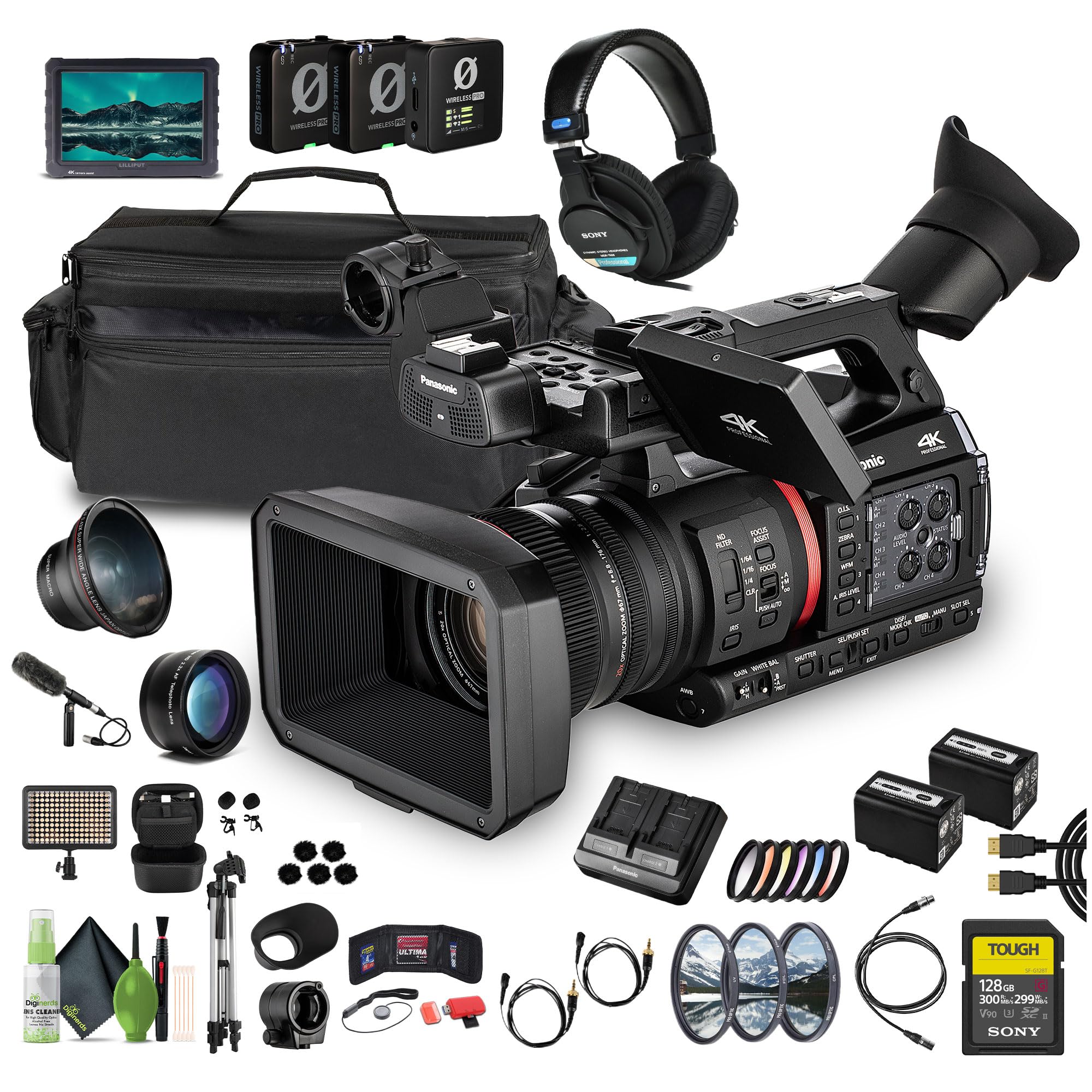
Малюнак 1.1: Пярэдняя частка view of the Panasonic AG-CX370 camcorder.
2. Настройка
2.1 Распакоўка і першапачатковы агляд
Carefully unpack all components and verify that all items listed in your product's packing list are present and undamaged. Report any discrepancies to your vendor immediately.
2.2 Усталёўка і зарадка акумулятара
To install the battery, align the battery pack with the battery slot on the rear of the camcorder and slide it in until it clicks into place. To charge the battery, use the provided battery charger. Ensure the battery is fully charged before first use.

Малюнак 2.1: Задняя частка view showing battery compartment and various ports.
2.3 Устаўка карты памяці
The AG-CX370 features dual SD card slots. Open the memory card slot cover, insert the SD cards with the contacts facing down until they click. Close the cover securely. Use high-speed SD cards (UHS-I/UHS-II recommended) for optimal performance, especially when recording 4K video.
2.4 Прымацаванне аксесуараў
- Бленда: Прымацуйце бленду да пярэдняй часткі аб'ектыва, каб паменшыць блікі і абараніць аб'ектыў.
- Мікрафон: Connect an external microphone to one of the XLR audio inputs for professional audio capture.
- Штатыў: Mount the camcorder onto a stable tripod using the tripod plate screw hole on the bottom for steady shots.

Figure 2.2: Included accessories such as the battery charger and battery.
3. Інструкцыя па эксплуатацыі
3.1 Уключэнне/выключэнне сілкавання
To power on the camcorder, slide the POWER switch to the ON position. To power off, slide it to the OFF position. Ensure the camcorder is powered off before removing the battery or memory cards.
3.2 Запіс відэа
Націсніце ЗАПІС ПУСК/СТОП button to begin and end recording. The recording status will be indicated on the LCD monitor and viewfinder. Ensure sufficient battery life and memory card space before recording.
3.3 Lens and Zoom Control
The AG-CX370 features a 20x optical zoom lens. Use the zoom rocker on the handle or the manual zoom ring on the lens for precise control. The i.Zoom function extends the zoom range without significant resolution loss.
3.4 Focus and Exposure
- Auto Focus (AF): The camcorder features intelligent AF with Face Detection, which tracks and prioritizes up to nine faces for sharp focus.
- Ручная факусоўка: Use the manual focus ring on the lens for precise focus adjustments. Activate ФОКУС ДАПАМОГА for enhanced manual focusing.
- Кіраванне вясёлкавай абалонкай: Adjust the iris using the dedicated ring on the lens or through menu settings to control depth of field and exposure.
- Gain/White Balance: Adjust gain settings for low-light conditions and set white balance (AWB, preset, or manual) for accurate color reproduction.

Малюнак 3.1: Верх view highlighting control buttons and rings.
3.5 Стабілізацыя выявы
The camcorder incorporates 5-axis hybrid image stabilization (optical and electronic) to correct for pitch, yaw, and roll movements, ensuring smooth handheld footage. Select the appropriate stabilization mode based on your shooting conditions.
3.6 Аўдыёзапіс
The AG-CX370 supports 4-channel audio recording. Connect external microphones via the dual XLR inputs or use the stereo mini-jack. The internal microphone can also be used. Adjust audio levels using the dedicated controls.
3.7 Live Streaming and IP Features
Utilize the integrated NDI|HX2 support for IP-based video transmission and camera control in live production workflows. The camcorder also supports simultaneous streaming and recording over RTMP and SRT protocols.
4. Тэхнічнае абслугоўванне
4.1 Ачыстка
- Аб'ектыў: Use a soft, lint-free cloth and a specialized lens cleaning solution. Avoid touching the lens surface directly.
- Цела: Wipe the camcorder body with a dry, soft cloth. Do not use harsh chemicals or abrasive cleaners.
- Раздымы: Keep all ports and connectors free from dust and debris.
4.2 Сыход за акумулятарам
Store batteries in a cool, dry place. Avoid fully discharging lithium-ion batteries for extended periods. Charge batteries regularly, even when not in use, to maintain their lifespan.
4.3 Захоўванне
When not in use, store the camcorder in a protective case in a dry environment, away from extreme temperatures and direct sunlight. Remove the battery for long-term storage.
5. Выпраўленне непаладак
This section addresses common issues you might encounter. For more detailed troubleshooting, refer to the comprehensive manual available on the Panasonic support webсайт.
| праблема | Магчымая прычына | Рашэнне |
|---|---|---|
| Camcorder does not power on | Battery not charged or improperly installed; AC adapter not connected | Charge battery fully; ensure battery is correctly inserted; connect AC adapter securely. |
| Няма выявы на LCD/viewшукальнік | ВК/viewfinder brightness too low; display mode incorrect | Adjust brightness settings; check display mode (LCD/viewfinder switch). |
| Запіс нечакана спыняецца | Memory card full; slow memory card; battery low | Replace/delete files on memory card; use a faster SD card; charge/replace battery. |
| Дрэнная якасць гуку | Microphone not connected properly; incorrect audio levels; external interference | Check microphone connection; adjust audio input levels; move away from interference sources. |
6. Тэхнічныя характарыстыкі
The following are key specifications for the Panasonic AG-CX370 camcorder:
- Марка: Panasonic
- Назва мадэлі: AG-CX370
- Датчык: 1-inch Type 15MP MOS Sensor
- аптычны зум: 20x
- Лічбавае павелічэнне: 24x
- Памер экрана: 3.2 цалі
- колер: Чорны
- Асаблівасці: NDI HX2, Auto-Tracking, 4-Channel Audio, Genlock Inputs
- Вага прадмета: Approximately 26.1 Pounds (Note: This weight may include bundled accessories)
- UPC: 197684007125
7. Інфармацыя аб гарантыі
Warranty terms and conditions for the Panasonic AG-CX370 camcorder are typically provided with the product at the time of purchase. Please refer to the warranty card included in your product packaging or visit the official Panasonic webсайт для атрымання падрабязнай інфармацыі аб гарантыі, якая тычыцца вашага рэгіёна.
8. Падтрымка
For further assistance, technical support, or service inquiries regarding your Panasonic AG-CX370 camcorder, please contact Panasonic customer support or visit their official webсайт:
- Афіцыйны прадстаўнік Panasonic Webсайт: www.panasonic.com
- Panasonic Store: Наведайце краму Panasonic на Amazon
Please have your model number (AG-CX370) and serial number ready when contacting support.