
1. Уводзіны
Дзякуй за пакупкуasing the Inwa USB Computer Monitor Speaker (Model MZ-631). This instruction manual provides detailed information on how to set up, operate, and maintain your new speaker. Please read this manual thoroughly before use to ensure optimal performance and longevity of your device.
2. Змесціва ўпакоўкі
Калі ласка, праверце ўпакоўку на наяўнасць наступных прадметаў:
- 1 x Inwa Clip-on Computer Speaker (Model MZ-631)
- 1 x USB-C to USB Adapter
- 1 х Кіраўніцтва карыстальніка (гэты дакумент)
3. Асаблівасці прадукту
- Stereo Sound & Enhanced Bass: Equipped with dual 10W high-sensitive drivers and a passive radiator for rich, powerful audio output.
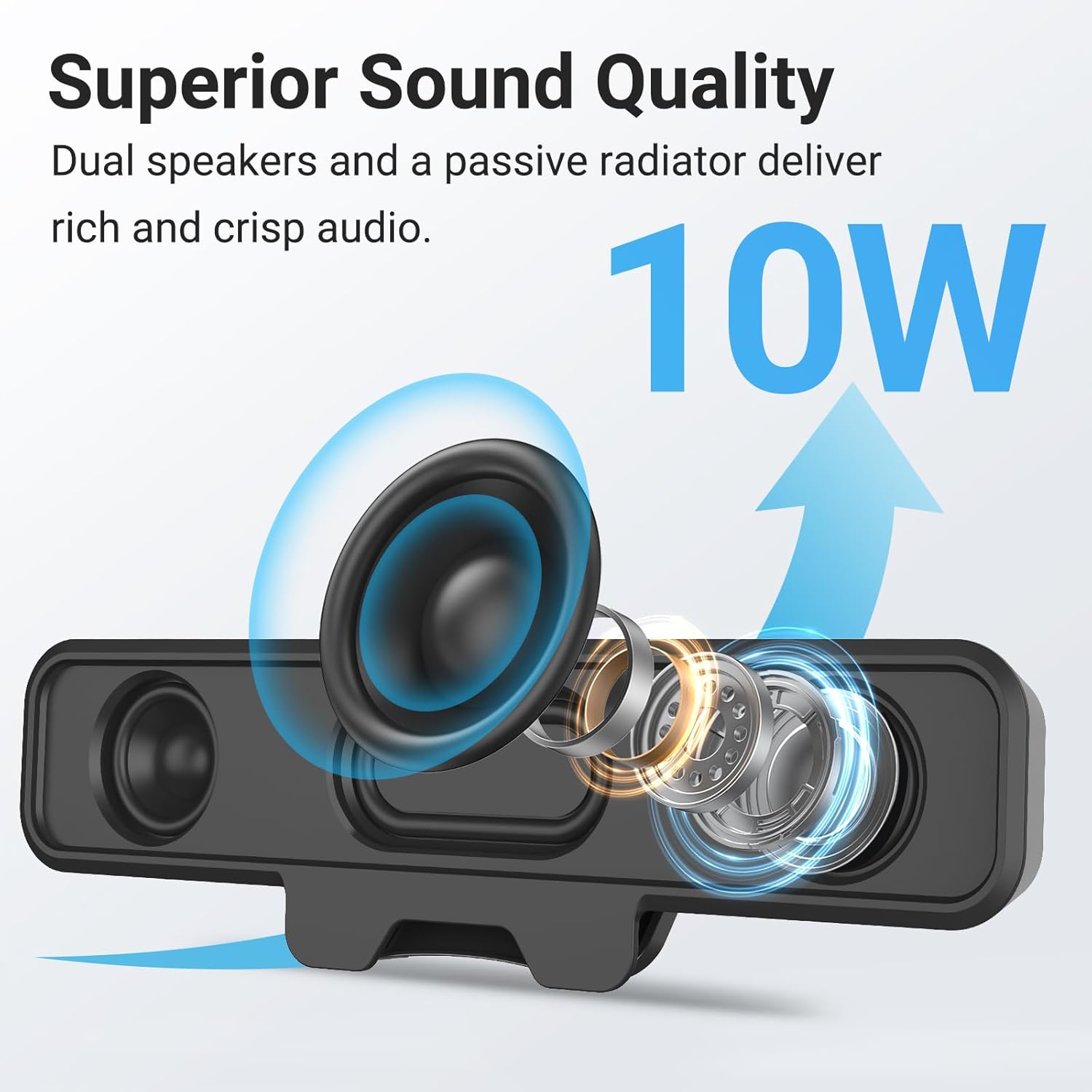
Image: Internal components of the speaker, illustrating the dual 10W drivers and passive radiator responsible for superior sound quality.
- Upgraded Monitor Clip: Features a robust spring clip designed for secure attachment to the top, sides, or bottom of monitors up to 1 inch thick. This design saves desk space and maintains a tidy workspace. The speaker can also be placed independently on a desktop. Silicone pads on the clip provide protection for your monitor.

Image: Detail of the upgraded monitor clip, demonstrating its secure grip and compatibility with monitors up to 1 inch in thickness.
- Падключэнне «падключы і працуй»: A single USB cable provides both audio and power, eliminating the need for 3.5mm AUX cables, additional software, or batteries. This simplifies setup and reduces cable clutter. A USB-C to USB adapter is included for broad compatibility.
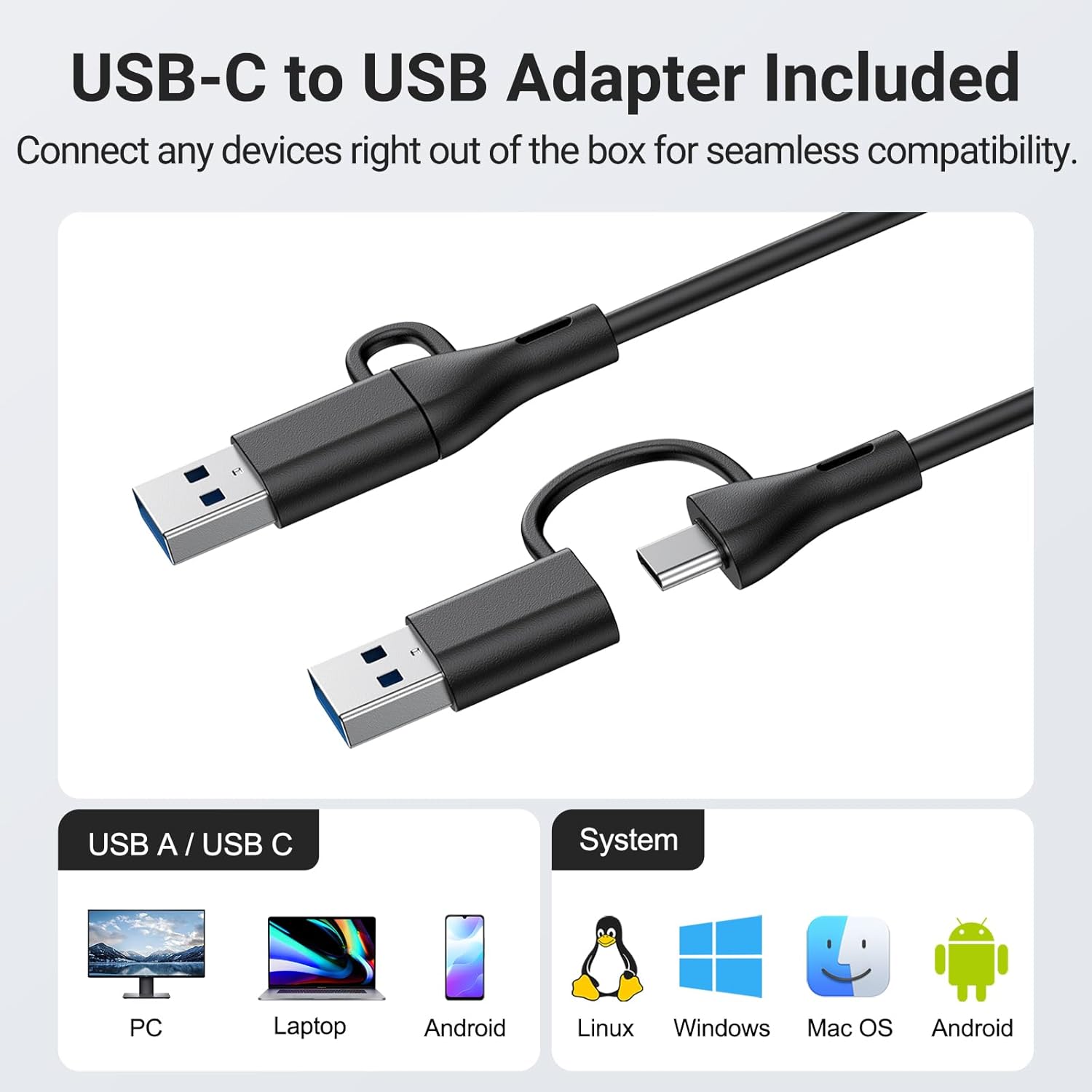
Image: The USB-C to USB adapter, ensuring compatibility with a wide range of devices including PCs, laptops, and mobile devices running Linux, Windows, or Mac OS.
- Зручныя элементы кіравання: Easily adjust volume and mute audio using the three intuitive buttons located on the top of the speaker.
4. Кіраўніцтва па наладцы
- Выберыце размяшчэнне: Decide whether to clip the speaker to your monitor or place it on your desktop.
- Мацаванне манітора: Gently open the spring clip and attach the speaker to the top, side, or bottom edge of your monitor. Ensure the monitor thickness is no more than 1 inch for a secure fit. The silicone pads will protect your screen.
- Размяшчэнне на працоўным стале: Place the speaker on a flat, stable surface on your desk.
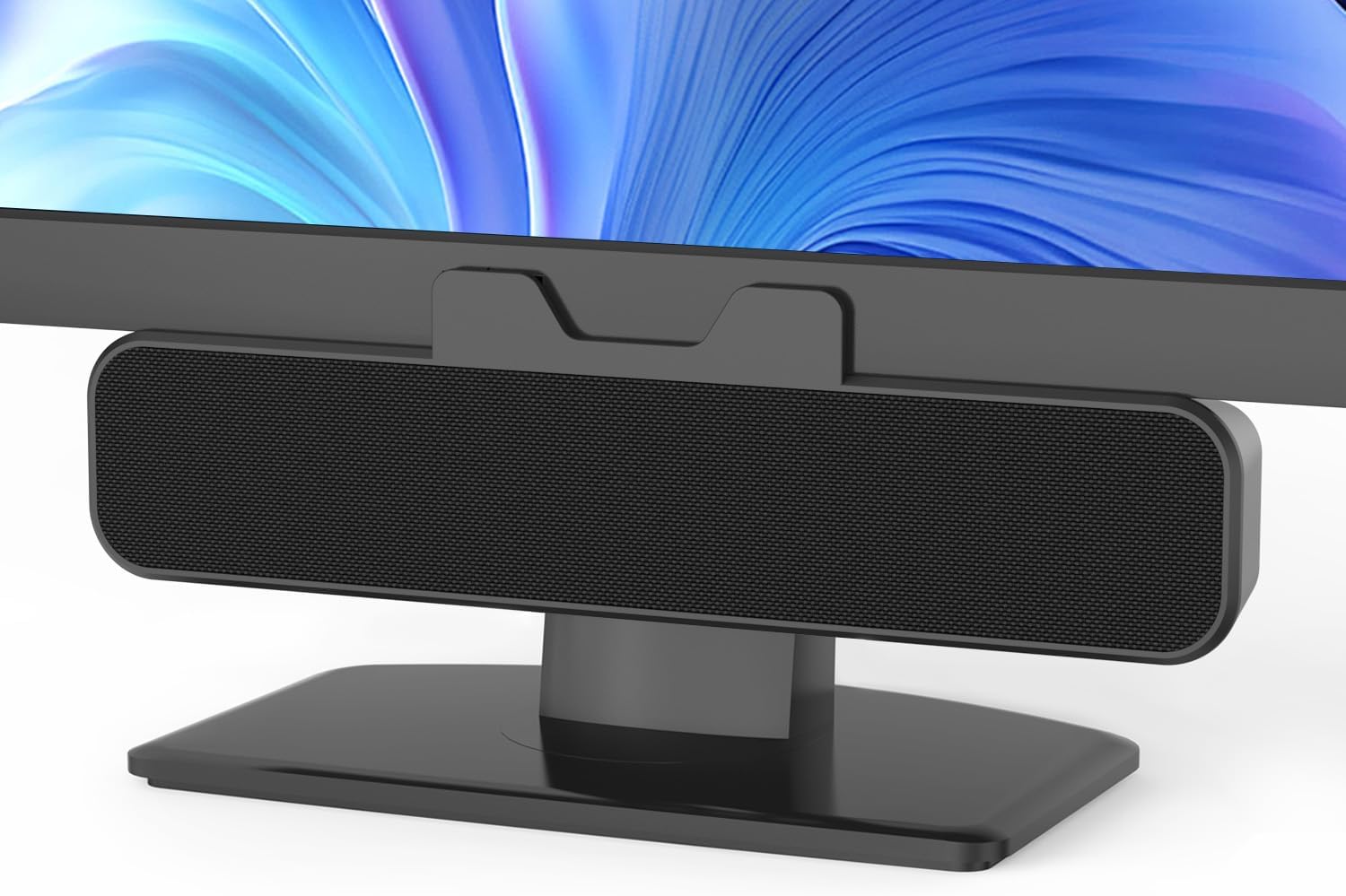
Image: The Inwa speaker mounted on top of a monitor, demonstrating its space-saving design.
- Connect to Power and Audio:
- Locate the integrated USB cable extending from the speaker.
- If your computer has a standard USB-A port, plug the USB cable directly into it.
- If your computer has a USB-C port, use the included USB-C to USB adapter. Connect the speaker's USB-A end to the adapter, then plug the adapter into your computer's USB-C port.
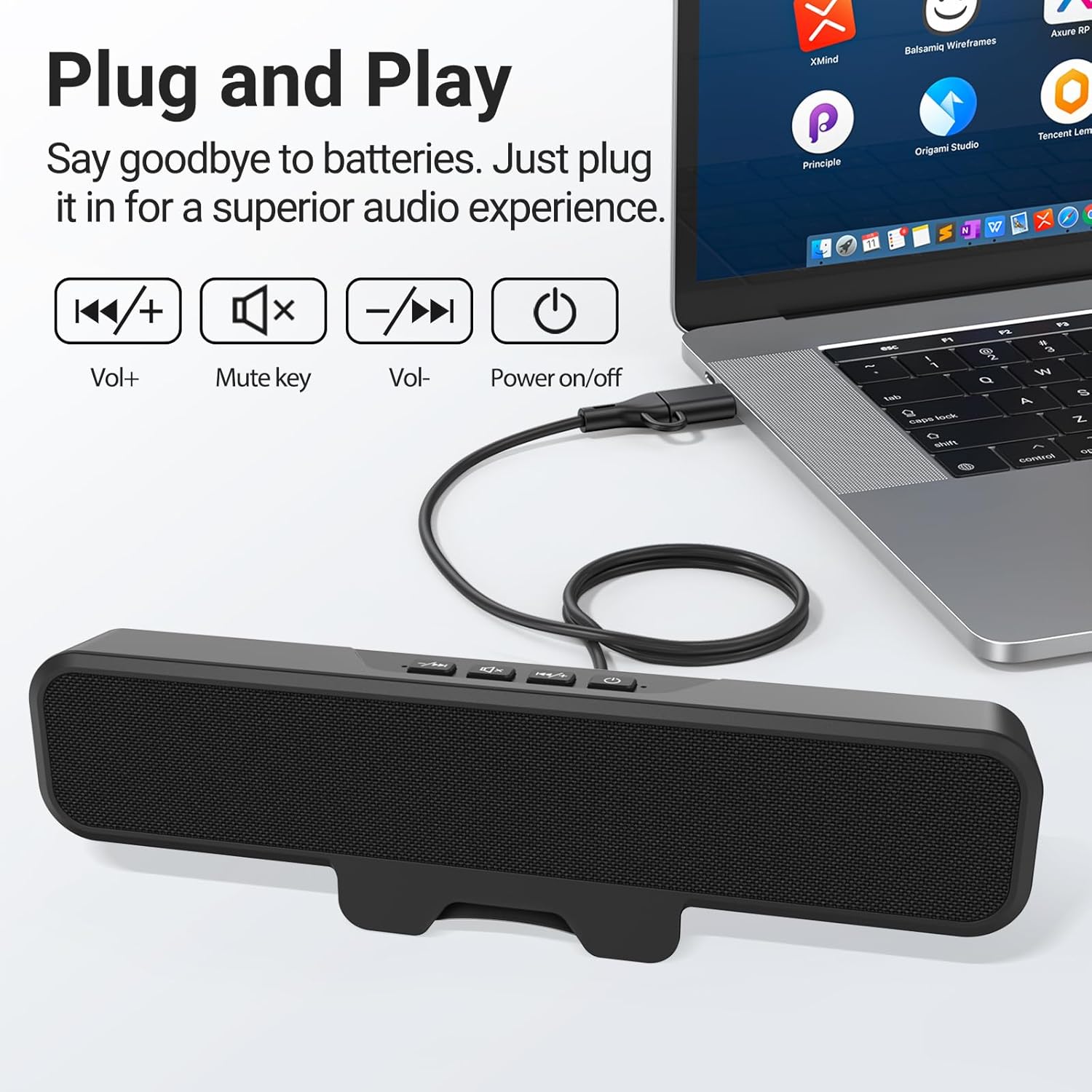
Image: The speaker connected to a laptop, illustrating the simple plug-and-play USB connection.
- Уключэнне: Press the power button located on the top of the speaker. A green indicator light will illuminate, confirming the speaker is active.
- Распазнаванне сістэмы: Your computer should automatically recognize the speaker as an audio output device. If not, navigate to your operating system's sound settings and select the Inwa speaker as the default output device.
5. Інструкцыя па эксплуатацыі
The Inwa speaker features intuitive controls on its top panel:
- Кнопка харчавання (⏻): Націсніце, каб уключыць або выключыць дынамік.
- Кнопка павелічэння гучнасці (+): Націсніце, каб павялічыць гучнасць гуку.
- Кнопка памяншэння гучнасці (-): Націсніце, каб паменшыць гучнасць гуку.
- Кнопка адключэння гуку (🔇): Націсніце, каб адключыць ці ўключыць гук.
When adjusting volume or muting, an on-screen panel may appear on your computer monitor, providing visual feedback of the changes.
6. Тэхнічнае абслугоўванне
- Уборка: Use a soft, dry cloth to wipe the speaker's surface. Avoid using liquid cleaners or abrasive materials.
- захоўванне: Калі дынамік не выкарыстоўваецца працяглы час, захоўвайце яго ў прахалодным, сухім месцы, удалечыні ад прамых сонечных прамянёў і экстрэмальных тэмператур.
- Апрацоўка: Handle the speaker with care. Avoid dropping it or subjecting it to strong impacts.
7. Выпраўленне непаладак
| праблема | Магчымая прычына | Рашэнне |
|---|---|---|
| Няма гуку з дынаміка. | Speaker is off or muted. На камп'ютары выбраны няправільны аўдыёвыхад. Слабае USB-злучэнне. | Ensure speaker is powered on and not muted. Check computer's sound settings and select "Inwa Speaker" as the output device. Зноў надзейна падключыце кабель USB. |
| Нізкая гучнасць. | Speaker volume is low. Computer volume is low. | Increase volume using the speaker's volume up button. Increase volume on your computer's operating system. |
| Speaker not recognized by computer. | Няспраўны порт USB. Праблема з драйверам (рэдка сустракаецца для падключэння і прайгравання). | Паспрабуйце іншы порт USB на вашым кампутары. Restart your computer. If issues persist, contact customer support. |
8. Тэхнічныя характарыстыкі
| Назва мадэлі | МЗ-631 |
| Марка | Інва |
| Тып дынаміка | Кантрольны дынамік |
| Тэхналогія падлучэння | USB (USB-A, USB-C compatible with adapter) |
| Рэжым выхаду гуку | Стэрэа (2.0-канал) |
| Максімальная выхадная магутнасць дынаміка | 10 ват |
| Метад кантролю | Кнопка |
| Тып мацавання | Clip-on / Desktop |
| Памеры прадукту | 8" Г x 2" Ш x 3" У |
| Вага прадмета | 12.6 унцыі |
| Колер | Чорны |
| Уключаныя кампаненты | 1 * Clip-on Computer Speaker, Manual, USB-C to USB Adapter |
| Асаблівасці | Bass Boost, Clip-on, Hi Res Audio, Portable |
| Сумяшчальныя прылады | Computer, PC, Desktop, Laptop, Smartphone, Tablet |
| Выкарыстанне ў памяшканні/на вуліцы | У памяшканні |
9. Гарантыя і падтрымка
Inwa provides пажыццёвая тэхнічная падтрымка for this product. If you encounter any issues or have questions, please contact our Customer Service team. We are committed to resolving your concerns within 24 hours.
For warranty claims or technical assistance, please refer to the contact information provided on the product packaging or visit the official Inwa webсайт.