
1. Уводзіны
Thank you for choosing the JOMAA Wireless Folding Keyboard. This compact and versatile keyboard is designed for enhanced productivity across multiple devices, featuring both Bluetooth and 2.4G connectivity, a built-in trackpad, and customizable RGB backlighting. This manual provides essential information for setup, operation, and maintenance to ensure optimal performance.
2. Змесціва ўпакоўкі
- JOMAA Wireless Folding Keyboard
- Зарадны кабель USB (тыпу C)
- 2.4G USB Receiver (stored magnetically within the keyboard)
- Кіраўніцтва карыстальніка
3. Асаблівасці прадукту
- Падключэнне некалькіх прылад: Supports 2 Bluetooth channels and 1 x 2.4G USB receiver connection, allowing seamless switching between up to three devices.
- Поўнапамерны макет: Despite its foldable design, it offers a full-size keyboard layout including a numeric keypad for comprehensive input.
- Integrated Trackpad: A foldable trackpad provides mouse-like control, eliminating the need for an external mouse.
- Customizable RGB Backlight: Features vibrant RGB backlighting with multiple colors and brightness levels for use in various lighting conditions.
- Ультрапартатыўны дызайн: Folds compactly for easy storage and transport, ideal for travel and remote work.
- Акумулятарная батарэя: Equipped with a 1200mAh high-capacity battery, offering up to 150 hours of uninterrupted work (without backlight).
- Магнітная зашпілька: Ensures the keyboard remains securely folded when not in use.
- Клавішы перамыкача нажніц: Забяспечвае камфортны і спагадлівы набор тэксту.
4. Настройка
4.1. Зарадка клавіятуры
Before first use, fully charge the keyboard using the provided USB Type-C cable. The charging port is located on the side of the keyboard. A full charge typically takes 2-3 hours.
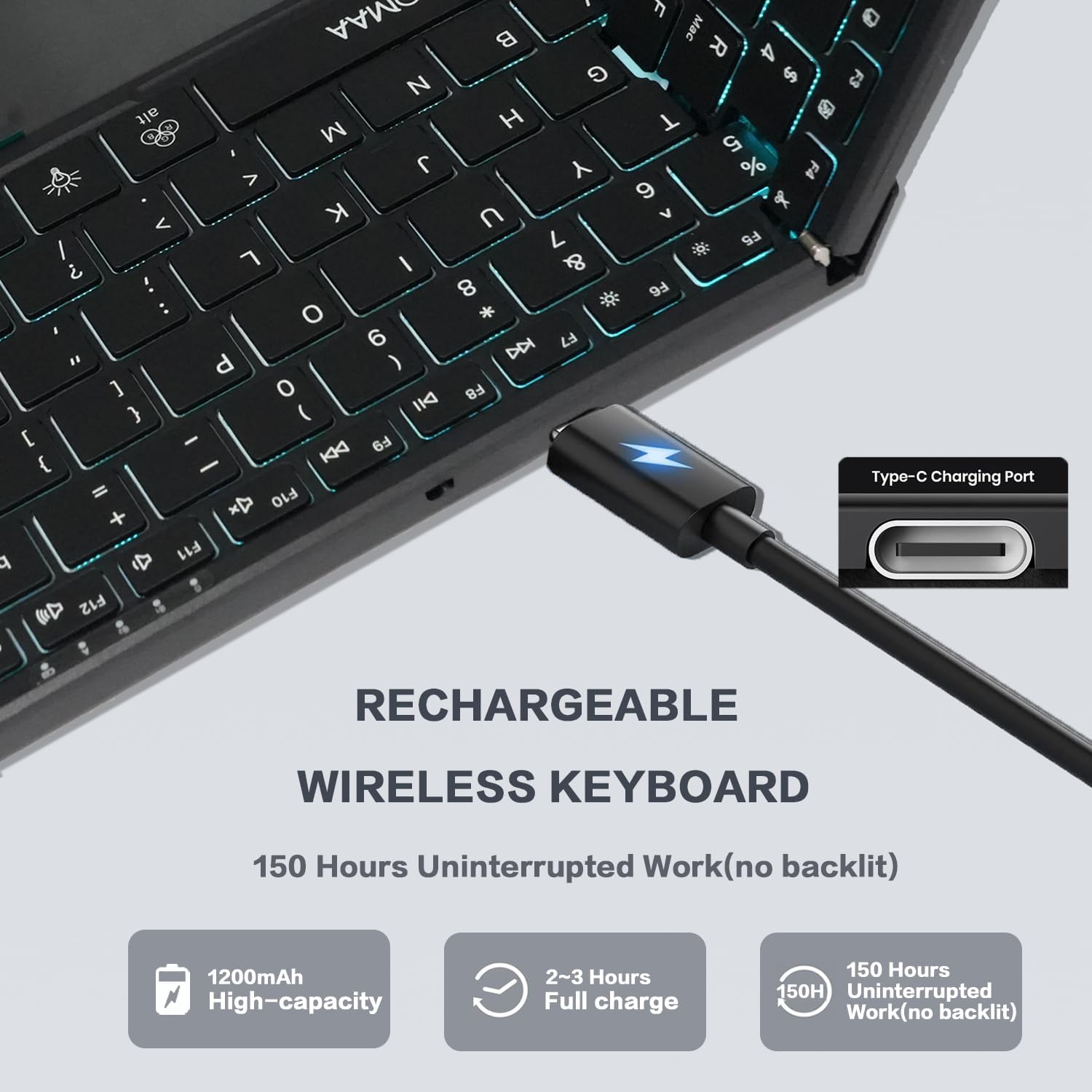
Image: The JOMAA Wireless Folding Keyboard showing its Type-C charging port and battery life indicators.
4.2. Разгортванне клавіятуры
Gently unfold the keyboard until it lies flat. The magnetic closure will release, and the keyboard will automatically power on. The trackpad will also extend from its storage position.
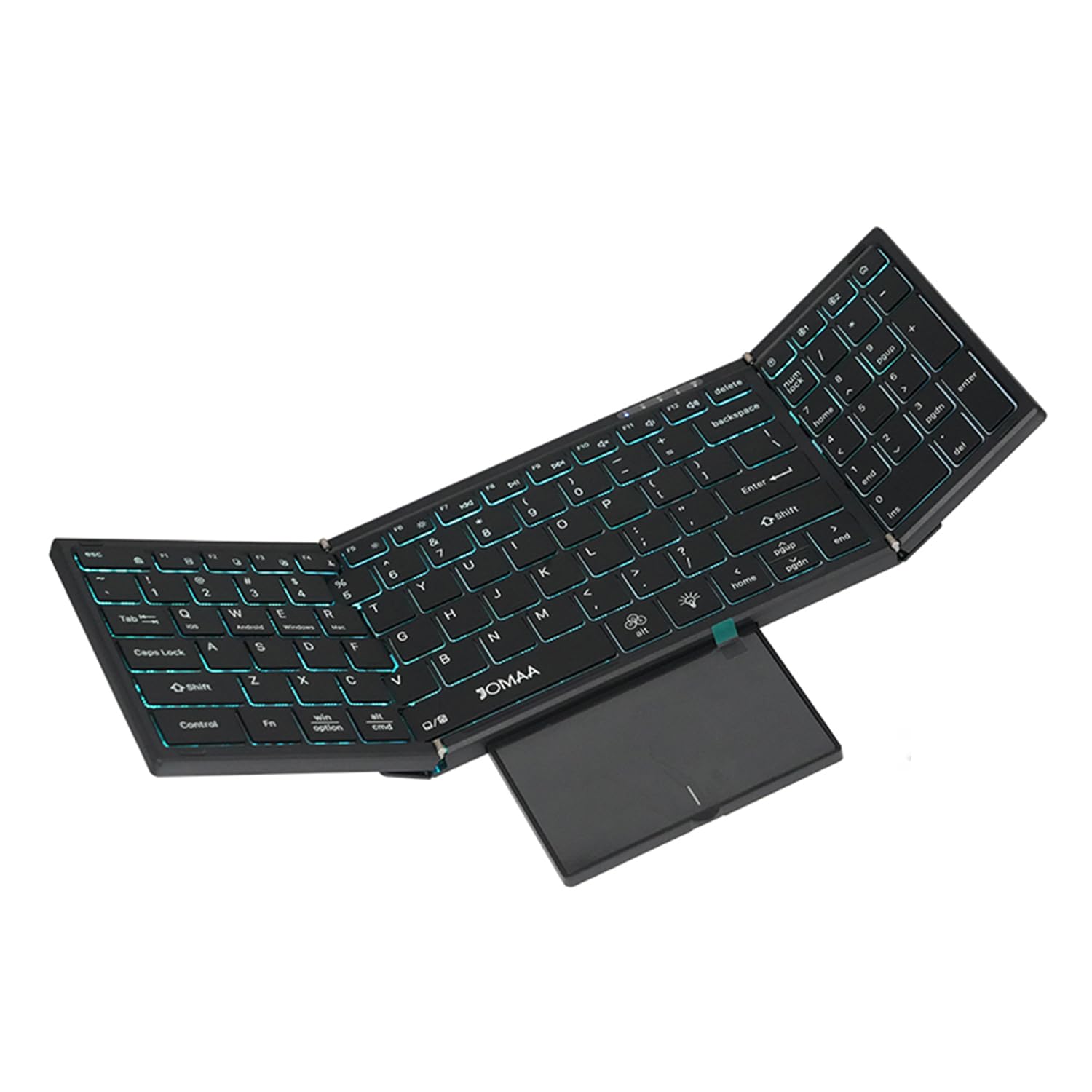
Image: The JOMAA Wireless Folding Keyboard fully unfolded, showcasing its full-size layout, RGB backlighting, and extended trackpad.
4.3. Падключэнне да прылад
The keyboard supports both 2.4G wireless and Bluetooth connectivity.
4.3.1. Бесправадное злучэнне 2.4G
- Locate the 2.4G USB receiver, which is magnetically stored within the keyboard's trackpad compartment.
- Падключыце USB-прыёмнік да даступнага порта USB-A на вашым кампутары або прыладзе.
- Прэса Fn + 2.4G (usually the key above the numeric keypad) to switch to 2.4G mode. The indicator light will confirm the connection.
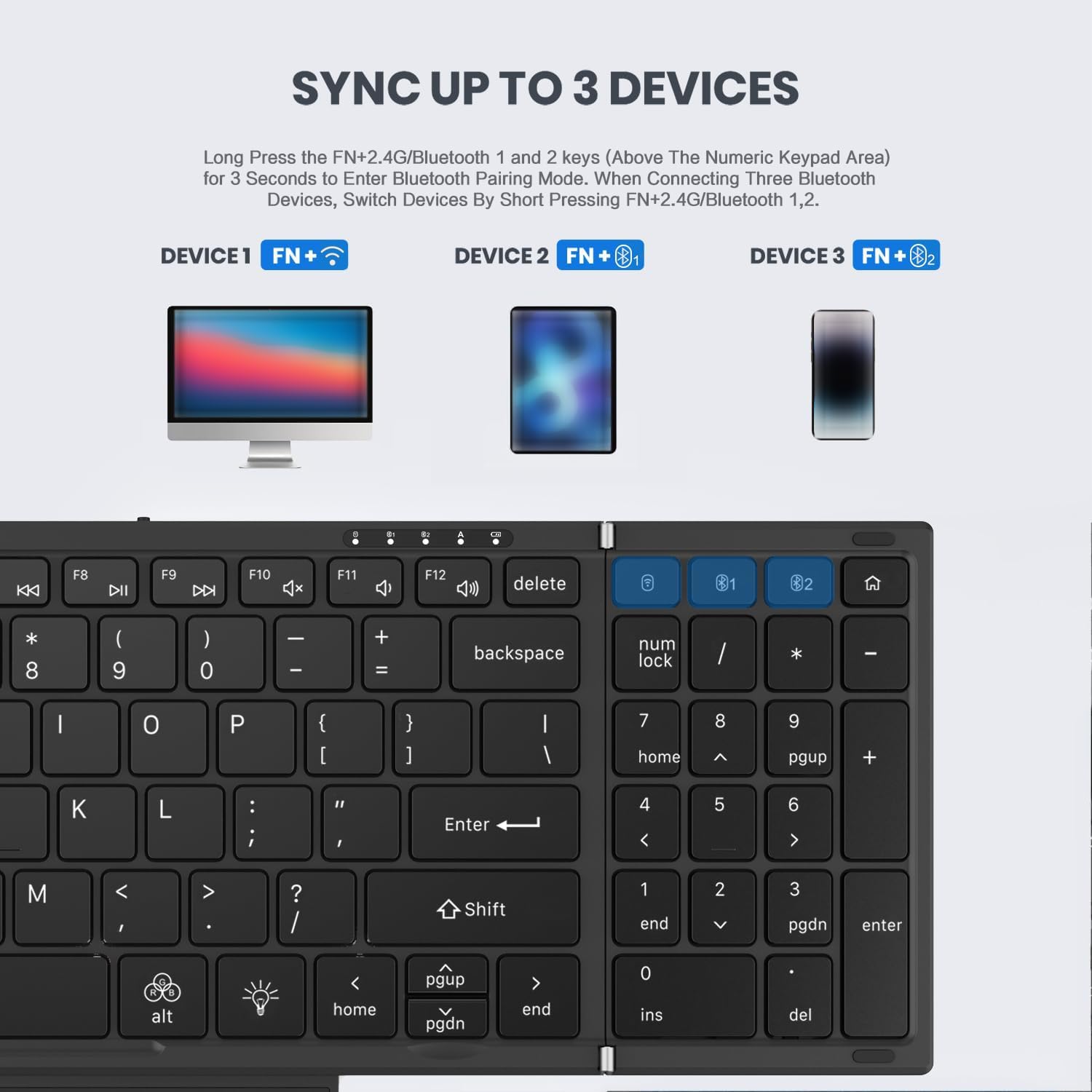
Image: Instructions for syncing the keyboard to multiple devices, highlighting the 2.4G and Bluetooth pairing keys.
4.3.2. Падключэнне Bluetooth (BT1 / BT2)
- Націсніце і ўтрымлівайце Fn + B1 or Fn + B2 for 3 seconds to enter Bluetooth pairing mode. The corresponding indicator light will flash rapidly.
- On your device (laptop, tablet, phone), go to Bluetooth settings and search for 'JOMAA Keyboard'.
- Select the keyboard to pair. The indicator light on the keyboard will stop flashing once connected.
- Каб пераключыцца паміж падлучанымі прыладамі Bluetooth, коратка націсніце Fn + B1 or Fn + B2.
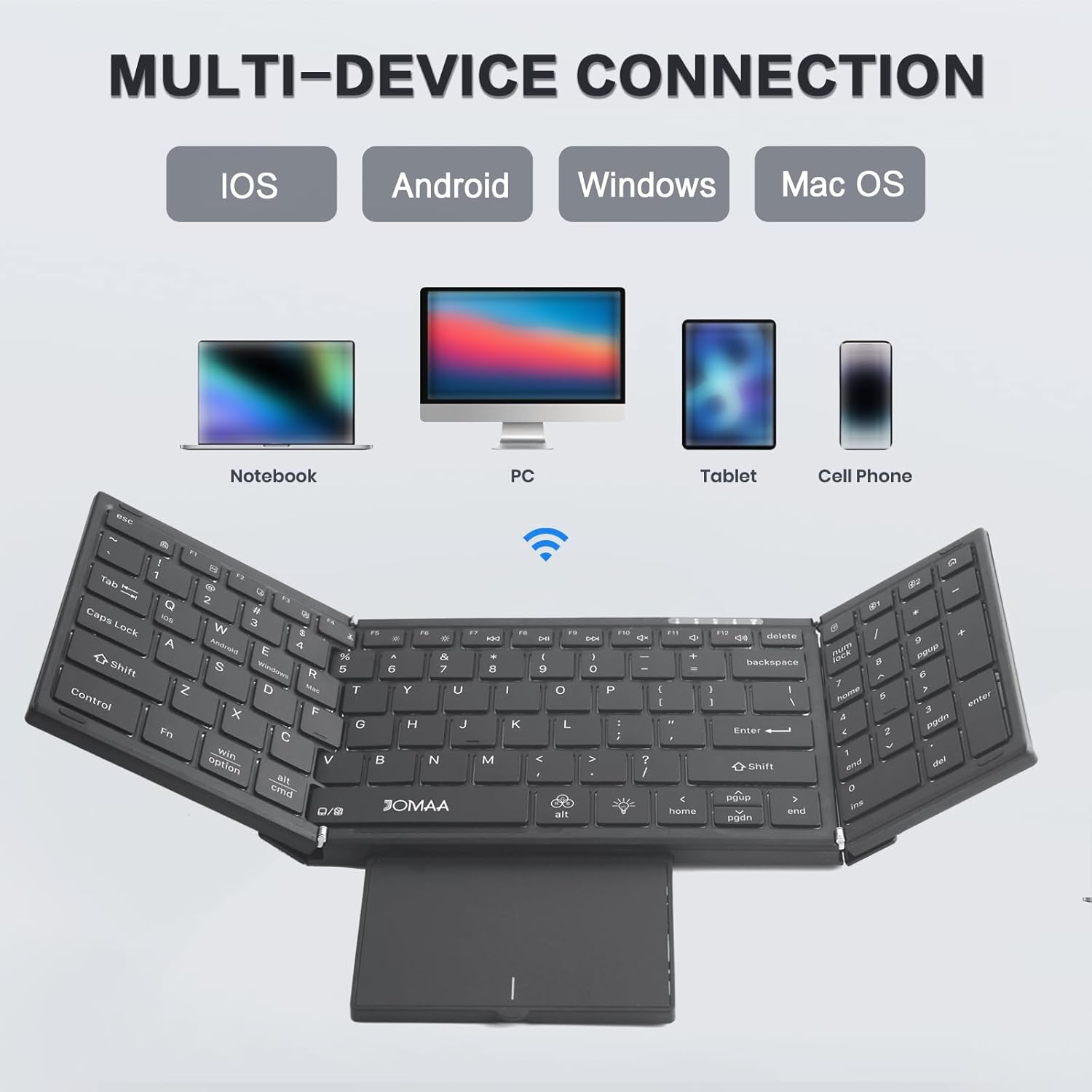
Image: The JOMAA keyboard demonstrating its multi-device connection capabilities with iOS, Android, Windows, and Mac OS devices.
5. Інструкцыя па эксплуатацыі
5.1. Набор тэксту
The keyboard features a full-size QWERTY layout with scissor switch keys for a comfortable and quiet typing experience.
5.2. Using the Trackpad
The integrated trackpad supports multi-gesture controls. To activate or deactivate the trackpad, use the dedicated function key combination. The trackpad is designed to provide laptop-like control.

Image: The foldable trackpad of the JOMAA keyboard, highlighting its larger size and mouse-like functionality.
5.2.1. Trackpad Mode Switching
To optimize trackpad gestures for different operating systems, use the following key combinations:
- Fn + Q: Для прылад iOS
- Fn + W: Для Android прылад
- Fn + E: Для прылад Windows
5.3. Падсвятленне RGB
The keyboard features customizable RGB backlighting. Use the dedicated backlight control keys to adjust brightness and change colors.

Image: The JOMAA keyboard displaying its RGB backlighting, illustrating how it can be used day or night with adjustable brightness and multiple colors.
5.3.1. Кіраванне падсветкай
- Прэса fn+alt (light bulb icon) to cycle through 7 available backlight colors.
- Прэса Fn + Light Brightness Icon to adjust between 4 levels of backlight brightness (High-Medium-Low-Off).
5.4. Рэжым энергазберажэння
The keyboard is designed to enter an auto-sleep mode after 10 minutes of inactivity to conserve battery life. Press any key to reactivate it.
6. Тэхнічнае абслугоўванне
- Падтрымлівайце чысціню клавіятуры, праціраючы яе мяккай сухой тканінай.
- Пазбягайце ўздзеяння экстрэмальных тэмператур, вільгаці або прамых сонечных прамянёў на клавіятуру.
- Не спрабуйце разбіраць клавіятуру, бо гэта можа прывесці да анулявання гарантыі.
7. Выпраўленне непаладак
7.1. Клавіятура не падключаецца
- Пераканайцеся, што клавіятура зараджана і ўключана.
- Verify the correct connection mode (2.4G or Bluetooth) is selected using the Fn key combinations.
- For Bluetooth, ensure your device's Bluetooth is enabled and the keyboard is in pairing mode.
- Для 2.4G пераканайцеся, што USB-прыёмнік надзейна падключаны.
- Паспрабуйце перазагрузіць і клавіятуру, і прыладу.
7.2. Trackpad Issues
- Ensure the trackpad is extended and not covered.
- Verify the trackpad mode is correctly set for your operating system (Fn + Q/W/R).
- If the cursor jumps erratically, ensure your palm is not accidentally touching the trackpad while typing. Consider temporarily disabling the trackpad if not needed.
7.3. Не працуе падсвятленне
- Пераканайцеся, што клавіятура мае дастатковы зарад батарэі.
- Прэса Fn + Light Brightness Icon to cycle through brightness levels, ensuring it's not set to 'Off'.
8. Тэхнічныя характарыстыкі
| Марка | JOMAA |
| мадэль | DF006T |
| Тэхналогія падлучэння | Bluetooth, бесправадная сувязь 2.4G |
| Сумяшчальныя прылады | Windows, Mac, iOS, Android devices (Laptop, PC, Tablet, Cell Phone) |
| Асаблівасць | Foldable, RGB Backlight, Built-in Trackpad, Rechargeable |
| Колькасць ключоў | 64 |
| Ёмістасць батарэі | 1200 мАг |
| Battery Life (no backlight) | Да 150 гадзін |
| Час зарадкі | 2-3 гадзін |
| Матэрыял | Пластыкавыя |
9. Гарантыя і падтрымка
This product comes with a three-month manufacturer's warranty. For technical support, troubleshooting assistance, or warranty claims, please contact JOMAA customer service through the retailer where the product was purchased.
10. Прадукт скончыўсяview Відэа
Video: A brief demonstration of the JOMAA Wireless Folding Keyboard, showcasing its foldable design, RGB backlighting, and multi-functional trackpad.