
CURRENT Satellite Color
CURRENT USA Satellite Color RGBW LED Aquarium Light (Model 4511) Instruction Manual
For 24-36 inch Freshwater Tanks
1. Уводзіны
The CURRENT USA Satellite Color RGBW Full-Spectrum LED Aquarium Light (Model 4511) is designed to provide comprehensive lighting for freshwater aquariums ranging from 24 to 36 inches. This light features advanced RGBW LEDs, allowing for a wide spectrum of colors to enhance the visual appeal of your aquatic environment and support plant growth. It includes an intuitive remote control for adjusting colors, selecting preset modes, and creating dynamic lighting effects. This manual will guide you through the installation, operation, and maintenance of your new aquarium light.
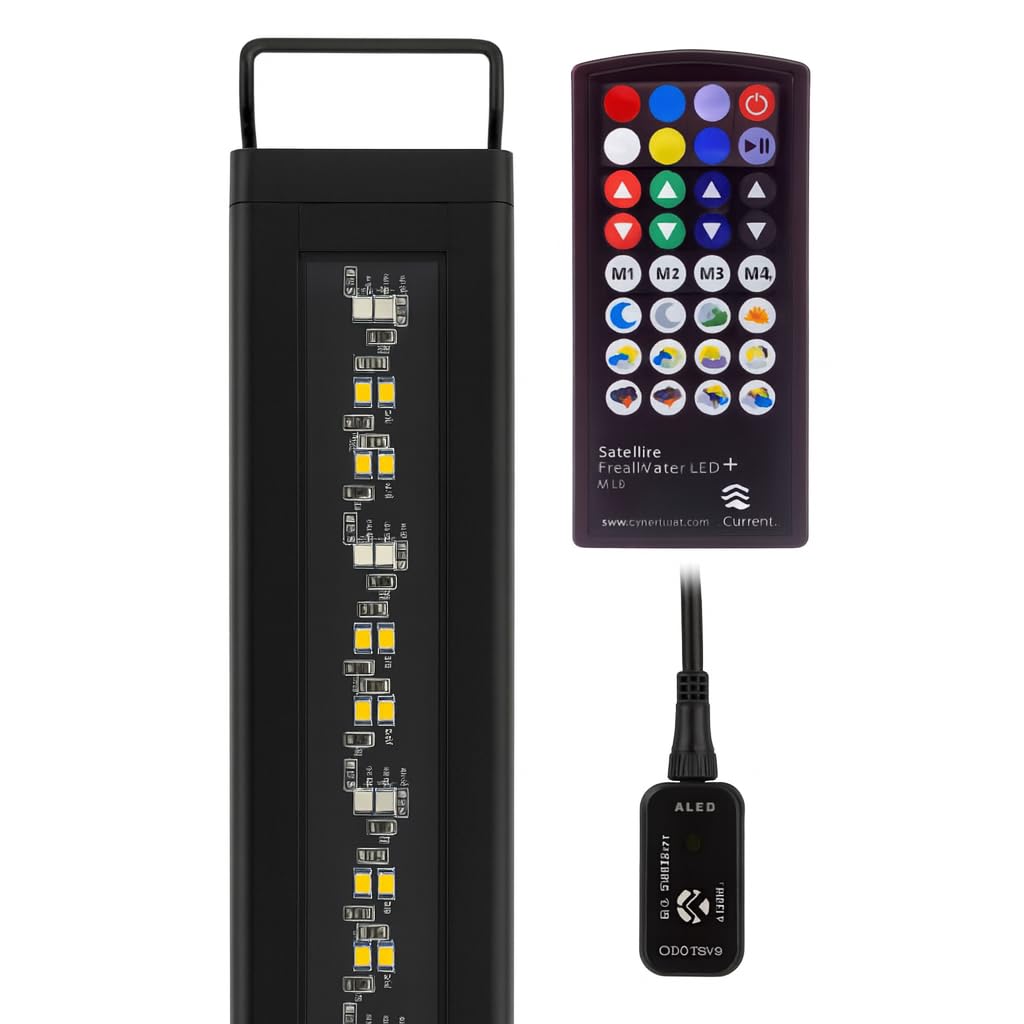
Image: The CURRENT USA Satellite Color RGBW LED Aquarium Light, showcasinг яго элегантны дызайн.
2. Важныя інструкцыі па бяспецы
- Прачытайце ўсе інструкцыі перад выкарыстаннем гэтага прадукта.
- Не карыстайцеся прыладай, калі ў яе пашкоджаны шнур або вілка, калі яна працуе няспраўна, упала ці была пашкоджана якім-небудзь чынам.
- Каб пазбегнуць намакання вілкі прыбора або разеткі, размесціце падстаўку для акварыума і рэзервуар з аднаго боку насценнай разеткі, каб вада не капала на разетку або вілку.
- A "drip loop" should be arranged by the user for each cord connecting an aquarium appliance to a receptacle. The drip loop is the part of the cord below the level of the receptacle, or the connector if an extension cord is used, to prevent water from traveling along the cord and coming into contact with the receptacle.
- Заўсёды адключайце прыладу ад разеткі, калі яна не выкарыстоўваецца, перад тым, як усталёўваць або здымаць дэталі, а таксама перад чысткай. Ніколі не цягніце за шнур, каб выцягнуць вілку з разеткі. Вазьміцеся за вілку і пацягніце, каб адключыць яе.
- Не ўстанаўлівайце і не захоўвайце прыбор у месцах, дзе ён будзе падвяргацца ўздзеянню надвор'я або тэмпературы ніжэй за нуль.
- Ensure the light fixture is securely mounted to prevent accidental submersion.
- Гэты прадукт прызначаны толькі для выкарыстання ў памяшканнях.
3. Што ў скрынцы
Upon unpacking your CURRENT USA Satellite Color RGBW LED Aquarium Light, please ensure all components are present:
- Satellite Color RGBW LED Light Fixture
- Adjustable Docking Legs (pre-attached or separate)
- IR Remote Control (with battery and spare battery)
- Power Supply (AC Adapter and DC connector with IR receiver)
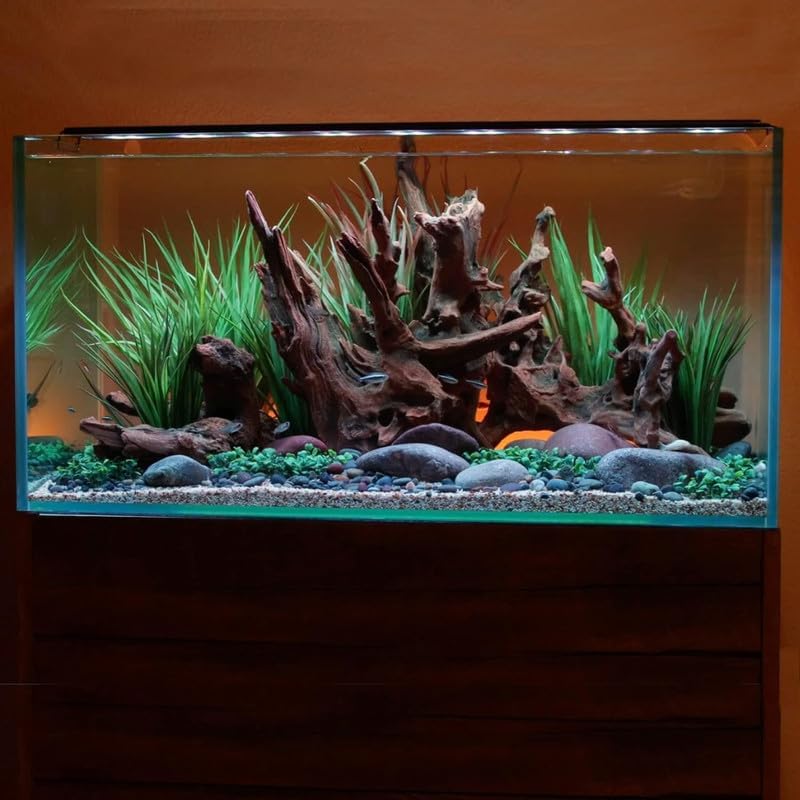
Выява: Зверхуview of the light fixture and its components.
4. Настройка і ўстаноўка
- Распакуйце святло: Асцярожна выміце ўсе кампаненты з упакоўкі. Праверце на наяўнасць пашкоджанняў.
- Attach/Adjust Docking Legs: If the docking legs are not pre-attached, slide them into the channels on each end of the light fixture. Adjust the legs to fit the width of your aquarium. The light is designed for tanks between 24 and 36 inches.
- Устанавіце святло: Place the light fixture securely on the rim of your aquarium. Ensure the light is stable and centered over the tank.
- Падключыце крыніцу сілкавання:
- Connect the DC connector from the light fixture to the power supply's IR receiver module.
- Plug the AC adapter into a standard electrical outlet. Create a drip loop with the power cord to prevent water from reaching the outlet.
- Першапачатковае ўключэнне: The light should illuminate once connected to power. Use the remote control to turn it on/off and adjust settings.
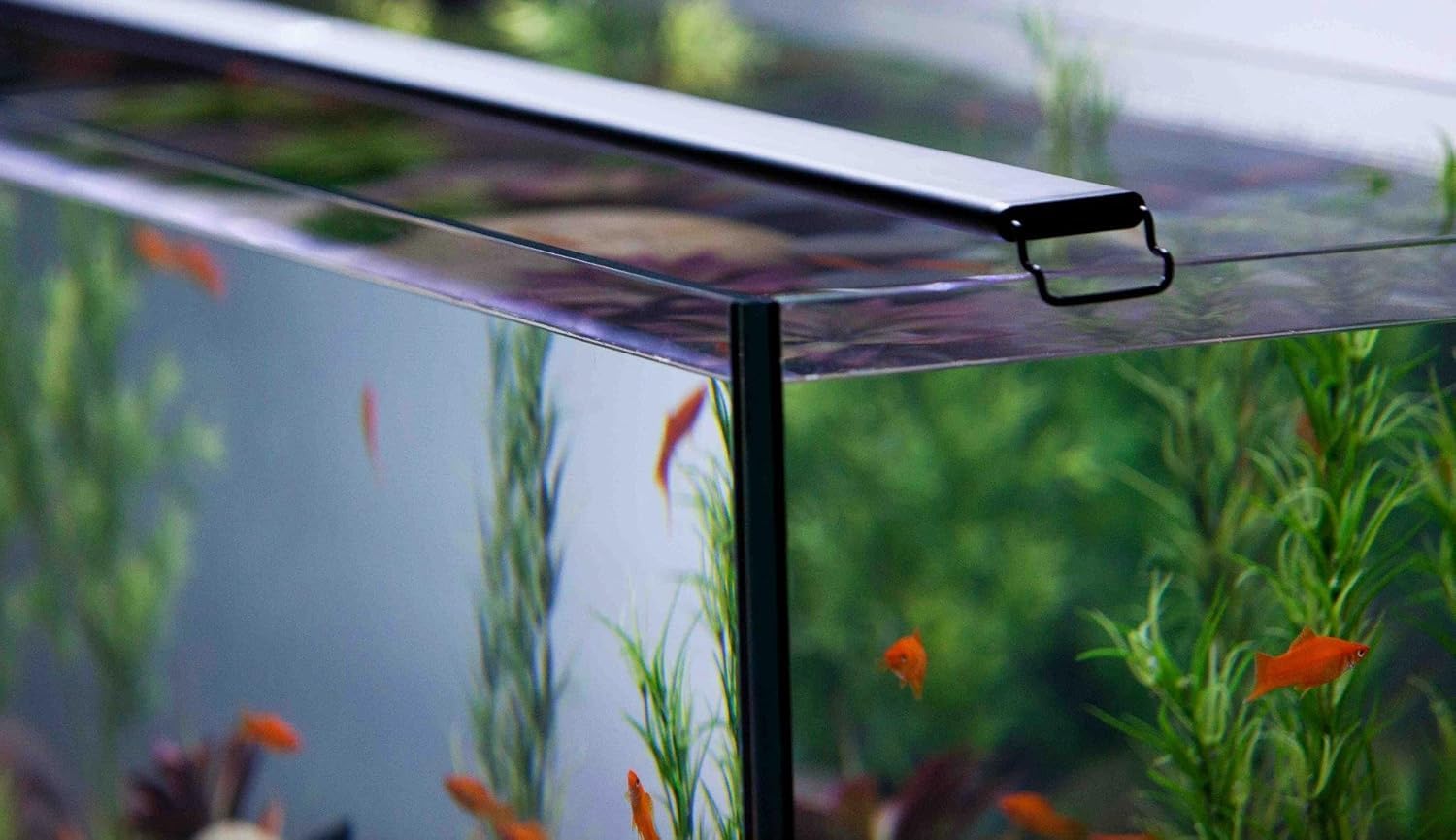
Image: The light fixture securely mounted on the edge of an aquarium.

Image: Close-up of the adjustable docking leg for tank mounting.
5. Аперацыя
The Satellite Color LED light is controlled using the included IR remote. Ensure the remote is pointed towards the IR receiver module on the power cord for optimal response.
5.1 Функцыі дыстанцыйнага кіравання

Image: The remote control for the Satellite Color LED light.
- Кнопка харчавання (⬤): Уключае або выключае святло.
- Color Selection Buttons: Directly select various colors (Red, Green, Blue, White, Yellow, Cyan, Magenta, etc.).
- Brightness Adjustment (▲ / ▼): Adjust the intensity of the selected color or overall brightness.
- Custom Color Buttons (M1, M2, M3, M4): Save and recall your preferred custom color settings. To save a custom color, adjust the light to your desired color and brightness, then press and hold one of the M buttons until the light flashes. To recall, simply press the corresponding M button.
- Dynamic Fade Modes: Buttons with sun, moon, and cloud icons activate pre-programmed lighting scenarios such as:
- Sunrise/Sunset simulations
- Moonlight effects
- Cloud cover simulations
- Storm effects (with lightning simulation)
5.2 Full Spectrum Color Options
The RGBW LEDs allow for a broad range of colors. Experiment with different combinations to highlight your fish and plants, or to create specific moods within your aquarium.
Video: Demonstrates the full spectrum color options available with the Freshwater Aquarium LED light. This video shows various color changes and effects.
6. Тэхнічнае абслугоўванне
Regular maintenance ensures the longevity and optimal performance of your LED aquarium light.
- Ачыстка прыстасавання: Перыядычна працірайце свяцільнік мяккай анучайamp cloth to remove dust, water spots, and algae buildup. Ensure the light is unplugged before cleaning. Do not use abrasive cleaners or solvents.
- Праверка злучэнняў: Routinely inspect all electrical connections (power cord, DC connector) for any signs of wear, corrosion, or loose fittings.
- Святлодыёдны масіў: Avoid touching the LED diodes directly. If cleaning is necessary, use a soft, dry cloth.
7. Выпраўленне непаладак
| праблема | Магчымая прычына | Рашэнне |
|---|---|---|
| Святло не ўключаецца. | Няма харчавання, дрэннае злучэнне, разраджаная батарэйка пульта. | Check power outlet. Ensure all connections are secure. Replace remote battery. |
| Пульт дыстанцыйнага кіравання не рэагуе. | Remote battery dead, IR receiver obstructed, remote too far or not aimed correctly. | Replace remote battery. Ensure clear line of sight to the IR receiver module. Point remote directly at the receiver. |
| Colors are not changing or dynamic modes do not activate. | Remote issue, internal malfunction. | Verify remote functionality (see above). Unplug the light for 30 seconds and plug back in to reset. If problem persists, contact customer support. |
| Святло нечакана мігціць або цьмянее. | Нестабільнае харчаванне, дрэннае злучэнне. | Check power connections. Ensure the power outlet is stable. |
8. Тэхнічныя характарыстыкі
- Нумар мадэлі: Satellite Color (4511)
- Tank Size Compatibility: 24" - 36" Tanks
- Тып крыніцы святла: Святлодыёд RGBW
- Крыніца харчавання: Правадная электрычная
- Тып пераключальніка: Дыстанцыйнае
- Тып матэрыялу: Метал, пластык
- колер: Чорны
- Выкарыстанне ў памяшканні/на вуліцы: У памяшканні
- Уключаныя кампаненты: LED Light Fixture, Power Supply, Remote Control
- GTIN (UPC): 842959045110
9. Гарантыя і падтрымка
9.1 Гарантыя вытворцы
This CURRENT USA Satellite Color RGBW LED Aquarium Light (Model 4511) is covered by a 1-гадовая гарантыя вытворцы з даты пакупкі. Гэтая гарантыя распаўсюджваецца на дэфекты матэрыялаў і вырабу пры нармальным выкарыстанні. Яна не распаўсюджваецца на пашкоджанні, выкліканыя няправільным выкарыстаннем, аварыяй, мадыфікацыяй або несанкцыянаваным рамонтам.
Калі ласка, захавайце доказы пакупкі для прэтэнзій па гарантыі.
9.2 Падтрымка кліентаў
For technical assistance, warranty inquiries, or replacement parts, please contact CURRENT USA Customer Support:
- Webсайт: www.current-usa.com
- электронная пошта: support@current-usa.com
- тэлефон: (Бясплатны нумар, калі даступны)
Пры звароце ў службу падтрымкі, калі ласка, падрыхтуйце нумар мадэлі вашага прадукту (4511) і пацвярджэнне пакупкі.
Ask a question about this manual
Ask about setup, troubleshooting, compatibility, parts, safety, or missing instructions. Manuals+ will review the question and use this page’s manual context to help answer it.