
1. Прадукт скончыўсяview
The ZUMIMALL P8 is a 2K wireless video doorbell camera designed for home security. It features a rechargeable battery for flexible placement, 2.4 GHz Wi-Fi connectivity, and comes with a chime. Key features include 2K 3MP high-resolution monitoring with superior night vision, AI human detection, two-way audio with optional voice changers, anti-theft alarm, and IP66 weatherproof rating. It supports both local storage (up to 128GB via SD card, sold separately) and cloud storage options.
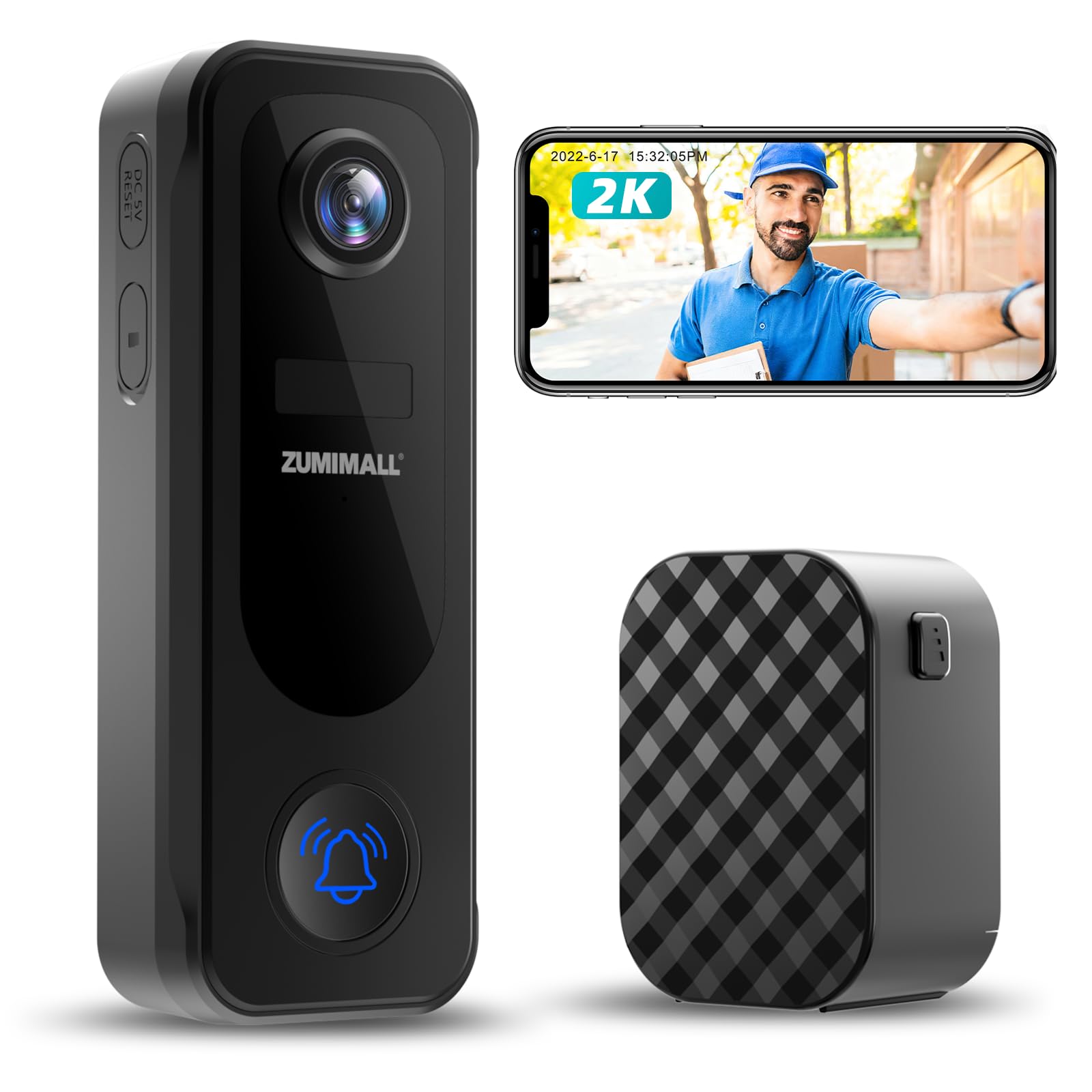
Figure 1: ZUMIMALL P8 2K Wireless Video Doorbell Camera and Chime.
2. Што ў скрынцы
Upon opening your ZUMIMALL P8 package, you should find the following items:
- Камера дзвярнога званка
- Перазвон
- Зарадны кабель
- Кіраўніцтва па эксплуатацыі
- Крапежныя шрубы

Малюнак 2: Камплектацыя.
Відэа распакавання
Video 1: This video demonstrates the unboxing process of the ZUMIMALL P8 Doorbell Camera, showing all included components.
3. Настройка
3.1 Ідэнтыфікацыя кампанентаў
Figure 3: ZUMIMALL P8 Doorbell Camera Components.
3.2 Ўстаноўка
The ZUMIMALL P8 doorbell camera offers two installation methods: screw-in or adhesive tape. Choose the method best suited for your mounting surface.
- Выберыце месца: Select a suitable location, ideally around 1.4 meters (4.6 feet) from the ground for optimal viewінж.
- Мантаж задняй пласціны:
- Screw-in Installation: Use the provided screws to fix the camera back plate to the wall.
- Ўстаноўка клейкай стужкі: Use the provided tape to attach the camera back plate to the mounting location.
- Прымацаваць камеру: Mount the doorbell camera onto the secured back plate.
- Абараніце камеру: Tighten the fixing screws on the back plate to secure the camera.
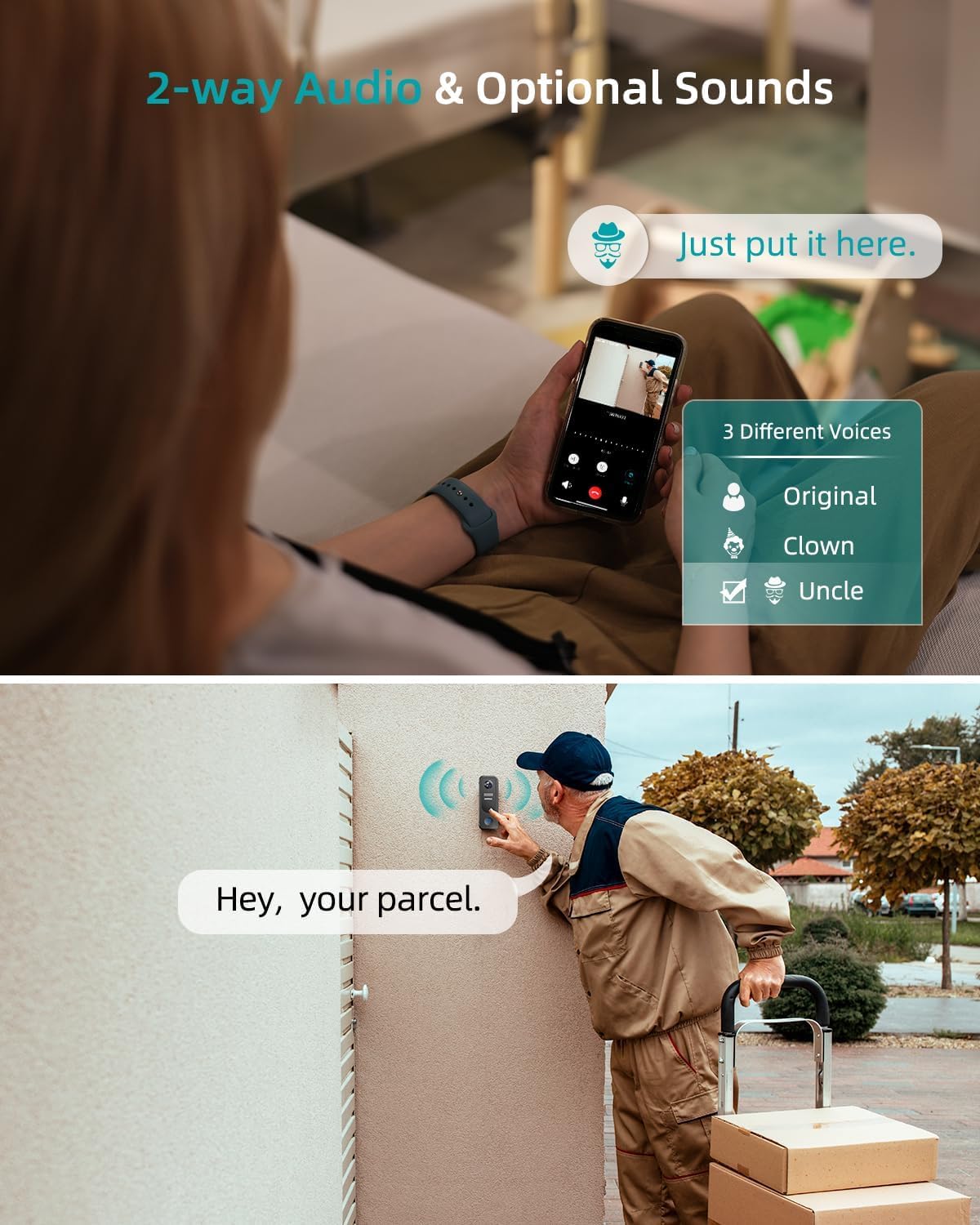
Figure 4: Easy Installation Options.
Installation and Removal Video
Video 2: This video provides a step-by-step guide on how to install and remove the ZUMIMALL P8 doorbell camera.
3.3 Падключэнне праграмы
To connect your ZUMIMALL P8 doorbell camera to the ZUMIMALL App, follow these steps:
- Уключэнне: Press and hold the doorbell button for 5 seconds until you hear a ringtone, indicating the doorbell is on.
- Reset (if needed): If this is the first time or you are having issues, reset the camera. Wait for the indicator light to turn red and flash slowly.
- Адкрыць праграму: Open the ZUMIMALL App on your smartphone.
- Дадаць прыладу: Tap 'Add Device' and follow the on-screen network setting tips.
- Падключыцеся да Wi-Fi: Select your 2.4 GHz Wi-Fi network and enter the correct password.
- Сканаванне QR -кода: Scan the QR code displayed in the App with your doorbell camera. You will hear a 'beep' sound upon successful scan.
- Пацверджанне падключэння: Wait for the doorbell to connect. The doorbell light will turn blue, indicating successful addition.
- Поўная ўстаноўка: Tap 'Next' to continue with installation suggestions and start using your doorbell.
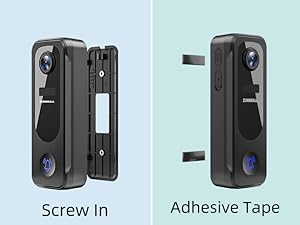
Figure 5: App Connection Steps.
App Connection Video
Video 3: This video demonstrates how to connect the ZUMIMALL P8 doorbell camera with the ZUMIMALL App.
3.4 Chime Connection
To connect the wireless chime to your doorbell camera:
- Устаўце батарэі: Load the batteries into the chime until you hear a 'ding dong' sound.
- Enable Chime Reminder: Open the ZUMIMALL App, go to the 'Chime Setting' and ensure the 'Chime Reminder' is turned on.
- Connect Chime: Hold the connect button on the chime until you hear a 'tick'.
- Тэставае злучэнне: Press the doorbell button. If both the doorbell and chime ring simultaneously, the connection is successful.
Chime Connection Video
Video 4: This video guides you through the process of connecting the doorbell chime to your ZUMIMALL P8 camera.
4. Інструкцыя па эксплуатацыі
4.1 Відэаманіторынг
The ZUMIMALL P8 provides clear 2K 3MP high-resolution video monitoring, day and night. Its superior night vision ensures sharp images even in low-light conditions.

Figure 6: Day and Night Vision.
4.2 Выяўленне руху і абвесткі
The doorbell camera features PIR human/AI detection, sending instant alerts to your smartphone when movement is identified. You can customize detection zones to reduce false alarms.

Figure 7: Smart AI Analysis & Instant Notification.
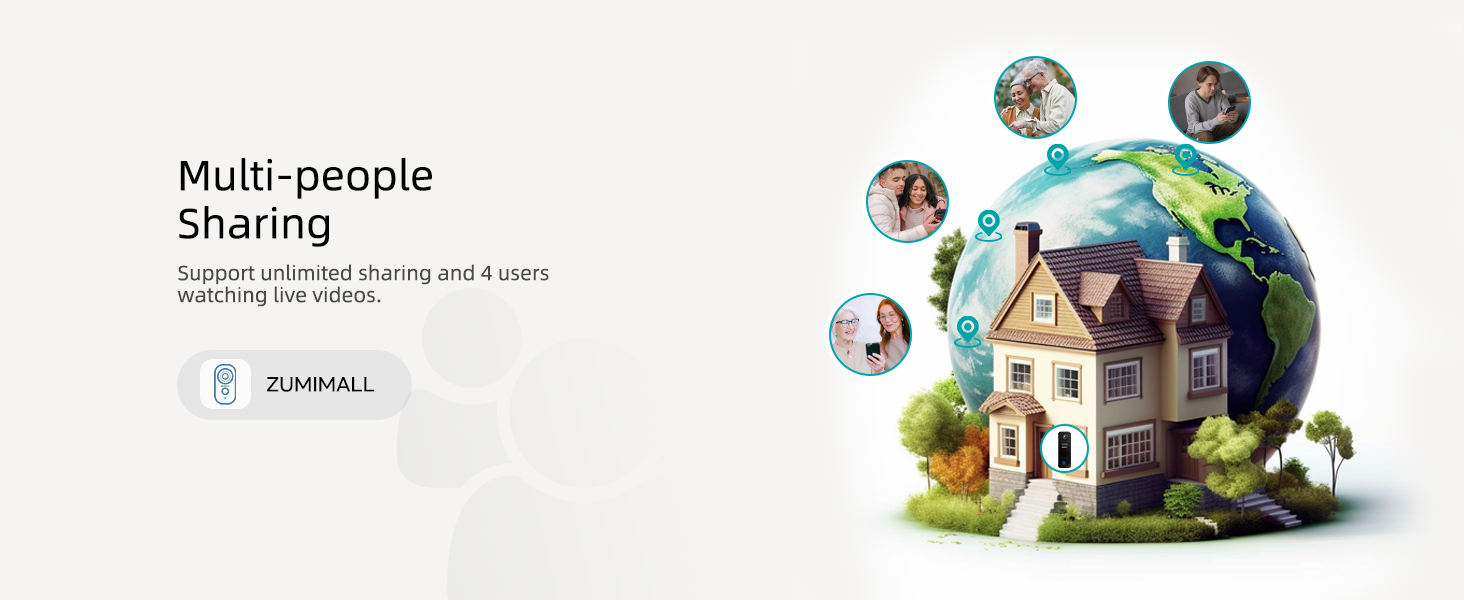
Figure 8: Customize Detection Zone.
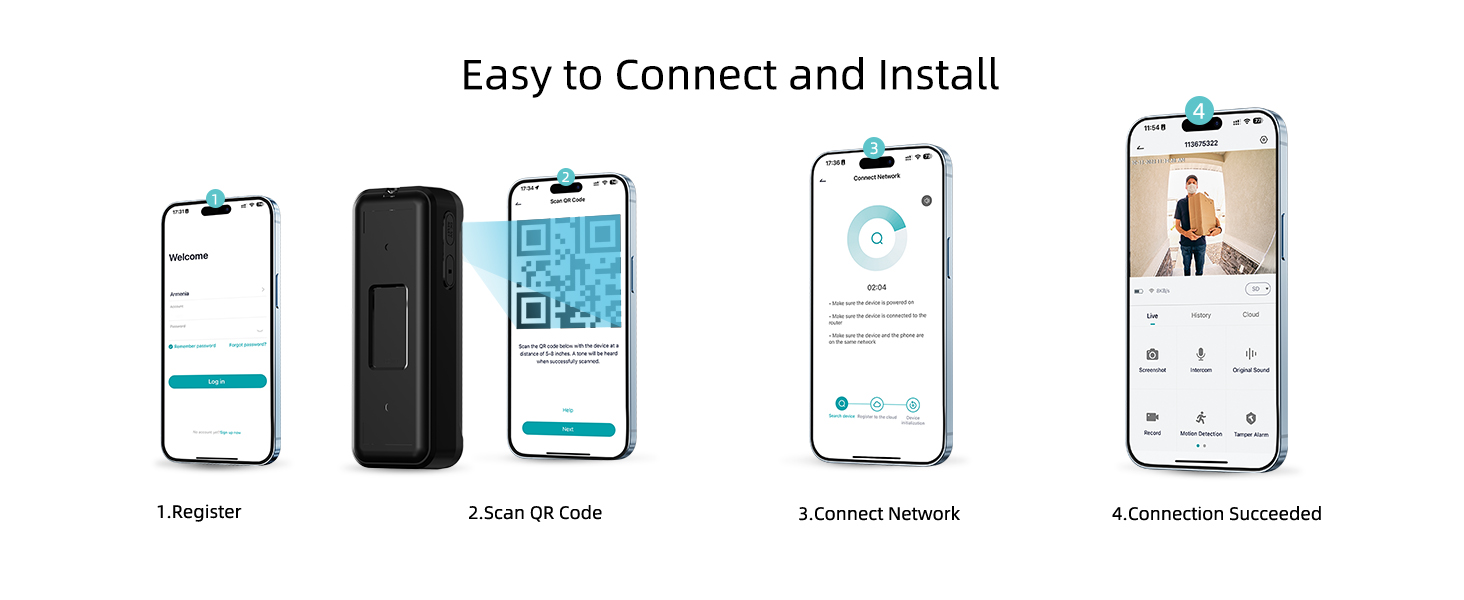
Figure 9: PIR Motion Detection & Instant Notification.
4.3 Двухбаковае аўдыё
Communicate in real-time with visitors using the two-way talk feature. The ZUMIMALL App also allows you to leave voice messages up to 30 seconds long (up to 3 messages).

Figure 10: Two-Way Audio & Optional Sounds.
4.4 Варыянты захоўвання
Choose between local storage (up to 128GB via a memory card, sold separately) or 6-second cloud storage options. The device supports 7-day loop recording without a subscription when using local storage.

Figure 11: No Subscription Fees - Local or Cloud Storage.
4.5 Anti-Theft Feature
The doorbell camera is equipped with advanced anti-theft measures to deter tampering or theft. If the doorbell is forcibly removed, an alarm will be triggered.

Figure 12: Anti-theft Alert.
4.6 Воданепранікальная канструкцыя
With an IP66 rating, the ZUMIMALL P8 is designed to withstand various weather conditions, ensuring durability and reliable operation year-round.
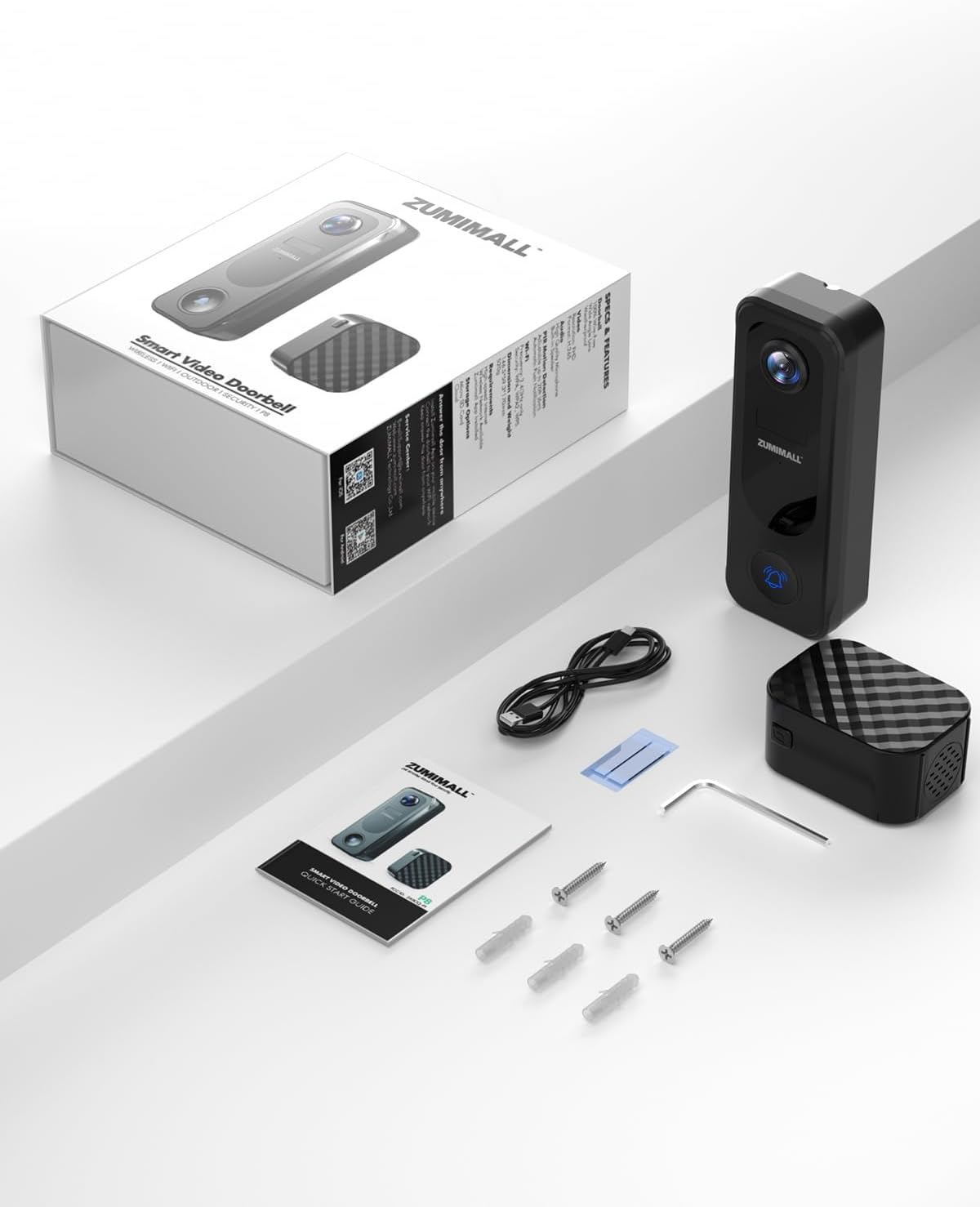
Figure 13: IP66 Weatherproof.
4.7 Шматкарыстальніцкі агульны доступ
The ZUMIMALL P8 supports unlimited sharing and allows up to 4 users to watch live videos simultaneously, enabling multiple family members to monitor the entrance.
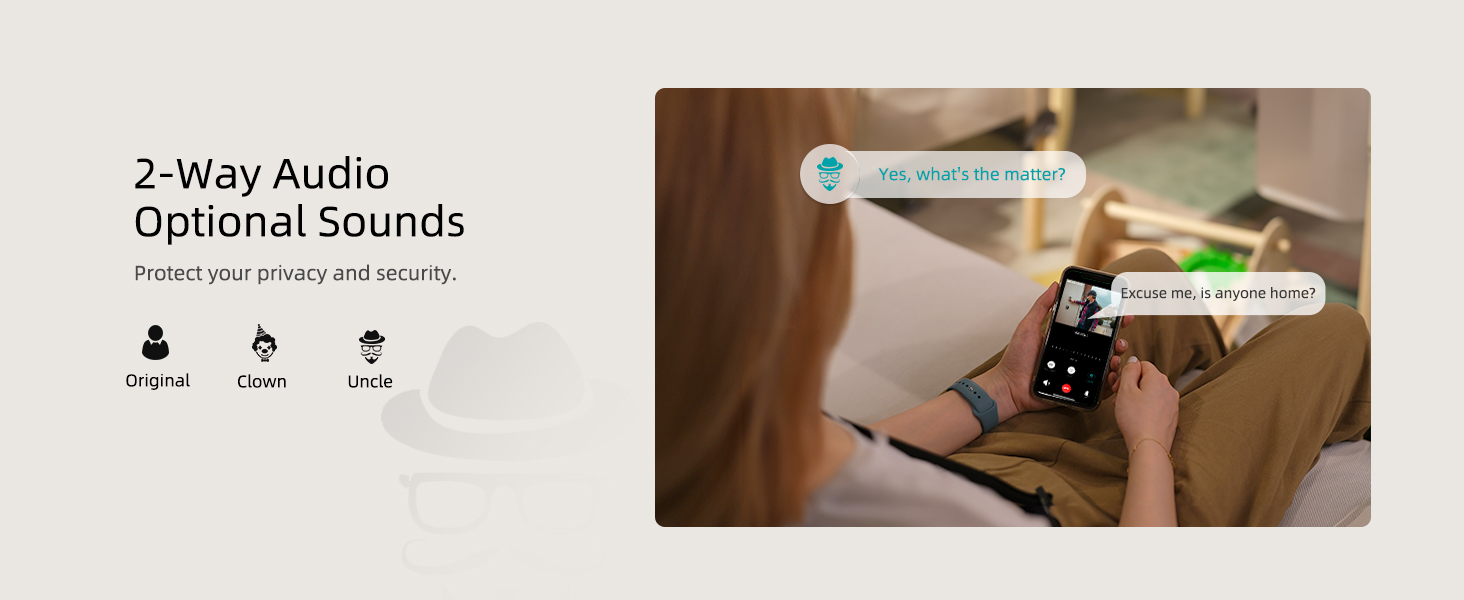
Figure 14: Multi-people Sharing.
5. Тэхнічнае абслугоўванне
The ZUMIMALL P8 is battery-powered. Ensure the battery is regularly charged to maintain continuous operation. The battery life will vary based on usage and environmental conditions.
- Зарадка: Connect the doorbell camera to a power source using the provided charging cable when the battery level is low.
- Уборка: Periodically clean the camera lens and the doorbell surface with a soft, dry cloth to ensure clear video quality and proper functionality.
- Абнаўленні прашыўкі: Check the ZUMIMALL App regularly for any available firmware updates to ensure optimal performance and access to new features.
6. Выпраўленне непаладак
If you encounter issues with your ZUMIMALL P8 doorbell camera, refer to the following common troubleshooting steps:
- Праблемы з падключэннем: Ensure your Wi-Fi network is 2.4 GHz and the signal strength is adequate at the doorbell's location. Try resetting your router and the doorbell camera.
- Doorbell Not Responding: Check the battery level. If the battery is low, recharge the device. If the device is powered on but unresponsive, try resetting it.
- Video Playback Problems: Ensure a compatible SD card (up to 128GB) is inserted correctly for local storage, or verify your cloud storage subscription is active.
- Ілжывыя трывогі: Adjust the motion detection sensitivity settings in the ZUMIMALL App. Utilize the customizable detection zones to focus on specific areas and reduce unwanted alerts.
- Chime Not Ringing: Ensure the chime has fresh batteries and is successfully paired with the doorbell camera (refer to Section 3.4). Check the 'Chime Reminder' setting in the app.
Resetting the Doorbell Camera Video
Video 5: This video demonstrates how to reset your ZUMIMALL P8 doorbell camera.
7. Тэхнічныя характарыстыкі
| Асаблівасць | Спецыфікацыя |
|---|---|
| Марка | ЗУМІМАЛЬ |
| Назва мадэлі | P8 |
| Тэхналогія падлучэння | Wireless (2.4GHz Wi-Fi, Bluetooth) |
| Дазвол відэазахопу | 2K |
| Эфектыўнае рашэнне | 3 МП |
| Асаблівасці | 2-Way Audio, HD Resolution, Local Recording, Night Vision, Weather Proof |
| Выкарыстанне ў памяшканні/на вуліцы | У памяшканні, на адкрытым паветры |
| Сумяшчальныя прылады | Smartphone (ZUMIMALL APP, Amazon Alexa, Google Assistant) |
| Крыніца харчавання | Харчаванне ад батарэі |
| Max Flash Memory Supported Size | 128 ГБ |
| Узровень воданепранікальнасці | Воданепранікальны (IP66) |
| Памеры прадмета | 2.04 х 1.18 х 4.62 цалі |
| Вага прадмета | 0.48 кілаграма |
8. Гарантыя і падтрымка
ZUMIMALL is committed to providing high-quality products and customer satisfaction. For any issues or inquiries, please refer to the following:
- Інфармацыя аб гарантыі: Specific warranty details are typically provided with your product packaging or can be found on the official ZUMIMALL webсайт.
- Падтрымка кліентаў: ZUMIMALL offers one-on-one online support to assist with setup, troubleshooting, and any other product-related questions. You can usually find contact information (email, phone, or live chat) on the ZUMIMALL website or within the ZUMIMALL App.
- Інтэрнэт-рэсурсы: Visit the official ZUMIMALL website for FAQs, updated manuals, and additional support resources.