
Уводзіны
Thank you for choosing the EUQQ YYK-Q10 AI Translator Earbuds. These earbuds are designed to provide seamless real-time language translation, high-quality audio, and effective noise cancellation, making them ideal for communication across language barriers, business meetings, and everyday use. This manual will guide you through the setup, operation, and maintenance of your new device to ensure optimal performance and user experience. Please read this manual thoroughly before using the product.
Змест пакета
Калі ласка, праверце ўпакоўку на наяўнасць наступных прадметаў:
- EUQQ YYK-Q10 AI Translator Earbuds (L/R)
- Чахол для зарадкі
- USB-кабель для зарадкі
- Розныя памеры вушных насадак
- Кіраўніцтва карыстальніка
Калі якія-небудзь элементы адсутнічаюць або пашкоджаныя, звярніцеся ў службу падтрымкі кліентаў.
Прадукт скончаныview
The EUQQ YYK-Q10 features a compact design with intuitive controls and a smart charging case. Familiarize yourself with the components below.
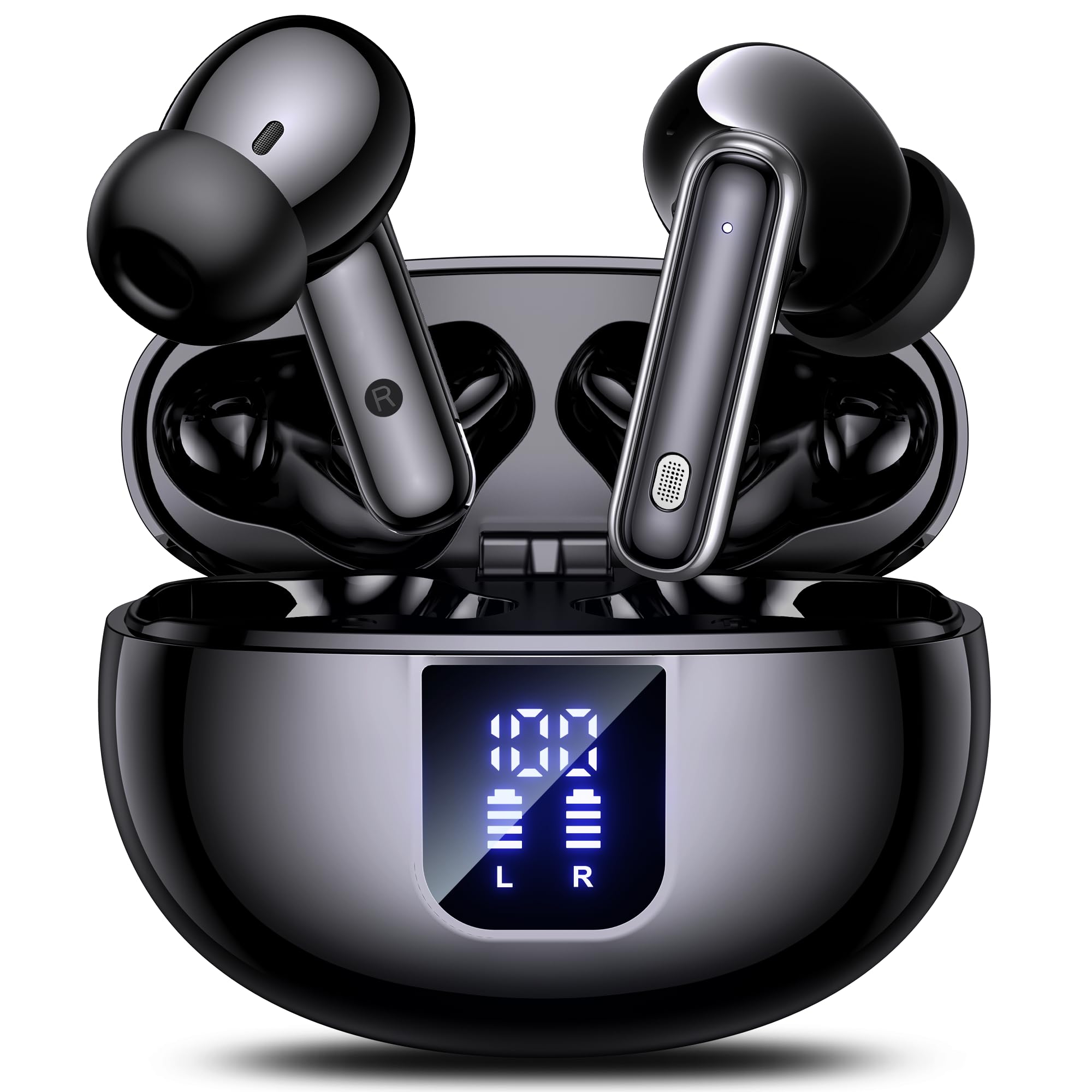
Image: The EUQQ YYK-Q10 AI Translator Earbuds are shown inside their open charging case. The case is black and features a digital display on the front, indicating battery levels for both the case and individual earbuds (L and R). The earbuds themselves are black with silver accents.
Ключавыя кампаненты:
- Навушнікі: Left (L) and Right (R) earbuds with touch control areas and microphones.
- Чахол для зарадкі: Захоўвае і зараджае навушнікі. Абсталяваны лічбавым дысплеем для адлюстравання стану батарэі.
- Порт для зарадкі: USB-C port on the charging case for power input.
- Святлодыёдныя індыкатары: On earbuds and case to show charging status and connection.
Настройка
1. Пачатковая зарадка
- Устаўце абодва навушнікі ў чахол для зарадкі.
- Падключыце кабель зарадкі USB да порта зарадкі на корпусе і крыніцы харчавання.
- The digital display on the case will show the charging status. Ensure both earbuds and the case are fully charged before first use (approximately 1-2 hours).
2. Спарванне Bluetooth
- Адкрыйце зарадны кейс. Навушнікі аўтаматычна пяройдуць у рэжым спалучэння, пра што будзе сведчыць мігценне святлодыёдаў.
- На вашым смартфоне або прыладзе ўключыце Bluetooth і знайдзіце даступныя прылады.
- Select "EUQQ YYK-Q10" from the list of devices.
- Once connected, the earbud LEDs will stop flashing, and a voice prompt will confirm the connection.
3. App Installation (for Translation Features)
To utilize the real-time translation features, download the dedicated EUQQ translation app from your device's app store (iOS App Store or Google Play Store). Follow the in-app instructions to connect your earbuds and configure language settings.
Інструкцыя па эксплуатацыі
Уключэнне/выключэнне харчавання
- Уключэнне: Open the charging case, or take the earbuds out of the case. They will power on automatically.
- Выключэнне: Змясціце навушнікі назад у зарадны футляр і зачыніце вечка. Яны аўтаматычна выключацца.
Music Playback Controls (Touch Controls)
- Прайграванне/Паўза: Адзін націск на любы навушнік.
- Наступны трэк: Двойчы націсніце на правы навушнік-ўкладыш.
- Папярэдні трэк: Двойчы націсніце на левы навушнік-ўкладыш.
- Павялічыць гучнасць: Тройчы націсніце на правы навушнік.
- Паменшыць гучнасць: Тройчы пастукайце па левым навушніку.
Кіраванне выклікамі (сэнсарнае кіраванне)
- Адказ/завяршэнне выкліку: Адзін націск на любы навушнік.
- Адхіліць выклік: Націсніце і ўтрымлівайце любы навушнік на працягу 2 секунд.
Translation Mode
Activate translation mode through the dedicated EUQQ app. The app will guide you through selecting source and target languages. Depending on the app's features, you may use different modes:
- Рэжым размовы: Speak into your earbud's microphone, and the translation will be played through the other person's earbud or your phone's speaker.
- Interpreter Mode: One person wears an earbud, the other speaks into the phone.
- Touch-to-Speak Mode: Націсніце на навушнік, каб гаварыць, адпусціце, каб перакласці.
Refer to the EUQQ app's help section for detailed instructions on specific translation modes and features.
Шумапрыглушэнне
The earbuds feature dual-mic noise cancelling. This feature is typically active by default or can be toggled via the companion app. It helps reduce ambient noise during calls and translation sessions for clearer communication.
Тэхнічнае абслугоўванне
- Уборка: Рэгулярна працірайце навушнікі і зарадны футляр мяккай, сухой тканінай без ворса. Не выкарыстоўвайце агрэсіўныя хімічныя рэчывы або абразіўныя матэрыялы.
- Парады для вушэй: Перыядычна здымайце і чысціце вушныя насадкі вадой з мяккім мылам. Перад тым, як зноў прымацаваць іх, пераканайцеся, што яны цалкам сухія.
- Кантакты для зарадкі: Акуратна ачысціце зарадныя кантакты на навушніках і ў футляры сухім ватным тампонам, каб забяспечыць належную зарадку.
- захоўванне: Калі навушнікі не выкарыстоўваюцца, захоўвайце іх у зарадным чахле, каб абараніць і падтрымліваць зарад. Пазбягайце экстрэмальных тэмператур і вільготнасці.
Ліквідацыю непаладак
| праблема | Рашэнне |
|---|---|
| Навушнікі не спалучаюцца |
|
| Няма гуку альбо малая гучнасць |
|
| Праблемы з зарадкай |
|
| Пераклад не працуе |
|
Тэхнічныя характарыстыкі
| Асаблівасць | Дэталь |
|---|---|
| Марка | EUQQ |
| Назва мадэлі | YYK-Q10 |
| Тэхналогія падлучэння | Бесправадная сувязь |
| Формаў-фактар навушнікаў | Укладышы |
| Колер | Чорны |
| Уключаныя кампаненты | Instruction Manual (and other standard accessories like earbuds, case, cable, ear tips) |
| Колькасць элементаў | 1 (product unit) |
| Патрабуюцца батарэі | No (built-in rechargeable) |
| Нумар мадэлі вытворцы | YYK-Q10 |
| Памеры ўпакоўкі | 0.1 х 0.1 х 0.1 см; 45.36 г |
| ASIN | B0FN3WC8LW |
Інфармацыя аб гарантыі
The EUQQ YYK-Q10 AI Translator Earbuds come with a standard manufacturer's warranty. For detailed information regarding warranty coverage, terms, and conditions, please refer to the warranty card included in your package or visit the official EUQQ webсайт. Калі ласка, захавайце пацвярджэнне пакупкі для прэтэнзій па гарантыі.
Падтрымка кліентаў
If you encounter any issues or have questions regarding your EUQQ YYK-Q10 AI Translator Earbuds, please do not hesitate to contact our customer support team. You can find contact information on the official EUQQ website or through the support section of the EUQQ translation app.
Інтэрнэт-рэсурсы:
- Official EUQQ Webсайт: Visit EUQQ Store on Amazon
- EUQQ Translation App (for in-app support)