
1. Уводзіны
Welcome to your new Baseus BC1 Open Ear Earbuds. This manual provides detailed instructions for setup, operation, and maintenance to ensure you get the best experience from your device. The Baseus BC1 earbuds feature a comfortable open-ear design, secure tri-curve clip, rich sound with powerful bass, clear calls with 4-mic AI noise reduction, IP55 water resistance, and precise button control.
2. Змесціва ўпакоўкі
Калі ласка, праверце змесціва пакета, каб пераканацца ў наяўнасці ўсіх прадметаў:
- Baseus BC1 Open Ear Earbuds (Left & Right)
- Чахол для зарадкі
- Кіраўніцтва карыстальніка
- Зарадны кабель Type-C

3. Прадукт скончыўсяview
The Baseus BC1 Open Ear Earbuds are designed for comfort and high-quality audio, allowing you to stay aware of your surroundings. The compact charging case provides extended battery life and convenient storage.

4. Настройка
4.1. Зарадка
Перад першым выкарыстаннем цалкам зарадзіце навушнікі і зарадны футляр.
- Падключыце зарадны кабель Type-C, які ўваходзіць у камплект, да порта зарадкі на корпусе і да крыніцы харчавання.
- Поўная зарадка кейса займае прыблізна 1.5 гадзіны.
- The earbuds offer up to 7.5 hours of listening on a single charge, and up to 38 hours total with the fully charged case.

4.2. Уключэнне/выключэнне харчавання
- Уключэнне: Адкрыйце зарадны футляр, і навушнікі-ўкладышы ўключацца аўтаматычна.
- Выключэнне: Place the earbuds back into the charging case and close the lid; they will power off automatically.
4.3. Спарванне Bluetooth
- Адкрыйце зарадны кейс. Навушнікі аўтаматычна пяройдуць у рэжым спалучэння, пра што будзе сведчыць мігценне святлодыёда.
- На вашай прыладзе (смартфоне, планшэце і г.д.) перайдзіце ў налады Bluetooth і ўключыце Bluetooth.
- Пошук "Baseus BC1" in the list of available devices and select it to connect.
- Once connected, you will hear a confirmation tone, and the LED indicator on the earbuds will turn off.
4.4. Нашэнне навушнікаў-ўкладышаў
For optimal comfort and sound quality, follow these steps to wear your earbuds:
- Gently clip each earbud onto your ear, ensuring the main body rests comfortably behind your earlobe.
- Adjust the earbud to find the most comfortable and secure position. The tri-curve ergonomic clip is designed to adapt to various ear shapes.
- Ensure the sound outlet is aligned with your ear canal to experience the best sound quality.


5. Інструкцыя па эксплуатацыі
5.1. Кнопкі кіравання
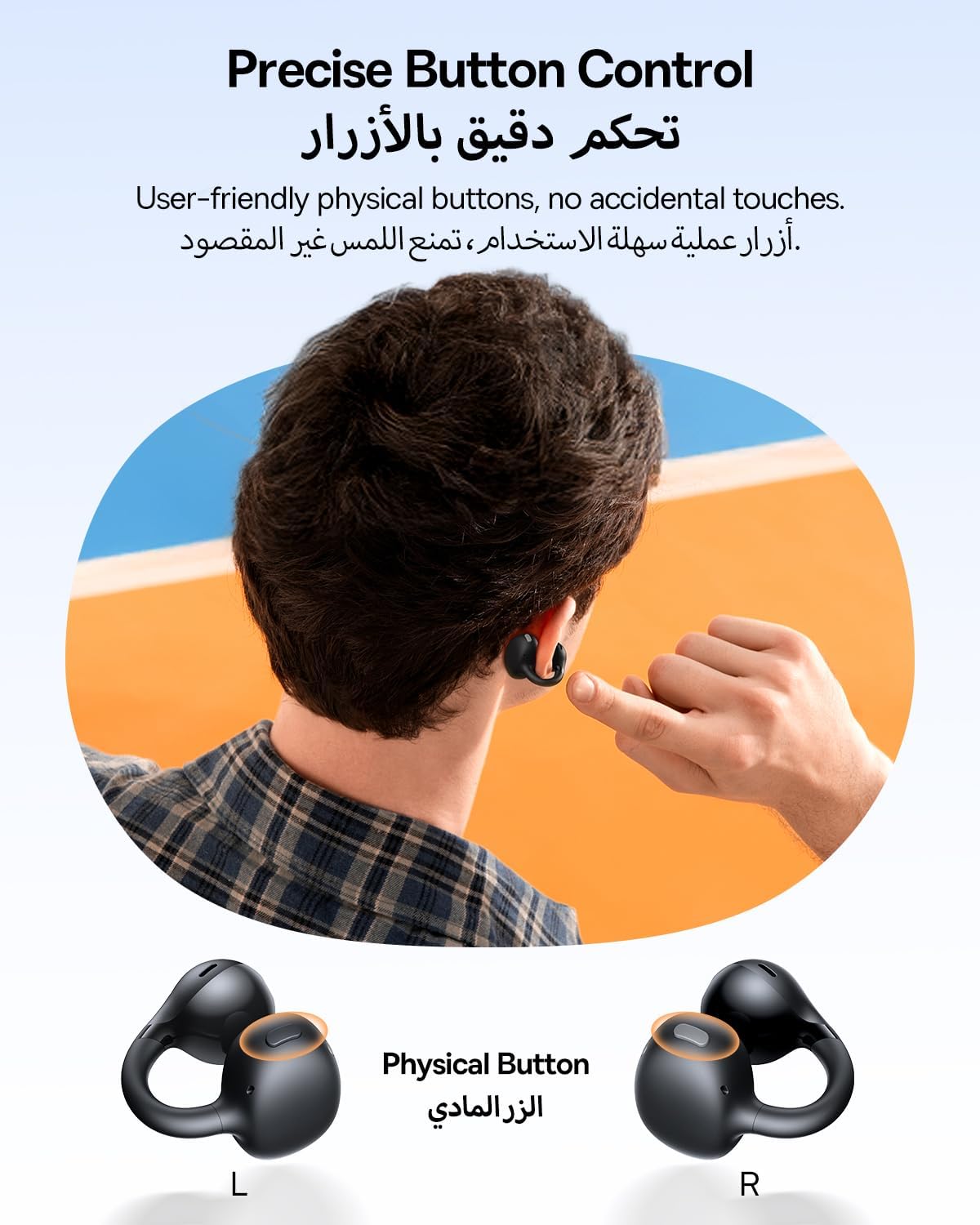
The Baseus BC1 earbuds feature physical buttons for precise control, minimizing accidental touches. The functions are as follows:
- Прайграванне/Паўза: Аднаразова націсніце кнопку на любым навушніку.
- Павялічыць гучнасць: Single press the button on the right earbud.
- Паменшыць гучнасць: Single press the button on the left earbud.
- Наступны трэк: Long press the button on the right earbud for 1.5 seconds.
- Папярэдні трэк: Long press the button on the left earbud for 1.5 seconds.
- Адказ/завяршэнне выкліку: Double press the button on either earbud.
- Адхіліць выклік: Long press the button on either earbud for 1.5 seconds during an incoming call.
- Галасавы памочнік: Triple press the button on the right earbud.
- Cycle Modes (Game/Movie/Normal): Triple press the button on the left earbud.
5.2. App Customization
Download the official Baseus app from your device's app store to unlock advanced features and personalize your listening experience:
- Наладжвальны эквалайзер: Adjust the equalizer settings to fine-tune the audio to your preference.
- Sound Profiles: Выбірайце з розных прадусталяваных гукавых прафесіяналаўfiles for different music genres or listening scenarios.
- Touch Control Personalization: Reassign touch control functions to suit your needs.

5.3. Шматкропкавае злучэнне
The Baseus BC1 earbuds support simultaneous connection to two devices, allowing seamless switching between them:
- Падключыце навушнікі да першай прылады (напрыклад, смартфона).
- Disconnect the earbuds from the first device's Bluetooth settings. The earbuds will re-enter pairing mode.
- Pair the earbuds with your second device (e.g., tablet or laptop).
- Manually reconnect the earbuds to the first device from its Bluetooth settings.
- The earbuds will now be connected to both devices simultaneously, allowing you to switch audio sources without re-pairing.

6. Тэхнічнае абслугоўванне
6.1. Уборка
To ensure optimal performance and longevity of your earbuds:
- Regularly clean the earbuds and the charging contacts inside the case using a clean, dry cotton swab.
- Пры неабходнасці злёгку dampen the cotton swab with alcohol for disinfection.
- Avoid issues such as the earbuds being unable to charge or power on due to prolonged lack of cleaning.
6.2. Захоўванне
- Калі навушнікі не выкарыстоўваюцца, заўсёды захоўвайце іх у зарадным футляры, каб абараніць ад пылу і пашкоджанняў.
- If the earbuds will not be used for an extended period, charge the case at least once every three months to maintain battery health.
7. Выпраўленне непаладак
If you encounter any issues with your Baseus BC1 earbuds, please refer to the following common problems and solutions:
- Навушнікі не спалучаюцца: Ensure Bluetooth is enabled on your device and the earbuds are in pairing mode. Try forgetting previous pairings on your device and re-pairing.
- Працуе толькі адзін навушнік: Place both earbuds back in the charging case, close the lid for 10 seconds, then open it again. If the issue persists, perform a factory reset.
- Дрэнная якасць гуку: Ensure the earbuds are worn correctly and the sound outlet is aligned with your ear canal. Check the EQ settings in the Baseus app.
- Навушнікі не зараджаюцца: Clean the charging contacts on both the earbuds and the case. Ensure the charging cable is properly connected to a working power source.
7.1. Скід да заводскіх налад
If the earbuds are not functioning correctly, a factory reset may resolve the issue:
- Remove the pairing information of the earbuds from your device's Bluetooth settings (e.g., "Forget This Device").
- Place both earbuds into the charging case, ensuring they are securely in place.
- Close the charging case for 3 seconds, then reopen it.
- With the charging case open, long press the button on the charging case for 10 seconds until the indicator light flashes white twice. This indicates that the reset is complete.
- After the factory reset, use the initial Bluetooth pairing method (Section 4.3) to reconnect and resume normal use.
8. Тэхнічныя характарыстыкі
| Асаблівасць | Дэталь |
|---|---|
| Назва мадэлі | BC1 |
| Нумар мадэлі тавару | PM153 |
| Марка | Басейс |
| Колер | Чорны |
| Размяшчэнне вушэй | Адкрытае вуха |
| Форм-фактар навушнікаў | Адкрытае вуха |
| Тэхналогія падлучэння | Бесправадная сувязь |
| Тэхналогія бесправадной сувязі | Bluetooth |
| Імпеданс | 16 Ом |
| Кантроль шуму | Няма |
| Раз'ём для навушнікаў | Няма Джэка |
| Метад кантролю | Кнопка |
| Узровень воданепранікальнасці | Воданепранікальнасць (IP55) |
| Час зарадкі | 1.5 гадзіны |
| Вага прадмета | 111 грамаў |
| Памеры ўпакоўкі | 13.4 х 8.5 х 4.2 см |
| Уключаныя кампаненты | Кіраўніцтва карыстальніка |
| Матэрыял | Пластыкавыя |
| Сумяшчальныя прылады | Phones, tablets, desktop computers, laptops, mobile phones, smart speakers, TVs, digital video game players |
9. Інфармацыя па бяспецы
- Avoid prolonged listening at high volume levels to prevent potential hearing damage.
- Не выкарыстоўвайце навушнікі ў сітуацыях, калі немагчымасць чуць навакольныя гукі можа быць небяспечнай (напрыклад, падчас кіравання аўтамабілем, язды на ровары, хады ў руху).
- Keep the earbuds and charging case away from extreme temperatures, direct sunlight, and moisture.
- Do not attempt to disassemble, repair, or modify the product. This may void the warranty and cause damage.
- Keep out of reach of children and pets to prevent accidental ingestion or misuse.
- Утылізуйце выраб і яго батарэю адказна ў адпаведнасці з мясцовымі правіламі.
10. Гарантыя і падтрымка
For warranty information, technical support, or any product-related inquiries, please refer to the official Baseus webсайт або звярніцеся да мясцовага дыстрыбутара.
You can also visit the official Baseus Store for more information: Крама Baseus