
1. Уводзіны
This manual provides detailed instructions for the GEEZER AK-96 Mechanical Gaming Keyboard. Designed for both gaming and office use, this compact 96-key keyboard features LED backlighting, blue mechanical switches, and a convenient volume knob. Please read this manual thoroughly to ensure proper setup and operation of your new keyboard.
Што ў скрынцы
- Механічная клавіятура
- Кабель USB
- USB to Type-C Adapter
- Кіраўніцтва карыстальніка
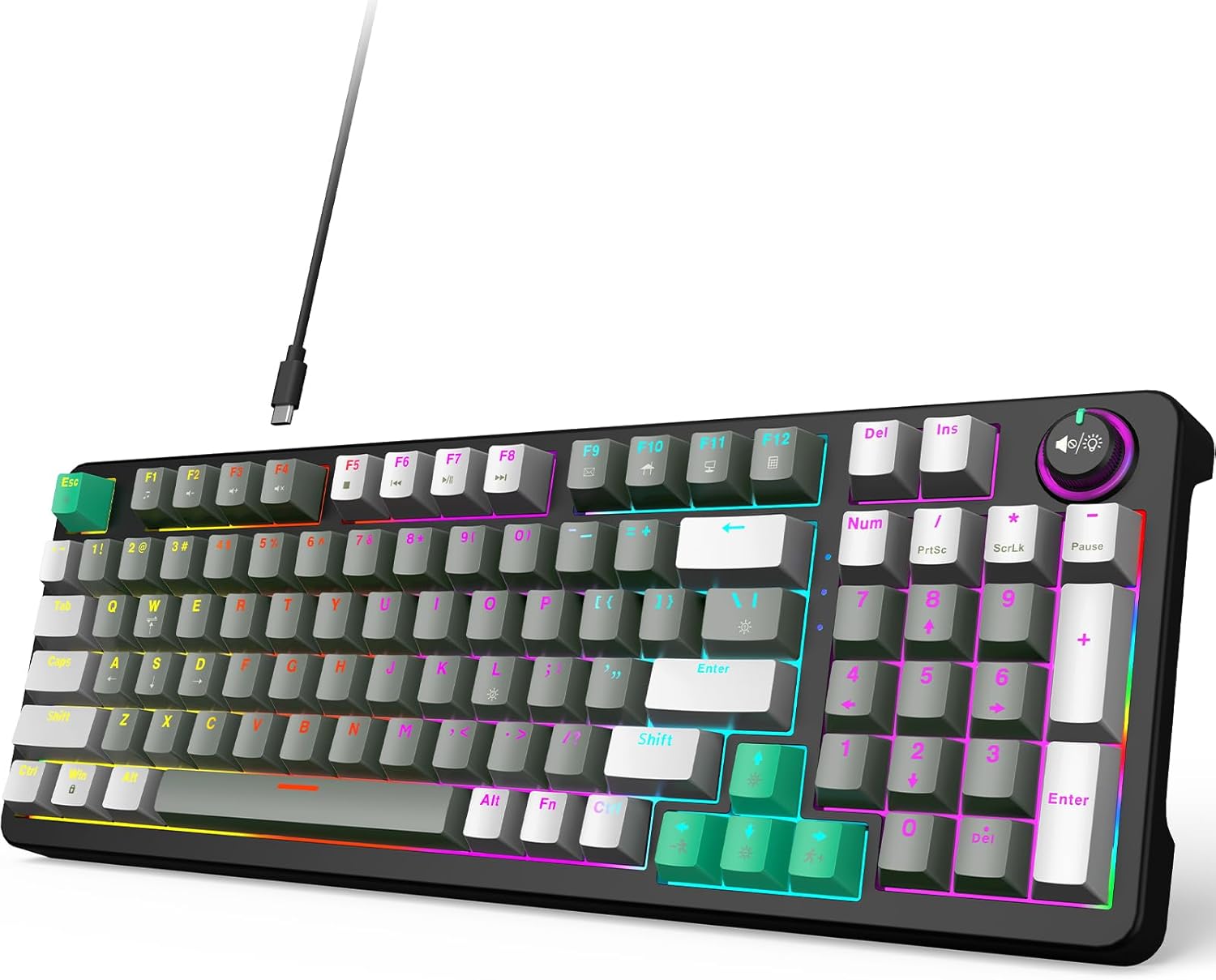
Figure 1: GEEZER AK-96 Mechanical Gaming Keyboard
2. Настройка
2.1. Сувязь
The GEEZER AK-96 keyboard offers plug-and-play functionality with multi-system compatibility. Connect the provided USB cable to the Type-C port on the keyboard and the USB-A end to your PC or Mac. An included USB to Type-C adapter allows for flexible connection options.

Figure 2: Plug-and-Play USB Connection
2.2. Эрганамічная рэгуляванне
For optimal comfort during extended use, the keyboard features two adjustable-height kickstands on the underside. These kickstands allow you to select from multiple typing angles. Non-slip rubber pads ensure stability and prevent unwanted movement.

Figure 3: Adjustable Kickstands for Ergonomic Typing
3. Аперацыя
3.1. Key Layout and Switches
The AK-96 features a compact 96% layout, retaining essential arrow keys and a numeric keypad. It utilizes blue mechanical switches for responsive keystrokes and full key rollover technology. Keycaps are crafted from high-quality PBT material for durability and color retention.

Figure 4: Blue Mechanical Switches
3.2. LED Backlight and Side Lights
The keyboard features 17 built-in lighting modes with multiple colors, enhanced by side lights on both sides. Use the following key combinations to control the backlighting:
- Fn + |: Switch between 17 backlight modes.
- Fn + ENTER: Выключыць падсвятленне.
- Fn + ↑ / ↓: Control backlight brightness.
- Fn + ← / →: Change backlight speed.
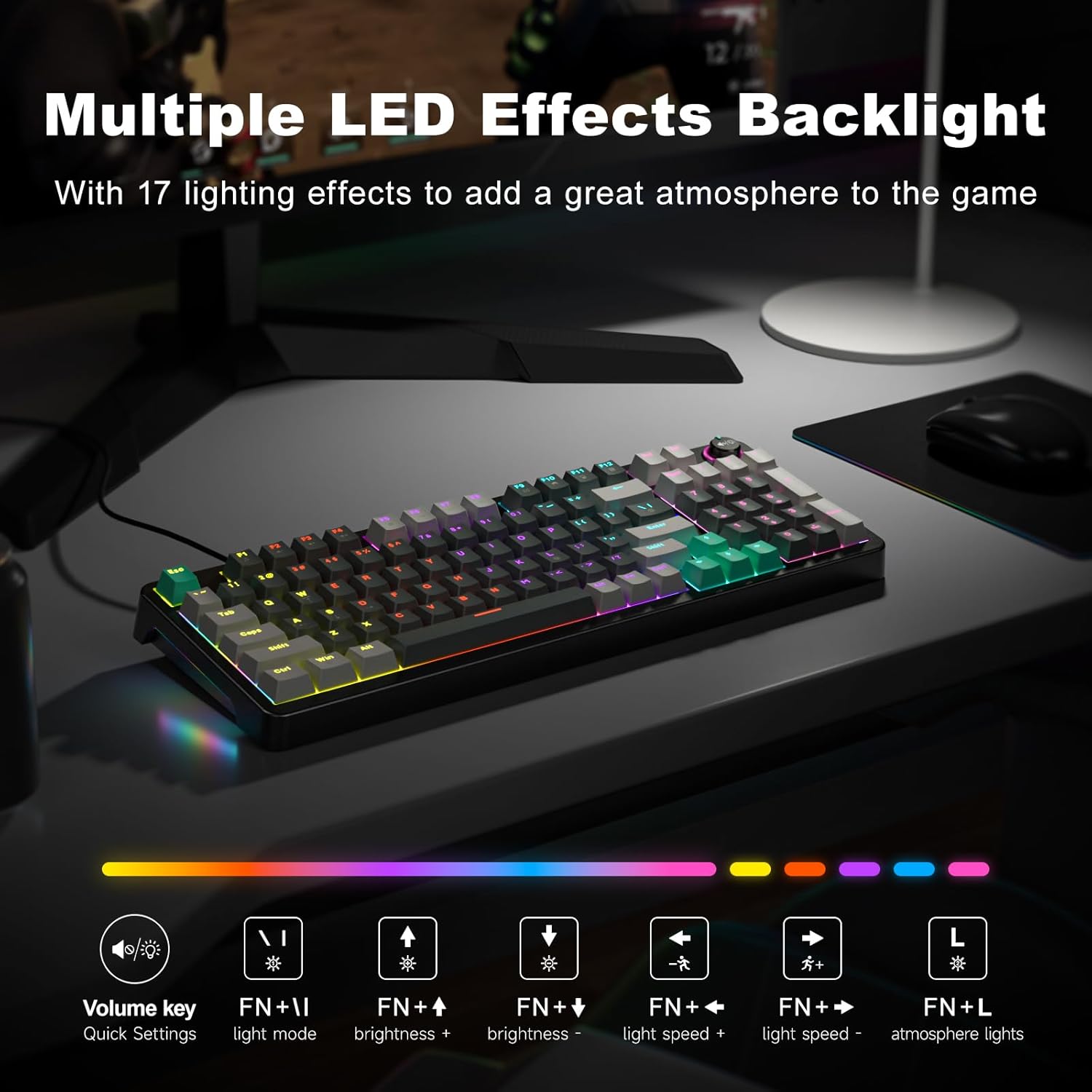
Figure 5: Multiple LED Backlight Effects
3.3. Media and Function Keys
The keyboard includes dedicated media control keys and a volume knob for quick access to various functions:
- Рэгулятар гучнасці: Adjust media volume, change backlight effect, or control music play/pause/switch.
- Fn+F1: Медыяплэер
- Fn+F2: Памяншэнне гучнасці
- Fn+F3: Павялічыць гучнасць
- Fn+F4: Адключыць гук
- Fn+F5: Play to Suspend
- Fn+F6: Папярэдні трэк
- Fn+F7: Прайграванне / Паўза
- Fn+F8: Наступны трэк
- Fn+F9: Электронная пошта
- Fn+F10: Web дадому
- Fn+F11: Мой кампутар
- Fn+F12: Калькулятар

Figure 6: 96-Key Layout with Volume Knob and Function Keys
3.4. Афіцыйнае відэа прадукту
Video 1: GEEZER Gaming Keyboard Overview (Seller-provided)
4. Тэхнічнае абслугоўванне
To ensure the longevity and optimal performance of your GEEZER AK-96 keyboard, regular maintenance is recommended:
- Уборка: Use a soft, dry cloth to wipe down the keyboard surface. For deeper cleaning, gently remove keycaps using a keycap puller (not included) and use compressed air to clear debris.
- захоўванне: Калі клавіятура не выкарыстоўваецца, захоўвайце яе ў чыстым, сухім месцы, удалечыні ад прамых сонечных прамянёў і экстрэмальных тэмператур.
- Сыход за кабелем: Пазбягайце рэзкіх выгібаў або празмернага нацягвання USB-кабеля, каб пазбегнуць пашкоджанняў.
5. Выпраўленне непаладак
If you encounter any issues with your GEEZER AK-96 keyboard, please refer to the following common solutions:
- Клавіятура не адказвае: Ensure the USB cable is securely connected to both the keyboard and your computer. Try connecting to a different USB port.
- Падсвятленне не працуе: Check if the backlight is turned off (Fn + ENTER). Adjust brightness using Fn + ↑ / ↓.
- Ключы не рэгіструюцца: Due to full key rollover, this is rare. Ensure no debris is lodged under the keycap.
- Перарывістае злучэнне: Try using a different USB cable or connecting directly to a computer port rather than a USB hub.
If the problem persists, please contact GEEZER customer support for further assistance.
6. Тэхнічныя характарыстыкі
| Памеры прадукту | 15.35 х 5.51 х 1.18 цалі |
| Вага прадмета | 1.92 фунта |
| Вытворца | ГІЗЕР |
| Нумар мадэлі тавару | АК-96 |
| Тэхналогія падлучэння | USB-A |
| Сумяшчальныя прылады | Laptop, PC, Smart TV, Tablet |
| Асаблівасць | Backlit, Ergonomic, Hotkeys and Media Keys, Volume Roller |
| Колер | Шэра-чорны |
| Матэрыял | Пластыкавыя |
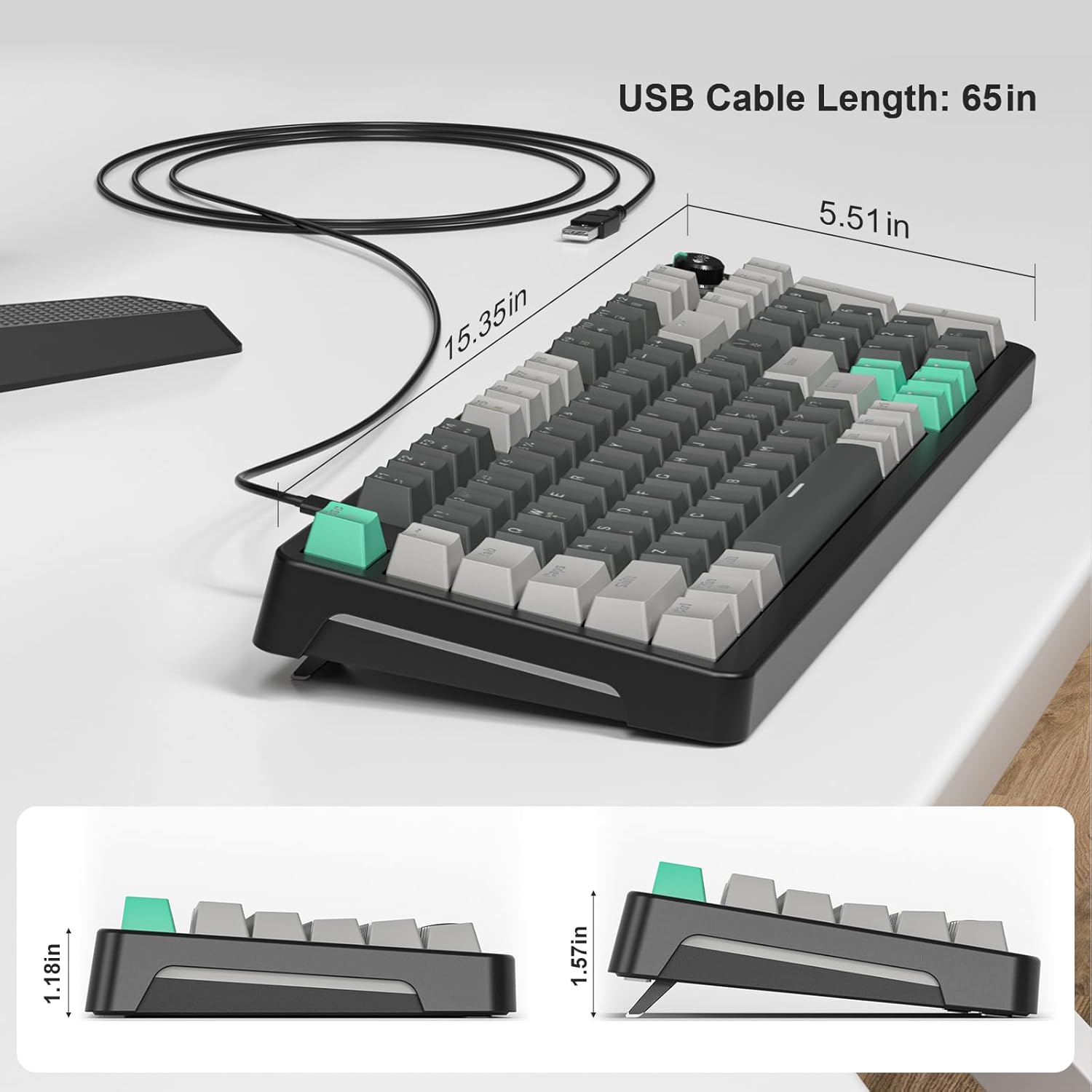
Малюнак 7: Памеры клавіятуры
7. Гарантыя і падтрымка
For warranty information or technical support, please refer to the documentation included with your purchase or contact GEEZER customer service directly. Keep your proof of purchase for warranty claims.