
1. Уводзіны
This manual provides detailed instructions for the KOOSMILE Mini PC N150 (Model N80). This device is a compact and portable computer featuring an 8-inch multi-touch display, designed for various applications from daily tasks to light entertainment. Please read this manual thoroughly before using the product to ensure proper operation and to maximize its lifespan.

Малюнак 1.1: The KOOSMILE Mini PC N150, showcasing its integrated 8-inch touchscreen and various connectivity ports.
Асноўныя характарыстыкі:
- Працэсар: Twin Lake N150 CPU (4 cores, 4 threads, up to 3.6 GHz)
- Памяць: 12 ГБ аператыўнай памяці DDR5
- захоўванне: 256GB M.2 SSD (expandable, other variants available)
- Дысплей: 8-inch HD multi-touch screen
- Падключэнне: WiFi 6, Bluetooth 5.2, Dual RJ45 Ethernet
- парты: 2x USB 3.0, 2x USB 2.0, HDMI, DisplayPort, Full-function Type-C, 3.5mm Audio Jack, TF Card Slot
- Аперацыйная сістэма: Windows 11 Pro
- акумулятар: Integrated 5000mAh battery for portable use
2. Змесціва ўпакоўкі
Пасля распакавання пераканайцеся, што ўсе прадметы ёсць у камплекце:
- KOOSMILE Mini PC N150 (Model N80)
- Адаптар сілкавання
- Кабель HDMI
- Кабель DP
- Кіраўніцтва карыстальніка (гэты дакумент)
3. Прадукт скончыўсяview (Ports and Features)
Familiarize yourself with the various ports and features of your Mini PC for optimal connectivity and usage.

Малюнак 3.1: Падрабязны view of the KOOSMILE Mini PC N150's 12-port design, highlighting each port's function.
Апісанні портаў:
- Парты USB 3.0 (x2): Для хуткаснай перадачы дадзеных з сумяшчальнымі прыладамі.
- Парты USB 2.0 (x2): Для падключэння стандартных перыферыйных прылад USB, такіх як клавіятуры і мышы.
- Порт HDMI: Connects to external displays, TVs, or projectors for video and audio output.
- DisplayPort (DP): Connects to external displays for high-resolution video output.
- Full-function Type-C Port: Supports 4K@60Hz video output, data transfer, and power delivery.
- RJ45 Ethernet Ports (x2): Для правадных сеткавых злучэнняў.
- 3.5 мм аўдыяраз'ём: Для падлучэння навушнікаў або знешніх дынамікаў.
- Слот TF карты: For expanding storage or transferring data from TF cards.
- Кнопка харчавання: Для ўключэння/выключэння прылады.

Малюнак 3.2: The integrated adjustable metal bracket allows for flexible viewныя вуглы.
4. Кіраўніцтва па наладцы
4.1 Падключэнне сілкавання
- Connect the provided power adapter to the power input port on the Mini PC.
- Падключыце адаптар сілкавання да насценнай разеткі.
- The device is now ready for initial power on.
4.2 Пачатковая загрузка і ўстаноўка Windows
- Press the power button located on the side of the Mini PC.
- The device will boot up, and the 8-inch touchscreen will display the Windows 11 Pro setup wizard.
- Выконвайце інструкцыі на экране, каб завяршыць пачатковую наладу Windows, у тым ліку мову, рэгіён, сеткавае падключэнне і стварэнне ўліковага запісу карыстальніка.
4.3 Падключэнне перыферыйных прылад
You can connect external devices such as a keyboard, mouse, and external monitors.
- Клавіятура і мыш: Connect USB keyboards and mice to the available USB 2.0 or USB 3.0 ports. Wireless peripherals can be connected via Bluetooth 5.2.
- Знешнія маніторы: Use the provided HDMI or DP cables to connect to external displays. The full-function Type-C port also supports video output.
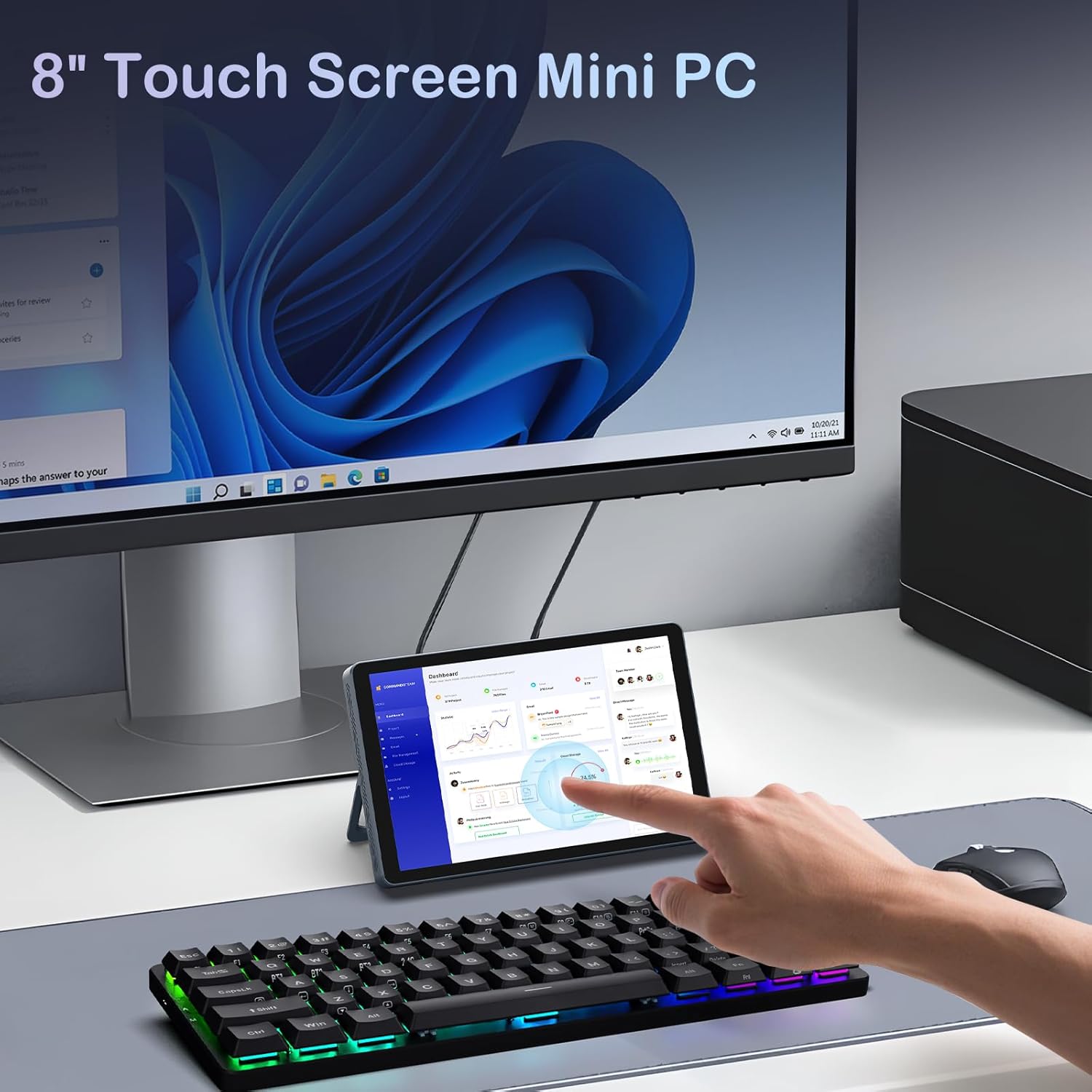
Малюнак 4.1: The Mini PC N150 in a desktop setup, utilizing an external monitor and peripherals.
4.4 Сеткавае падключэнне
- Wi-Fi: During Windows setup or via Windows settings, connect to your preferred Wi-Fi 6 network.
- Ethernet: Connect an Ethernet cable from your router or modem to one of the two RJ45 ports on the Mini PC for a wired network connection.
5. Інструкцыя па эксплуатацыі
5.1 Выкарыстанне сэнсарнага экрана
The 8-inch display supports multi-touch gestures, allowing for intuitive interaction with Windows 11 Pro. Use standard touch gestures for navigation, scrolling, zooming, and selecting items.
5.2 Connecting External Displays (Dual Display)
The Mini PC supports dual 4K displays simultaneously via HDMI, DisplayPort, and the full-function Type-C port. This allows for an extended desktop experience.
- Connect your external monitors using the appropriate cables (HDMI, DP, or Type-C).
- Once connected, Windows will automatically detect the displays. You can configure display settings (extend, duplicate, or second screen only) via the Display Settings in Windows.
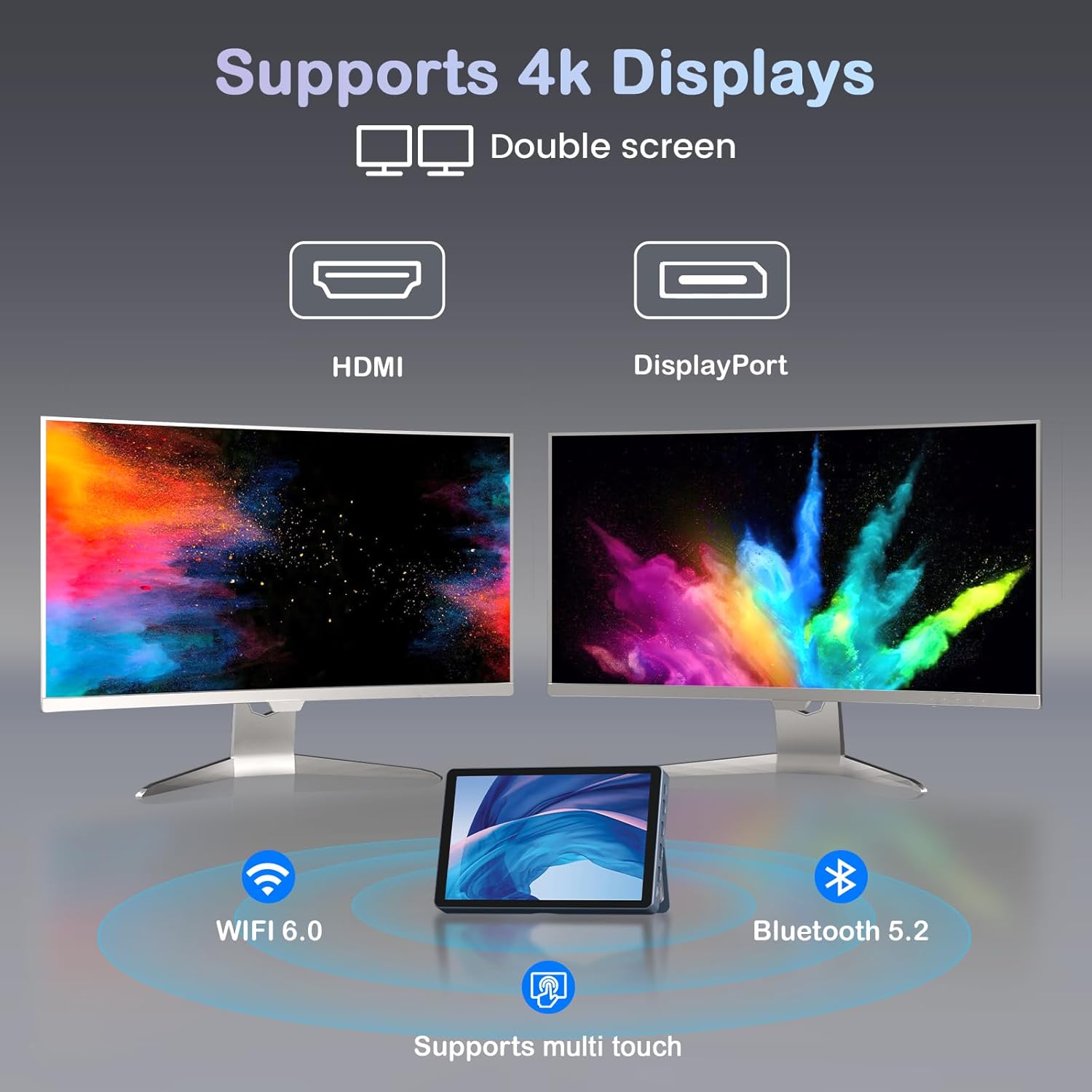
Малюнак 5.1: The Mini PC N150 supporting a dual 4K monitor setup, enhancing productivity.
5.3 Кіраванне батарэяй
The integrated 5000mAh battery provides power for portable use. The battery also supports charging other devices via its Type-C port.
- Charging the Mini PC: Connect the power adapter to fully charge the internal battery.
- Зарадка знешніх прылад: Use a compatible USB-C cable to connect your smartphone or other devices to the Mini PC's full-function Type-C port for charging. Ensure the Mini PC has sufficient battery charge.

Малюнак 5.2: The Mini PC N150 can provide power to charge other portable devices.
5.4 Adjusting the Integrated Stand
The Mini PC features an adjustable metal bracket on its rear, allowing you to set the device at various viewкуты для зручнага выкарыстання.
- Gently pull out the metal bracket from the back of the device.
- Adjust the bracket to your desired angle (e.g., 45 degrees or 165 degrees) to prop up the screen.
- Ensure the bracket is stable before releasinпрыладу.
6. Тэхнічнае абслугоўванне
6.1 Ачыстка
- Выкарыстоўвайце мяккую, сухую тканіну без ворса для ачысткі вонкавага боку прылады.
- For the touchscreen, use a screen-specific cleaning solution and a microfiber cloth. Avoid harsh chemicals.
- Перад чысткай пераканайцеся, што прылада выключана і адключана ад сеткі.
6.2 Пашырэнне сховішча
The Mini PC comes with an M.2 SSD, which can be upgraded. Refer to the manufacturer's guidelines or a qualified technician for storage upgrades to avoid voiding the warranty or damaging the device.
- The device supports M.2 SSDs.
- Consult the technical support team for recommended compatible M.2 SSD types and installation procedures.
7. Выпраўленне непаладак
If you encounter issues with your KOOSMILE Mini PC N150, refer to the following common troubleshooting steps:
- Няма харчавання:
- Пераканайцеся, што адаптар сілкавання надзейна падключаны як да міні-ПК, так і да спраўнай разеткі.
- Праверце працаздольнасць разеткі, падключыўшы да яе іншую прыладу.
- Калі карыстаецеся батарэяй, пераканайцеся, што яна зараджана.
- Няма адлюстравання на знешнім маніторы:
- Check that the HDMI, DP, or Type-C cable is securely connected to both the Mini PC and the monitor.
- Ensure the external monitor is powered on and set to the correct input source.
- Паспрабуйце іншы кабель або манітор, калі такі ёсць.
- Праблемы з падключэннем Wi-Fi/Bluetooth:
- Пераканайцеся, што Wi-Fi/Bluetooth уключаны ў наладах Windows.
- Перазагрузіце міні-ПК і маршрутызатар/мадэм.
- Check for updated network drivers in Device Manager.
- Сэнсарны экран не рэагуе:
- Перазагрузіце міні-ПК.
- Пераканайцеся, што экран чысты і без смецця.
- Check for updated touchscreen drivers.
If these steps do not resolve the issue, please contact KOOSMILE technical support for further assistance.
8. Тэхнічныя характарыстыкі
The following table outlines the technical specifications for the KOOSMILE Mini PC N150 (Model N80):
| Асаблівасць | Спецыфікацыя |
|---|---|
| Нумар мадэлі | N80 |
| Працэсар | Intel Celeron N150 (4 ядры, 4 патокі, да 3.6 ГГц) |
| АЗП | 12 ГБ DDR5 |
| Захоўванне | 256GB M.2 SSD (supports NVMe) |
| Графіка | Інтэграваная графіка |
| Аперацыйная сістэма | Windows 11 Pro |
| Дысплей | 8-inch HD Multi-touch Screen |
| Максімальны дазвол экрана | 3840 x 2160 (4K) |
| Парты USB | 2x USB 3.0, 2x USB 2.0 |
| Відэавыхад | HDMI, DisplayPort, Full-function Type-C (4K@60Hz Dual Display Support) |
| Сетка | WiFi 6 (802.11ax), Bluetooth 5.2, 2x RJ45 Ethernet |
| Аўдыё | 3.5mm Audio Jack |
| Счытвальнік карт | Слот TF карты |
| акумулятар | 5000mAh (Nonstandard Battery) |
| Памеры | 7.62 × 4.88 × 0.91 inches (19.36 x 12.4 x 2.31 cm) |
| Вага | 2.42 фунта (1.1 кг) |
9. Гарантыя і падтрымка
KOOSMILE is committed to providing reliable products and customer satisfaction.
- Гарантыя: Each KOOSMILE Mini PC N150 comes with a 1-year limited warranty from the date of purchase. This warranty covers manufacturing defects and hardware malfunctions under normal use.
- Тэхнічная падтрымка: We offer lifetime technical support for your product. Our professional after-sales team is available 24 hours a day to assist you with any technical inquiries or issues.
- Абслугоўванне кліентаў: For responsive customer service, please refer to the contact information provided on the KOOSMILE official webсайт або ваша платформа для пакупак.