
1. Уводзіны
Thank you for choosing the KOOSMILE N80 Mini PC. This compact and versatile device is designed to provide a powerful computing experience in a portable form factor. Featuring an 8-inch multi-touch display, a robust N150 processor, and extensive connectivity options, the N80 is suitable for a wide range of applications from everyday tasks to specialized IT management. This manual provides essential information for setting up, operating, maintaining, and troubleshooting your Mini PC.
2. Што ў скрынцы
Upon unboxing your KOOSMILE N80 Mini PC, please ensure all the following items are present:

Image: All items included in the KOOSMILE N80 Mini PC package.
- 1x KOOSMILE N80 Mini PC
- 1x Power Adapter (Type-C 45W GaN Quick Charger)
- 1x кабель HDMI
- 1x DisplayPort (DP) Cable
- 1x Кіраўніцтва карыстальніка
3. Прадукт скончыўсяview & Асаблівасці
The KOOSMILE N80 Mini PC combines powerful components with a compact design, making it highly portable and efficient.
3.1 Асноўныя кампаненты

Выява: Зверхуview of KOOSMILE N80 Mini PC key features and components.
- Працэсар: Intel Twin Lake N150 CPU (4 cores, 4 threads, 6M cache, Base Frequency: 0.8 GHz; Max Turbo Frequency: 3.6GHz).
- Памяць: 12 ГБ аператыўнай памяці DDR5 для плаўнай шматзадачнасці.
- захоўванне: 512GB M.2 SSD (expandable, other configurations available).
- Аперацыйная сістэма: Папярэдне ўсталяваная аперацыйная сістэма Windows 11 Pro.
- Графіка: Integrated Intel UHD Graphics 600, supporting 4K content.
3.2 Display & Portability

Image: The compact size and portability of the KOOSMILE N80 Mini PC.
- Убудаваны дысплей: 8.0-inch HD multi-touch display (1280 x 720 resolution).
- Памеры: 7.62 × 4.88 × 0.91 inches (19.36 x 12.4 x 2.31 cm).
- Вага: Прыблізна 2.2 фунтаў (0.55 кг).
- акумулятар: Built-in 5000mAh battery for portable use.
- Рэгуляваная падстаўка: Integrated metal bracket allows for adjustable viewing angles (45° to 165°).

Image: The adjustable metal stand provides flexible viewныя варыянты.
3.3 Connectivity & Ports

Image: The extensive port selection on the KOOSMILE N80 Mini PC.
- Парты USB: 2x USB 3.0, 2x USB 2.0.
- Відэа выхады: HDMI, DisplayPort (DP), Full-function Type-C (supports 4K@60Hz dual display).
- Сетка: Dual RJ45 Ethernet ports (Gigabit).
- Бесправадная сувязь: Wi-Fi 6 (802.11ax), Bluetooth 5.2.
- Аўдыё: 3.5 мм аўдыяраздым.
- Пашырэнне сховішча: Слот для карт TF.
4. Настройка
Follow these steps for initial setup of your KOOSMILE N80 Mini PC:
- Падключэнне сілкавання: Connect the provided Type-C power adapter to the PD port on the Mini PC and then to a power outlet.
- Пачатковая загрузка: Press the power button. The device will boot into Windows 11 Pro. Follow the on-screen instructions to complete the initial Windows setup, including region, keyboard layout, and network connection.
- Знешні дысплей (дадаткова): If using an external monitor, connect it via the HDMI, DisplayPort, or Full-function Type-C port using the provided cables or compatible alternatives.
- Peripherals (Optional): Connect your USB keyboard, mouse, or other peripherals to the available USB 2.0 or USB 3.0 ports. Bluetooth devices can be paired through Windows settings.
- Падключэнне да сеткі: Connect to Wi-Fi via Windows settings or use an Ethernet cable with one of the dual RJ45 ports for a wired connection.
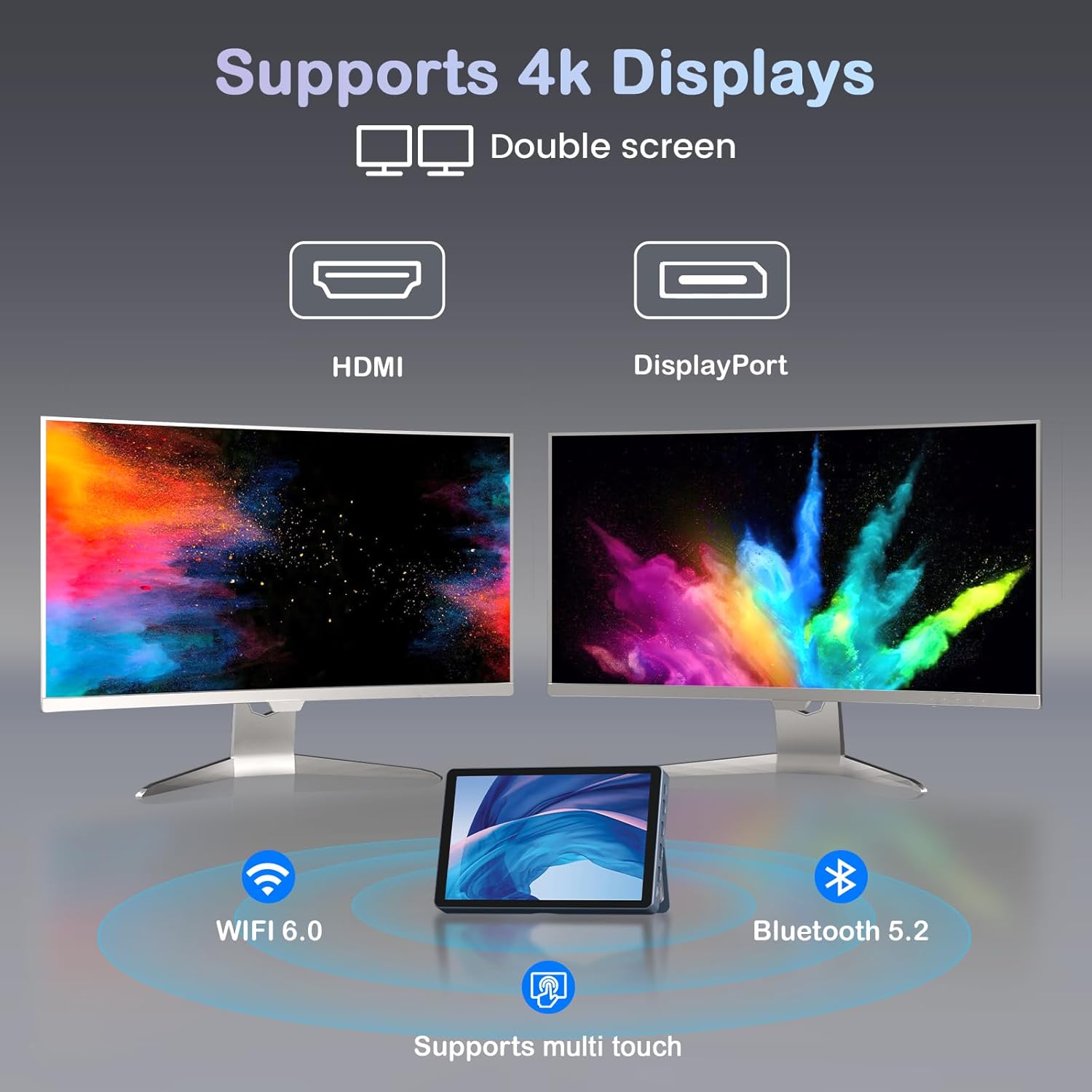
Image: KOOSMILE N80 Mini PC connected to an external 4K display.
5. Інструкцыя па эксплуатацыі
5.1 Выкарыстанне сэнсарнага экрана
The 8-inch multi-touch display allows for intuitive interaction with Windows 11 Pro. Use touch gestures similar to a tablet for navigation, opening applications, and input.
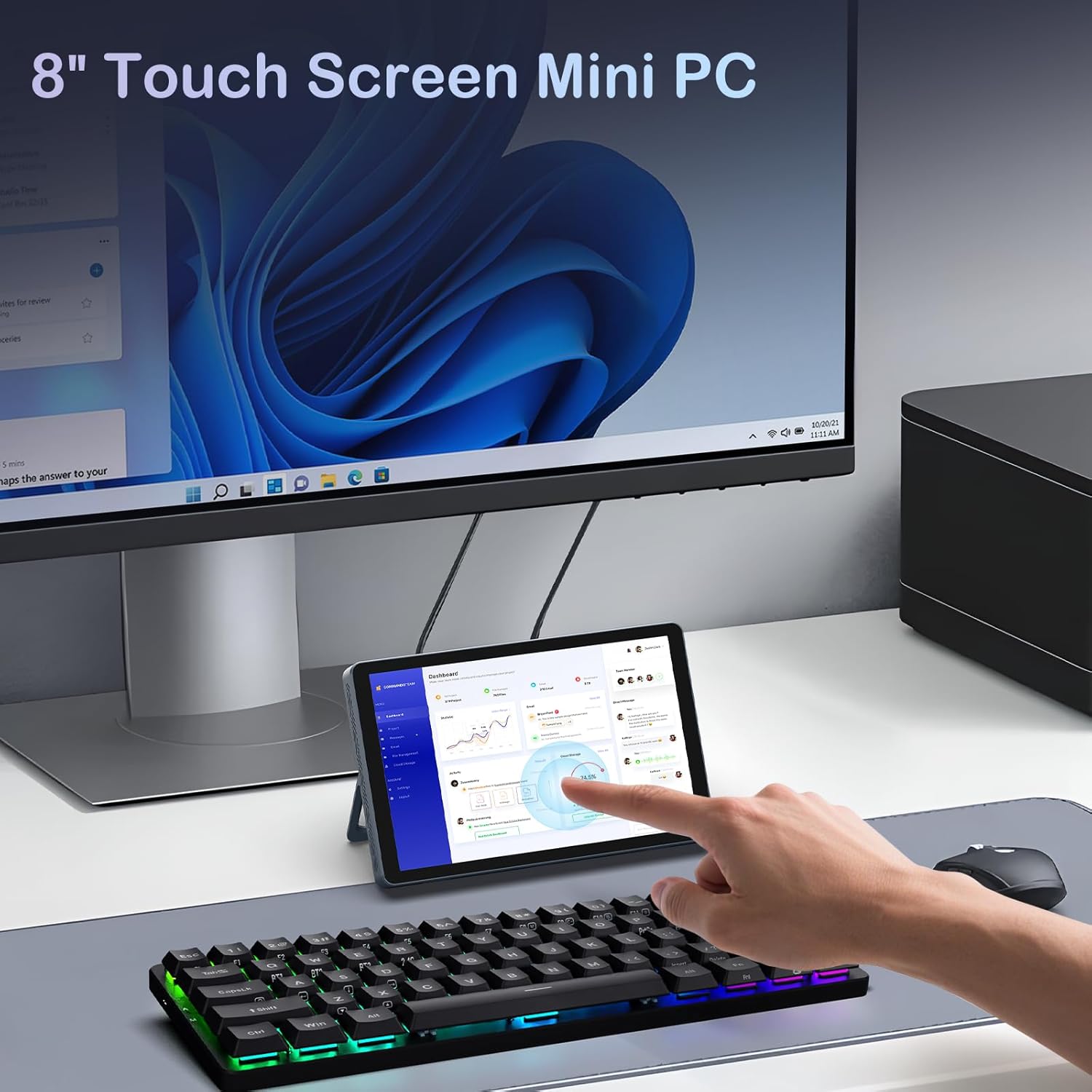
Image: Interacting with the 8-inch multi-touch display.
5.2 Падключэнне да знешніх дысплеяў
The N80 supports up to two external 4K displays simultaneously via HDMI, DisplayPort, and the Full-function Type-C port. To configure display settings:
- Connect your external monitor(s) to the Mini PC.
- Пстрыкніце правай кнопкай мышы на працоўным стале і абярыце «Налады дысплея».
- Here you can arrange your displays, choose between 'Extend these displays', 'Duplicate these displays', or 'Show only on 1/2/3'.
5.3 Канфігурацыя сеткі
- Wi-Fi: Access Wi-Fi settings in Windows to connect to available networks. The device supports Wi-Fi 6 for fast wireless connectivity.
- Ethernet: Utilize the dual Gigabit RJ45 ports for stable and high-speed wired network connections. These ports also enable advanced network configurations for IT professionals.
5.4 Кіраванне харчаваннем
The built-in 5000mAh battery provides power for on-the-go use. The device can also charge other devices via its Type-C port (PD-Charging).

Image: The KOOSMILE N80 Mini PC's battery supports portable use and charging other devices.
6. Тэхнічнае абслугоўванне
- Абнаўленні праграмнага забеспячэння: Regularly check for and install Windows updates to ensure optimal performance and security.
- Уборка: Use a soft, dry cloth to clean the device. Avoid liquid cleaners directly on the screen or ports.
- Кіраванне сховішчам: Перыядычна чысціце непатрэбнае files and applications to maintain sufficient storage space and system speed.
7. Выпраўленне непаладак
- Прылада не ўключаецца: Ensure the power adapter is securely connected to both the Mini PC and a working power outlet. Check if the power adapter is functioning correctly.
- Няма адлюстравання на знешнім маніторы: Verify that the display cable is correctly connected to both the Mini PC and the monitor. Check the monitor's input source settings. Try different video output ports (HDMI, DP, Type-C) on the Mini PC.
- Праблемы з падключэннем да Wi-Fi: Ensure Wi-Fi is enabled in Windows settings. Restart the Mini PC and your Wi-Fi router. Check for driver updates for the wireless adapter.
- Нізкая прадукцыйнасць: Close unnecessary applications. Check Task Manager for high CPU or memory usage. Ensure sufficient free storage space on the SSD.
- Сэнсарны экран не рэагуе: Restart the device. Check for any physical obstructions on the screen. Ensure touch drivers are up to date.
8. Тэхнічныя характарыстыкі
| Асаблівасць | Спецыфікацыя |
|---|---|
| Працэсар | Intel Twin Lake N150 (4 Cores, 4 Threads, up to 3.6 GHz) |
| АЗП | 12 ГБ DDR5 |
| Захоўванне | 512GB M.2 SSD (eSATA interface) |
| Графіка | Інтэграваная відэакарта Intel UHD Graphics 600 |
| Аперацыйная сістэма | Windows 11 Pro |
| Дысплей | 8-inch HD Multi-touch (1280 x 720) |
| Максімальны дазвол экрана | 3840x2160 (4K) |
| Парты USB | 2x USB 3.0, 2x USB 2.0 |
| Відэавыхад | HDMI, DisplayPort, Full-function Type-C |
| Сетка | Dual RJ45 Gigabit Ethernet |
| Бесправоднае падключэнне | Wi-Fi 6 (802.11ax), Bluetooth 5.2 |
| Аўдыё | Гняздо для навушнікаў 3.5 мм |
| Счытвальнік карт | Слот TF карты |
| акумулятар | 10 000 мАг (нестандартная батарэя, у камплекце) |
| Адаптар сілкавання | 45W GaN Quick Charger (Type-C) |
| Памеры | 7.62 х 4.88 х 0.91 цалі (19.36 х 12.4 х 2.31 см) |
| Вага прадмета | 2.2 фунта (0.55 кг) |
9. Гарантыя і падтрымка
KOOSMILE is committed to providing excellent customer service and product reliability.
- Гарантыя: Your Mini PC comes with a 1-year warranty from the date of purchase.
- Тэхнічная падтрымка: We offer 24-hour technical support to assist with any product-related inquiries or issues.
- Пажыццёвая падтрымка: Enjoy lifetime technical support and responsive customer service from our professional after-sales team.
For support, please refer to the contact information provided in your product packaging or visit the official KOOSMILE webсайт.