
Vandlion V11B
Кіраўніцтва карыстальніка лічбавага дыктафона Vandlion V11B 64 ГБ
Model: V11B
Уводзіны
Thank you for choosing the Vandlion V11B Digital Voice Recorder. This manual provides detailed instructions on how to set up, operate, and maintain your device. Please read it carefully to ensure optimal performance and longevity of your recorder.

Image: The Vandlion V11B Digital Voice Recorder, a compact device shown held in a hand, highlighting its portable design.
Што ў скрынцы
Праверце наяўнасць усіх прадметаў у камплекце:
- 1 x Digital voice recorder
- 1 х кабель перадачы дадзеных USB-C
- 1 х навушнікі
- 1 х Кіраўніцтва карыстальніка (гэты дакумент)

Image: A visual representation of the package contents, including the digital voice recorder, USB-C cable, headphones, lanyard, and user manual.
Прылада скончыласяview
Familiarize yourself with the physical components of your Vandlion V11B recorder.

Выява: Падрабязны view of the Vandlion V11B digital voice recorder, showing its display, control buttons (REC, SAVE, POWER, RESET), and integrated carabiner clip.

Image: The Vandlion V11B digital voice recorder shown attached to a backpack and a belt loop, illustrating its compact size and ease of carrying.
Асноўныя функцыі ўключаюць у сябе:
- Экран дысплея: Shows recording status, time, battery level, and file інфармацыі.
- REC/SAVE Switch: Правядзіце пальцам уверх, каб пачаць запіс, правядзіце пальцам уніз, каб захаваць.
- Кнопка харчавання: Націсніце і ўтрымлівайце, каб уключыць/выключыць.
- Кнопка скіду: Small pinhole button for factory reset if needed.
- Порт USB-C: Для зарадкі і перадачы дадзеных.
- Раз'ём для навушнікаў: 3.5mm port for audio playback.
- Інтэграваны кліп: Для зручнасці пераноскі.
Настройка
1. Зарадка прылады
Before first use, fully charge the recorder. Connect the supplied USB-C cable to the device's USB-C port and the other end to a computer or a USB power adapter (not included).
- Поўная зарадка займае прыблізна 1.5 гадзіны.
- A fully charged device provides up to 20 гадзіны of continuous recording.
- На дысплеі будзе паказвацца стан зарадкі.

Image: The Vandlion V11B digital voice recorder connected to a laptop via its USB-C port for charging and data transfer.
2. Уключэнне / выключэнне харчавання
- Каб уключыць: націсніце і ўтрымлівайце УЛАДА кнопку, пакуль не падсвеціцца экран.
- Каб выключыць: націсніце і ўтрымлівайце УЛАДА кнопку, пакуль экран не выключыцца.
Інструкцыя па эксплуатацыі
1. One-Button Recording
The device features a simple slide switch for quick recording.
- To start recording: Slide the REC/SAVE switch upwards to the "REC" position. The device will begin recording immediately.
- To save recording: Slide the REC/SAVE switch downwards to the "SAVE" position. The current recording will be saved, and the device will stop recording.

Image: An illustration demonstrating the one-button recording function, showing a finger sliding the REC/SAVE switch to initiate recording.
2. Падаўленне шуму з дапамогай штучнага інтэлекту
The Vandlion V11B incorporates an advanced AI chip to enhance audio clarity by reducing background noise.
- This feature automatically identifies and minimizes distracting sounds, focusing on human speech.
- It is active during recording to provide high-fidelity voice capture.

Image: A graphic illustrating how AI noise reduction works, showing various types of noise (wind, static, hum) being filtered out to produce clear sound.
3. Запіс з галасавой актывацыяй (VOR)
The Voice Activated Recording function allows the device to record only when sound is detected, conserving memory and battery life.
- To enable VOR: Access the device's menu by long pressing the Прайграць/Паўза/Пацвердзіць button when not recording, then navigate to the VOR settings. Set VOR to "ON".
- Once enabled, slide the REC/SAVE button to "REC". The recorder will start recording when sound above a set threshold (e.g., >65dB) is detected and pause when sound falls below the threshold (e.g., <65dB).
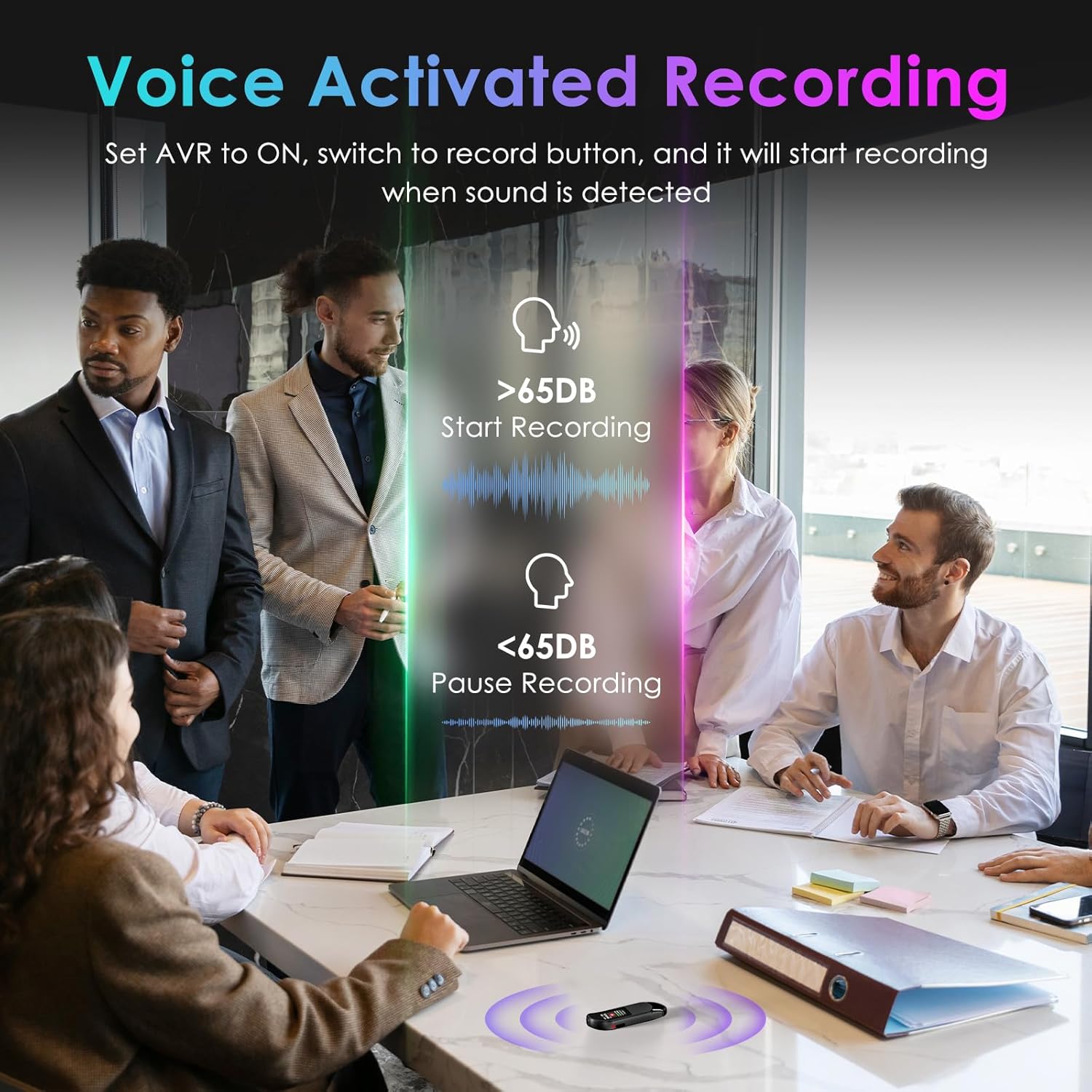
Image: A visual demonstrating voice-activated recording in a meeting, showing the device starting to record when sound is above 65dB and pausing when below.
4. Прайграванне
You can listen to your recordings directly from the device using headphones or by transferring files to a computer or Android phone.
- З дапамогай навушнікаў: Connect the included headphones to the 3.5mm jack. Use the control buttons (Vol+, Vol-, Previous, Next, Play/Pause/Confirm) on the headphone cable to navigate and play recordings.
- Connecting to Computer/Phone: Трансфер files as described in the "File Management" section below.

Image: A diagram showing various playback methods: using wired headphones, connecting to a computer, and connecting to an Android phone. The image also illustrates the control buttons on the headphone cable for navigation.
5. Абарона паролем
To protect your recordings, you can set a 4-digit password.
- To set a password: Access the device's menu (long press the Прайграць/Паўза/Пацвердзіць button when not recording) and navigate to the "Password" settings. Follow the on-screen prompts to set your 4-digit code.
- Once enabled, the password will be required to access the device's files.

Image: A visual representation of the password protection feature, showing the device screen prompting for a 4-digit password.
6. File Кіраванне і перадача
Recordings are saved with timestamps for easy organization. You can transfer files to a computer (Windows/Mac) or an Android phone.
- Connect the device to your computer or Android phone using the supplied USB-C cable.
- The device will appear as a removable storage drive.
- You can then drag and drop recording files (MP3 or WAV format) to your desired location.
- Заўвага: This device is not compatible with iPhones for direct file перадача.

Image: The Vandlion V11B connected to a laptop via USB-C, demonstrating file transfer and showing example filenames with timestamps.
Тэхнічнае абслугоўванне
- Трымайце прыладу сухім і далей ад экстрэмальных тэмператур.
- Працірайце прыладу мяккай сухой тканінай. Не выкарыстоўвайце вадкія ачышчальнікі.
- Не кідайце прыладу і не падвяргайце яе моцным ударам.
- Regularly back up your recordings to prevent data loss.
- If the device becomes unresponsive, use a small pin to press the СКІД кнопка.
Ліквідацыю непаладак
| праблема | Магчымая прычына | Рашэнне |
|---|---|---|
| Прылада не ўключаецца. | Нізкі акумулятар. | Зараджайце прыладу не менш за 1.5 гадзіны. |
| Немагчыма запісаць. | Memory full; device frozen. | Трансфер files to a computer to free up space. Press the RESET button. |
| Дрэнная якасць гуку. | Microphone obstructed; excessive background noise. | Ensure microphone is clear. Use AI Noise Reduction in appropriate environments. |
| Немагчыма перадаць files to iPhone. | Device is not compatible with iPhone for direct transfer. | Трансфер files to a computer (Windows/Mac) or Android phone instead. |
| Забыўся пароль. | Пароль згублены. | Contact customer support for assistance. A factory reset might be required, which will erase all data. |
Тэхнічныя характарыстыкі
| Асаблівасць | Дэталь |
|---|---|
| Нумар мадэлі | V11B |
| Ёмістасць памяці | 64 GB (up to 900 hours of recording) |
| Фармат запісу | Аўдыё MP3, WAV |
| Якасць гуку | 1536Kbps Crystal Audio |
| Зніжэнне шуму | Шумапрыглушэнне з дапамогай штучнага інтэлекту |
| Тэрмін службы батарэі (запіс) | Да 20 гадзін |
| Час зарадкі | Прыбл. 1.5 гадзіны |
| Сумяшчальныя прылады | Personal Computer (Windows/Mac), Smartphone (Android) |
| Абсталяванне інтэрфейсу | USB тыпу C |
| Формаў-фактар мікрафона | Убудаваны |
| Гняздо для навушнікаў | 3.5 міліметры |
| Памеры прадукту | 0.39" Г х 0.86" Ш х 2.99" В (10 мм х 22 мм х 76 мм) |
| Вага прадмета | 1.41 унцыі (40 грам) |
| Бачная дыяганаль экрана | 1 цаляў / 3 см |
Гарантыя і падтрымка
Vandlion products are built for performance and durability. For warranty information or technical support, please refer to the contact details provided with your purchase or visit the official Vandlion webсайт.
For common issues, please consult the Troubleshooting section of this manual.
вытворца: Вандлён
Важныя заўвагі
- Always ensure the device is fully charged before important recording sessions.
- Regularly transfer and back up your recordings to avoid data loss.
- The device does not have a built-in speaker; headphones or external playback devices are required to listen to recordings.