
1. Прадукт скончыўсяview
The AJAZZ AJ139 V2 MC is a versatile tri-mode gaming mouse designed for precision and responsiveness. It features a PAW3311 sensor for accurate tracking, a 1000Hz return rate for smooth performance, and a long-lasting 500mAh battery. Its compact and lightweight design makes it suitable for extended use and portability.
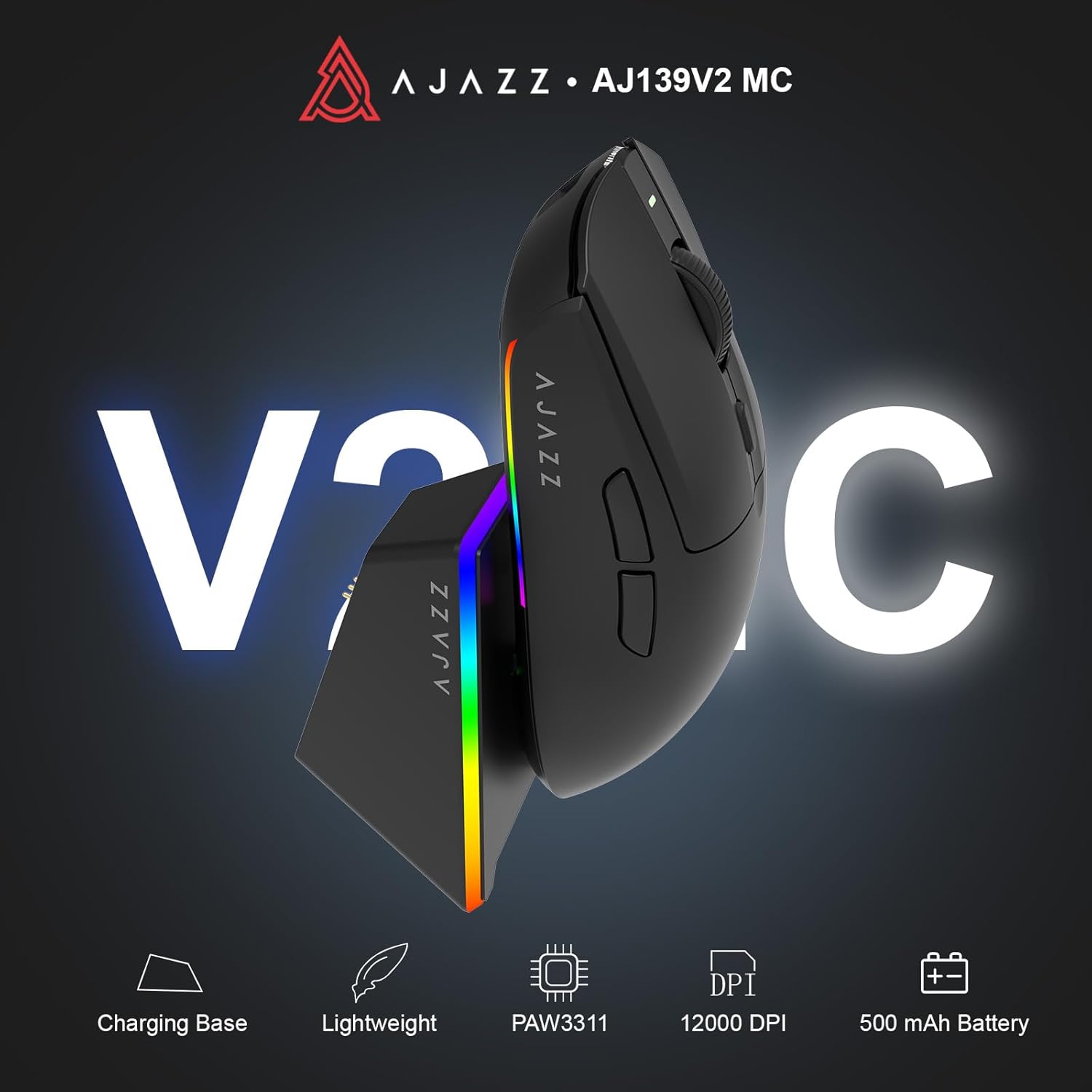
Figure 1.1: AJAZZ AJ139 V2 MC Gaming Mouse and Charging Dock.
Відэа 1.1: Оверview of the AJAZZ AJ139 V2 MC Gaming Mouse, highlighting its features and design.
2. Змесціва ўпакоўкі
Пераканайцеся, што ўсе прадметы прысутнічаюць у пасылцы:
- AJAZZ AJ139 V2 MC Gaming Mouse
- Док-станцыя для зарадкі
- Зарадны кабель USB-C
- 2.4G USB Receiver (Dongle)
- Кіраўніцтва карыстальніка
3. Асноўныя магчымасці
- PAW3311 Sensor Technology: Equipped with the PAW3311 sensor, this mouse ensures precise tracking and accurate cursor control for optimal performance.
- High 1000Hz Return Rate: Experience smooth and responsive performance with a 1000Hz return rate, enhancing your gaming or work experience.
- Доўгатрывалая батарэя ёмістасцю 500 мАг: The integrated 500mAh battery provides extended power, ensuring uninterrupted use for prolonged periods.
- Трохрэжымнае падключэнне: Supports versatile connectivity options including Wired, 2.4G Wireless, and Bluetooth, adapting to various devices and setups.
- Кампактны і лёгкі дызайн: Weighing approximately 66 grams, the mouse features a compact design for easy portability and comfortable use during long sessions.
- Наладжвальнае RGB асвятленне: Features integrated RGB lighting for personalized aesthetics.
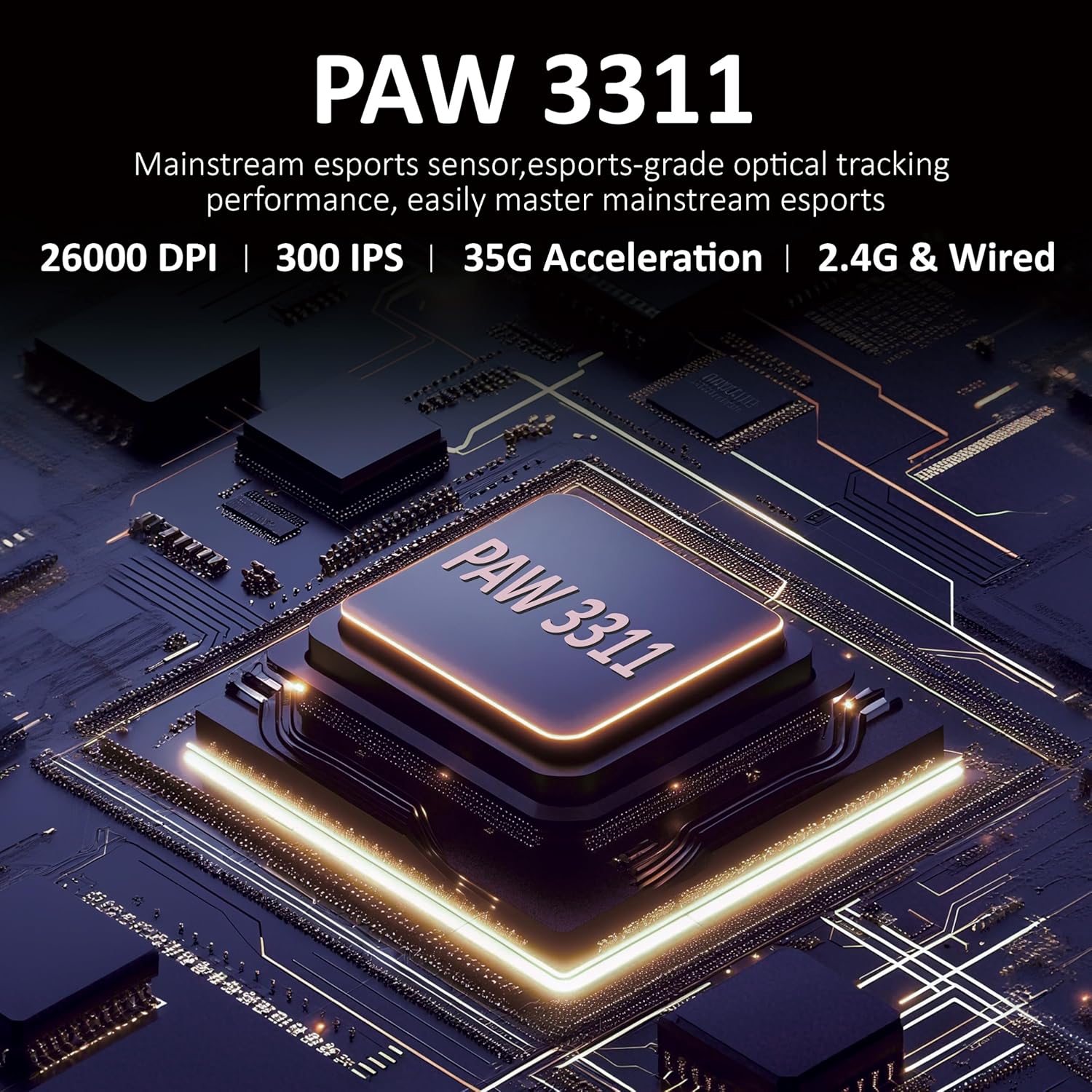
Малюнак 3.1: падрабязна view of the PAW3311 sensor technology.
Video 3.1: Demonstration of the mouse's 500mAh battery life.

Figure 3.2: The lightweight design of the AJAZZ AJ139 V2 MC mouse.
4. Кіраўніцтва па наладцы
4.1. Падключэнне мышы
The AJAZZ AJ139 V2 MC offers three connection modes:
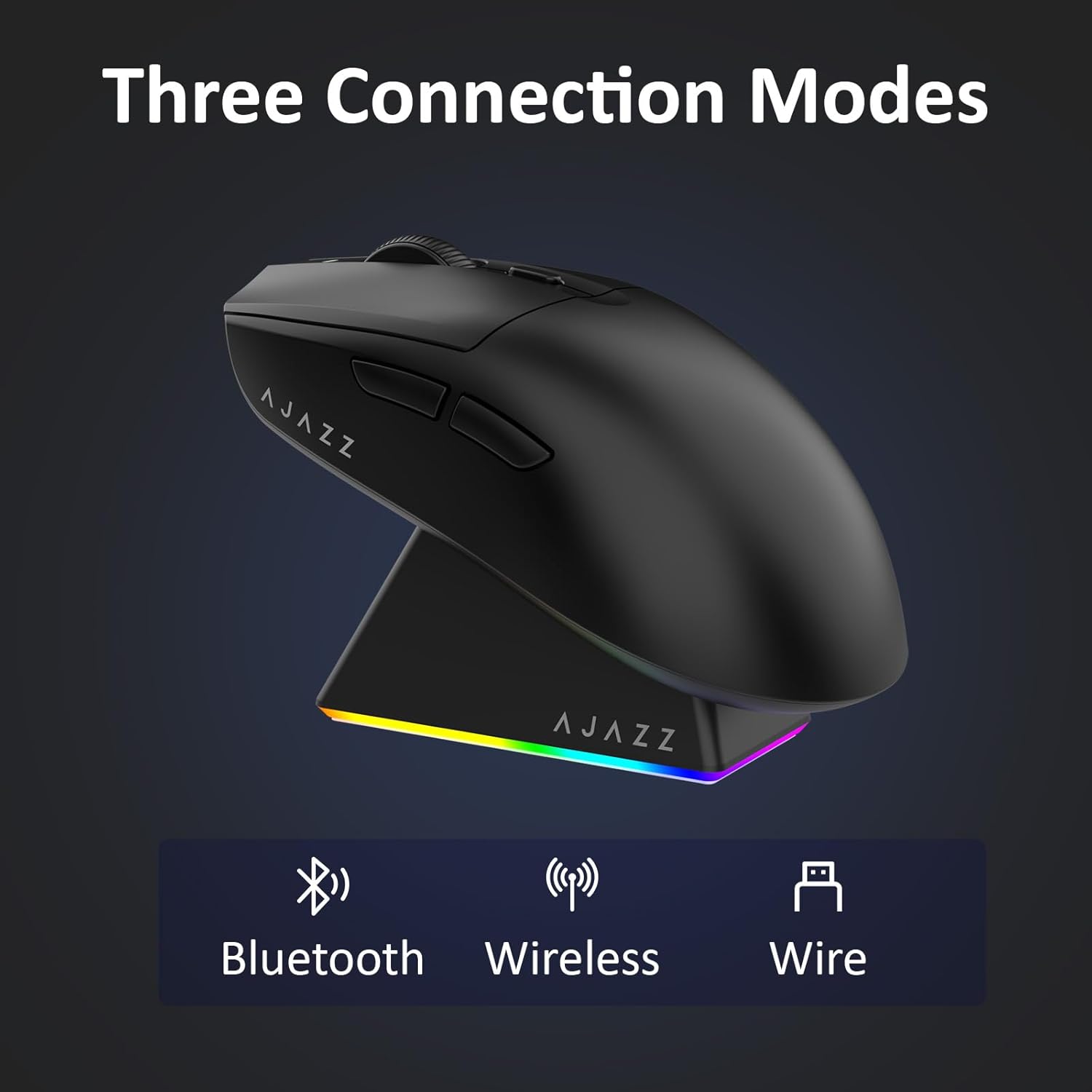
Figure 4.1: Visual representation of the three connection modes.
- Бесправадны рэжым 2.4G:
- Locate the 2.4G USB receiver stored in the compartment on the underside of the mouse.
- Падключыце USB-прыёмнік да вольнага порта USB на вашым кампутары.
- Slide the switch on the bottom of the mouse to the '2.4G' position. The mouse will automatically connect.
- Рэжым Bluetooth:
- Перасуньце перамыкач унізе мышы ў становішча «BT».
- На прыладзе адкрыйце налады Bluetooth і знайдзіце новыя прылады.
- Select 'AJAZZ AJ139 V2 MC' from the list to pair.
- Правадной рэжым:
- Connect the USB-C charging cable to the mouse and the other end to your computer's USB port.
- Мыш будзе працаваць як правадная прылада і адначасова зараджацца.
4.2. Зарадка мышы
The mouse can be charged using the included charging dock or directly via the USB-C cable.
- Выкарыстанне зараднай док-станцыі:
- Connect the USB-C charging cable to the charging dock and then to a power source (e.g., computer USB port, USB wall adapter).
- Place the mouse onto the charging dock, aligning the magnetic contacts. The RGB lighting on the dock and mouse will indicate charging status.
- Прамая зарадка праз USB-C:
- Connect the USB-C charging cable directly to the mouse and a power source.
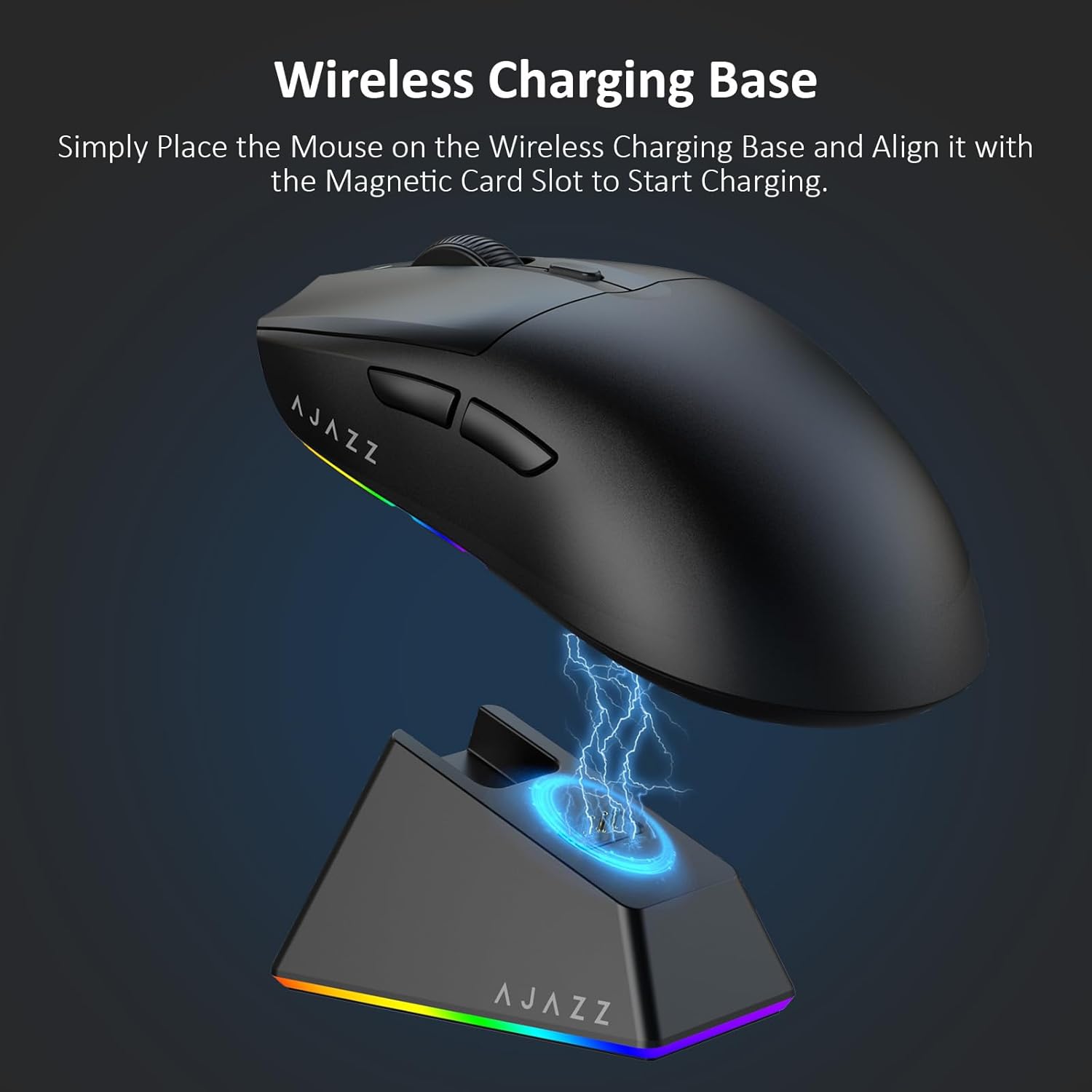
Figure 4.2: The mouse being charged on its wireless charging base.
5. Інструкцыя па эксплуатацыі
5.1. Рэгуляванне DPI
The mouse features a dedicated DPI adjustment button on its underside, allowing you to cycle through different sensitivity levels. Press the button to change the DPI setting to suit your preference.
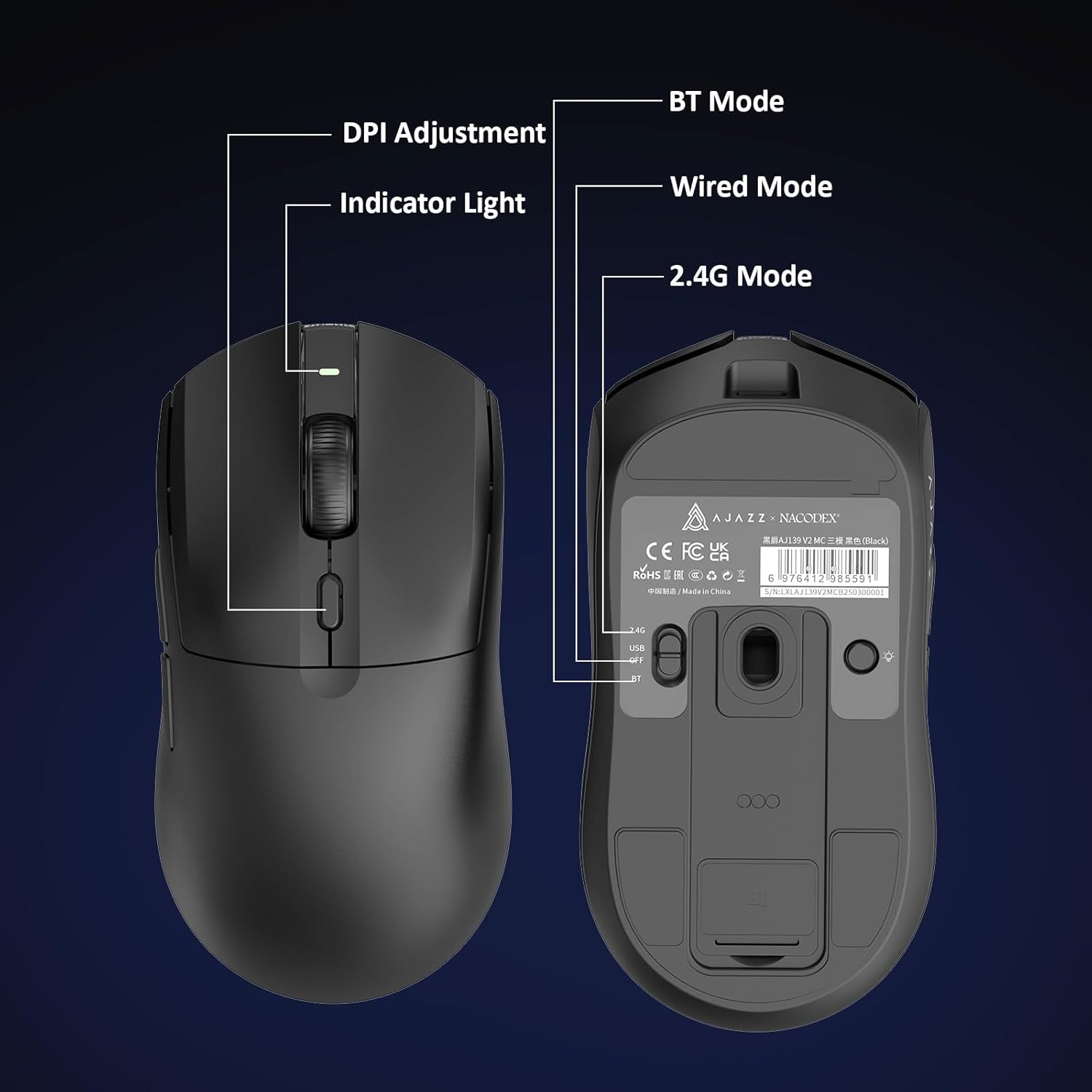
Figure 5.1: Location of the DPI adjustment button and connection mode switch on the mouse underside.
5.2. Функцыі кнопак
The mouse is equipped with 6 programmable buttons:
- Кнопка левай кнопкі
- Пстрыкніце правай кнопкай мышы
- Кола пракруткі (клікальнае)
- DPI Adjustment Button (on underside)
- Two Side Buttons (typically for forward/backward navigation)
For advanced customization of button functions and macros, please refer to the official AJAZZ software (downloadable from the manufacturer's webсайт).
5.3. Кіраванне RGB-падсветкай
The mouse and charging dock feature customizable RGB lighting. Specific controls for lighting modes and colors are typically managed through the official AJAZZ software. A dedicated light button on the underside of the mouse allows for basic cycling or turning off the lighting.
6. Тэхнічнае абслугоўванне
- Уборка: Use a soft, dry cloth to clean the mouse surface. For stubborn dirt, a slightly damp можна выкарыстоўваць тканіну, каб не дапусціць траплення вільгаці ўнутраныя кампаненты.
- Сыход за датчыкам: Каб забяспечыць дакладнасць адсочвання, падтрымлівайце аптычны датчык на ніжняй частцы мышы ў чысціні і без пылу і смецця.
- Тэрмін службы батарэі: Каб падоўжыць тэрмін службы батарэі, пазбягайце частай поўнай разрадкі мышы. Зараджайце яе, калі індыкатар зарада батарэі нізкі.
7. Выпраўленне непаладак
| праблема | Магчымае рашэнне |
|---|---|
| Mouse not responding in 2.4G Wireless mode. | Ensure the 2.4G USB receiver is securely plugged into a USB port and the mouse switch is set to '2.4G'. Try a different USB port. |
| Mouse not pairing via Bluetooth. | Ensure the mouse switch is set to 'BT' and your device's Bluetooth is enabled and discoverable. Try unpairing and re-pairing the device. |
| Mouse not charging. | Verify the USB-C cable is properly connected to both the dock/mouse and the power source. Ensure the mouse is correctly seated on the charging dock's magnetic contacts. |
| Inconsistent tracking or cursor movement. | Ачысціце аптычны датчык на ніжняй частцы мышы. Пераканайцеся, што вы выкарыстоўваеце мыш на прыдатнай паверхні (напрыклад, кілімку для мышы). |
| RGB-падсветка не працуе. | Check the mouse's software settings for lighting control. Ensure the mouse has sufficient battery charge. |
8. Тэхнічныя характарыстыкі
| Асаблівасць | Спецыфікацыя |
|---|---|
| Марка | АДЖАЗ |
| Назва мадэлі | Aj139 V2 MC |
| Колер | V2 MC Black |
| Тэхналогія падлучэння | Bluetooth, USB, бесправадная сувязь 2.4G |
| Тэхналогія выяўлення руху | Аптычны (датчык PAW3311) |
| Mouse Maximum Sensitivity | 12000 Dots per Inch (DPI) |
| Стаўка вяртання | 1000 Гц |
| Ёмістасць батарэі | 500 мАг |
| Колькасць кнопак | 6 |
| Рука арыентацыі | правільна |
| Сумяшчальныя прылады | Настольны кампутар |
| Аперацыйная сістэма | вокны |
| Дыяпазон | 10 метраў |
| Вага прадмета | 4 унцый (прыблізна 113 грамаў) |
| Памеры прадмета Д х Ш | 5" Д х 2.5" Ш (прыблізна 12.7 см х 6.35 см) |
| Функцыя ўпрыгожвання | RGB асвятленне |
| Матэрыял корпуса | Пластыкавыя |
| Скончыць | Матавы |
9. Гарантыя і падтрымка
This product comes with a standard manufacturer's warranty. For detailed warranty information, please refer to the official AJAZZ webсайт або звярніцеся да прадаўца.
For technical support, troubleshooting assistance, or any product-related inquiries, please visit the AJAZZ official support page or contact their customer service team.
Інтэрнэт-рэсурсы:
AJAZZ Official Store