
1. Уводзіны
The Baseus Inspire XP1 Adaptive Noise Cancelling Earbuds are designed to provide a high-fidelity audio experience with advanced noise cancellation capabilities. Featuring Sound by Bose technology and Dolby Spatial Audio, these earbuds offer immersive sound and clear communication. This manual provides instructions for setup, operation, and maintenance to ensure optimal performance.
2. Змесціва ўпакоўкі
Праверце, ці ёсць усе прадметы ў вашай упакоўцы:
- Baseus Inspire XP1 Noise Cancelling Wireless Earbuds
- Чахол для зарадкі
- Вушныя насадкі (памеры S/M/L)
- Зарадны кабель USB-C
- Кіраўніцтва карыстальніка

Image: Package contents of the Baseus Inspire XP1 earbuds.
3. Прадукт скончыўсяview
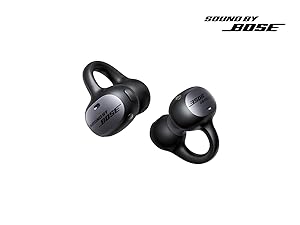
The Baseus Inspire XP1 earbuds feature a contoured in-ear fit with umbrella-shaped liquid silicone tips for comfort and noise isolation. They are equipped with a 6-mic sound sensor array for clear calls and touch-sensitive surfaces for control.

Image: Baseus Inspire XP1 Earbuds.
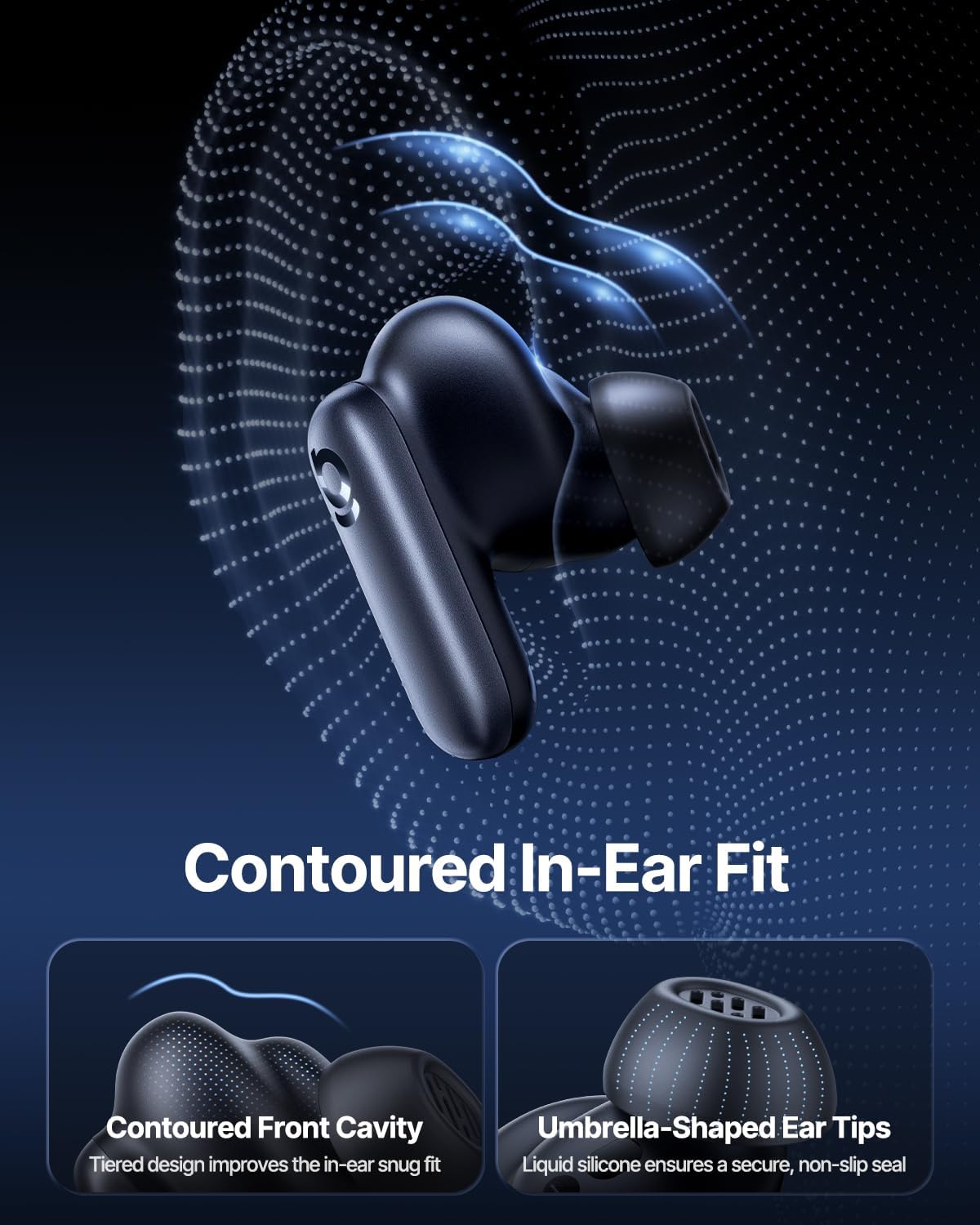
Image: Contoured In-Ear Fit and Umbrella-Shaped Ear Tips.
4. Настройка
4.1 Пачатковае спалучэнне
- Зарадка навушнікаў: Place both earbuds into the charging case and close the lid. Connect the USB-C charging cable to the case and a power source. The indicator light on the case will show charging status.
- Актываваць рэжым спалучэння: Open the charging case. The earbuds will automatically enter pairing mode, indicated by a flashing light on the earbuds or case.
- Падключэнне праз Bluetooth: На вашай прыладзе (смартфоне, планшэце, ноўтбуку) перайдзіце ў налады Bluetooth і ўключыце Bluetooth. Пошук "Baseus Inspire XP1" in the list of available devices and select it to connect.
- Пацверджанне: Once connected, a voice prompt will confirm successful pairing, and the indicator light will turn solid or off.
4.2 Усталёўка праграмы Baseus
For full functionality, including Dolby Audio, custom EQ settings, and adaptive tuning, download the official Baseus App from your device's app store (iOS App Store or Google Play Store). The app allows for personalized control of your listening experience.
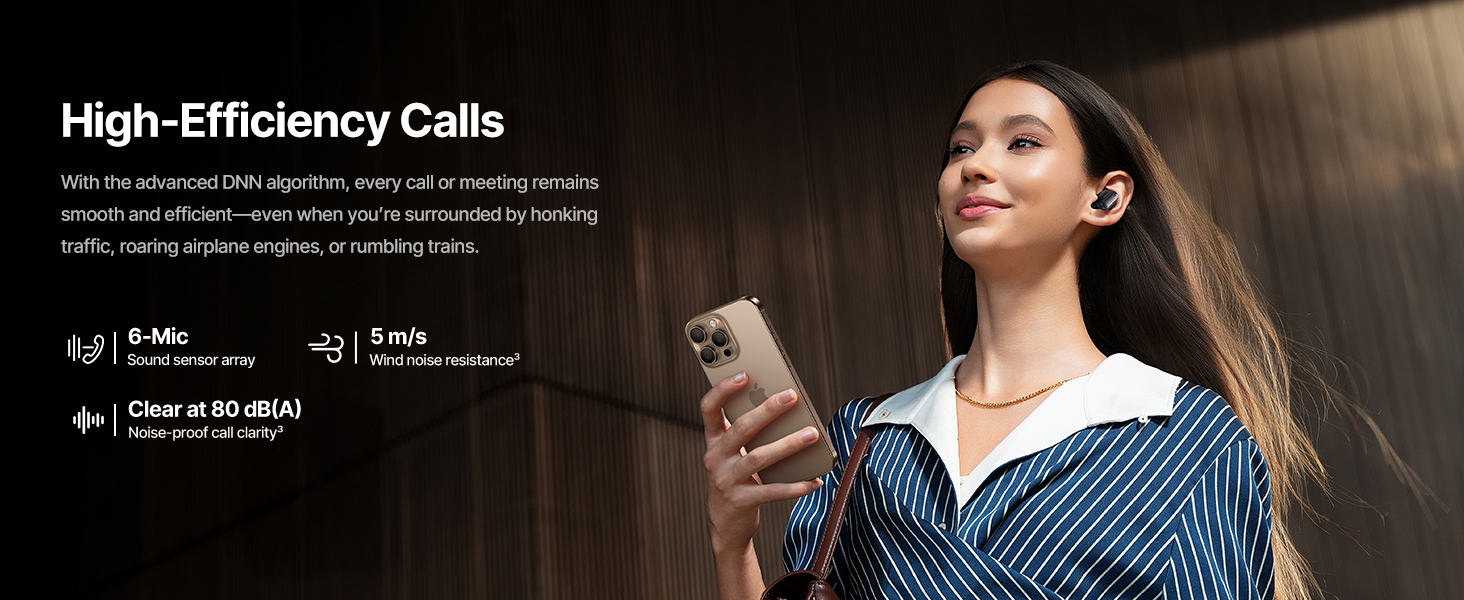
Image: Smart App Control interface.
5. Інструкцыя па эксплуатацыі
5.1 Уключэнне/выключэнне сілкавання
- Уключэнне: Адкрыйце зарадны кейс, і навушнікі аўтаматычна ўключацца і паспрабуюць падключыцца да апошняй спалучанай прылады.
- Выключэнне: Змясціце навушнікі назад у зарадны футляр і зачыніце вечка. Яны аўтаматычна выключацца і пачнуць зараджацца.
5.2 Сэнсарнае кіраванне
The earbuds feature touch-sensitive surfaces for various functions:
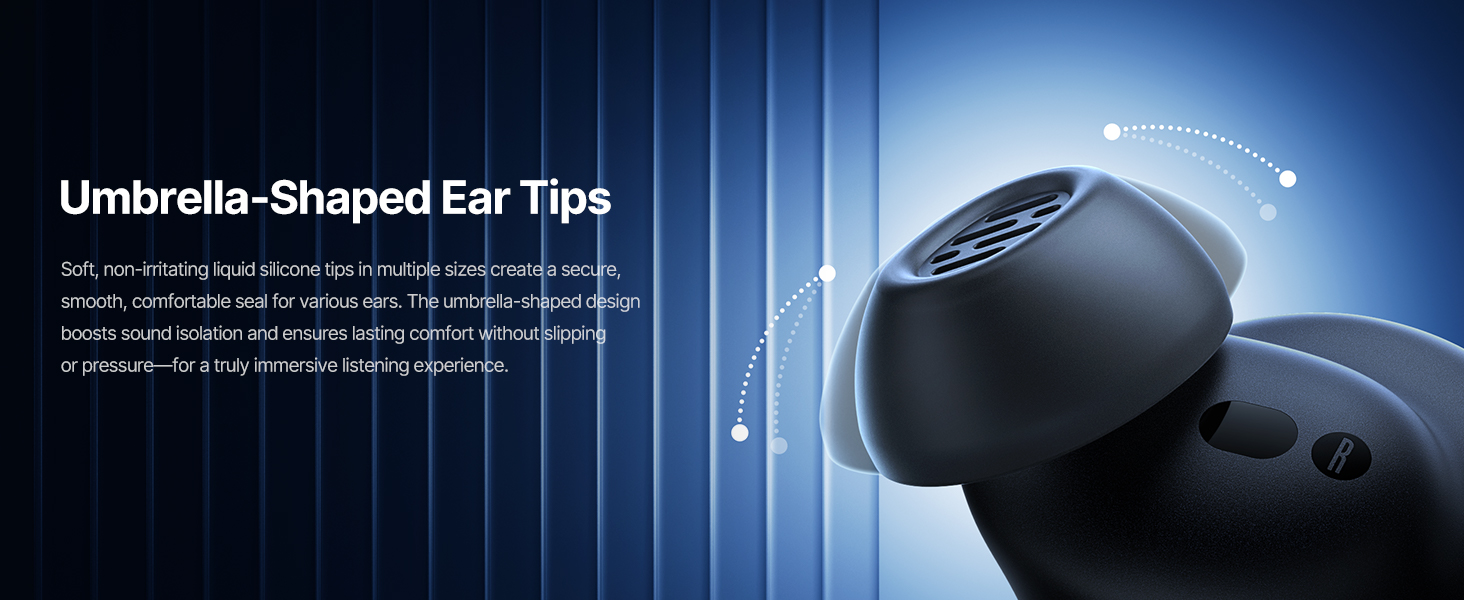
Image: Touch Control Guide.
- Прайграванне/прыпыненне музыкі: Двойчы націсніце на любы навушнік-ўкладыш.
- Адказ/завяршэнне выклікаў: Двойчы націсніце на любы навушнік-ўкладыш.
- Адхіляць выклікі: Націсніце і ўтрымлівайце любы навушнік на працягу 1.5 секунд.
- Пераключэнне рэжыму ANC/празрыстасці: Націсніце і ўтрымлівайце любы навушнік на працягу 1.5 секунд.
- Актываваць галасавы памочнік: Тройчы націсніце на любы навушнік-ўкладыш.
5.3 Adaptive Noise Cancellation (ANC) and Transparency Mode
The Inspire XP1 earbuds feature Premium Adaptive ANC, which dynamically adjusts noise reduction up to -50 dB based on your environment. Transparency Mode allows you to hear your surroundings without removing the earbuds.

Image: Premium Adaptive ANC in use.
Switch between ANC and Transparency Mode by tapping and holding the touch surface for 1.5 seconds, or manage settings via the Baseus App.
5.4 High-Efficiency Clear Calls
Equipped with a 6-mic sound sensor array and AI algorithms, the earbuds provide clear calls by reducing wind noise and environmental distractions up to 80 dB(A).

Image: High-Efficiency Clear Calls.
5.5 Зарадка і тэрмін службы батарэі
The earbuds offer extended playtime with the charging case:
- ANC выключаны: Up to 8 hours per charge, and up to 45 hours with the charging case.
- ANC уключаны: Up to 6 hours per charge, and up to 35 hours with the charging case.
- Хуткая зарадка: 10 хвілін зарадкі забяспечваюць прыкладна 2.5 гадзіны прайгравання.

Image: Day-and-Night Playtime.
5.6 Instant Multipoint Connection
Utilize Baseus Smart-Connect and Bluetooth 6.1 for seamless switching between two paired devices, such as a phone and a laptop, enabling uninterrupted calls and multitasking.
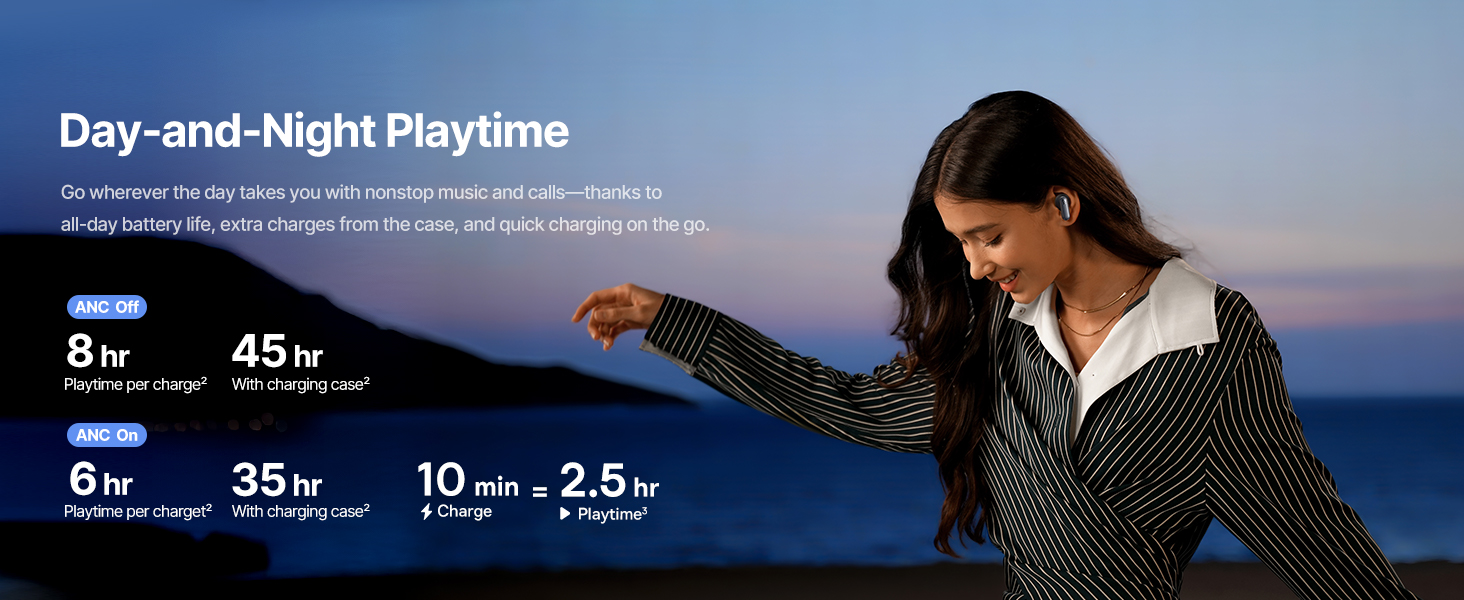
Image: Instant Multipoint Connection.
6. Тэхнічнае абслугоўванне
- Уборка: Рэгулярна працірайце навушнікі і зарадны футляр мяккай, сухой тканінай без ворса. Не выкарыстоўвайце абразіўныя матэрыялы або агрэсіўныя хімічныя рэчывы.
- Вушныя наканечнікі: Remove and clean the silicone eartips with mild soap and water if necessary. Ensure they are completely dry before reattaching.
- Парты для зарадкі: Трымайце зарадны порт USB-C чысцінёй ад пылу і смецця.
- захоўванне: When not in use, store the earbuds in their charging case to protect them and maintain battery life. Avoid extreme temperatures.
7. Выпраўленне непаладак
7.1 Навушнікі не спалучаюцца
- Ensure the earbuds are charged and the charging case lid is open.
- Выключыце і ўключыце Bluetooth на прыладзе.
- Забудзьце прыладу ў наладах Bluetooth і паспрабуйце зноў падключыць яе.
- Try resetting the earbuds (refer to the Baseus App or Baseus support for specific reset instructions).
7.2 Няма гуку або нізкі ўзровень гучнасці
- Праверце ўзровень гучнасці як на прыладзе, так і ў навушніках.
- Пераканайцеся, што навушнікі правільна размешчаны ў вушах.
- Пераканайцеся, што навушнікі падключаны да правільнага аўдыёвыхаду на вашай прыладзе.
- Ачысціце дынамікі навушнікаў ад смецця.
7.3 Праблемы з зарадкай
- Пераканайцеся, што зарадны кабель надзейна падключаны як да корпуса, так і да крыніцы харчавання.
- Паспрабуйце іншы кабель USB-C і адаптар харчавання.
- Ачысціце зарадныя кантакты на абодвух навушніках і ўнутры кейса.
8. Тэхнічныя характарыстыкі
Выява: Тэхнічныя характарыстыкі прадукту.
| Назва мадэлі | Baseus Inspire XP1 |
| Тэхналогія падлучэння | Bluetooth 6.1, бесправадная сувязь |
| Тэхналогія бесправадной сувязі | Bluetooth 6.1 |
| Кантроль шуму | Adaptive Noise Cancellation, Environmental Noise Cancellation |
| Памер аўдыё драйвера | 10 міліметра |
| Дыяпазон частот | 20 Гц - 20 000 Гц |
| Тэрмін службы батарэі (ANC выключаны) | 8 гадзін (з навушнікамі), 45 гадзін (з зарадным кейсам) |
| Порт для зарадкі | USB-C |
| Метад кантролю | Дадатак, дотык |
| Матэрыял | Сілікон |
| Вага прадмета | 7.8 унцыі |
9. Гарантыя і падтрымка
Baseus products are covered by a limited warranty. For detailed warranty information, product support, or to contact customer service, please visit the official Baseus webсайт або звярніцеся да гарантыйнага талона, які ўваходзіць у камплект пастаўкі.
Вы таксама можаце наведаць в Крама Baseus на Amazon для атрымання дадатковых рэсурсаў і інфармацыі аб прадукце.