
1. Уводзіны
Thank you for choosing the comiso M11 Wearable Bluetooth Speaker. This manual provides essential information for setting up, operating, and maintaining your speaker. The M11 is designed for portability and convenience, featuring IPX7 waterproofing, Bluetooth 6.0 connectivity, and a built-in microphone for hands-free calls.
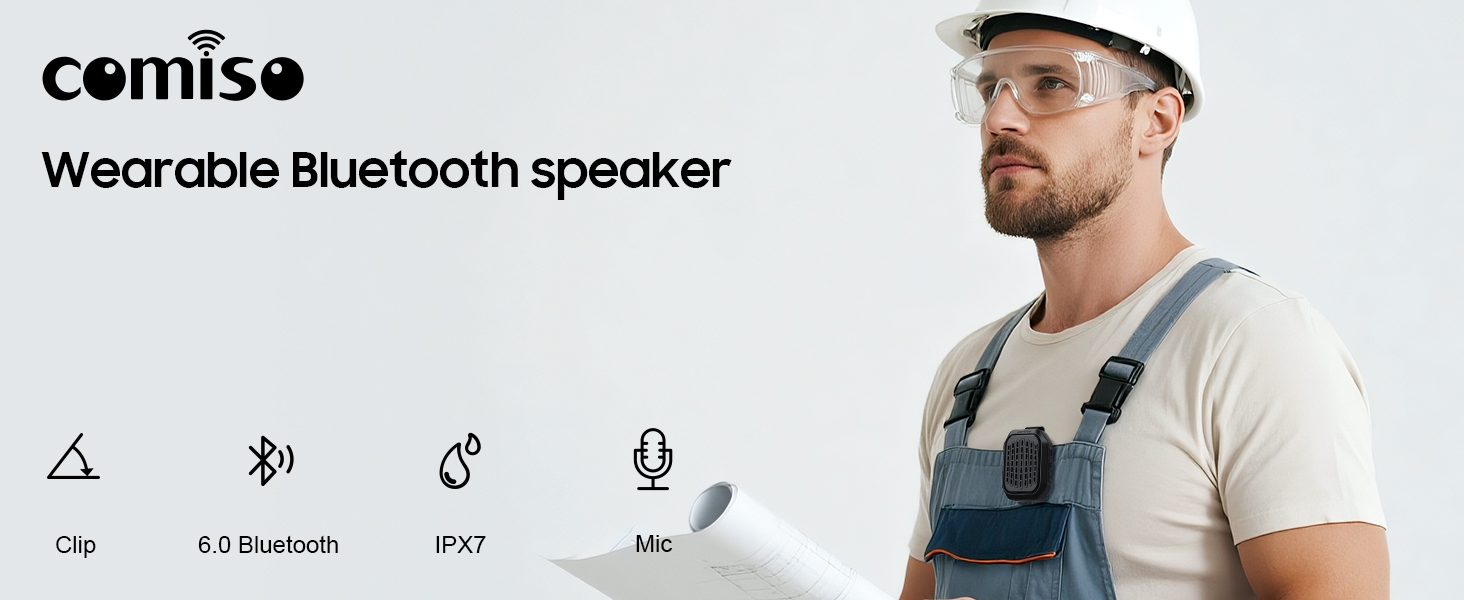
Выява 1.1: Канецview of the comiso M11 speaker highlighting its key features: clip-on design, Bluetooth 6.0, IPX7 waterproof rating, and built-in microphone.
2. Змесціва ўпакоўкі
Калі ласка, праверце ўпакоўку на наяўнасць наступных прадметаў:
- 1 x comiso M11 Wearable Bluetooth Speaker
- 1 х кабель для зарадкі USB-C
- 1 х шнурок
- 1 х Кіраўніцтва карыстальніка (гэты дакумент)
3. Прадукт скончыўсяview
The comiso M11 speaker features a compact design with a durable clip for easy attachment. Familiarize yourself with the speaker's components:
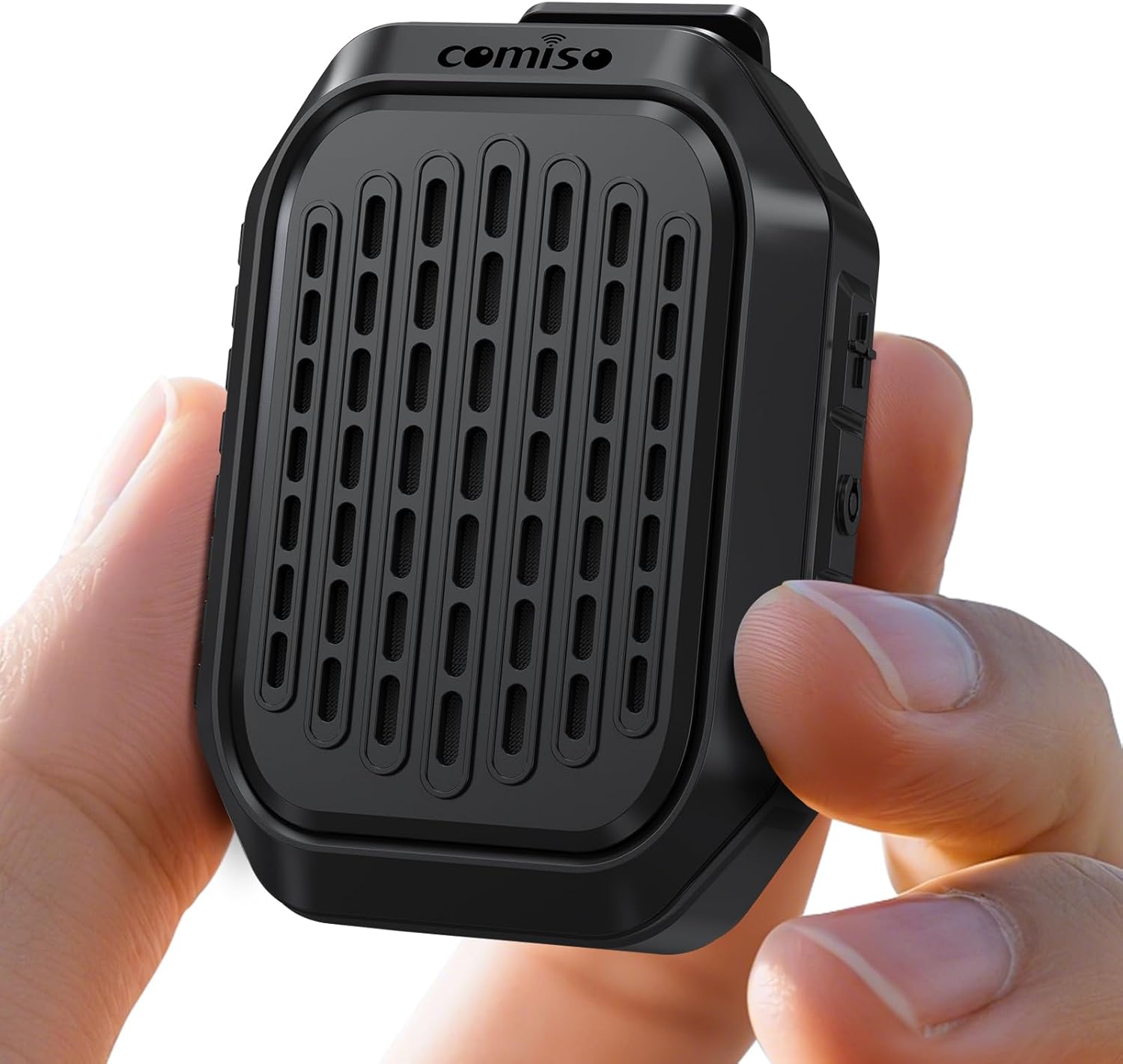
Image 3.1: The comiso M11 speaker, demonstrating its small, portable form factor when held in a hand.
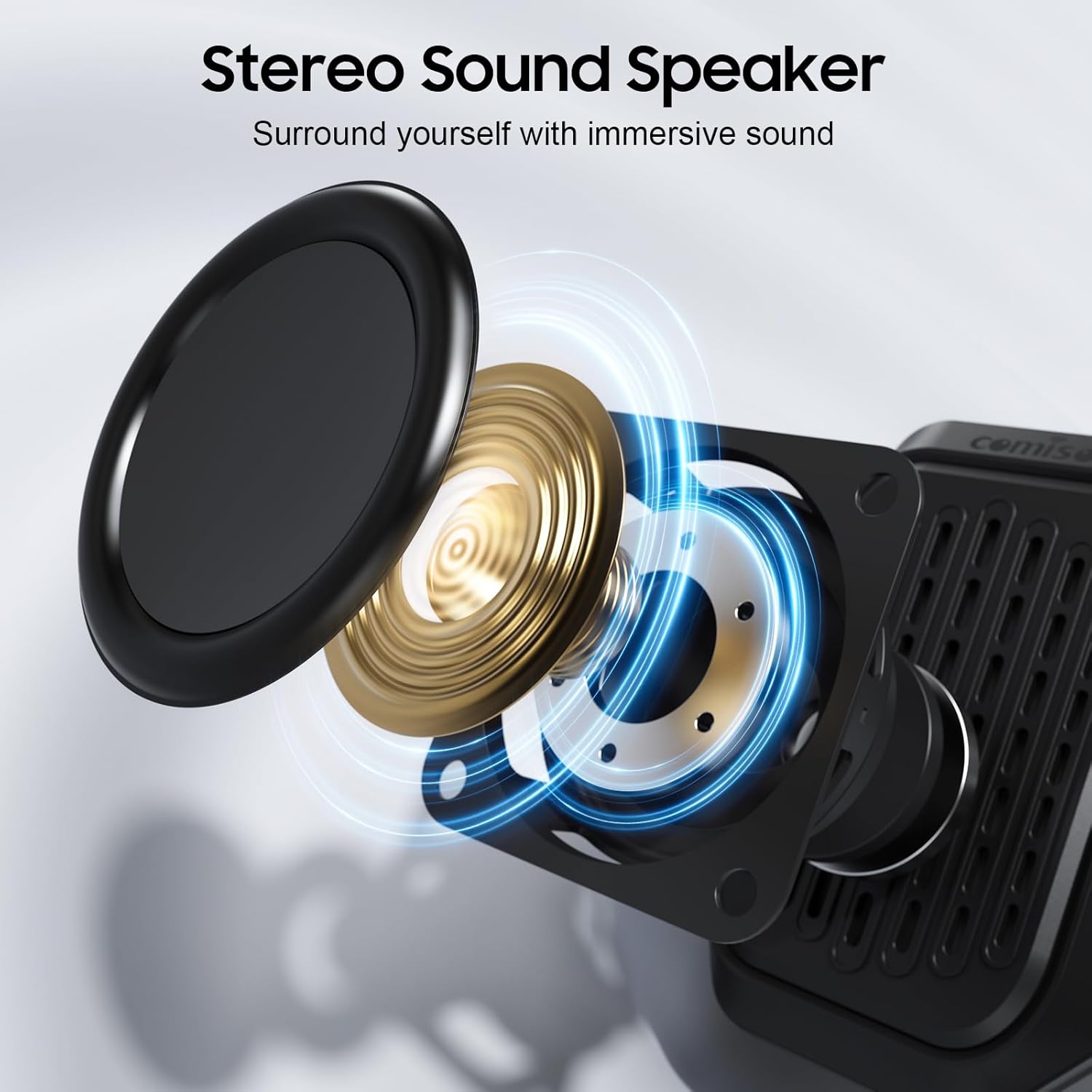
Image 3.2: An exploded diagram illustrating the internal components of the speaker, including the sound driver, designed for stereo sound output.
4. Настройка
4.1 Зарадка дынаміка
Before first use, fully charge your comiso M11 speaker. Use the included USB-C cable to connect the speaker to a compatible USB power source (e.g., wall adapter, computer USB port).
- Індыкатар зарадкі будзе гарэць падчас зарадкі.
- A full charge provides over 10 hours of playtime at 50% volume.
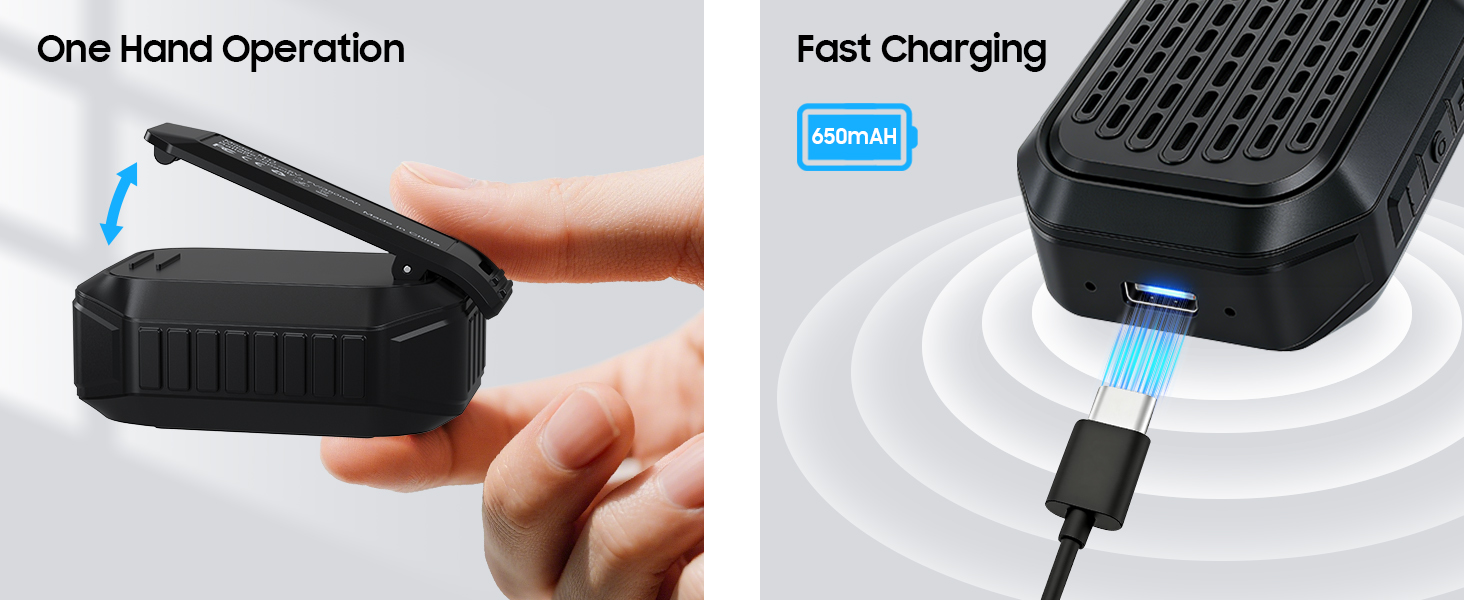
Image 4.1: The speaker's USB-C port connected for fast charging, alongside an illustration of its one-hand operable clip.
4.2 Спалучэнне па Bluetooth
Каб падключыць дынамік да прылады з падтрымкай Bluetooth:
- Пераканайцеся, што дынамік зараджаны і ўключаны.
- Уключыце Bluetooth на вашым смартфоне або іншай прыладзе.
- Пошук даступныя прылады і абярыце «M11» са спісу.
- Once connected, the speaker will indicate a successful pairing (e.g., an audible tone or LED indicator change).

Image 4.2: A smartphone screen showing the Bluetooth pairing process, with the M11 speaker visible and ready for connection.
5. Інструкцыя па эксплуатацыі
5.1 Уключэнне/выключэнне сілкавання
- Каб уключыць: Націсніце і ўтрымлівайце кнопку харчавання прыблізна 2 секунды.
- Каб выключыць: Націсніце і ўтрымлівайце кнопку харчавання прыблізна 3 секунды.
5.2 Прайграванне музыкі
Once connected via Bluetooth, you can control music playback from your device or directly on the speaker (if applicable buttons are present).
- Прайграванне/Паўза: Націсніце кнопку Play/Pause адзін раз.
- Павялічыць гучнасць: Націсніце кнопку павелічэння гучнасці.
- Паменшыць гучнасць: Націсніце кнопку памяншэння гучнасці.
- Наступны трэк: Націсніце і ўтрымлівайце кнопку павелічэння гучнасці.
- Папярэдні трэк: Націсніце і ўтрымлівайце кнопку памяншэння гучнасці.
5.3 Званкі ў рэжыме гучнай сувязі
The built-in microphone allows for clear hands-free communication.
- Адказаць на званок: Націсніце кнопку прайгравання/паўзы адзін раз, калі паступае званок.
- Завяршыць выклік: Націсніце кнопку прайгравання/паўзы адзін раз падчас размовы.
- Адхіліць выклік: Націсніце і ўтрымлівайце кнопку прайгравання/паўзы на працягу 2 секунд.

Image 5.1: A user demonstrating hands-free calling with the speaker clipped to their clothing, suitable for active environments.
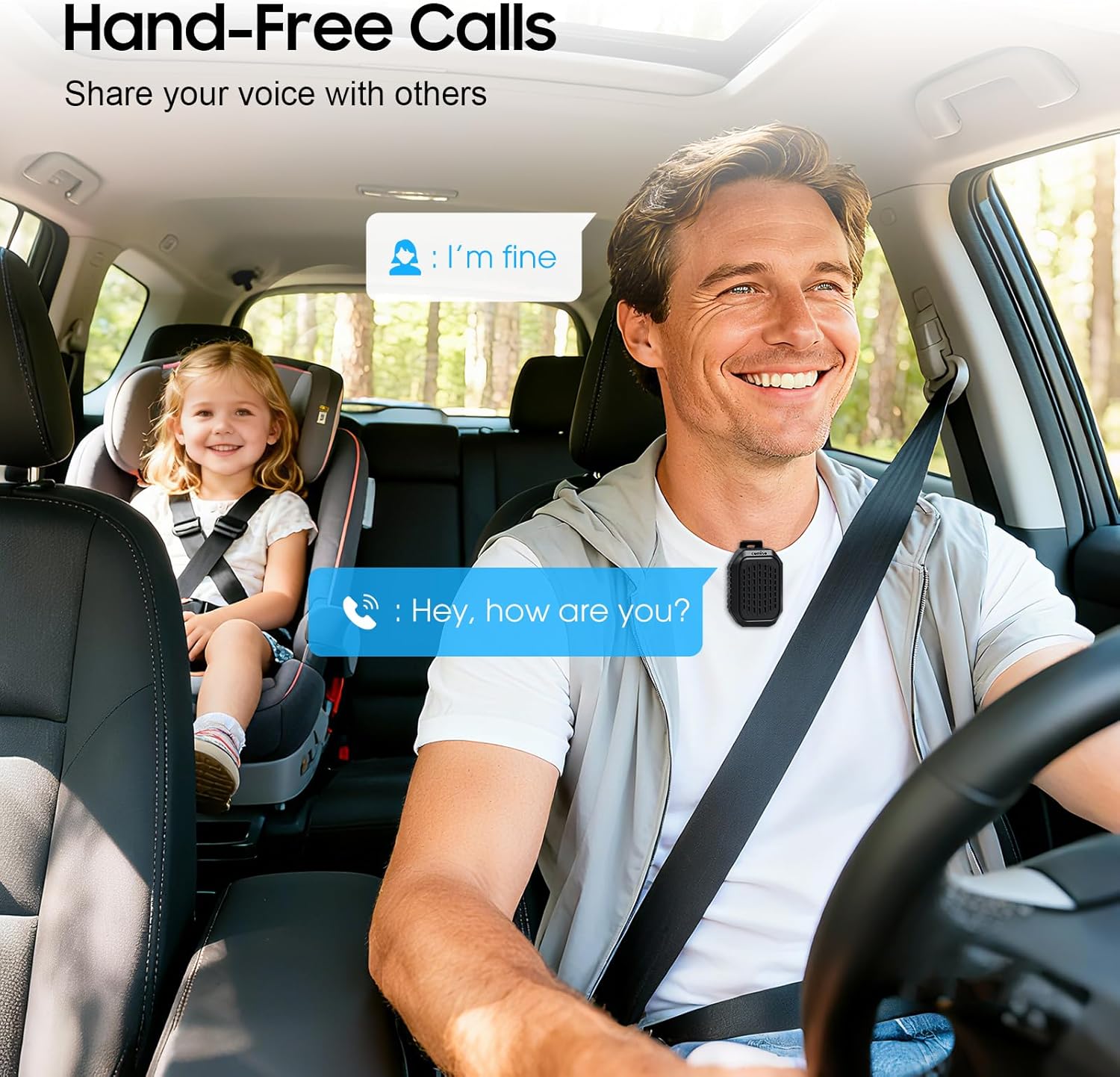
Image 5.2: The speaker facilitating hands-free communication while driving, clipped securely to a seatbelt.
5.4 Спалучэнне з сапраўдным бесправадным стэрэа (TWS)
For an enhanced audio experience, you can pair two M11 speakers together to create a stereo sound system.
- Ensure both M11 speakers are powered on and not connected to any other Bluetooth device.
- On either speaker, triple-press the Power button to enter TWS pairing mode.
- The speakers will automatically search for and connect to each other.
- Once paired, connect your device to one of the speakers via Bluetooth as described in Section 4.2.
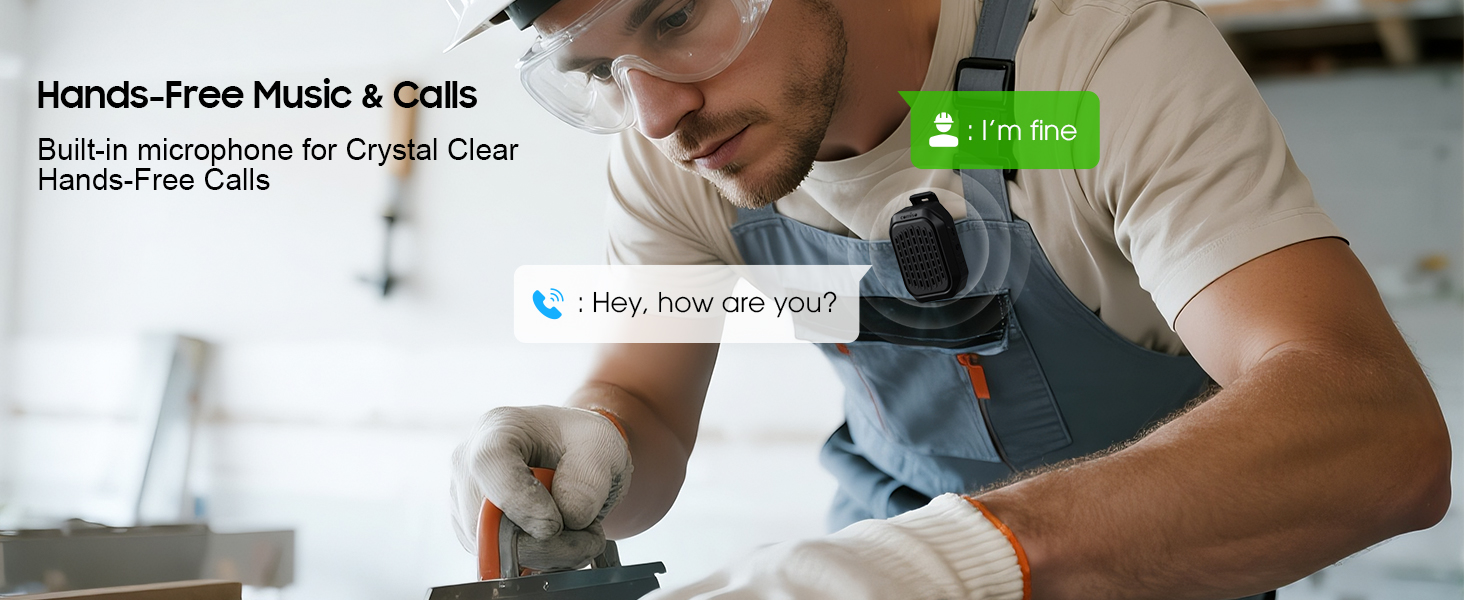
Image 5.3: Two M11 speakers wirelessly connected for a stereo audio experience, enhancing sound immersion.
5.5 Wearing the Speaker
The M11 speaker's anti-slip clip and included lanyard offer versatile wearing options.
- Кліп-на: Easily attach the speaker to your shirt, backpack strap, belt, or jacket.
- Шнурок: Use the lanyard to hang the speaker on your bag, bike, or car.
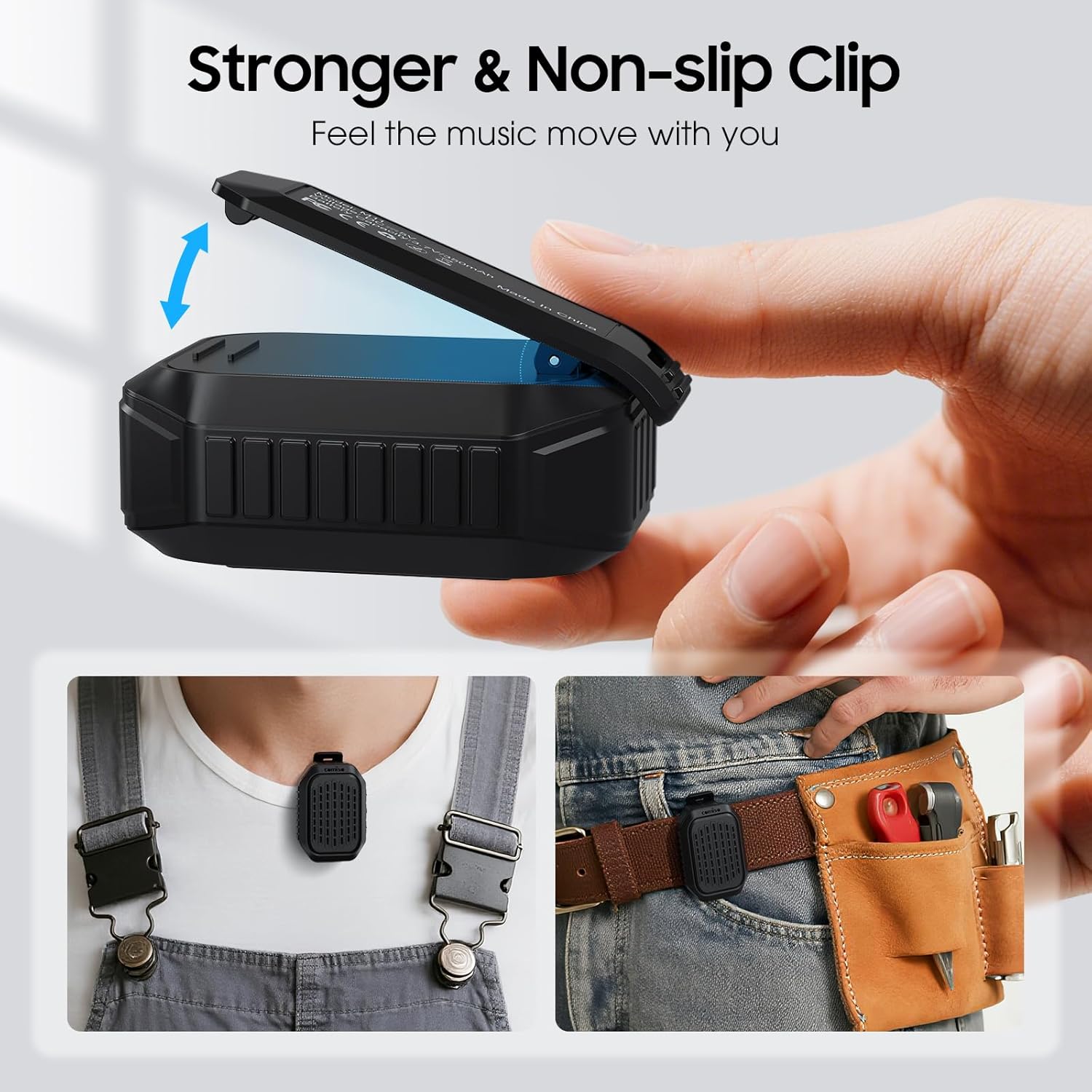
Малюнак 5.4: Падрабязны view of the speaker's strong, non-slip clip, designed for secure attachment to various items.
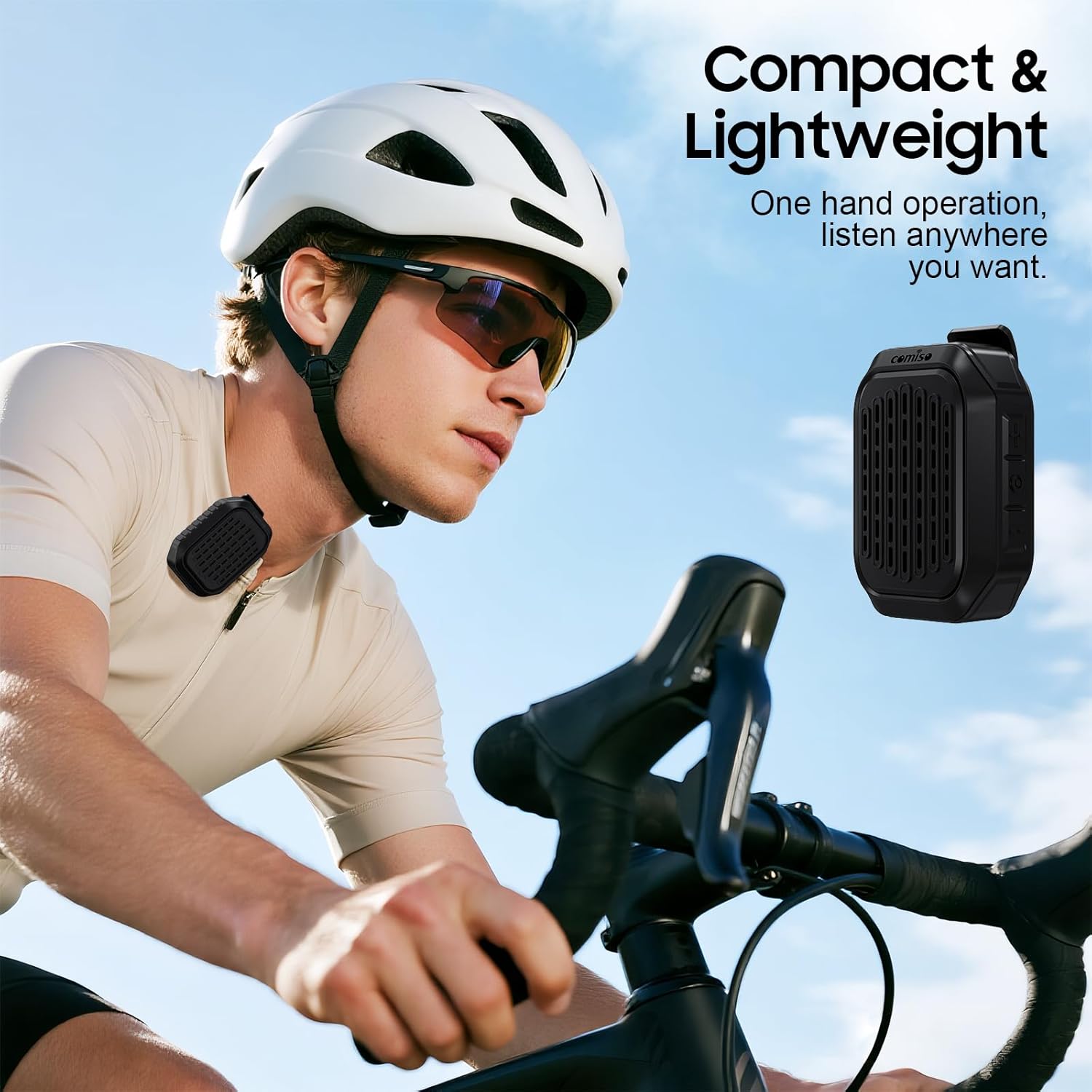
Image 5.5: A cyclist wearing the compact and lightweight speaker, demonstrating its suitability for outdoor activities.
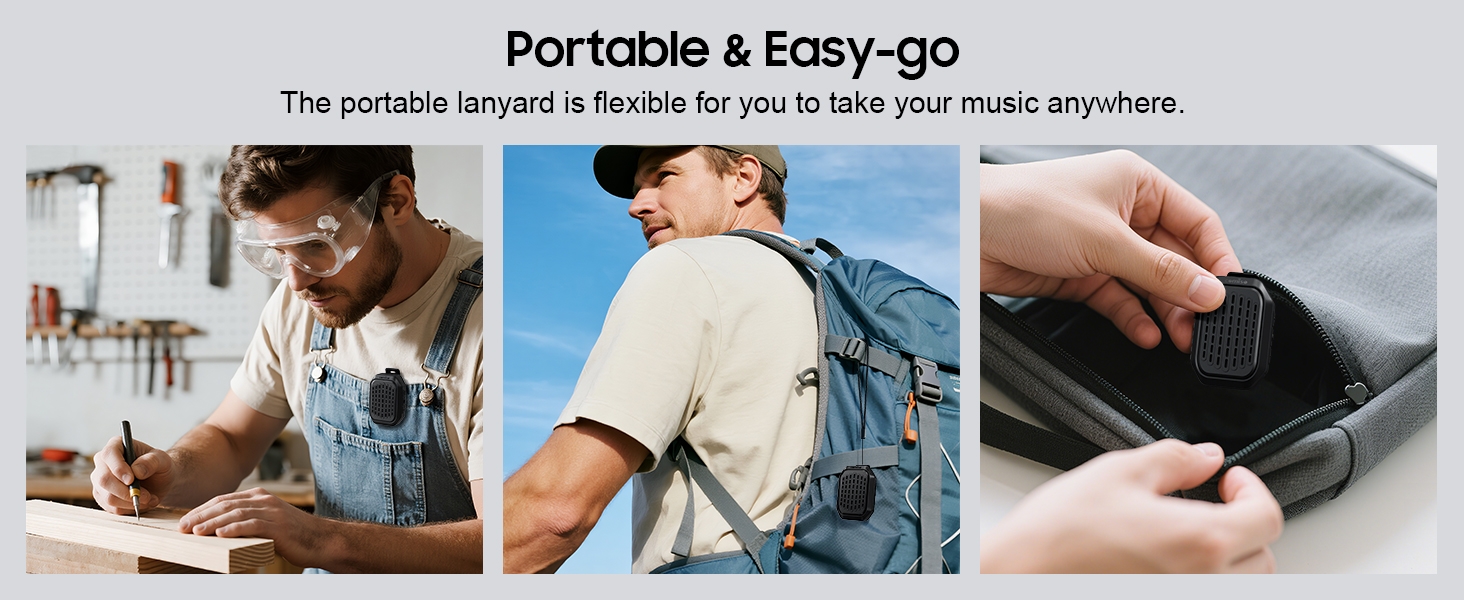
Малюнак 5.6: Прыкладamples of the speaker's portability and ease of use, including being clipped to clothing, a backpack, and stored in a pocket.
6. Тэхнічнае абслугоўванне
6.1 Воданепранікальнасць (IPX7)
The comiso M11 speaker is IPX7 waterproof, meaning it can be immersed in water up to 1 meter deep for 30 minutes. This makes it suitable for outdoor use and resistant to splashes and rain.
- Перад тым, як падвяргаць дынамік уздзеянню вады, пераканайцеся, што вечка зараднага порта шчыльна зачынена.
- Не апускайце дынамік наўмысна на працяглы час або на глыбіню большую за пазначаную.
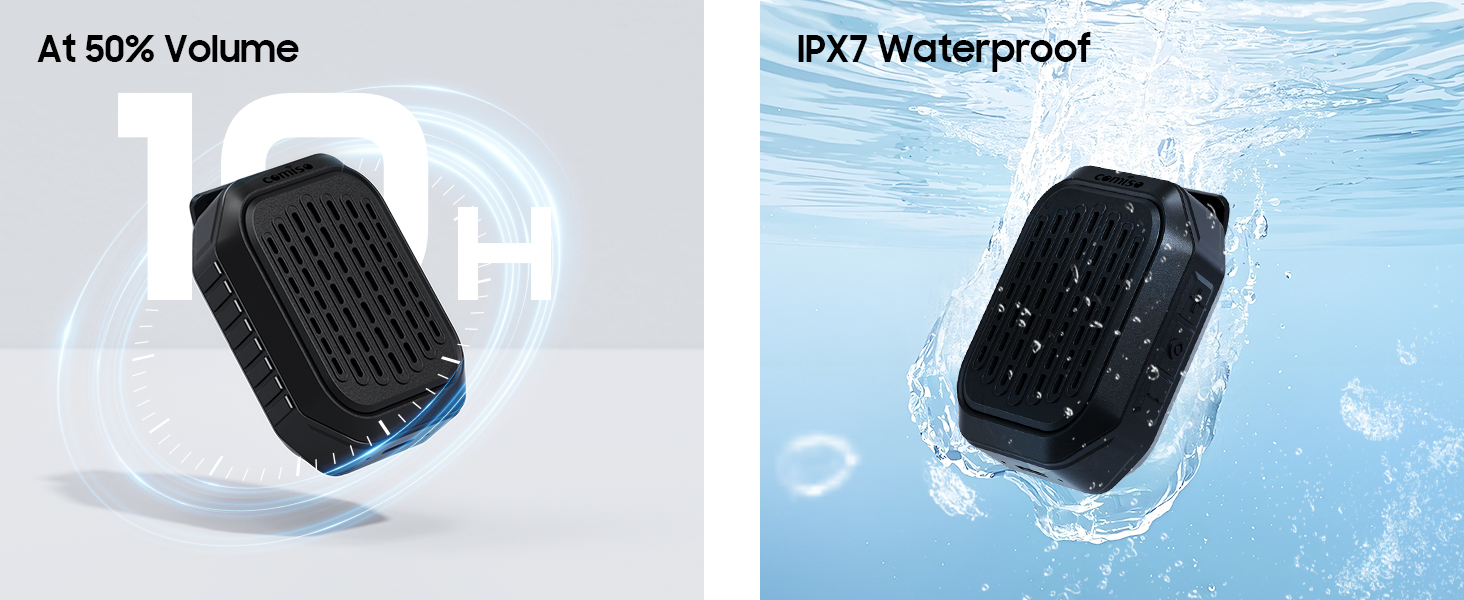
Image 6.1: The speaker submerged in water, illustrating its IPX7 waterproof capability, alongside an indicator of its 10-hour battery life.
6.2 Ачыстка і захоўванне
- Ачысціце дынамік мяккай, damp тканіна. Не выкарыстоўвайце абразіўныя ачышчальнікі або растваральнікі.
- Захоўвайце дынамік у прахалодным, сухім месцы, удалечыні ад экстрэмальных тэмператур і прамых сонечных прамянёў.
- If not used for a long period, charge the speaker at least once every three months to maintain battery health.
7. Выпраўленне непаладак
If you encounter issues with your comiso M11 speaker, please refer to the following common solutions:
- Дынамік не ўключаецца:
Ensure the speaker is fully charged. Connect it to a power source using the USB-C cable and try again. - Немагчыма спалучыць прыладу з Bluetooth:
Make sure the speaker is in pairing mode (check indicator light). Turn off and on Bluetooth on your device. Ensure the speaker is within the 10-meter range. Clear previous Bluetooth connections on your device and try pairing again. - Няма гуку або нізкі гук:
Check the volume levels on both the speaker and your connected device. Ensure the speaker is properly paired. If using TWS, ensure both speakers are connected correctly. - Дрэнная якасць выкліку:
Ensure the speaker is close enough for the microphone to pick up your voice clearly. Check for environmental noise interference. - Дынамік не зараджаецца:
Verify the USB-C cable is securely connected to both the speaker and the power source. Try a different USB-C cable or power adapter.
8. Тэхнічныя характарыстыкі
| Асаблівасць | Дэталь |
|---|---|
| Назва мадэлі | М11 |
| Тып дынаміка | Дынамік Bluetooth, які можна насіць |
| Версія Bluetooth | 6.0 |
| Максімальная выхадная магутнасць дынаміка | 5 ват |
| Узровень воданепранікальнасці | IPX7 (up to 1 meter for 30 minutes) |
| Тэрмін службы батарэі | Over 10 hours (at 50% volume) |
| Порт для зарадкі | USB-C |
| Памеры прадукту (Д х Ш х У) | 1.9" x 2.9" x 1.3" |
| Вага прадмета | 75 грам (2.65 унцый) |
| Максімальны дыяпазон Bluetooth | 10 метраў |
| Убудаваны мікрафон | так |
| Спарванне TWS | так |
9. Інфармацыя па бяспецы
Please read and follow these safety guidelines to ensure safe operation and prolong the life of your speaker:
- Не разбірайце, не рамантуйце і не мадыфікуйце дынамік. Гэта можа ануляваць гарантыю і стварыць пагрозу бяспецы.
- Трымайце дынамік далей ад экстрэмальных тэмператур, прамых сонечных прамянёў і адкрытага агню.
- Пазбягайце падзення дынаміка і не падвяргайце яго моцным ударам.
- Do not use the speaker while charging in wet conditions.
- Захоўваць у месцах, недаступных дзецям.
- Утылізуйце дынамік і яго батарэю адказна ў адпаведнасці з мясцовымі правіламі.
10. Гарантыя і падтрымка
For warranty information or technical support, please contact comiso customer service through the retailer where you purchased the product or visit the official comiso website. Please have your model number (M11) and purchase details ready.