
Уводзіны
This manual provides essential information for setting up, operating, and maintaining your Element 43-inch 4K UHD HDR Frameless Xumo TV. Your new television offers stunning 4K Ultra HD resolution, enhanced color and contrast with Dolby Vision and HDR, and immersive sound with Dolby Audio. The integrated Xumo TV platform provides access to a wide range of streaming content and smart features. Please read this manual thoroughly to ensure proper use and enjoyment of your television.
Настройка
1. Што ў скрынцы
Before you begin, ensure all components are present. Carefully remove the TV and accessories from the packaging.

Figure 1: Box Contents and TV Dimensions. This image displays the items included in the TV box: TV, Voice Remote, TV Stands, Stand Screws, Quick Start Guide, and 2 AAA Remote Batteries. It also provides detailed dimensions for the TV with and without the stand, and the distance between the stand feet.
- TV
- Галасавы пульт
- Тумбы пад тэлевізар
- Стэнд Шрубы
- Кароткае кіраўніцтва
- 2 выдаленыя батарэйкі AAA
- Сілавы кабель
2. Мацаванне падставак для тэлевізара
If you are not wall-mounting the TV, attach the included stands. Place the TV face down on a soft, clean surface to prevent screen damage. Align each stand with the corresponding screw holes on the bottom of the TV and secure them with the provided screws.
3. Падключэнне харчавання і прылад
Connect the power cable to the TV and then to a power outlet. Connect any external devices (e.g., cable box, gaming console, Blu-ray player) to the appropriate HDMI ports on the back of the TV. The TV supports Bluetooth and Ethernet connectivity for network access.
4. Пачатковая налада
Upon first power-on, the TV will guide you through the initial setup process. This includes selecting your language, connecting to a Wi-Fi or Ethernet network, and setting up your Xumo TV account. Follow the on-screen instructions to complete the setup.
Інструкцыя па эксплуатацыі
1. Using the Voice Remote
The included voice remote allows for easy navigation and control. Insert the 2 AAA batteries into the remote. Use the directional pad to navigate menus and the voice button to issue commands. Dedicated buttons provide quick access to popular streaming services.
2. Navigating Xumo TV
Xumo TV provides a centralized platform for all your entertainment. The home screen displays recommended content, installed apps, and live TV options. Use the remote to browse categories, search for titles, and manage your profile.

Figure 2: Xumo TV Interface. This image illustrates the Xumo TV home screen, showcasing popular streaming applications like Netflix, Prime Video, Hulu, and HBO Max, along with trending content suggestions.

Figure 3: Available Streaming Apps. This image displays a wide array of streaming service logos, indicating the extensive content options available through the Xumo TV platform.
3. Налады выявы і гуку
Access the TV settings menu to customize your viewing experience. Adjust brightness, contrast, color, and sharpness. Enable or disable features like Dolby Vision and HDR for optimized picture quality. Configure sound modes and volume levels for Dolby Audio.
- 4K Ultra HD: Experience crystal-clear, detailed images.
- Dolby Vision і HDR: Enhances color and contrast for a more dynamic picture, especially in dark and bright scenes.
- Dolby Audio: Delivers superior sound quality for movies and gaming.
- 120Hz Effective Refresh Rate: Provides smooth motion and sharp visuals for fast-paced content.

Figure 4: 4K UHD HDR10 Detail. This close-up image highlights the clarity and detail provided by 4K UHD and HDR10 technology, exemplified by the sharp focus on a dog's eye.
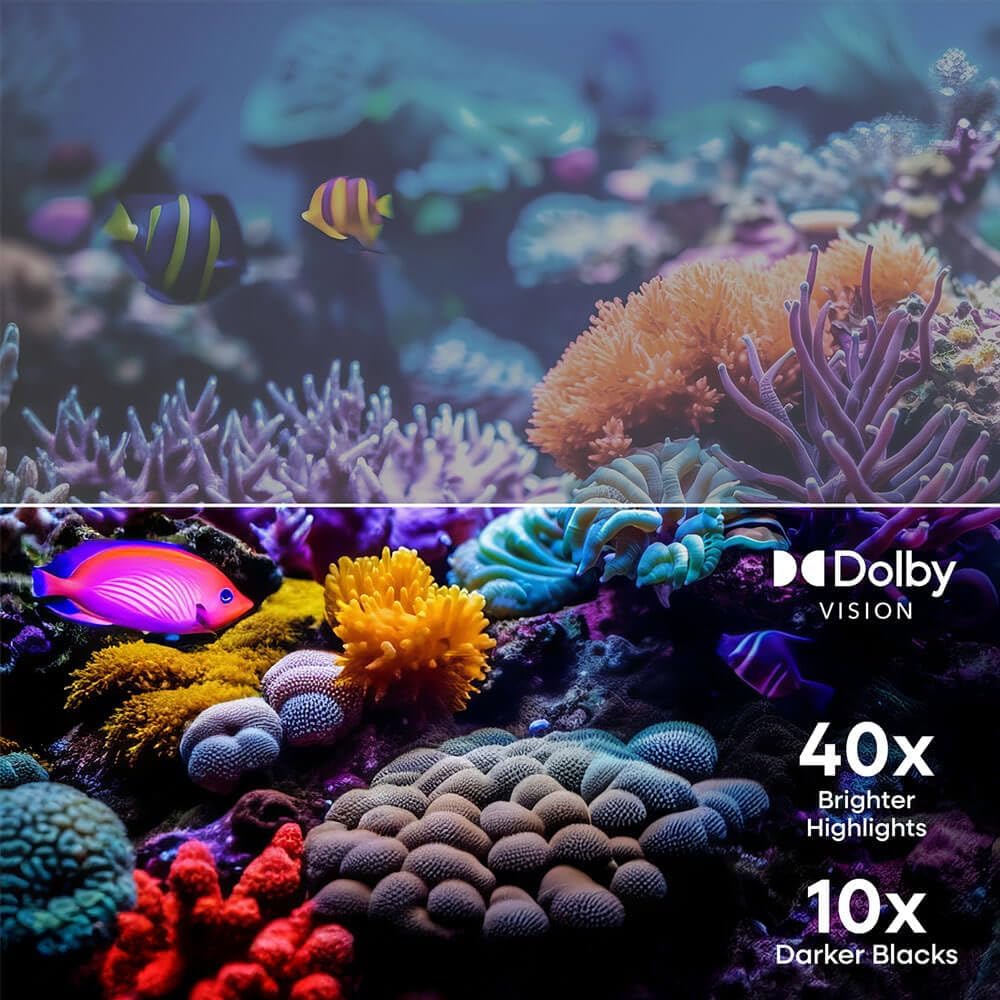
Figure 5: Dolby Vision Enhancement. This image demonstrates the visual improvement with Dolby Vision, showing a comparison between standard and Dolby Vision enhanced scenes, highlighting 40x brighter highlights and 10x darker blacks.

Figure 6: 120Hz Effective Refresh Rate. This image illustrates the smooth motion provided by the 120Hz effective refresh rate, depicted by fast-moving race cars on screen.
Тэхнічнае абслугоўванне
Ачыстка экрана
Каб ачысціць экран, акуратна працярыце яго мяккай тканінай без ворса. Для выдалення ўстойлівых плям злёгкуampen the cloth with water or a screen-specific cleaning solution. Avoid using harsh chemicals or abrasive materials. Always unplug the TV before cleaning.
Агульны догляд
Keep the TV in a well-ventilated area, away from direct sunlight, heat sources, and excessive dust. Do not block ventilation openings. Avoid placing heavy objects on the TV or subjecting it to strong impacts.
Ліквідацыю непаладак
| праблема | Магчымая прычына | Рашэнне |
|---|---|---|
| Няма ўлады | Кабель харчавання адключаны; праблема з разеткай | Пераканайцеся, што кабель харчавання надзейна падключаны. Паспрабуйце іншую разетку. |
| Няма выявы, але гук ёсць | Incorrect input source; Device connection issue | Press the 'Input' button on the remote to select the correct source. Check HDMI/AV cable connections. |
| Няма гуку, але выява ёсць | Volume muted or too low; Audio settings incorrect | Unmute the TV or increase volume. Check audio output settings in the TV menu. |
| Немагчыма падключыцца да Wi-Fi | Няправільны пароль; праблема з маршрутызатарам; тэлевізар занадта далёка ад маршрутызатара | Verify Wi-Fi password. Restart your router. Move TV closer to router or use an Ethernet cable. |
| Пульт дыстанцыйнага кіравання не працуе | Разраджаныя батарэйкі; Перашкода; Пульт не спалучаны | Replace batteries. Remove any obstructions between remote and TV. Re-pair the remote if necessary (refer to Quick Start Guide). |
Тэхнічныя характарыстыкі
- Марка: элемент
- Нумар мадэлі: E550AE43C
- Памер экрана: 43 цаляў
- дазвол: 4K Ultra HD (3840 x 2160)
- Тэхналогія адлюстравання: святлодыёд
- Падтрымка HDR: Dolby Vision, HDR10
- Частата абнаўлення: 120Hz Effective
- Аўдыятэхналогія: Dolby Audio
- Платформа Smart TV: Тэлевізар Xumo
- Падключэнне: Bluetooth, Ethernet, HDMI (multiple ports), USB
- Суадносіны бакоў: 16:9
- Памеры вырабу (з падстаўкай): 37.7"W x 22.2"H x 8.7"D (approximate, based on image)
- Памеры вырабу (без падстаўкі): 37.7"W x 22.0"H x 3.3"D (approximate, based on image)
- Вага прадмета: 15.9 фунта
- Тып мацавання: Wall Mount, Table Mount
- Уключаныя кампаненты: Пульт дыстанцыйнага кіравання, кабель харчавання
Інфармацыя аб гарантыі
Element televisions typically come with a limited manufacturer's warranty. For specific details regarding the warranty period, coverage, and terms and conditions, please refer to the warranty card included with your product or visit the official Element Electronics webсайт. Захоўвайце пацвярджэнне пакупкі для прэтэнзій па гарантыі.
Падтрымка
If you encounter any issues not covered in this manual or require further assistance, please contact Element Electronics customer support. You can usually find contact information (phone number, email, or support portal) on the official Element Electronics webна сайце або ў кіраўніцтве па хуткім запуску, якое пастаўляецца з вашым тэлевізарам.
Інтэрнэт-рэсурсы: For the latest updates, FAQs, and additional support, visit the Element Electronics Store on Amazon або іх афіцыйны брэнд webсайт.